




YCS iPhone 16 Series Motherboard Tester Socket
₨ 35,000
Layered iPhone 16 Board Testing
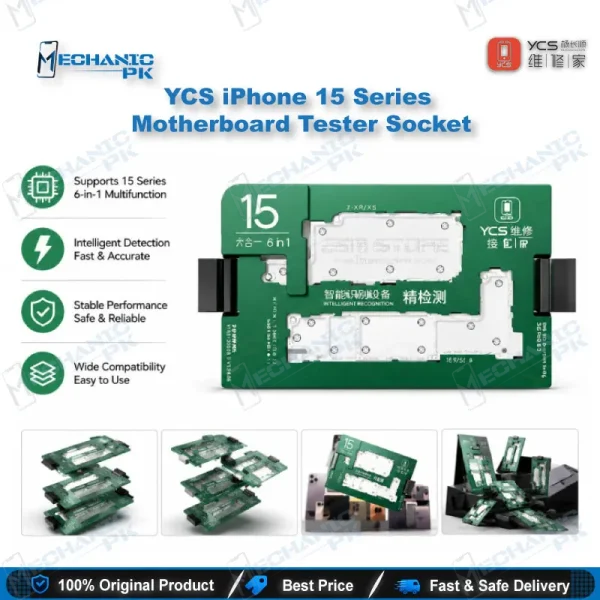
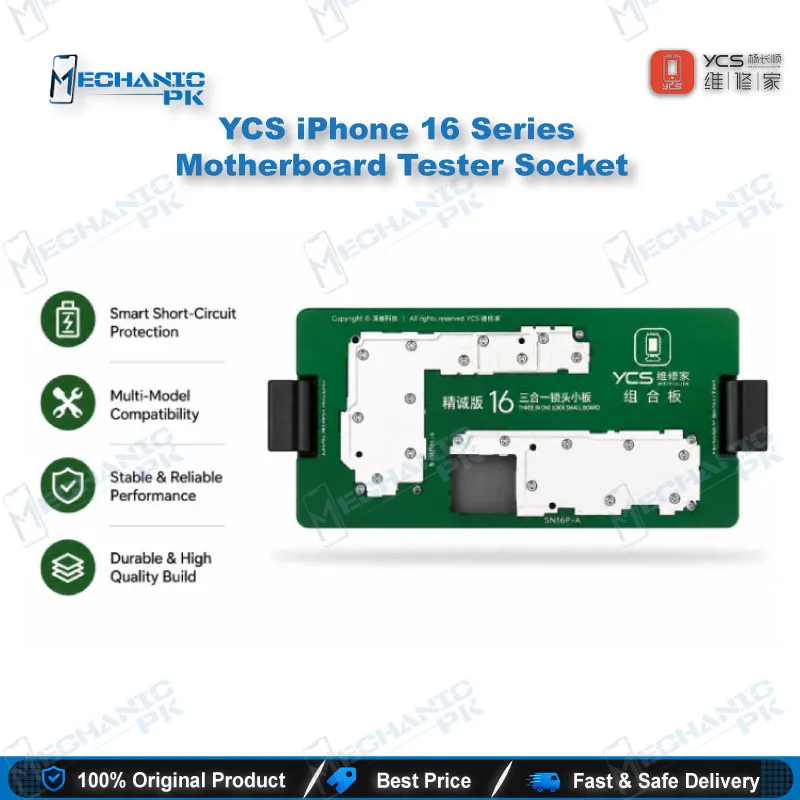
The YCS iPhone 16 Series Motherboard Tester Socket gives technicians a dedicated layered test stand for iPhone 16, 16 Plus, 16 Pro, and 16 Pro Max logic boards. It holds the lower and upper boards in aligned positions so you can test each layer on its own. Use it to isolate a fault on a double-layer board, confirm repair work after rework, and cut down on the handling that comes with loose stacked boards. Built for repair benches, service centers, and training labs that need repeatable board-level testing across the iPhone 16 line.
Out of stock
The YCS iPhone 16 Series Motherboard Tester Socket is a layered test fixture for board-level diagnostics on iPhone 16, 16 Plus, 16 Pro, and 16 Pro Max logic boards, and it works as a focused iPhone 16 motherboard tester for the testing stage of repair. Modern iPhone 16 boards use a double-layer design with an upper and a lower PCB, and a fault can sit on either side of that stack. A dedicated tester socket holds both layers in a fixed position, so you can check each one in a controlled way rather than probing a stacked board by hand. That matters most when a device is dead, stuck on the logo, or showing a boot loop issue, because the first question on the bench is which layer is failing. Technicians handling iPhone 16 motherboard repair in Pakistan will find that this fixture fits directly into a workflow built around testing before and after component work. The general working method for this type of socket runs in a clear order: place the lower board on the base, seat the probe plate against its contact points, then set the upper board onto the plate and close the cover. Once aligned, the assembly keeps both layers steady, which helps readings stay repeatable from one session to the next. Because the fixture holds the board rather than leaving the board to balance itself, you spend less time repositioning and more time reading results. The socket supports the testing side of the job, covering power, signal, display, and touch paths, while desoldering and component replacement still happen at your rework station. When you test a dead iPhone 16 board, start with the lower layer and confirm basic power behavior before moving to the upper layer, because a healthy lower board gives you a cleaner reference for judging the upper one. Pair the socket with a regulated power supply and a multimeter, so you can read voltages and continuity while you watch the board respond, and compare those readings against the expected values for each power rail you check. A microscope helps you inspect the contact points on both layers before you seat the board, and it lets you catch misaligned pads or damaged solder balls before they send you toward a wrong conclusion. Keep a log of each board’s results, noting which layer showed the fault, which rail or signal read abnormal, and what repair followed, since that record makes future diagnoses on the same model faster. Keep the socket clean of flux residue and solder splatter, because debris on the contact area can affect how the probes make contact, and inspect the probe face before each session. Store it in a dry place, handle the upper cover with care, and avoid forcing the board into position, because misalignment is the most common reason for an unreliable reading. Repair benches that handle the same model repeatedly benefit most from the fixed alignment, since it keeps each test comparable. Service centers and training institutes can make it a standard step in board diagnostics, and shops that do reballing can use it to confirm a repair before the board goes back into a customer’s phone. Because the socket is one step in a larger process, it sits naturally between initial diagnostics and the repair stage, and it earns its place on any bench that takes iPhone 16 boards in regular volume.
| Weight | 0.4 kg |
|---|
Key Features
- Layered test design for double-layer iPhone 16 logic boards
- Covers iPhone 16, 16 Plus, 16 Pro, and 16 Pro Max models
- Holds the lower and upper boards in aligned positions during testing
- Lets you test each board layer separately
- Helps separate upper-layer faults from lower-layer faults
- Reduces handling of loose, stacked boards on the bench
- Suited to repair shops, service centers, and training institutes
- Pairs with a regulated power supply and multimeter for board-level checks
Specifications
| Brand Entity | YCS |
|---|---|
| Product Entity | iPhone 16 Series Motherboard Tester Socket |
| Technology Entity | Layered (double-layer) logic board testing |
| Compatible Device Entities | iPhone 16, iPhone 16 Plus, iPhone 16 Pro, iPhone 16 Pro Max |
| Repair Process Entity | Board-level diagnostics and layer-by-layer testing |
| Industry Entity | Mobile repair tools, PCB repair equipment, Pakistan repair market |
Common Repair Uses
- Layer-by-layer testing of iPhone 16 logic boards
- Diagnosing dead phones and boot loop issues at board level
- Checking power and charging faults on the lower board
- Confirming display and touch signal paths on the upper board
- Validating board repairs before reassembly
- Testing boards after reballing or rework
- Training technicians on double-layer board diagnostics
Compatible Devices
- iPhone 16
- iPhone 16 Plus
- iPhone 16 Pro
- iPhone 16 Pro Max
FAQ
What is the product name?
What is the brand of this product?
What is the model of this product?
What is this product used for?
Which devices are compatible with this product?
Who should use this product?
Can this socket test the upper and lower layers of an iPhone 16 board separately?
Is this socket suitable for diagnosing a dead iPhone 16 board?
Related products