
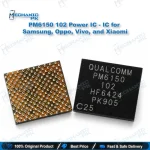
PM6150 102 Power IC – Qualcomm PMIC for Snapdragon Boards
₨ 300
PM6150 102 Power IC for Qualcomm Snapdragon 720G Motherboards
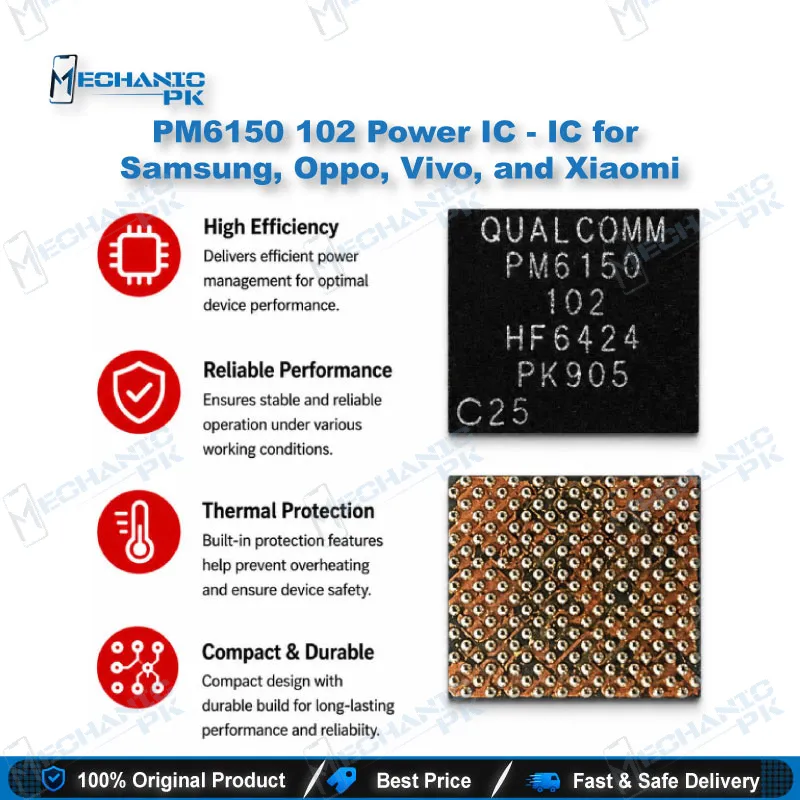
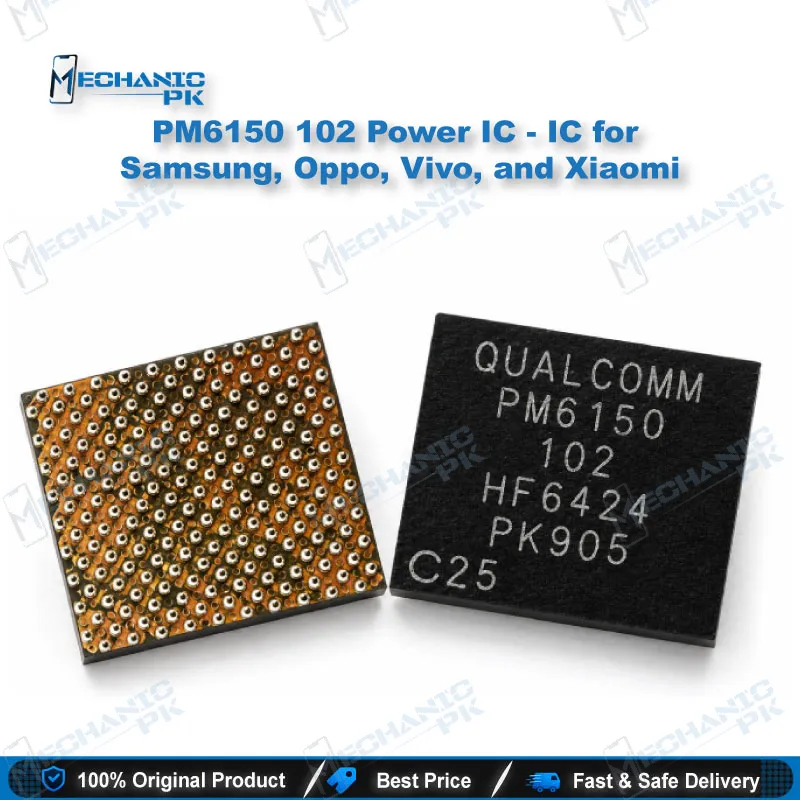
The PM6150 102 Power IC is Qualcomm’s primary power management chip for Snapdragon 720G (SM7125) motherboards, including the Samsung Galaxy A72 and Xiaomi Redmi Note 9 Pro. It generates the core supply rails through five buck regulators and nineteen LDOs, and it controls power-on sequencing, power-key input, voltage monitoring and the USB Type-C block. Board-level technicians replace it when they trace a dead phone, a shorted supply rail, or a charging fault back to the PMIC. Match the 102 marking on the original chip before ordering, since PM6150 revisions do not swap freely between boards.
PM6150 102 Power IC: Core PMIC for Snapdragon 720G Boards
The PM6150 102 Power IC sits at the center of the power tree on Qualcomm Snapdragon 720G motherboards. When it fails, the whole board goes silent. Qualcomm built the PM6150 as a primary PMIC that creates the supply rails the processor, memory and peripherals need before the phone can start. On boards such as the Samsung Galaxy A72 and the Xiaomi Redmi Note 9 Pro, it works as a pair with the companion PM6150L. When you diagnose a dead phone that shows a shorted rail or zero current on the power button, your multimeter readings will often lead straight to this chip.
What the Qualcomm PM6150 PMIC Controls
Qualcomm’s Linux regulator documentation lists five switch-mode buck regulators (SMPS1 to SMPS5) and nineteen LDO regulators inside the PM6150. These rails feed the CPU subsystem, memory and a long list of low-voltage peripherals. The chip also carries the power-on (PON) logic, the power-key input, an ADC5 block for voltage and temperature monitoring, a temperature alarm, GPIO lines, an RTC, and a USB Type-C register block that matches the one inside the PM8150B. One chip therefore manages boot sequencing, button response and part of the USB path. That explains why a single PM6150 fault can appear as several different complaints at the repair counter.
Fault Symptoms That Point Toward This Chip
Technicians usually meet a failed PM6150 through a familiar set of symptoms. The phone stays dead with no current draw, or the area around the PMIC heats up the moment you connect the battery. The power key may do nothing at all. Some boards show a charging issue where the phone detects the cable but never charges, and liquid-damaged units often hang on logo or fall into a boot loop. Each of these faults can also come from other components, so measure before you lift anything. Compare the main rails in diode mode against a known-good board, locate any short with a thermal camera or freeze spray, and rule out the PM6150L before you commit to the swap.
Matching the 102 Marking Before You Order
The code printed under the part number matters as much as the part number itself. The market sells PM6150 002 and PM6150 102 as separate parts, and technicians should treat them as different revisions. Read the top marking on the original chip under your microscope before removal, then order the exact match. A mismatched revision can leave a board dead after the swap, even when the soldering looks perfect. This listing covers the PM6150 102 marking only.
Bench Setup for a Clean PMIC Replacement
A PMIC swap counts as a full BGA rework job, so your bench setup decides the result. Clamp the board in one of our PCB Holders and preheat it evenly, because the Snapdragon 720G board stacks shields and a large SoC close to the PMIC. Use a temperature-controlled unit from our Hot Air Stations range to lift the old chip without disturbing nearby capacitors. Clean the pads with a fine tip from our Soldering Stations range and fresh wick, then reball the new chip with a matching stencil from our Reballing Kits. Check ball alignment and pad condition under one of our Microscopes before placement. After installation, confirm every major rail with a reliable meter from our Multimeters range before you connect the battery.
When the Board Still Will Not Boot
A healthy PMIC does not always mean a healthy phone. If the board powers up but sticks on logo or reboots repeatedly, the storage or firmware may also need attention. Most Snapdragon 720G phones use UFS storage, so UFS Adapters and eMMC Programmers help you test or rewrite the storage chip. ISP Pinout Tools and Test Boxes let you reach the storage directly on the board and reflash firmware without removing it. That layered workflow separates a PMIC fault from a software fault and saves you from swapping chips that never failed.
Why Source the PM6150 102 Power IC from Mechanicpk
Mechanicpk supplies repair shops, service centers and training institutes across Pakistan with board-level parts listed by exact marking. Each IC listing names one specific revision, so you order what your board actually carries. Pair this chip with the right rework tools from our catalog and you cover the complete Qualcomm PMIC replacement workflow from a single source.
| Weight | 0.1 kg |
|---|
Key Features
- Genuine Qualcomm PM6150 primary PMIC with the 102 revision marking
- Five SMPS buck regulators and nineteen LDO regulators for core and peripheral rails
- Built-in power-on (PON) logic and power-key input handling
- ADC5 block for voltage and temperature monitoring on the board
- Integrated temperature alarm, GPIO lines and RTC
- USB Type-C register block matching the PM8150B design
- Works as a pair with the PM6150L on Snapdragon 720G motherboards
- Direct replacement for boards whose original chip carries the PM6150 102 marking
Specifications
| Brand | Qualcomm |
|---|---|
| Model | PM6150 (102 marking) |
| Category | Power Management IC (PMIC) |
| Compatibility | Qualcomm Snapdragon 720G (SM7125) boards with PM6150 + PM6150L dual-PMIC layout |
| Supported Devices | Samsung Galaxy A72, Xiaomi Redmi Note 9 Pro |
| Technology | SPMI PMIC with 5 SMPS buck regulators, 19 LDO regulators, PON logic, ADC5, RTC, GPIO, USB Type-C block |
Common Repair Uses
- Dead phone repair with no current draw on the power button
- Shorted PMIC supply rail repair after diode-mode diagnosis
- PMIC overheating on battery connection
- Charging issue where the phone detects the cable but does not charge
- Power key not responding due to PON circuit failure
- Liquid damage recovery on the PMIC area
- Hang on logo or boot loop traced to unstable supply rails
- Full BGA rework: PMIC removal, pad cleaning, reballing and replacement
Compatible Devices
- Qualcomm Snapdragon 720G (SM7125) platform boards; confirm the 102 marking on the original chip before ordering
- Samsung Galaxy A72 (SM7125 board)
- Xiaomi Redmi Note 9 Pro (SM7125 board)
- Snapdragon 720G (SM7125) motherboards paired with the PM6150L companion PMIC
- Qualcomm boards using the PM6150 + PM6150L dual-PMIC power architecture
- Samsung Qualcomm-variant boards where the original chip reads PM6150 102
- Xiaomi and Redmi Qualcomm boards where the original chip reads PM6150 102
- Oppo and Vivo Qualcomm boards where the original chip reads PM6150 102
- Universal rule: any board whose removed PMIC carries the exact PM6150 102 top marking
FAQ
What is the product name?
What is the brand of this product?
What is the model of this product?
What is this product used for?
Which devices are compatible with this product?
Who should use this product?
Can I replace a PM6150 002 with a PM6150 102?
Do I need to replace the PM6150L along with the PM6150 102?
Related products