

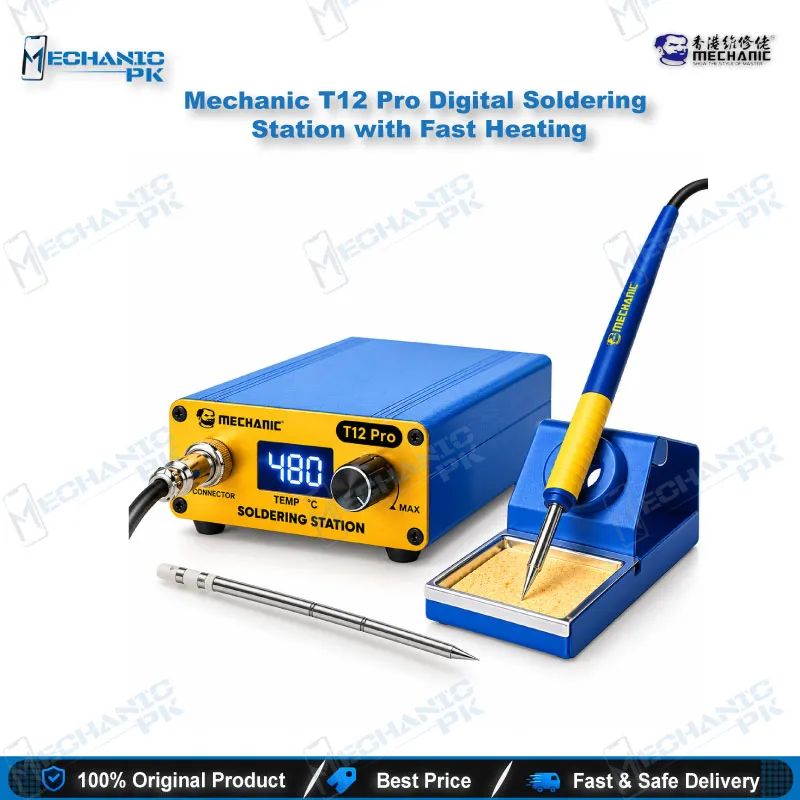
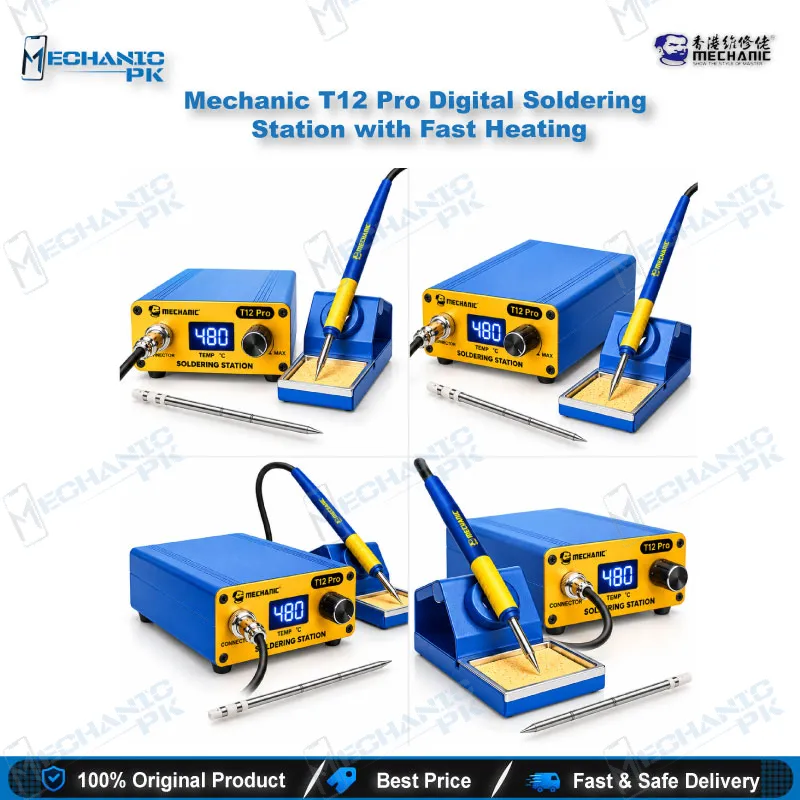

Mechanic T12 Pro Digital Soldering Station, Fast Heating
₨ 6,500
T12 Pro Soldering Station for Phone Boards
The Mechanic T12 Pro is a digital soldering station for mobile repair, built around the T12 tip system. It runs on 72W, holds 200–450°C, and reaches working temperature in about 4 seconds. The LED display shows your set temperature, so you stop guessing on a fine-pitch joint. You get an anti-static aluminium alloy handle, a stand, and a built-in sleep function that protects the tip between jobs. Use it for flex connectors, charging ports, jumper wires, and small IC pads on Android and iPhone boards. It runs on 100–240V mains, so it works on Pakistani supply without a converter. Pair it with a hot air station when your board work moves to BGA chips.
Out of stock
Mechanic T12 Pro: A Digital Soldering Station for Mobile Repair Benches
A digital soldering station for mobile repair has one job: deliver the same tip temperature on joint number fifty as it did on joint number one. The Mechanic T12 Pro does this with a T12 heating element, a digital controller, and an LED readout that shows the temperature you set. Mechanicpk stocks it for technicians who solder daily and need a compact station that heats fast and holds its setting. The station draws up to 72W, covers 200–450°C, and reaches working temperature in about 4 seconds. That covers the full range of phone-board soldering, from jumper wires to ground-plane joints.
How the T12 Tip System Changes Your Soldering
The T12 tip packs the heating element and the sensor into one cartridge. Heat starts at the tip instead of travelling down a long barrel, so the tip recovers quickly when it touches a cold pad or a large copper plane. You feel the difference on a charging port: the tip stays hot while it works through the shield and the solder legs, and it does not stall. The controller reads the tip and adjusts power to match your set temperature. The station accepts T12-series tips, so you can swap between chisel, knife, and fine conical shapes as the job changes. Keep a fine tip for IC pads and a wider one for shields and connector legs.
Where It Fits in a Phone Repair Workflow
Most bench work starts with a diagnosis: a dead phone, a charging issue, or a display problem. The T12 Pro takes over once you know which part to touch. You can reflow a lifted charging port, replace a battery connector, rebuild a broken trace with a jumper wire, or clean old solder off pads before you fit a new part. Technicians who do IC change karna on small chips use the fine tip at a controlled temperature, which keeps the pad on the board. For jumper lagana on a damaged line, the quick heat-up saves time on a shop floor where one bench handles many jobs a day. When a fault needs a full chip lift, switch to a hot air station and use this station for the cleanup and touch-up that follows.
Temperature Control and Tip Care
The digital controller lets you set the temperature instead of working from a dial guess. A range of 200–450°C covers leaded and lead-free solder, and you pick the setting that matches the joint. Lower settings suit fine pads and heat-sensitive flex connectors. Higher settings suit shields, large ground joints, and thick wire. The station includes a sleep function, so the tip drops in temperature when you rest the handle in the stand. A tip that sits idle at full heat oxidises quickly, so the sleep function extends tip life and cuts your running cost over a year of daily use. Always tin the tip before you switch off.
Build, Handle, and Power
The handle uses aluminium alloy and carries anti-static protection, which matters when you work on boards with sensitive ICs. The station accepts 100–240V AC at 50/60Hz, so it runs on standard Pakistani mains. The compact body takes little bench space, and the stand holds the handle between joints. Pair it with a PCB holder to keep the board steady, a microscope for fine-pitch inspection, and a multimeter to confirm your repair before you close the phone. If your bench also handles reballing, add a reballing kit and a hot air station to cover the full board-level workflow.
Why Technicians and Shop Owners Pick It
Mechanicpk buyers choose the T12 Pro for three reasons: fast heat-up, a clear temperature readout, and a tip system with wide aftermarket support. Repair shops that run several benches use it as the standard daily station because the setup is simple and a new technician learns it in minutes. Training institutes use it for the same reason. If you plan to move up later, the T12 tip standard means you keep your tips when you step up to a higher-wattage T12 station.
| Weight | 1.0 kg |
|---|
Key Features
- Digital temperature control with LED display
- T12 tip system with fast thermal recovery
- Heats to working temperature in about 4 seconds
- 200–450°C range for leaded and lead-free solder
- Built-in sleep function to extend tip life
- Anti-static aluminium alloy handle
- Compact body for crowded repair benches
- Wide voltage input, AC 100–240V
Specifications
| Brand | Mechanic |
|---|---|
| Model | T12 Pro |
| Category | Soldering Stations |
| Compatibility | T12-series soldering tips; universal soldering tool, not phone-model specific |
| Technology | T12 tip digital temperature control with LED display, 200–450°C range, about 4-second heat-up, sleep function |
| Material | Aluminium alloy handle, anti-static |
| Input Voltage | AC 100–240V, 50/60Hz |
| Power Rating | 72W |
Common Repair Uses
- Soldering, pad cleanup, and connector work on mobile and electronics boards
- Charging port replacement and reflow for charging issue repairs
- Jumper wire soldering on damaged board lines (jumper lagana)
- Battery connector and FPC connector replacement
- Pad cleaning before IC change karna or chip refitting
- Touch-up soldering after hot air rework
- Shield and ground joint soldering on thick copper areas
- Small SMD component replacement for hardware fault repairs
- Wire repair and general PCB soldering on workshop benches
Compatible Devices
- Universal soldering tool for T12-series tips; works on boards from any phone brand, not tied to specific models
- Samsung Galaxy motherboards (charging port, connector and jumper work)
- Oppo and Realme motherboards (board-level soldering)
- Vivo motherboards (connector and pad repair)
- Infinix and Tecno motherboards (charging and flex connector work)
- Xiaomi and Redmi motherboards (small component soldering)
- iPhone logic boards (connector, jumper, and pad cleanup)
- T12-series tips (chisel, knife, and conical shapes)
- Laptop and general electronics PCBs (through-hole and SMD soldering)
FAQ
What is the product name?
What is the brand of this product?
What is the model of this product?
What is this product used for?
Which devices are compatible with this product?
Who should use this product?
Which tips work with the Mechanic T12 Pro?
Can this soldering station handle lead-free solder?
Related products
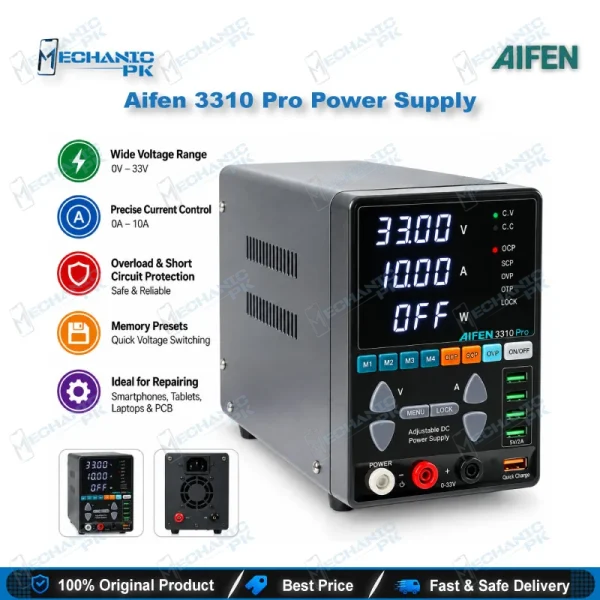
Aifen 3310 Pro 33V/10A 330W Adjustable DC Power Supply
In stock