
Relife RL-044 XM3 Stencil for MSM8916/8928/MT6592 CPU
₨ 599
XM3 Stencil for MSM8916 and MT6592 Reballing
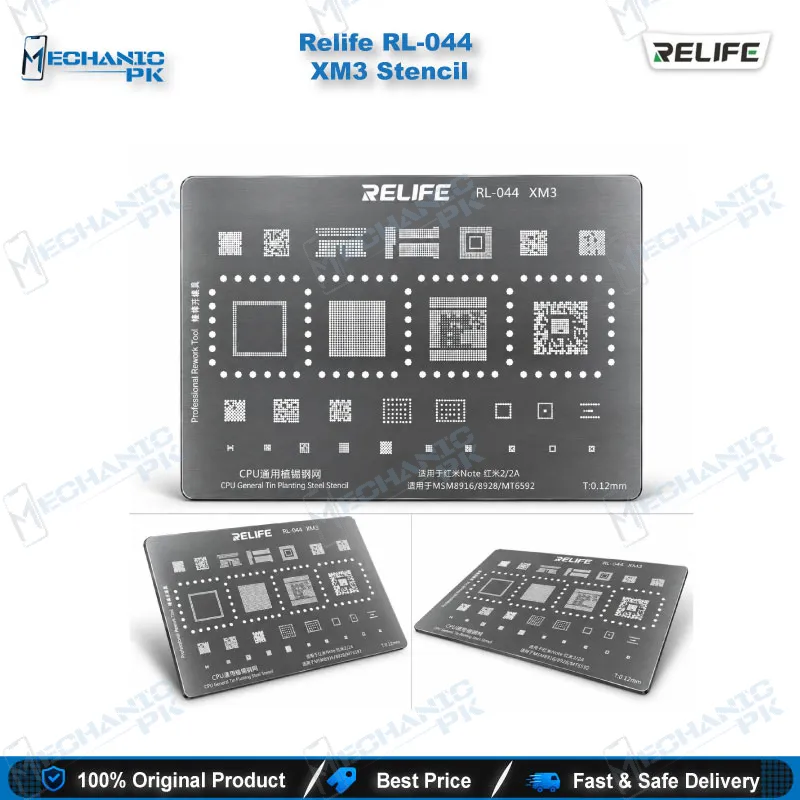
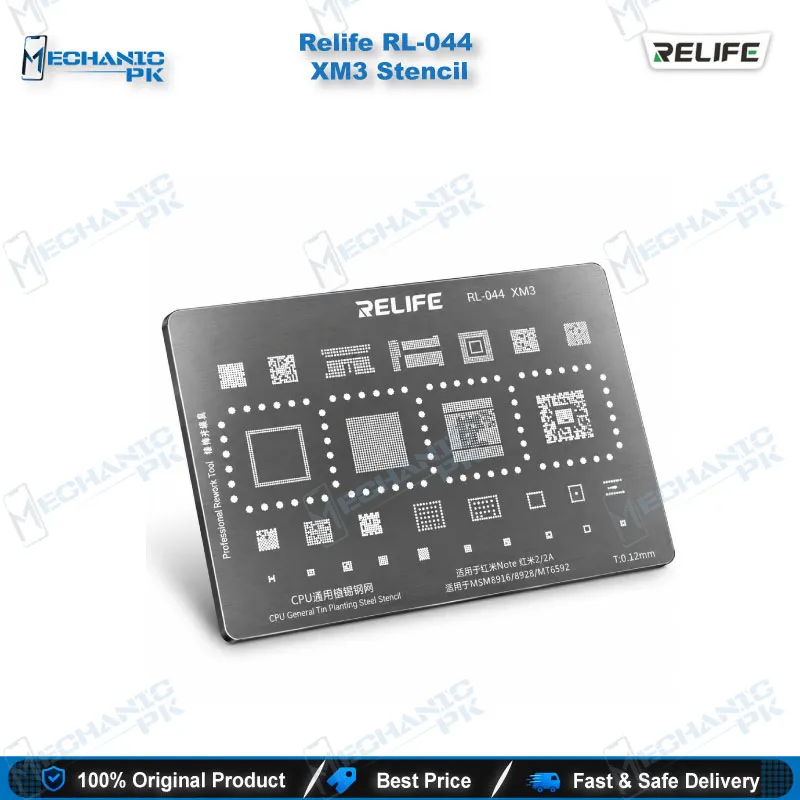
The Relife RL-044 XM3 Stencil gives your bench a 0.12 mm steel reballing template matched to the CPU footprints used in Redmi Note and Redmi 2/2A boards. Relife built the XM3 aperture pattern for MSM8916, MSM8928 and MT6592 processors, so you place a full solder ball array in one pass after you clean the pads. The tin planting mesh keeps the ball layout fixed while you heat and reflow, which protects your CPU rework from misaligned balls. Mechanicpk supplies the Relife RL-044 XM3 Stencil to Pakistani repair shops that handle dead phone, hang on logo and boot loop issue jobs caused by lifted or cold CPU joints.
In stock
Relife RL-044 XM3 Stencil: Chipset-Matched CPU Reballing for Redmi Note and Redmi 2 Boards
The Relife RL-044 XM3 stencil is a 0.12 mm steel tin planting template that restores the solder ball array on a defined group of CPUs. XM3 belongs to the Xiaomi (XM) series inside the Relife RL-044 range, and its aperture pattern matches the MSM8916, MSM8928 and MT6592 processors found in Redmi Note and Redmi 2/2A boards. If your workshop still receives these models, a dedicated template saves you from forcing a mismatched stencil onto the pad field and repeating the reball.
Key Technical Highlights of the XM3 Pattern
Each stencil in the RL-044 range targets one package footprint, and XM3 follows that rule. The steel mesh measures 0.12 mm thick, which leaves enough aperture depth to seat a full solder ball on each pad without flooding the pads beside it. The hole layout covers the Qualcomm MSM8916 and MSM8928 family plus the MediaTek MT6592, so you select the stencil from the CPU marking on the board instead of testing templates by trial and error. The integrated single-piece mesh lets you align once over the cleaned pad field, apply flux, drop your balls and reflow in a single setup.
Match your solder ball size to the pad size of the package before you start, and keep the stencil flat so the apertures stay true. A bent mesh lifts away from the pads and lets balls roll into the wrong holes, so store it in its sleeve between jobs and clean it with flux remover after every use.
Reballing Workflow Fit on Redmi Note and Redmi 2 Boards
The XM3 stencil sits in the middle of a standard CPU rework. You clamp the board in a PCB holder, lift the CPU with a hot air station, and clean the leftover solder from the pads with flux and braid on your soldering station. Under a microscope, you check each pad for lifted copper, then confirm with your multimeter that no pad shorts to its neighbour before you commit to reballing.
Next, you lay the XM3 template over the pad field, align the apertures, spread the balls and heat until they melt and seat. Let the board cool, release the stencil, inspect the ball array, and set the CPU back on the board. This process fixes the hardware fault behind many dead phone cases, hang on logo symptoms and boot loop issue jobs where a cold joint under the CPU breaks the connection. Run a reflash with your test box first, since some hang on logo cases come from software, and a quick software marna costs you less time than a CPU reball.
Why Repair Shops Stock a Chipset-Specific Stencil
A generic template wastes bench time, because a wrong aperture pattern forces you to strip the pads and start again. XM3 removes that guesswork for its supported chipsets. The RL-044 Xiaomi series splits coverage across separate stencil numbers, so you pair XM3 with the other XM numbers for different Redmi and Mi boards instead of stretching one template across incompatible CPUs.
Mechanicpk lists the Relife RL-044 range next to Reballing Kits, Hot Air Stations, Soldering Stations and Microscopes, so a shop can build a complete CPU reballing bench in one order. For a service centre that processes a steady flow of older Redmi boards, a low-cost stencil like XM3 pays for itself the first time it saves a board that would otherwise go back to the customer as unrepairable.
| Weight | 0.1 kg |
|---|
Key Features
- 0.12 mm steel tin planting mesh for consistent ball height
- XM3 aperture pattern built for MSM8916, MSM8928 and MT6592 CPUs
- Part of the Relife RL-044 Xiaomi (XM) series
- Single-piece integrated mesh for one-pass alignment
- Fits Redmi Note and Redmi 2/2A board footprints
- Supports hot air reballing workflow
- Reusable after flux cleaning
- Suits professional repair shops and service centres
Specifications
| Brand | Relife |
|---|---|
| Model | RL-044 XM3 |
| Category | BGA Reballing Stencil |
| Compatibility | MSM8916, MSM8928, MT6592 CPU |
| Supported Devices | Redmi Note, Redmi 2, Redmi 2A |
| Technology | Tin planting steel mesh stencil, 0.12 mm thickness |
| Material | Steel |
Common Repair Uses
- Reballing the CPU on Redmi Note and Redmi 2/2A boards during BGA rework
- CPU reballing after hot air removal
- Solder ball placement on cleaned CPU pads
- Repairing dead phone faults caused by cold CPU joints
- Fixing hang on logo and boot loop issue after drops
- Reworking MSM8916 and MSM8928 boards
- Reworking MT6592 boards
- Restoring pad layout before CPU reseating
- Workshop CPU reball jobs paired with a hot air station and microscope
Compatible Devices
- Verified scope is the MSM8916 / MSM8928 / MT6592 CPU footprint used in the Xiaomi models below
- Xiaomi Redmi Note
- Xiaomi Redmi 2
- Xiaomi Redmi 2A
- Qualcomm MSM8916 CPU boards
- Qualcomm MSM8928 CPU boards
- MediaTek MT6592 CPU boards
FAQ
What is the product name?
What is the brand of this product?
What is the model of this product?
What is this product used for?
Which devices are compatible with this product?
Who should use this product?
Which CPUs does the Relife RL-044 XM3 stencil support?
Can the XM3 stencil reball Redmi Note 5 or Redmi 4 boards?
Related products