
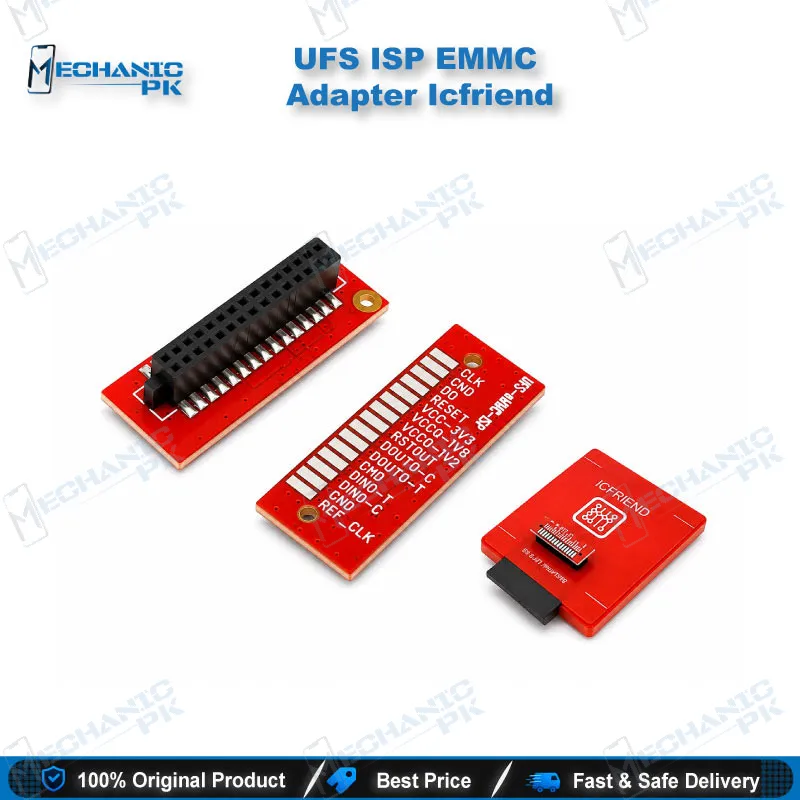
ICFRIEND UFS eMMC ISP Adapter for MiPi Tester & F64 Box
₨ 1,200
ICFRIEND UFS eMMC ISP Adapter for MiPi Tester and F64 Box
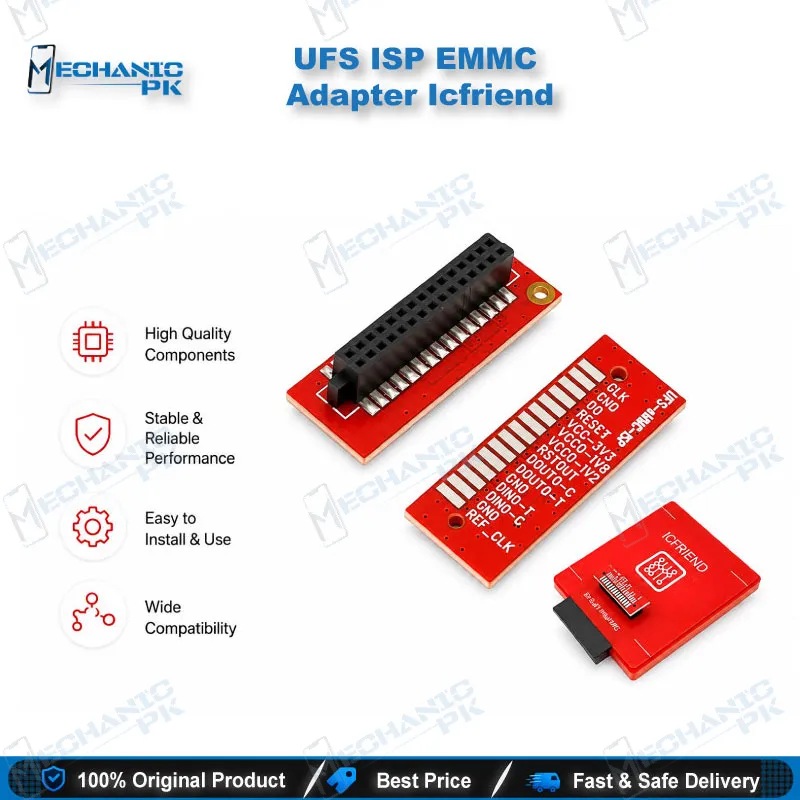
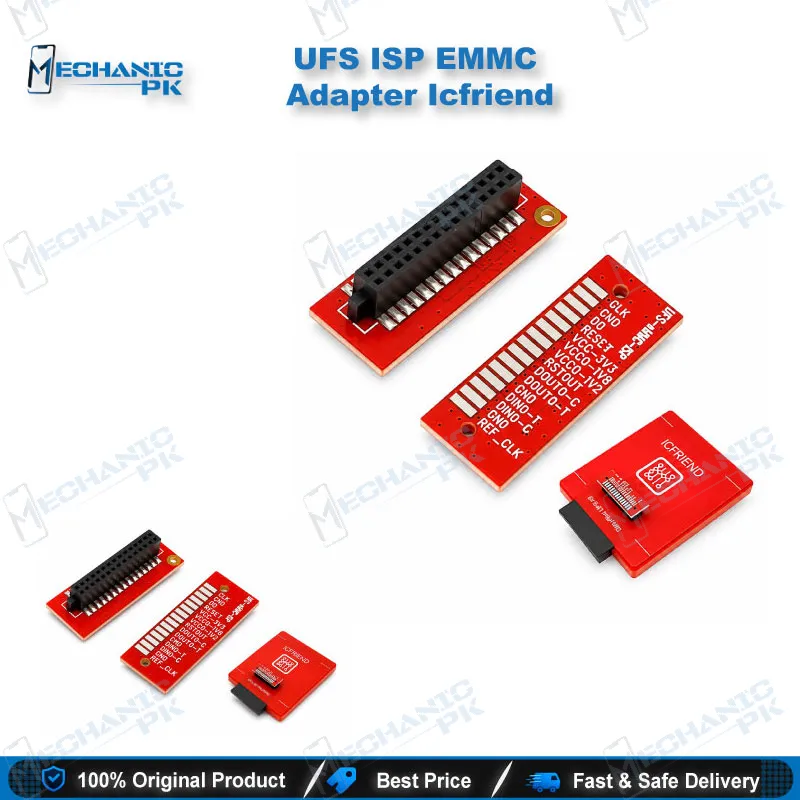
The ICFRIEND UFS eMMC ISP adapter connects your MiPi Tester or F64 Box to the ISP pinout on an Android motherboard. You read and write UFS or eMMC storage while the chip stays soldered, which cuts hot air work and protects the PCB. Pair it with the EMMC/UFS ISP cable and you cover dead phone, boot loop issue, and hang on logo repairs from one adapter. Check your box model and adapter variant before you order, since MiPi Gear 2, MiPi Plus, MiPi Pro, and F64 setups each pair with specific ISP adapter and cable combinations.
In stock
UFS eMMC ISP Adapter by ICFRIEND for MiPi Tester and F64 Box Repair Work
The ICFRIEND UFS eMMC ISP adapter gives your MiPi Tester or F64 Box a direct in-system programming path to the storage chip on an Android motherboard. You connect the board’s ISP pinout, attach the matching EMMC/UFS ISP cable, and your box reads and writes the chip while it stays on the PCB. Mechanicpk lists this adapter for Pakistani repair shops that see dead phone cases, hang on logo faults, and dead after flash boards every week. One adapter covers both eMMC and UFS interfaces, so it fits older budget boards and newer UFS-based motherboards on the same repair bench.
Box compatibility and what the adapter pairs with
ICFRIEND builds this UFS eMMC ISP adapter for the MiPi Tester family and the F64 Box, and listings name MIPITESTER Gear 2, MiPi Plus, MiPi Pro, and F64 Box. The adapter works as a pair with the EMMC/UFS ISP cable, and that pair lets your box service any device that exposes ISP pinouts through a UFS or eMMC interface. The MiPi Pro Standard set bundles the adapter and cable with the box, so the ISP route forms your baseline connection before you add BGA sockets. Listings also show other ICFRIEND ISP adapter revisions for MiPi boxes, including B1, S2, and NB1, so confirm your box generation before you order. Treat the MiPi Tester ISP adapter as a platform-specific part: ICFRIEND sells a separate UFS ISP EJ-Cable adapter for Easy JTAG Plus, and this listing does not replace it.
Where a UFS eMMC ISP adapter saves chip-off work
Chip-off repair means hot air, preheat, reballing, and a real chance of lifting pads on a dead phone board. ISP programming skips that sequence. You solder fine wires or use a probe fixture on the board’s ISP points, run the box software, and read or write the storage while the IC stays seated. This route suits boot loop issue boards, phones that stay dead after flash, and devices that hang on logo after a failed update. ISP still demands careful prep. You need a correct pinout map for the exact board, clean solder joints, and a stable ground. Test every ISP point with a multimeter before you power the box, because a visual check misses cold joints and broken traces. Expect ISP transfers to run slower than a BGA socket read, so plan your bench time when you pull a full user-data image.
eMMC and UFS workflows around the adapter
The adapter supports both storage interfaces, so an eMMC board and a UFS board arriving on the same day need no hardware swap. MiPi Tester boxes read and write user data on UFS and eMMC chips, and the F64 platform handles UFS, eMMC, and related managed NAND, so the F64 Box ISP adapter route extends your programmer to boards you cannot socket. Your common jobs include reflashing after a failed software marna attempt, repairing damaged partitions behind a boot loop issue, and pulling user data from a phone that no longer boots. FRP lock and pattern unlock jobs depend on your box software and the exact phone model, so check the model support list before you quote the customer. Build the rest of the bench around the connection: a microscope for ISP pad selection, a multimeter for continuity, and a hot air station or soldering station for board prep. When an ISP point is damaged or unreachable, move to ICFRIEND UFS BGA153, BGA254, and BGA297 sockets for MiPi Pro and MiPi Plus kits, which serve as your upgrade path. Browse ISP Pinout Tools, eMMC Programmers, and UFS Adapters on Mechanicpk to match cables and pinout references to your board.
| Weight | 0.1 kg |
|---|
Key Features
- ISP access to UFS and eMMC storage without removing the chip
- One adapter for both eMMC and UFS interfaces
- Works with the EMMC/UFS ISP cable
- Fits MIPITESTER Gear 2, MiPi Plus, MiPi Pro, and F64 Box setups
- Included in the MiPi Pro Standard set alongside the cable
- Cuts hot air and reballing work on dead phone boards
- Pairs with ICFRIEND UFS BGA153, BGA254, and BGA297 sockets as an upgrade path
- Suits professional bench use with a pinout map and multimeter checks
Specifications
| Brand | ICFRIEND |
|---|---|
| Model | EMMC UFS ISP Adapter with EMMC/UFS ISP Cable |
| Category | ISP Pinout Tools |
| Compatibility | MIPITESTER Gear 2, MiPi Plus, MiPi Pro, F64 Box |
| Supported Devices | Devices that expose ISP pinouts through a UFS or eMMC interface |
| Technology | ISP (in-system programming) for UFS and eMMC storage |
Common Repair Uses
- Real in-place storage workflows for boards with accessible ISP points.
- Reviving a dead phone that stays dead after flash
- Fixing boot loop issue boards through reflash
- Clearing hang on logo faults after failed updates
- Repairing damaged partitions on eMMC or UFS storage
- Recovering user data from a phone that no longer boots
- Reflashing firmware on boards where the chip stays soldered
- FRP lock and pattern unlock jobs where your box software supports the model
- Testing a storage chip before you commit to chip-off
Compatible Devices
- Verified scope covers the programmer boxes below and any Android board with a usable UFS or eMMC ISP pinout. It is not tied to one phone brand or model.
- MIPITESTER Gear 2
- MiPi Plus
- MiPi Pro
- F64 Box
- Android motherboards with an eMMC ISP pinout
- Android motherboards with a UFS ISP pinout
- Boards where you want to keep the storage IC soldered in place
- Universal across brands, so check the ISP pinout map for your exact board
FAQ
What is the product name?
What is the brand of this product?
What is the model of this product?
What is this product used for?
Which devices are compatible with this product?
Who should use this product?
Does the ICFRIEND UFS eMMC ISP adapter work with Easy JTAG Plus Box?
Can I repair a dead phone with this adapter without removing the UFS or eMMC chip?
Related products