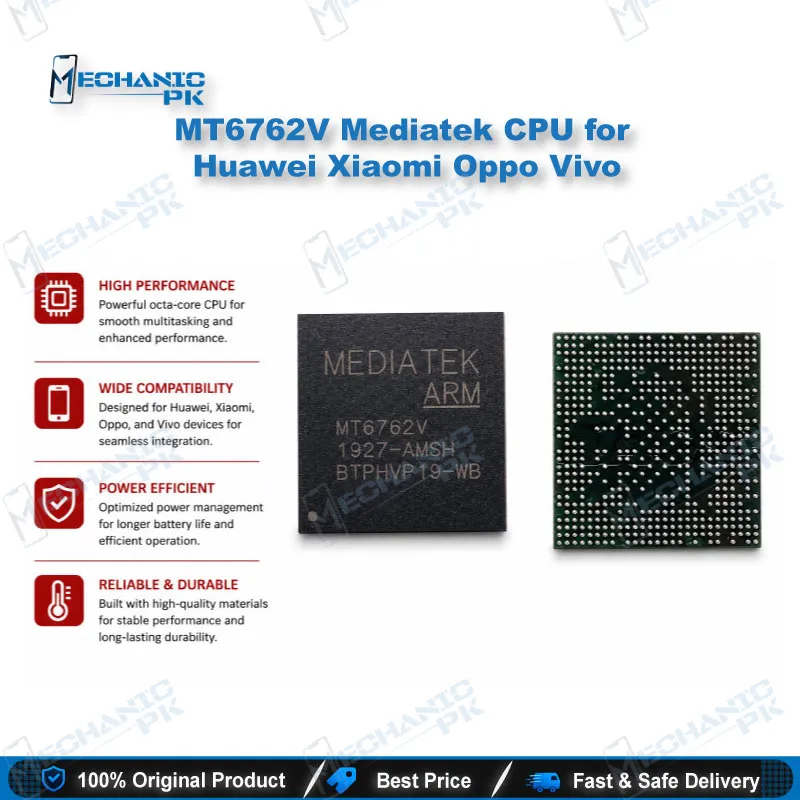
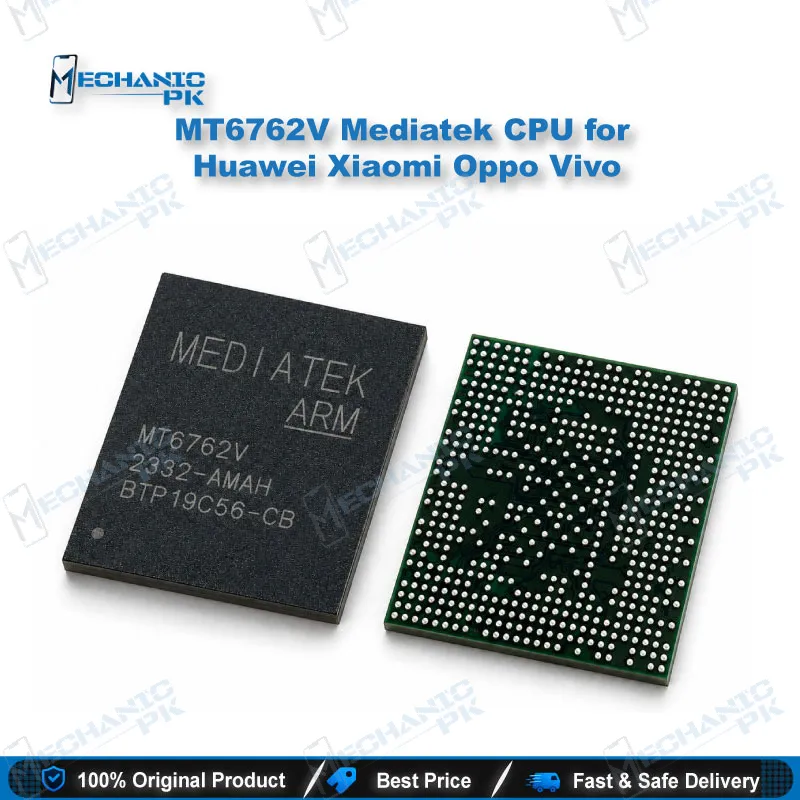
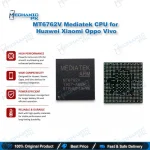
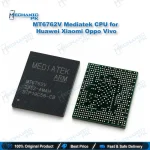
MT6762V Mediatek CPU for Huawei Xiaomi Oppo Vivo – Helio P22
₨ 1
MT6762V CPU: Helio P22 Processor for Board-Level Replacement
The MT6762V Mediatek CPU for Huawei Xiaomi Oppo Vivo is the octa-core application processor of the MediaTek Helio P22 platform, built for technicians handling CPU-level faults on budget Android boards. This MT6762V CPU packs eight ARM Cortex-A53 cores on a 12nm process with an integrated PowerVR GE8320 GPU, and it serves as the direct replacement when a Helio P22 board shows a shorted VCORE rail, a cracked die, or a dead phone with no boot response. Use it for CPU reballing and replacement jobs on Vivo, Xiaomi, Oppo, Realme, and Huawei/Honor boards that carry the matching MT6762V marking.
MT6762V CPU: The Core Processor of the MediaTek Helio P22 Platform
The MT6762V Mediatek CPU for Huawei Xiaomi Oppo Vivo sits at the center of the Helio P22 chipset, one of the most widely deployed MediaTek SoCs in the budget phone segment that fills Pakistani repair benches. When an MT6762V CPU fails, the board loses its ability to run the boot chain at all, so the phone presents as completely dead, stuck on logo, or drawing abnormal current the moment you connect power. This listing supplies the replacement processor for technicians who handle board-level CPU work rather than simple part swaps.
Technical Architecture of the Helio P22 CPU IC
MediaTek builds the MT6762 on TSMC’s 12nm process with a 64-bit ARMv8-A instruction set. The die integrates eight ARM Cortex-A53 cores split into two clusters, with a peak clock of 2.0 GHz, and an Imagination PowerVR GE8320 GPU running at around 650 MHz. The memory controller supports both LPDDR3 and LPDDR4X, which explains why OEMs paired this chip with a wide range of RAM and eMMC configurations. Benchmark databases also list two MT6762V suffix variants, /CB at 2.0 GHz and /WD at 1.8 GHz, so read the second marking line on the original chip before you order.
Where the MT6762V CPU Fits in Your Repair Workflow
CPU replacement comes at the end of a structured diagnosis, never at the start. Begin with your multimeter on the main rails, then trace any short using voltage injection or a thermal approach. A short that localizes under the processor on the VCORE or memory supply lines, after you rule out the PMIC and surrounding capacitors, points to a failed CPU. Typical field cases include water-damaged boards with corrosion under the BGA, drop-damaged phones with a cracked die, and boards that went dead after a failed flash where the BROM port no longer responds.
Removal demands controlled heat. Mount the board in a PCB holder, clear the underfill with a suitable solvent and blade, and lift the chip with a hot air station at a profile that protects the neighboring RAM and eMMC packages. Clean the pads to a flat, even finish before you reball the new MT6762V CPU with the correct stencil from a quality reballing kit. Place it under a microscope, align the pin-1 marker, and reflow evenly.
Post-Replacement Flashing and Software Recovery
A new processor changes the security and boot context of the board, so plan for a complete firmware flash after the swap. Connect the phone in MediaTek BROM mode through a test box or flashing tool and load firmware that matches the exact model and hardware revision. If the eMMC also suffered damage during the fault or the rework, an eMMC programmer and ISP pinout tools let you verify or rewrite the storage before the final boot test. A successful flash followed by a clean boot, charging test, and network check confirms the job.
Matching the Right Variant Before You Order
The MT6762 family includes several close relatives that technicians often confuse. The MT6762V and MT6762R both belong to the octa-core Helio P22 line, while the MT6762M runs as the quad-core Helio A22 and the MT6762G belongs to the Helio G25 platform. These chips share a family number but they differ in core count, clocks, and firmware expectations, so they do not work as drop-in substitutes for one another. Always confirm the full laser marking on the failed chip and match it exactly.
Building a Complete Helio P22 CPU Rework Bench
A clean CPU replacement depends on the whole bench, not just the chip. Pair this processor with a temperature-stable soldering station for pad cleaning, a hot air station with accurate airflow control, a BGA reballing kit with the matching stencil, a rigid PCB holder, and a stereo microscope for alignment. Shops moving up from basic part replacement to full board-level service usually add a test box and an eMMC programmer next, which turns CPU-level faults from a referral job into a billable in-house repair.
| Weight | 0.1 kg |
|---|
Key Features
- Genuine MediaTek Helio P22 architecture with eight ARM Cortex-A53 cores
- Peak clock up to 2.0 GHz across a two-cluster CPU layout
- Integrated PowerVR GE8320 GPU on the same die
- 12nm TSMC FinFET process for lower heat during operation
- Memory controller supports both LPDDR3 and LPDDR4X configurations
- Direct replacement for CPU-level faults on Helio P22 boards
- Suits full BGA reballing, placement, and reflow workflows
- Covers high-volume budget models from Vivo, Xiaomi, Oppo, Realme, and Huawei/Honor
Specifications
| Brand | MediaTek |
|---|---|
| Model | MT6762V (Helio P22) |
| Category | Mobile Phone CPU IC / Application Processor |
| Compatibility | MediaTek Helio P22 (MT6762) platform boards with matching MT6762V marking |
| Supported Devices | Vivo, Xiaomi, Oppo, Realme, Huawei/Honor, and Meizu Helio P22 models |
| Technology | 12nm TSMC FinFET, 64-bit ARMv8-A, 8x ARM Cortex-A53 up to 2.0 GHz, PowerVR GE8320 GPU, LPDDR3/LPDDR4X support |
Common Repair Uses
- CPU replacement on dead phones with a confirmed short under the processor
- Recovery of boards damaged by liquid corrosion under the CPU BGA
- Replacement of drop-damaged processors with a cracked die
- Board-level repair of phones stuck in boot loop or hang on logo traced to CPU failure
- Repair of boards that went dead after flash with no BROM response
- CPU reballing and reflow after pad damage or lifted joints
- Donor-board rebuilds in refurbishment workflows
- Training practice for BGA CPU removal and placement in technical institutes
Compatible Devices
- Phones built on the MediaTek Helio P22 (MT6762) platform. Confirm the MT6762V marking on the original chip before ordering.
- Vivo Y91
- Vivo Y83
- Vivo Y12
- Xiaomi Redmi 6
- Oppo A1k
- Realme C2
- Meizu M8
- Huawei and Honor Helio P22 models carrying the matching MT6762V marking
FAQ
What is the product name?
What is the brand of this product?
What is the model of this product?
What is this product used for?
Which devices are compatible with this product?
Who should use this product?
Can I use MT6762M or MT6762G in place of MT6762V?
Does a phone need flashing after MT6762V CPU replacement?
Related products