






i2C MC14 Face ID Repair Instrument For iPhone X to 14Pro Max
₨ 6,500
Face ID Dot Projector Repair Tool
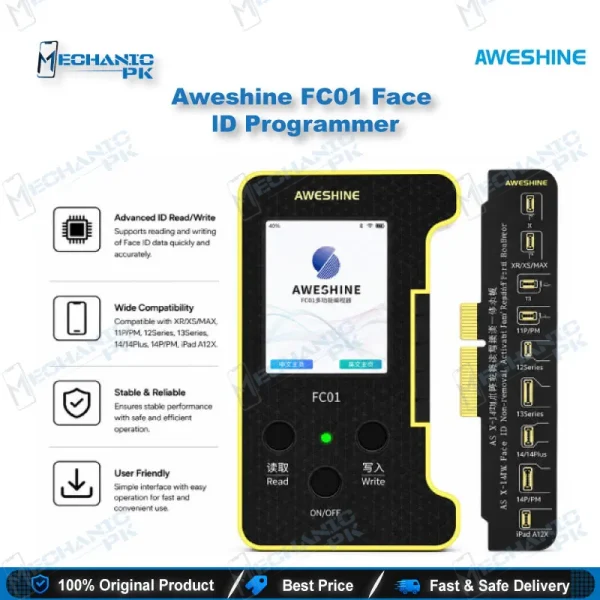
The i2C MC14 Face ID Repair Instrument For iPhone X to 14Pro Max is a dot projector repair tool built for the Face ID fault that shows the “move iPhone a little lower or higher” message. It covers iPhone X through 14 Pro Max, including the X, XS, 11, 12, 13 and 14 series. Technicians use it to transfer original dot projector data to a replacement flex, so Face ID can be set up again without relying on guesswork. It is written for repair shops, service centers and distributors who handle dot projector faults regularly.
In stock
The i2C MC14 Face ID Repair Instrument For iPhone X to 14Pro Max targets one of the most common face recognition faults on iPhone X through 14 Pro Max, the warning that asks you to move the iPhone a little lower or higher during Face ID setup. That message usually points to a damaged dot projector assembly rather than a software fault, which is why the dot projector flex is the first component to examine. The repair approach used with this class of programmer copies the data of the original dot projector flex onto a replacement flex, allowing the phone’s Face ID components to pair with the new module. In practice the workflow runs in sequence: connect the programmer to a computer, read the original dot projector data, write it to the replacement flex, then confirm that Face ID setup completes on the device. Some repair solutions in this category also require a grinding step on the board area, so plan your bench time and tools before you start. For a repair shop, the value lies in turning a Face ID fault that many technicians treat as a guess-and-swap job into a controlled, data-led procedure. Record the device model, iOS version and flex type for every job, because dot projector repair depends on matching the correct hardware generation. Before stocking, verify model availability and supported hardware generations with your supplier and test on your own devices, so your customers get a repair that performs as expected.
| Weight | 0.35 kg |
|---|
Key Features
- Targets the Face ID dot projector fault behind the “move iPhone a little lower or higher” message.
- Covers iPhone X through 14 Pro Max, from the X and XS series through the 14 series.
- Works on the dot projector data transfer method, writing original data to a replacement flex.
- Runs from a computer-connected workflow that suits a standard repair bench.
- Turns Face ID repair into a defined procedure instead of a parts-swap guess.
- Suits technicians who handle Face ID complaints on a regular basis.
- Gives shops a dedicated dot projector solution alongside their general iPhone repair tools.
- Helps service centers standardize how dot projector faults are diagnosed and verified.
Specifications
| Brand Entity | i2C |
|---|---|
| Product Entity | i2C MC14 Face ID Repair Instrument |
| Technology Entity | Dot projector (dot matrix) flex data transfer |
| Compatible Device Entities | iPhone X, XS, 11, 12, 13, 14 series |
| Repair Process Entity | Face ID dot projector repair, flex data write and verification |
| Industry Entity | Mobile phone repair tools, Face ID repair, iPhone repair Pakistan |
Common Repair Uses
- Repairing the “move iPhone a little lower or higher” Face ID setup error
- Restoring Face ID after dot projector flex damage
- Transferring original dot projector data to a replacement flex
- Verifying Face ID setup completes after a dot projector repair
- Diagnosing dot projector faults before ordering a replacement module
- Standardizing Face ID repair workflows across a repair shop or service center
Compatible Devices
- iPhone X
- iPhone XS and XS Max
- iPhone 11 series (11, 11 Pro, 11 Pro Max)
- iPhone 12 series (12, 12 mini, 12 Pro, 12 Pro Max)
- iPhone 13 series (13, 13 mini, 13 Pro, 13 Pro Max)
- iPhone 14 series (14, 14 Plus, 14 Pro, 14 Pro Max)
FAQ
What is the product name?
What is the brand of this product?
What is the model of this product?
What is this product used for?
Which devices are compatible with this product?
Who should use this product?
Which fault does this product address?
Does this product cover iPhone 14 Pro Max?
Related products