
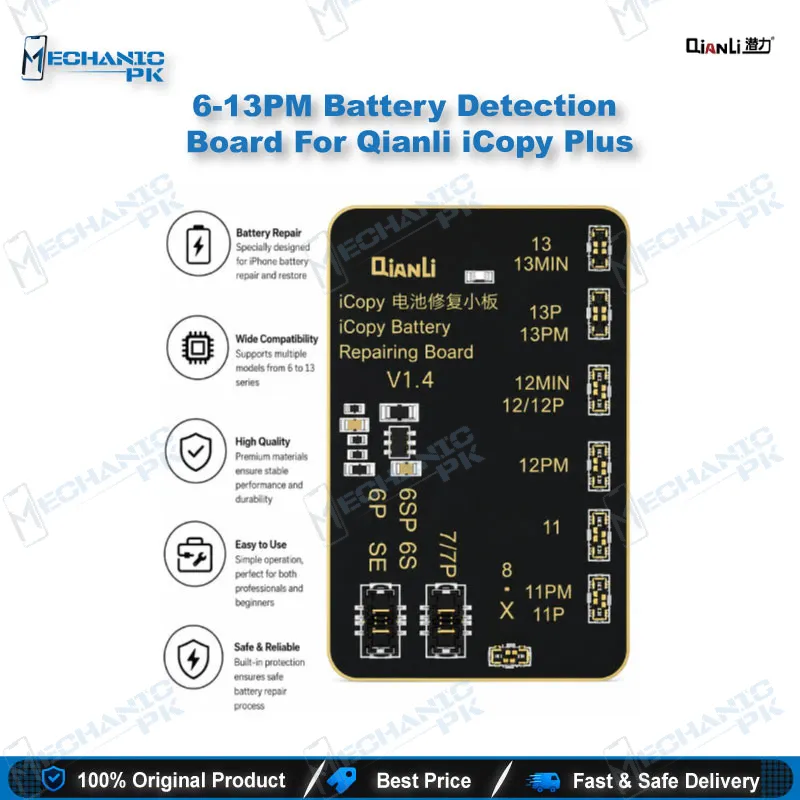
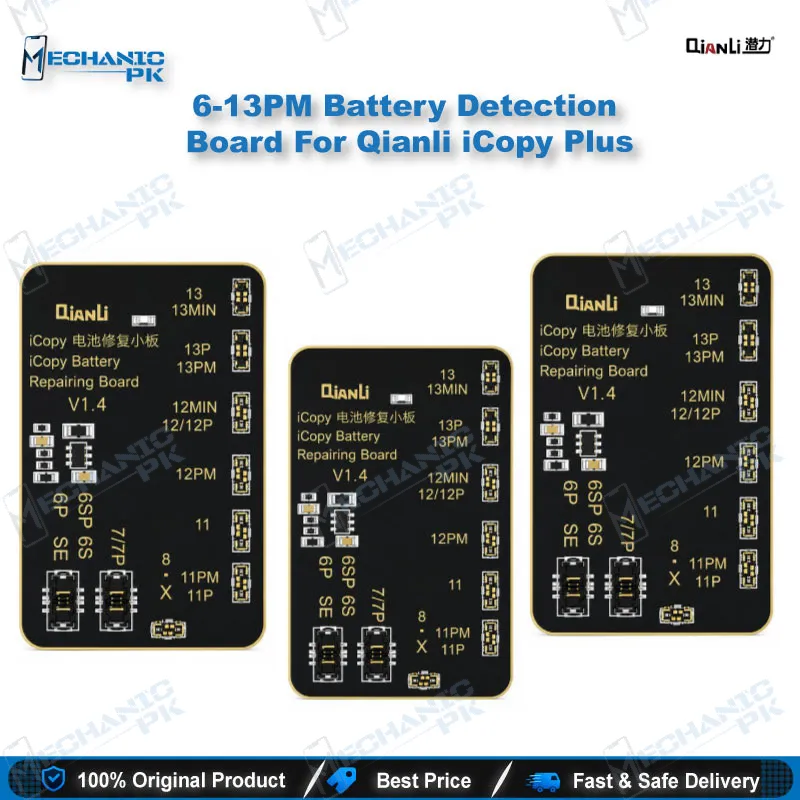
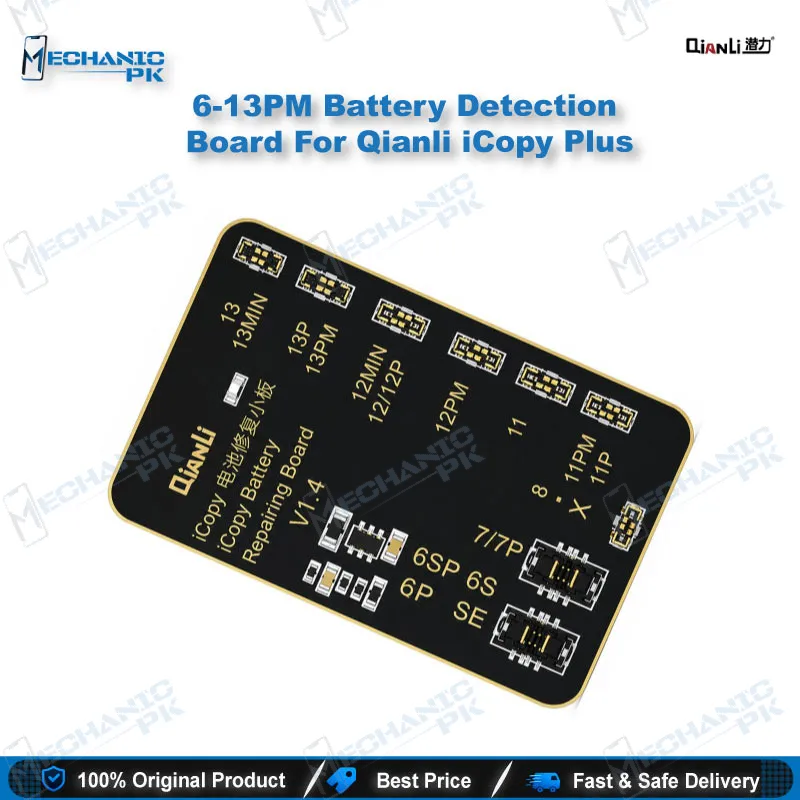
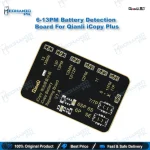
iCopy Plus Battery Detection Board for iPhone 6-13 Series
₨ 1,500
Battery Data Testing for iPhone 6-13 with iCopy Plus
The Qianli battery detection board connects your iCopy or iCopy Plus programmer to the battery circuit of iPhone 6 through 13 series devices. Once seated, you can test battery health, read stored battery data, and run the service functions your iCopy menu provides from one bench setup. Use it when a device shows a battery health warning, when a cycle count needs resetting, or when you need to verify battery data before a replacement decision. The programmer stays the controller, while this board manages the battery connection. Firm seating and a clean pin row keep readings stable, so inspect the connector before every session.
In stock
iCopy Plus Battery Detection Board for iPhone 6-13 Series
The iCopy Plus battery detection board gives your repair bench a dedicated route to iPhone battery data across the 6 to 13 series. Qianli designed it as a connector for the iCopy and iCopy Plus programmers, so the programmer runs the software while this board handles the battery side. Battery data sits in a separate record from the cell itself, so a battery complaint needs two separate checks. A shutdown or a health warning can come from a weak cell, from a flagged data record, or from both. This board lets you test each part of that picture in a controlled sequence. It suits technicians who handle battery complaints every week and want a repeatable setup instead of improvised wiring. Most jobs fall into one of those two categories, so a clear sequence saves time on every ticket.
Connecting the Board to Your iCopy Plus Programmer
Start every session with the programmer switched off and any earlier connector removed. Seat the battery detection board on the battery port of your iCopy or iCopy Plus, and check that every pin sits square before you apply power. Attach the battery cable from the iPhone you are testing, then confirm it locks in place without force. Loose contacts produce unstable readings, so inspect the pin row under magnification before you start. Tighten your workbench lighting so the pins are easy to see. Route the cable away from heat sources and moving parts on the bench. Power the programmer on only after the physical connection is complete. Keep this sequence as a written checklist at the bench, so every technician follows the same steps and every reading stays comparable.
Reading, Writing and Servicing Battery Data
The iCopy battery menu exposes the functions this board supports. You can read and write battery data, check battery health, and modify battery efficiency on a cell that reports reduced capacity. The tool also clears the battery cycle count, which helps when a battery carries a high counter from earlier use. Serial number service and battery data backup round out the list. Back up the original data before any modification, so you can restore the record if a write does not go as planned. Read the values twice before you write, because a second read confirms the first one came back clean. Efficiency and cycle changes need the battery connection board, so keep that accessory ready on your bench. Treat battery writes as the final step, not the first. Record the original and corrected values in a job sheet, because a clear history protects both you and the customer.
Diagnosis Workflow for Battery Complaints
Battery complaints usually show up as a sudden shutdown under load, a fast drop in charge, or a battery health warning in settings. Use the board to separate a cell problem from a data problem before you spend money on parts. A healthy cell with a flagged data record points you toward a correction. A weak reading across repeated tests points you toward a replacement cell. Test before and after every adjustment, so you can show a customer exactly what changed. If a charging issue persists after the data correction, move on to the charging circuit rather than repeating the same write. Log each diagnosis with the device model, the reading, and the outcome, because that log becomes your reference for the next similar complaint. Pattern recognition improves quickly when your log covers many devices. This sequence keeps your decisions tied to measured numbers instead of guesswork, and your bench results stay consistent across the whole shop.
| Weight | 0.3 kg |
|---|
Key Features
- Connects to iCopy and iCopy Plus programmers for battery-side testing
- Supports battery health reading on iPhone 6 to 13 series devices
- Enables reading and writing of stored battery data
- Allows battery efficiency modification on a reduced-capacity cell
- Clears the battery cycle count through the iCopy service menu
- Provides serial number service through the same battery path
- Supports battery data backup before any write
- Works with the battery connection board for efficiency and cycle changes
Specifications
| Brand | Qianli |
|---|---|
| Model | Battery Detection Board for iCopy and iCopy Plus |
| Category | Tools |
| Compatibility | iCopy and iCopy Plus programmers |
| Supported Devices | iPhone 6 to 13 series |
| Technology | iCopy battery data reading, writing and service through a battery connector board |
Common Repair Uses
- Battery health checks, data correction and cycle service on iPhone 6 to 13 series devices
- Checking battery health readings before a replacement decision
- Correcting stored battery data behind a health warning
- Modifying battery efficiency on a cell with reduced capacity
- Clearing the battery cycle count on a used battery
- Servicing the battery serial number through the iCopy menu
- Backing up original battery data before any write
- Separating cell faults from data faults in shutdown and fast charge-drop complaints
- Verifying battery data after the battery work is finished
Compatible Devices
- Verified at series level, iPhone 6 to 13, with device-specific scope listed below
- iPhone 6 and iPhone 6 Plus
- iPhone 6S and iPhone 6S Plus
- iPhone 7 and iPhone 7 Plus
- iPhone 8 and iPhone 8 Plus
- iPhone SE series
- iPhone 11, 11 Pro and 11 Pro Max
- iPhone 12 series
- iPhone 13 series
FAQ
What is the product name?
What is the brand of this product?
What is the model of this product?
What is this product used for?
Which devices are compatible with this product?
Who should use this product?
Which programmer does this battery board work with?
Does this board support iPhone 13 series battery data?
Related products