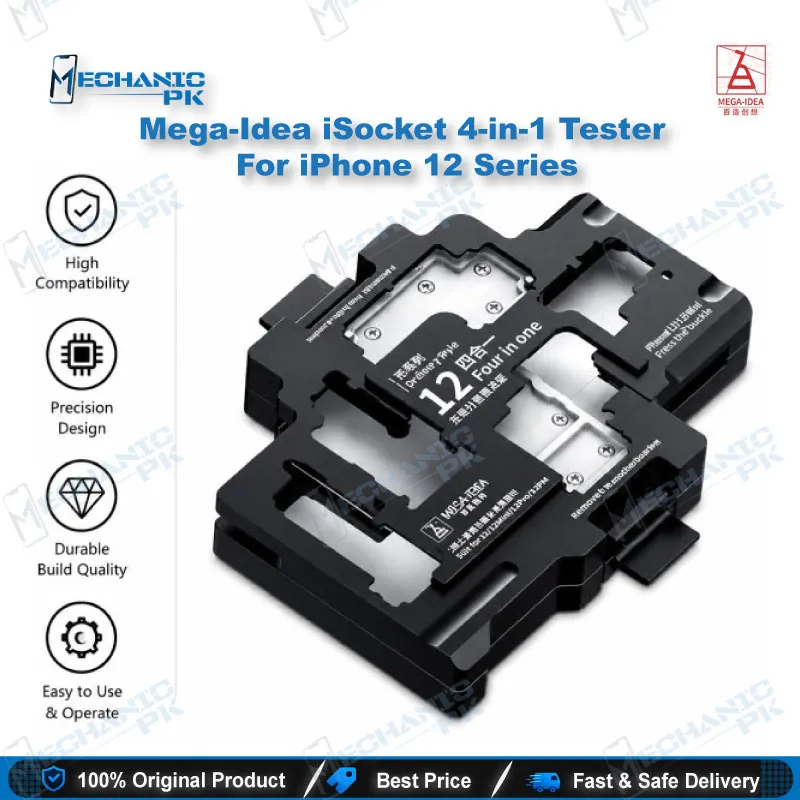

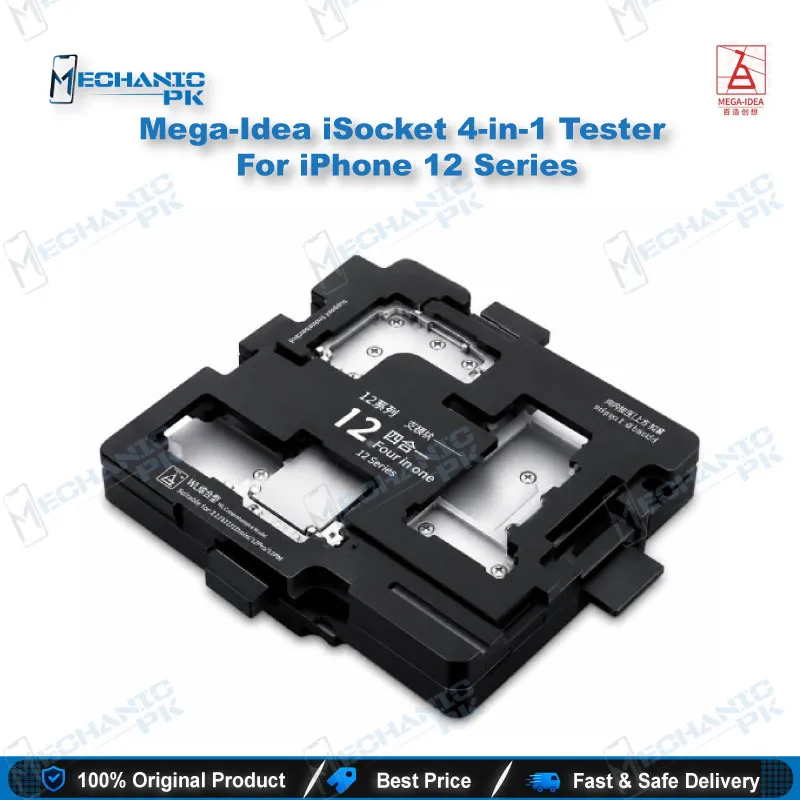

Mega-Idea iSocket 4-in-1 Tester for iPhone 12 Series
₨ 1
Layered Board Testing for iPhone 12
The Mega-Idea iSocket 4-in-1 is a layered motherboard test fixture that covers the whole iPhone 12 range, including the 12, 12 mini, 12 Pro and 12 Pro Max. You do not need to solder the two board layers back together after every fix. Clamp the logic board into the frame and check it as a working unit. The needle plate holds the board steady, so your probes stay on the correct pads during each test. The fixture cuts down on repeated disassembly, which protects the board and saves bench time. It suits repair shops and service centers that handle steady iPhone 12 logic board work.
Out of stock
iPhone 12 Motherboard Test Fixture for Layered Repairs
The iPhone 12 motherboard test fixture from Mega-Idea solves a problem every board-level technician knows. On iPhone 12 series boards, the logic board sits in two layers, and checking a repair usually means soldering both halves back together. That cycle costs time and adds heat stress to the board. The iSocket 4-in-1 lets you check the board in its layered state, so you can confirm a fix before final assembly. It does not replace the final check on a fully assembled phone, but it shortens the path to that check. It supports the iPhone 12, 12 mini, 12 Pro and 12 Pro Max, which makes it a practical addition for shops handling mixed iPhone 12 intake.
Key Technical Highlights
The Mega-Idea iSocket 4-in-1 uses a needle plate to hold the logic board in its layered position. Precise alignment matters here, because a small drift can leave pads without contact and produce false readings. The frame keeps both layers locked in place while you run power, display and signal checks. One fixture covers the iPhone 12, 12 mini, 12 Pro and 12 Pro Max, so you do not need separate frames for each model. Shops that already stock iPhone 12 boards can use this fixture as one standard setup for the whole range. Compatibility matters more than broad claims on this type of tool. Confirm your board’s model before you clamp it, because mixing model frames leads to misaligned pins that are hard to catch on the bench. Look for a frame that closes evenly and keeps the pins square, since uneven pressure creates the same false readings.
Repair Workflow Fit
On a typical iPhone 12 board repair, the technician diagnoses the fault, performs the fix, and then needs proof the board works before it goes back into the case. Without a layered fixture, that proof step means soldering the two halves together, which adds thermal stress and extra handling. With the iSocket 4-in-1 in place, you run the same checks on the layered board and reassemble only after the results pass. This shortens the loop between repair and confirmation. A dead phone that returns after a reballing job becomes a much smaller problem when you catch it on your own bench. Board-level work often runs several checks in sequence. Power draw, charging path, display output, touch response, camera signal and baseband status each point to different circuits. A layered fixture lets you run those checks in one session, which gives you a clear record of which fix worked. Customers across Pakistan often return with the same symptoms after an earlier repair, so a consistent test routine helps your shop trace the real cause.
Where It Fits in Your Bench Routine
The fixture suits repair shops, mobile service centers and technical training institutes. A training bench benefits from a setup that students can reuse across the four models without rebuilding the test rig. For a service center handling a high volume of iPhone 12 series intake, the fixture supports consistent results across technicians. Your team works from one fixture standard instead of adapting each board by hand. Training institutes also struggle to keep students on real iPhone 12 boards once lessons begin. A shared fixture reduces wear on those boards and lets instructors demonstrate the same test flow to every batch. Students learn the alignment routine once and apply it to any of the four models. Pair the fixture with a soldering station for reflow work, a microscope for pad inspection, a multimeter for continuity checks and a PCB holder to keep the board stable. Service centers in Pakistan handle high volumes of iPhone 12 series work, and a standard fixture keeps turnaround predictable.
Handling and Setup Notes
Handle the board by its edges and keep your fingers off exposed pads. Clean the pin contacts before each session so residue does not interfere with readings. Align the layers before you close the frame, and check that every connector sits square against its pins. Never force the frame closed, since misalignment damages pads faster than most tests reveal. Keep a short checklist beside the bench. Confirm the model, verify the layer order, close the frame evenly, then power the board. Write the test result on the job card before you start reassembly. This habit prevents mix-ups when several iPhone 12 boards are open at the same time. Keep the fixture in a dust-free drawer when it is not in use.
| Weight | 0.35 kg |
|---|
Key Features
- Covers iPhone 12, 12 mini, 12 Pro and 12 Pro Max in one fixture
- Layered board testing without repeated resoldering
- Needle plate design for stable board alignment during tests
- Reduces repeated disassembly and reassembly of logic boards
- Suits repair shops, service centers and technical training institutes
- Gives a consistent test setup across technicians on a shared bench
Specifications
| Brand | Mega-Idea |
|---|---|
| Model | iSocket 4-in-1 Layered Motherboard Test Fixture |
| Category | Mobile Repair Tools, Motherboard Test Fixtures |
| Compatibility | iPhone 12, 12 mini, 12 Pro, 12 Pro Max |
| Supported Devices | iPhone 12 Series (4 models) |
| Technology | Layered logic board testing with needle plate alignment |
Common Repair Uses
- Layered logic board testing before final reassembly
- Verifying a logic board repair without resoldering the two board layers
- Checking power, display and signal paths on the layered board
- Confirming a reballing or IC repair before the phone goes back together
- Diagnosing dead phone and boot loop faults on iPhone 12 series boards
- Reducing repeated disassembly and reassembly on repeat-visit repairs
Compatible Devices
- iPhone 12 series, four models
- iPhone 12
- iPhone 12 mini
- iPhone 12 Pro
- iPhone 12 Pro Max
FAQ
What is the product name?
What is the brand of this product?
What is the model of this product?
What is this product used for?
Which devices are compatible with this product?
Who should use this product?
Does this fixture require soldering to test a board?
Is a separate fixture needed for iPhone 13 boards?
Related products