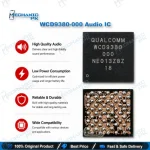
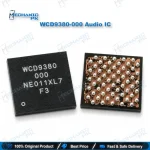
WCD9380-000 Audio IC – Qualcomm Hi-Fi Audio Codec
₨ 450
Qualcomm WCD9380 Hi-Fi Audio Codec for Board-Level Repair
The WCD9380-000 Audio IC is Qualcomm’s standalone Hi-Fi audio codec for Snapdragon flagship boards, linked to the processor over SoundWire. It runs headset playback, earpiece output, analog and digital microphone capture, and MBHC headset detection with in-line button support. Qualcomm’s SM8250 reference design, the Snapdragon 865 platform, pairs with this exact codec. Replace it when a Qualcomm board shows a dead mic during calls, no earpiece sound, a headset the phone never detects, or a full audio failure that survives a clean flash. Built for technicians who already diagnose to IC level and need the exact WCD9380 part for a reliable rework.
WCD9380 Audio Codec IC for Qualcomm Snapdragon Board Repair
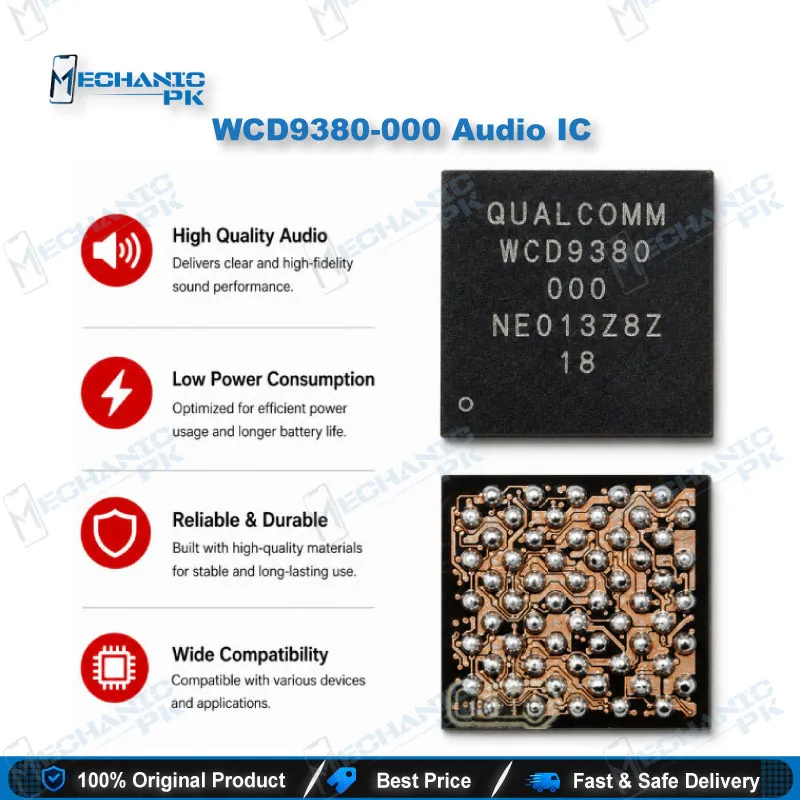
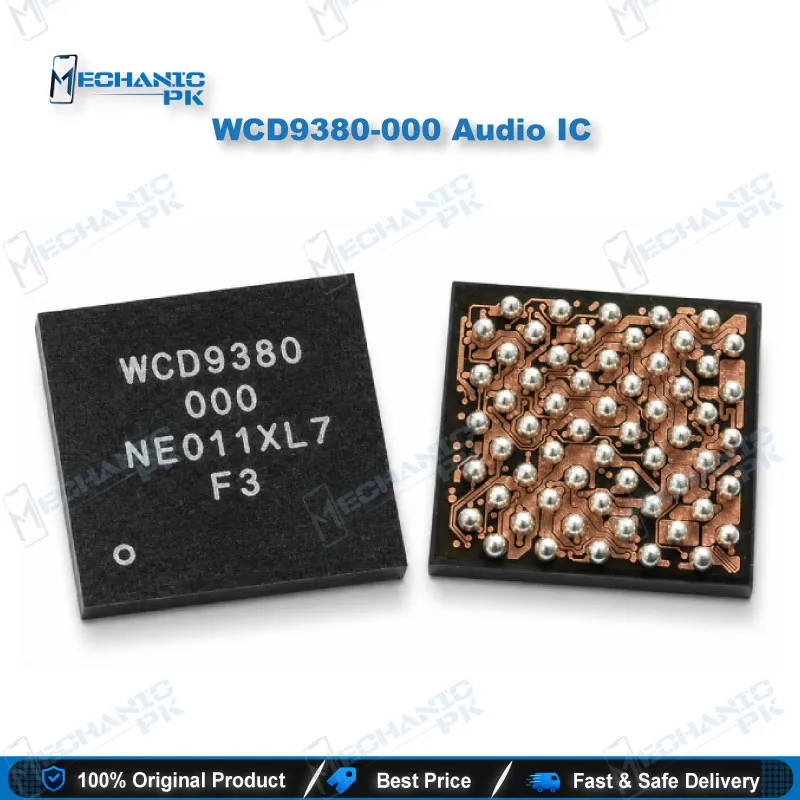
The WCD9380-000 Audio IC is Qualcomm’s standalone Hi-Fi audio codec that handles headset playback, microphone capture, and headset detection on flagship Snapdragon boards. Qualcomm’s own SM8250 reference design, the platform behind the Snapdragon 865 generation, pairs the processor with this WCD9380 audio codec IC for wired headset audio and capture. On your repair bench, that makes the chip a prime suspect whenever a Qualcomm phone loses microphone input, earpiece output, or headset response after a drop, water exposure, or a failed board rework. Mechanicpk supplies the WCD9380 as a board-level replacement part for technicians who diagnose to the IC and need the exact codec, not a near match. Remember that WCD9370, WCD9375, WCD9380, and WCD9385 are separate parts, so always match the marking on the original chip before you order.
How the Qualcomm WCD9380 Talks to the Snapdragon Processor
The Qualcomm WCD9380 does not use a traditional I2S link to the processor. It connects to the audio subsystem over SoundWire and appears as two separate SoundWire devices, one for receive (RX) paths and one for transmit (TX) paths. Only the TX device reaches the codec’s main control and status registers, and the audio driver needs both devices online before any codec route works. That detail matters during diagnosis: a damaged TX side can take down every codec-driven path at once, so the phone reports no working audio device instead of a single dead output. When you face total headset, earpiece, and mic failure on a board that uses this codec, check the WCD9380 and its SoundWire lines before you swap flex cables or reflash firmware. A flash cannot revive a codec that fails to enumerate.
Inside the WCD9380: Inputs, Outputs, and Headset Detection
The codec packs four ADCs, a Class-H headphone amplifier design, an EAR output for the earpiece, an AUX power amplifier, and stereo headphone outputs. On the capture side, it accepts seven differential analog TX inputs and supports up to eight digital microphones. Its MBHC engine detects headset insertion and reads in-line button presses, and a dedicated control line lets the system swap ground and mic segments to handle both US and European headset wiring. Four programmable mic bias outputs feed the analog microphones; reference designs run them at 1.8V, with a configurable range up to 2.85V. In practice, a fault in this block shows up as a dead primary mic during calls, no earpiece audio, a headset the phone never detects, or volume buttons on the headset that stop responding. As a Snapdragon 865 audio IC, it sits at the centre of the voice path, so a single cracked ball under the chip can kill call audio completely.
Power Rails and WCD9380 Audio Codec IC Replacement Workflow
Before you lift the IC, measure its supply rails. The WCD9380 audio codec IC draws from a 1.8V buck supply, a 1.8V RX/TX supply, and a 1.8V I/O supply, with a separate supply feeding the mic bias block. A shorted rail or a missing 1.8V line points to a PMIC or passive fault rather than the codec itself, and catching that early saves you a pointless IC change. Check the reset line from the processor as well, since the codec stays inactive without a clean reset release. Once you confirm the codec as the faulty part, remove the EMI shield, preheat the board on a PCB holder, and lift the old chip with a hot air station at a controlled temperature. Clean the pads with flux and desoldering wick, reball or tin the pads as the package requires, then seat the new WCD9380 and reflow. A stereo microscope lets you catch bridged balls before you power up. For your upgrade path, a board preheater and a BGA reballing kit make repeat codec jobs on Snapdragon boards faster and safer. Pair the chip with quality flux, a fine-tip soldering station for the passives around the codec, and a multimeter for rail checks.
| Weight | 0.1 kg |
|---|
Key Features
- Genuine Qualcomm WCD9380 standalone Hi-Fi audio codec IC
- SoundWire connection with separate RX and TX device paths
- Four ADCs with seven differential analog TX inputs
- Support for up to eight digital microphones
- Class-H headphone amplifier with stereo HPH outputs
- Dedicated EAR output and AUX power amplifier
- MBHC engine for headset insertion and button detection
- Four programmable mic bias outputs from 1.8V to 2.85V
Specifications
| Brand | Qualcomm |
|---|---|
| Model | WCD9380 (marking variant WCD9380-000) |
| Category | Mobile Phone Audio Codec IC |
| Compatibility | Qualcomm Snapdragon platforms that use the WCD9380 codec (SM8250 / Snapdragon 865 reference design) |
| Technology | Standalone Hi-Fi audio codec over SoundWire (separate RX and TX devices); 4 ADCs, Class-H, EAR and AUX PA, stereo headphone outputs, 7 differential TX inputs, up to 8 DMICs, MBHC headset detection |
| Input Voltage | 1.8V buck, 1.8V RX/TX, and 1.8V I/O supply rails; separate mic bias supply |
| Output Voltage | Mic bias outputs programmable from 1.8V up to 2.85V |
Common Repair Uses
- No microphone audio during calls or voice recording
- No earpiece sound during calls
- Wired headset not detected after insertion
- Headset in-line buttons not responding
- Total codec failure with no audio device detected after a clean flash
- Distorted or noisy headset output traced to the codec
- Codec replacement after water damage or board corrosion
- Cracked or lifted codec balls after a drop or failed rework
Compatible Devices
- Verified scope: chipset-platform level, not a device-specific model list.
- Qualcomm SM8250 (Snapdragon 865 platform) boards that use the WCD9380 codec
- Snapdragon 865+ and 870 boards (SM8250 variants) with WCD9380 marked on the original IC
- Qualcomm boards whose schematic or boardview lists WCD9380 under the audio shield
- Boards running the Qualcomm LPASS RX/TX macro audio architecture with a WCD9380 codec
- Direct replacement for a failed chip marked WCD9380 / WCD9380-000
- Donor-to-target codec transfers between boards that both carry WCD9380
- Not a substitute for WCD9370 or WCD9375 positions (different parts)
- Confirm WCD9380 vs WCD9385 marking before replacement
FAQ
What is the product name?
What is the brand of this product?
What is the model of this product?
What is this product used for?
Which devices are compatible with this product?
Who should use this product?
Why does a Qualcomm phone show no audio at all when the WCD9380 fails?
Which voltages should I check before replacing the WCD9380 audio IC?
Related products