
















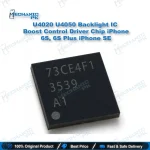
U4020 U4050 Backlight IC 3539 iPhone 6S 6S Plus SE
₨ 800
U4020 U4050 Backlight IC for iPhone 6S, 6S Plus and SE
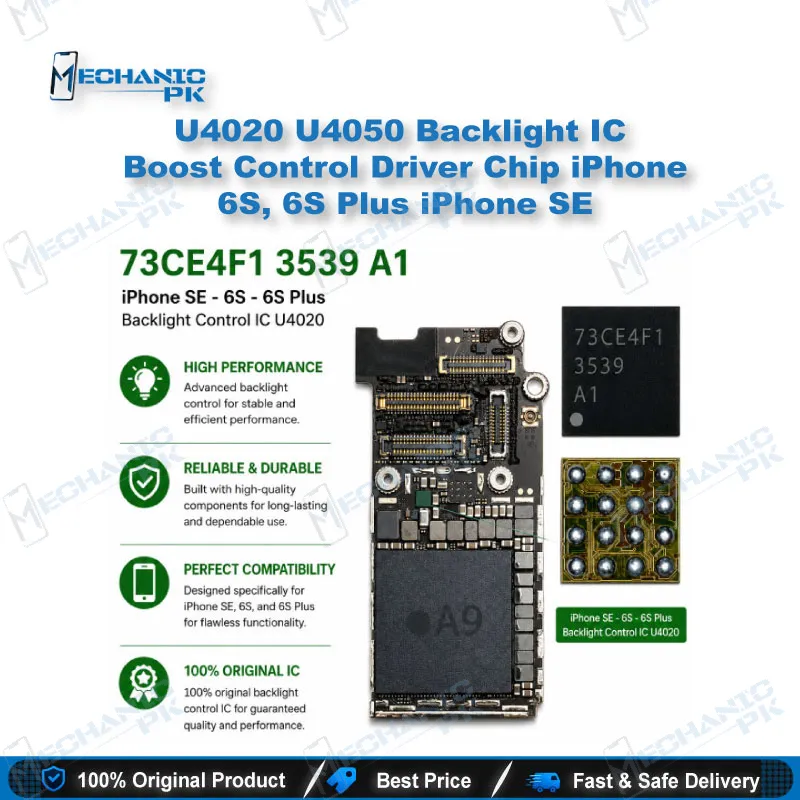
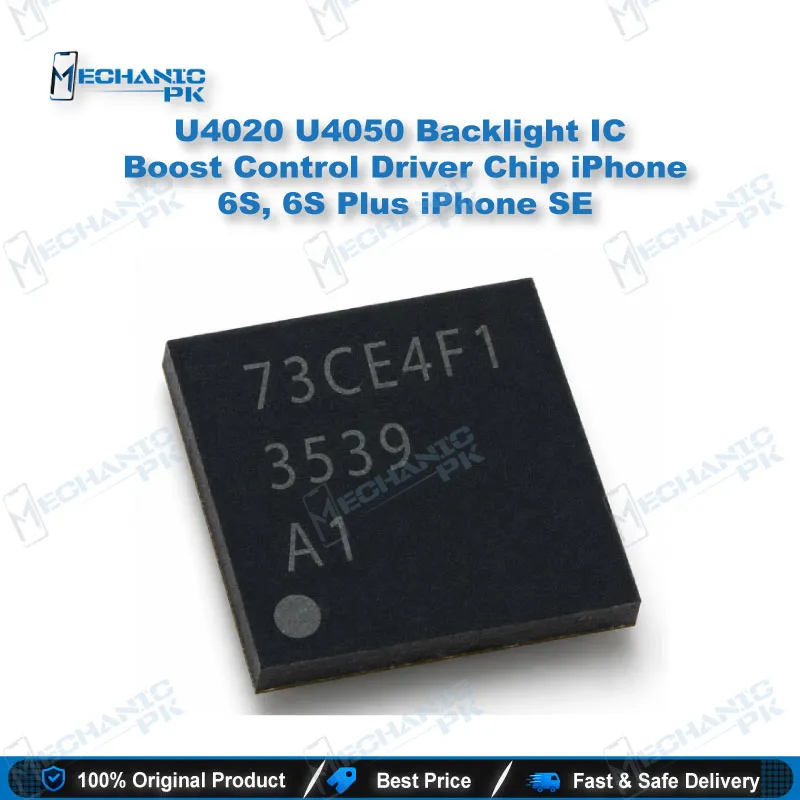
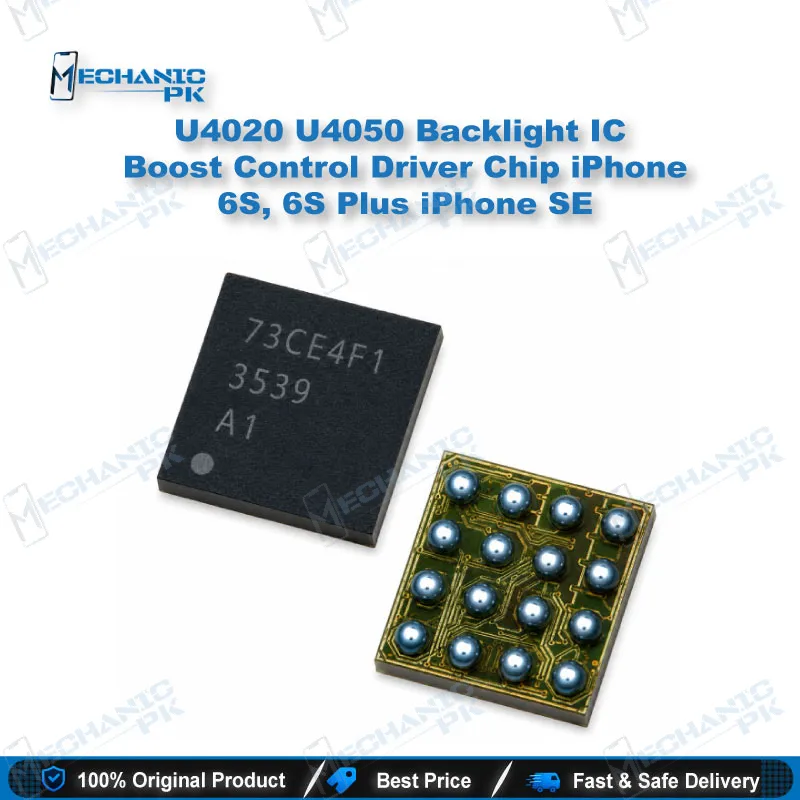
The U4020 U4050 Backlight IC Boost Control Driver Chip iPhone 6S, 6S Plus iPhone SE carries the original 3539 top marking (LM3539A0YFFR). It fits the U4020 position on iPhone 6S and first-generation iPhone SE boards, and both the U4020 and U4050 positions on the iPhone 6S Plus. This 16-pin iPhone 6S backlight IC restores LED backlight power when the phone shows an image under a flashlight but the screen stays dark. Mechanicpk supplies it for board-level technicians who handle display problems, no-backlight faults and IC replacement on Apple logic boards. Installation requires micro-soldering, hot air rework and microscope inspection.
iPhone 6S Backlight IC U4020: LM3539 Boost Driver for 6S, 6S Plus and SE Boards
The U4020 U4050 Backlight IC Boost Control Driver Chip iPhone 6S, 6S Plus iPhone SE is the 16-pin LM3539A0YFFR boost converter that powers the LED backlight string on these three Apple logic boards. If a technician shines a flashlight on the screen and sees a working image on a dark panel, the iPhone 6S backlight IC circuit is the first thing to check. Mechanicpk supplies this chip with the 3539 marking that matches the original board part. Your replacement fits the same pad layout and drives the same backlight load as the factory component.
How the LM3539 Backlight Driver Works
The LCD backlight on these models needs a voltage well above the battery rail to push current through a series LED string. The LM3539 handles that step-up. It switches an external inductor, rectifies the output through a boost diode, and regulates the current that returns through the LED cathode lines. The display connector carries both the anode and cathode paths. A failed driver, an open coil and a shorted output therefore all produce the same symptom: a dark screen with a live image underneath. Once you understand this loop, you can isolate the fault in minutes instead of swapping parts blindly.
U4020 and U4050 Board Designations Explained
Apple labels the backlight driver U4020 on the iPhone 6S and the first-generation iPhone SE. The iPhone 6S Plus board has two driver positions, U4020 and U4050, and both accept this same 3539 chip. On a 6S Plus with a backlight fault, inspect and measure both positions before you commit to a replacement. Checking only one circuit can leave the actual fault untouched and send the phone back to your bench.
Diagnosing a No-Backlight Fault Before Replacement
Start with the flashlight test. Shine a torch at an angle on the screen. A visible image confirms that the display data path works and points the fault to the backlight circuit. If there is no image either, the phone may be in DFU mode or have a CPU or display power fault, and a new backlight driver will not fix it. Next, take diode-mode readings on the backlight anode and cathode pins at the display connector with a quality multimeter, and compare them against a known-good board. Inspect the coil, boost diode and backlight filter for heat marks or cracks. Replace the iPhone 6S backlight IC only when both the readings and the visual inspection point to the driver itself.
Replacement Procedure for Board-Level Technicians
The chip sits under underfill, so rushed removal tears pads. Secure the board in a PCB holder, apply flux, and lift the old driver with a hot air station at controlled airflow. Clean the underfill residue carefully, dress the pads with solder wick, and tin them lightly with your soldering station. Seat the new chip with fresh flux and check pin 1 orientation before reflow. A stereo microscope makes the final joint inspection reliable on a part this small. After reflow, measure the anode line again before you connect the display, to confirm that no short exists.
Common Causes of Backlight Driver Failure
Backlight driver damage on these boards often follows a display swap done with the battery still connected, a faulty aftermarket LCD that shorts the backlight line, or liquid exposure near the display connector. If a fresh U4020 backlight IC fails again quickly, the root cause is still somewhere else on the board. A shorted panel or a damaged filter will kill a new chip just as fast as the old one. Test the replacement screen on a known-good board before you blame the IC.
Build Your Board Repair Bench
This chip works only as well as the tools around it. The core setup for backlight circuit work is a precision hot air station, a temperature-controlled soldering station, a stereo microscope and a reliable digital multimeter. Add a PCB holder for stable heating, and a BGA reballing kit if you plan to move on to CPU- and NAND-level iPhone repair. Mechanicpk stocks each of these categories for Pakistani repair shops and service centers that handle iPhone board work every day.
| Weight | 0.1 kg |
|---|
Key Features
- Carries the 3539 (LM3539A0YFFR) marking that matches the factory backlight driver on 6S-generation boards
- One part covers three models: iPhone 6S, iPhone 6S Plus and iPhone SE (1st generation)
- Fits both U4020 and U4050 positions on the iPhone 6S Plus, so one stock item serves both driver circuits
- 16-pin footprint lands directly on the original pad layout with no adapter or jumper wire
- Restores the step-up voltage that drives the LCD's LED backlight string
- Targets the most common no-backlight hardware fault on these boards
- Suited to hot air rework with underfill removal and microscope-verified reflow
- Good spare to keep in stock for shops that do regular iPhone display and board repair
Specifications
| Brand | OEM Replacement |
|---|---|
| Model | LM3539A0YFFR (top marking 3539) |
| Category | Mobile Phone ICs > Backlight Driver IC |
| Compatibility | Apple iPhone 6S, iPhone 6S Plus, iPhone SE (1st generation) |
| Supported Devices | U4020 position (iPhone 6S, iPhone SE); U4020 and U4050 positions (iPhone 6S Plus) |
| Technology | LED backlight boost (step-up) driver, 16-pin |
Common Repair Uses
- Board-level backlight circuit repair on Apple iPhone 6S-generation logic boards
- No-backlight fault where the image stays visible under a flashlight
- Dim screen caused by a failing backlight driver
- Backlight loss after a display replacement done with the battery connected
- Driver damage caused by a faulty aftermarket LCD shorting the backlight line
- Liquid damage repair around the display connector circuit
- Replacing a driver confirmed faulty through diode-mode testing
- Refurbishing donor and spare logic boards
- Micro-soldering practice on underfilled chips at technical training institutes
Compatible Devices
- Apple iPhone 6S, 6S Plus and first-generation SE logic boards using the 3539 backlight driver
- iPhone 6S logic board, U4020 backlight driver position
- iPhone 6S Plus logic board, U4020 backlight driver position
- iPhone 6S Plus logic board, U4050 second backlight driver position
- iPhone SE (1st generation) logic board, U4020 backlight driver position
- iPhone 6S boards across all storage variants
- iPhone 6S Plus boards across all storage variants
- iPhone SE (1st generation) boards across all storage variants
- Any 6S, 6S Plus or SE board whose original backlight driver carries the 3539 marking
FAQ
What is the product name?
What is the brand of this product?
What is the model of this product?
What is this product used for?
Which devices are compatible with this product?
Who should use this product?
Does the iPhone 6S Plus use both U4020 and U4050 backlight ICs?
Is the iPhone 6S backlight IC the same as the iPhone 7 U3701 chip?
How do I confirm the backlight IC is faulty on an iPhone 6S?
Related products