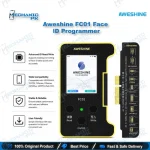




AY A108 Dot Matrix Battery Truetone Programmer for iPhone
₨ 1
Solder-Free iPhone Battery and True Tone Repair
The AY A108 Multi-function Dot Matrix Battery Screen Truetone Repair Programmer for iPhone handles battery data, Face ID dot matrix data and True Tone calibration over a single USB connection. Technicians use it for solder-free fixes on the software side of iPhone repairs, where a swapped part still reports wrong data. Battery coverage runs from iPhone 8 to 14 Pro Max, Face ID dot matrix repair from iPhone X to 14 Pro Max, and True Tone from iPhone 7 through the 16 series. Each function uses its own module or cable, so confirm your model before you order. AY Assistant backup and free firmware expansion keep the workflow practical for a busy repair bench.
Out of stock
The AY A108 Multi-function Dot Matrix Battery Screen Truetone Repair Programmer for iPhone gives you one USB-connected tool for three jobs that usually demand separate equipment: iPhone battery data, Face ID dot matrix data and True Tone screen calibration. If your bench already handles board-level work, this AY A108 dot matrix programmer adds a solder-free route for faults that sit in software after a part swap. You connect the unit to a computer, run the AY Assistant software, and select the module that matches the handset on your bench. Each function uses its own adapter or flex cable, so your workflow stays consistent from one model to the next. The result is less guesswork and fewer returns when the fault lives in stored data rather than in the hardware itself. Battery repair is where most technicians feel the value first. A replacement battery often triggers a warning on the screen or reports a health figure that does not match the new cell. Use the battery module to read and write the battery data, which clears the mismatch and brings the reading back in line. Supplier documentation lists battery coverage from iPhone 8 through the 14 Pro Max, with a separate battery repair cable for models from the 11 series up to the 15 Pro Max. Before you write anything, confirm the exact model against the module and cable labels, because a mismatched connection returns no useful data. Keep a short log of each battery job, including the reading before and after, so you can show the customer what changed on the bench. Face ID is the second workflow, and it demands the most care. Dot matrix data has to match the infrared data before the sensor works again, so the first step is always a backup. The AY Assistant software offers cloud backup of the original dot matrix data, and you should run that backup before any write, since a failed write can leave the sensor unusable. On iPhone X through 14 Pro Max, the dot matrix flex cable connects straight to the programmer, which spares you from lifting components or working on fine pads. Check that the cable runs in the correct direction against the AY plug-in cable, because a reversed connection causes many failed writes. Once the write completes, confirm the match inside the software before you reassemble the phone. True Tone calibration is the third function, and customers notice it immediately. A replacement screen that shows a warm or cold tint against the original panel frustrates the owner and sends the phone back to you. The programmer reads and restores the calibration data so the new display behaves like the factory panel. Coverage runs from iPhone 7 through 11 Pro Max, 12 through 15 Plus, 13 Pro through 15 Pro Max, and the 16 series, and each range uses its own True Tone module. Select the module by model before you start, since each range depends on different hardware and a wrong choice wastes the job. Beyond the three main workflows, the programmer covers faults technicians meet every week. Supplier documentation cites pop-up warnings caused by non-original rear cameras, and the same software-led approach handles low battery health readings and charging behavior that does not match a new cell. Free firmware expansion keeps the tool current as new model support arrives, so you add capability without buying new hardware. Treat each firmware update as a routine step on your bench, and log the version you used on each job so your results stay consistent across the shop. For a repair shop, the purchase case is straightforward. If your daily intake includes battery replacements, Face ID failures or screen swaps on newer iPhones, one programmer that covers all three cuts the number of tools you must buy and maintain. Keep the module set organized by model range, back up before every write, and verify the result before the customer collects the phone. Technicians across Pakistan who run iPhone service counters will find that this discipline turns the programmer into a dependable part of the workflow rather than a one-off fix.
| Weight | 0.5 kg |
|---|
Key Features
- Single USB connection to a computer for battery, Face ID dot matrix and True Tone functions
- Solder-free dot matrix repair on iPhone X through 14 Pro Max using a direct flex cable
- Battery data read and write with a separate battery repair cable for newer models
- True Tone screen calibration restore with model-specific modules
- AY Assistant software with cloud backup of original dot matrix data
- Free online firmware expansion for added device function
- Module-based design that keeps each repair workflow separate
- Practical for shops handling battery, Face ID and screen replacement jobs
Specifications
| Brand Entity | AY |
|---|---|
| Product Entity | AY A108 multi-function dot matrix programmer |
| Technology Entity | Dot matrix (Face ID) data, battery data, True Tone calibration |
| Compatible Device Entities | iPhone 7 through 16 series |
| Repair Process Entity | Battery data restoration, dot matrix backup and write, True Tone calibration restore |
| Industry Entity | Mobile phone repair tools |
Common Repair Uses
- Clearing battery health mismatch and warning messages after a battery replacement
- Reading and writing battery data on iPhone 8 through 14 Pro Max
- Restoring dot matrix data so Face ID works after a dot matrix flex or sensor swap
- Backing up original dot matrix data before any write
- Restoring True Tone calibration after a non-original screen replacement
- Resolving pop-up warnings linked to non-original rear cameras
- Solder-free workflows for Face ID faults on the iPhone X to 14 Pro Max range
Compatible Devices
- iPhone 8 through 14 Pro Max (battery data repair)
- iPhone 11 through 15 Pro Max (battery repair cable)
- iPhone X through 14 Pro Max (Face ID dot matrix repair)
- iPhone 7 through 11 Pro Max (True Tone repair)
- iPhone 12 through 15 Plus (True Tone repair)
- iPhone 13 Pro through 15 Pro Max (True Tone repair)
- iPhone 16 series (True Tone repair)
FAQ
What is the AY A108 used for?
Does the AY A108 require soldering?
Which iPhone models does the AY A108 support for battery repair?
Which iPhone models does the True Tone function cover?
Should dot matrix data be backed up before repair?
Why does a dot matrix write fail on the AY A108?
Related products