
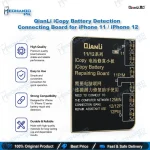
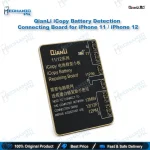
QianLi iCopy Battery Detection Board for iPhone 11 & 12
₨ 1,500
iCopy Battery Detection Board for iPhone 11 and 12
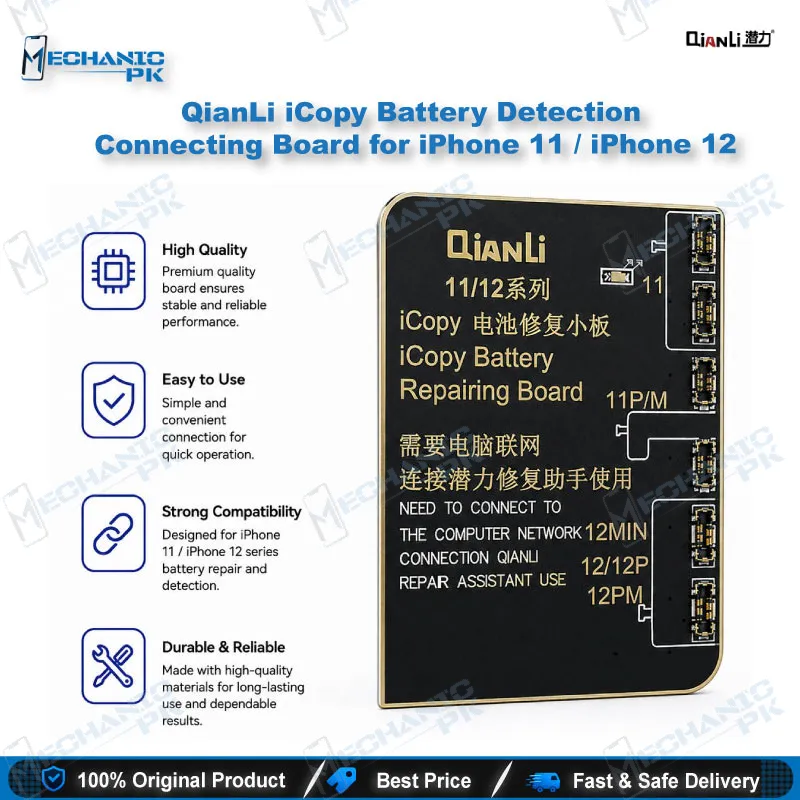
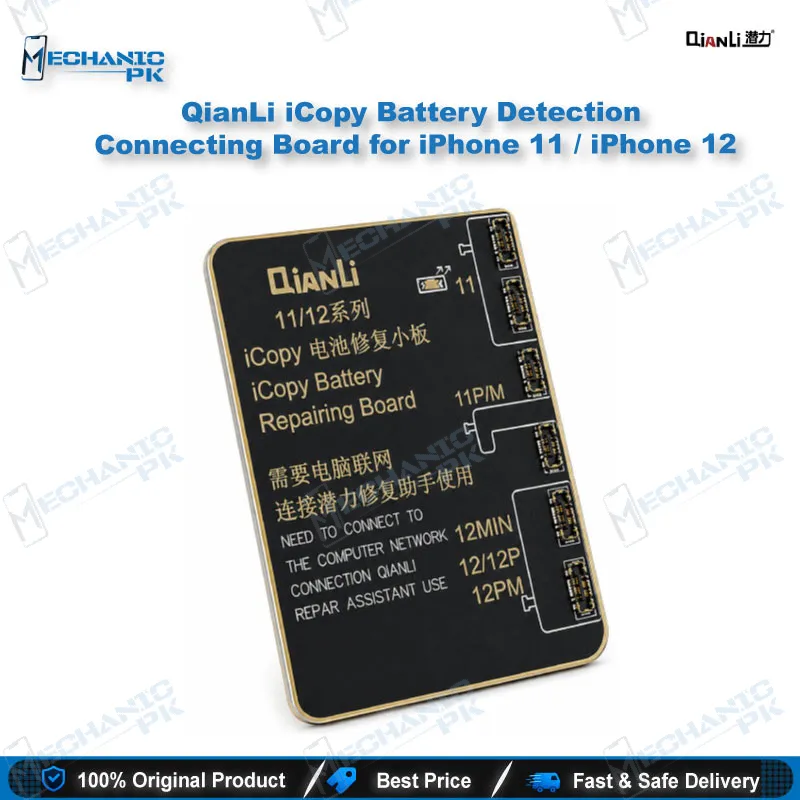
This QianLi iCopy battery detection board connects iPhone 11 and iPhone 12 batteries to your iCopy tester for battery condition reading and charging cycle data correction. It suits technicians who run battery checks on the iCopy platform before replacing a cell or after a battery swap. Within the verified scope, the board covers the iPhone 11, 11 Pro, 11 Pro Max, 12, 12 mini, 12 Pro, and 12 Pro Max. A tag-on or built-in flex cable is required and sold separately. Choose this board when your bench already runs iCopy and needs a dedicated battery connection point.
In stock
iCopy Battery Detection Board for iPhone 11 and 12 Repair
The QianLi iCopy battery detection board gives your repair bench a dedicated connection point between an iPhone 11 or iPhone 12 battery and the iCopy tester. Battery condition and charging cycle data are the main reasons technicians use this board on these models. The iCopy tester reads and corrects those values, and the board provides the physical link that makes the work possible. The setup requires a tag-on or built-in flex cable, which you purchase separately, so plan the full kit before you start a job. Repair shops in Pakistan that handle battery replacements, dead phone diagnostics, and charging complaints will find it a practical addition. The sections below explain where the board fits, how the flex requirement affects your order, and how to use it on your bench.
Where This Board Fits in Your Battery Workflow
Battery work on iPhone 11 and 12 usually starts with a condition check. You connect the battery through the flex, then read its status on the iCopy tester before you decide whether to replace the cell or correct its data. This sequence saves time because you confirm the battery’s state before you open the device or order a new part. The board sits at the start of that chain, so a stable connection shapes every reading that follows.
After a battery swap, the same setup lets you reset the charging cycle settings so the phone reports the new battery accurately. This step matters when a customer notices irregular charge percentages or early shutdowns after a replacement. Run the check on the bench before you return the device, and record the readings on the job card. A consistent workflow makes it easier to explain the work to the customer.
Flex Cable Requirement for iPhone 11 and 12
This board does not work on its own for iPhone 11 and 12. A tag-on or built-in flex must link the battery to the board, and you buy the flex separately. Check the flex type before you place the order so the connector matches your battery and your iCopy setup. Ordering the flex and the board together prevents a delay that stops the job on the bench.
Keep spare flex cables on hand if your shop handles several battery models. A worn flex can produce unstable readings, so inspect the contacts before each session. Clean pads and firm seating give more reliable results than rushing the connection. Treat the flex as a consumable part of your kit and replace it when the contacts show wear.
Practical Use on Your Repair Bench
Use the board when a customer reports fast battery drain, a phone that shuts down mid-charge, or a battery health warning. Start with a visual check of the battery, then connect it through the flex and read the values on the iCopy tester. Compare the readings with the complaint before you recommend a battery replacement. This approach keeps the repair focused on verified data rather than guesswork.
Technicians who handle dead phone cases also use the battery check to rule out the cell before they examine the board. Disconnect the battery from the device whenever you handle the flex and the board. Store the board in an anti-static bag between jobs, and keep your iCopy tester updated according to its manufacturer’s instructions. Consistent handling protects both the board and the accuracy of your readings over time.
| Weight | 0.5 kg |
|---|
Key Features
- Designed for battery detection on the iCopy tester for iPhone 11 and 12 series
- Requires a tag-on or built-in flex cable, sold separately
- Supports battery condition reading on the iCopy tester
- Supports charging cycle data correction after battery replacement
- Covers iPhone 11, 11 Pro, and 11 Pro Max models
- Covers iPhone 12, 12 mini, 12 Pro, and 12 Pro Max models
- Black finish
Specifications
| Brand | QianLi |
|---|---|
| Model | iCopy Battery Detection Board |
| Category | Battery Detection Board |
| Compatibility | iCopy Tester |
| Supported Devices | iPhone 11, iPhone 11 Pro, iPhone 11 Pro Max, iPhone 12, iPhone 12 mini, iPhone 12 Pro, iPhone 12 Pro Max |
| Technology | iCopy battery detection and charging cycle data correction |
| Color | Black |
Common Repair Uses
- Battery condition check before a replacement decision
- Reading battery status on the iCopy tester during diagnostics
- Charging cycle data correction after a battery swap
- Diagnosing battery complaints such as fast drain or unexpected shutdown
- Verifying a new battery connection on the bench
- Checking battery behavior before returning the device to the customer
- Isolating the battery during dead phone diagnostics
- Confirming charging complaints that trace back to the battery
Compatible Devices
- iPhone 11
- iPhone 11 Pro
- iPhone 11 Pro Max
- iPhone 12
- iPhone 12 mini
- iPhone 12 Pro
- iPhone 12 Pro Max
- Requires a tag-on or built-in flex cable
FAQ
What is the product name?
What is the brand of this product?
What is the model of this product?
What is this product used for?
Which devices are compatible with this product?
Who should use this product?
Does this board need a flex cable for iPhone 11 and 12?
Which tester does this battery detection board work with?
Related products