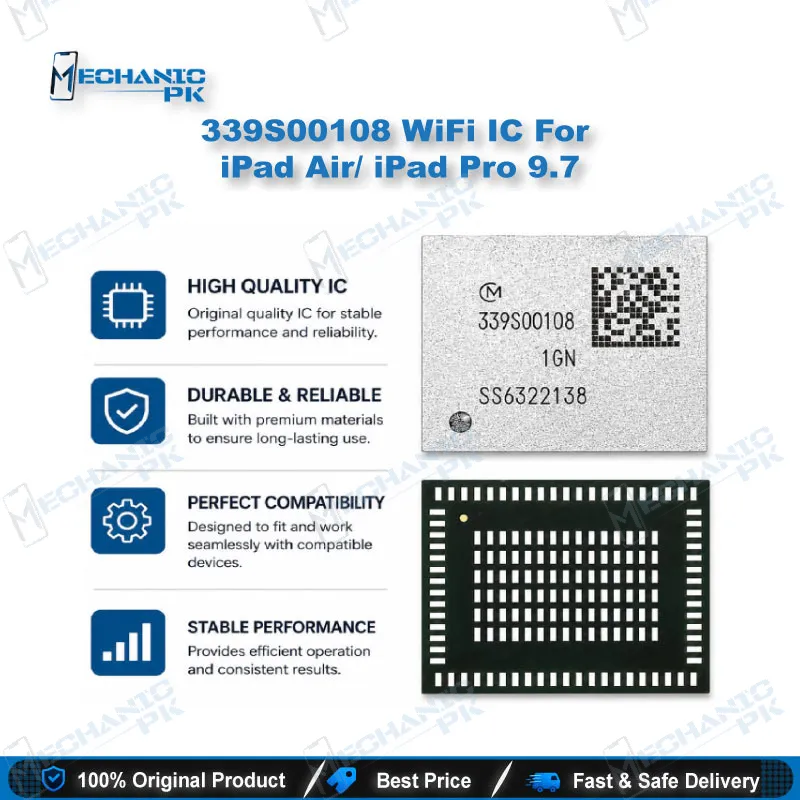
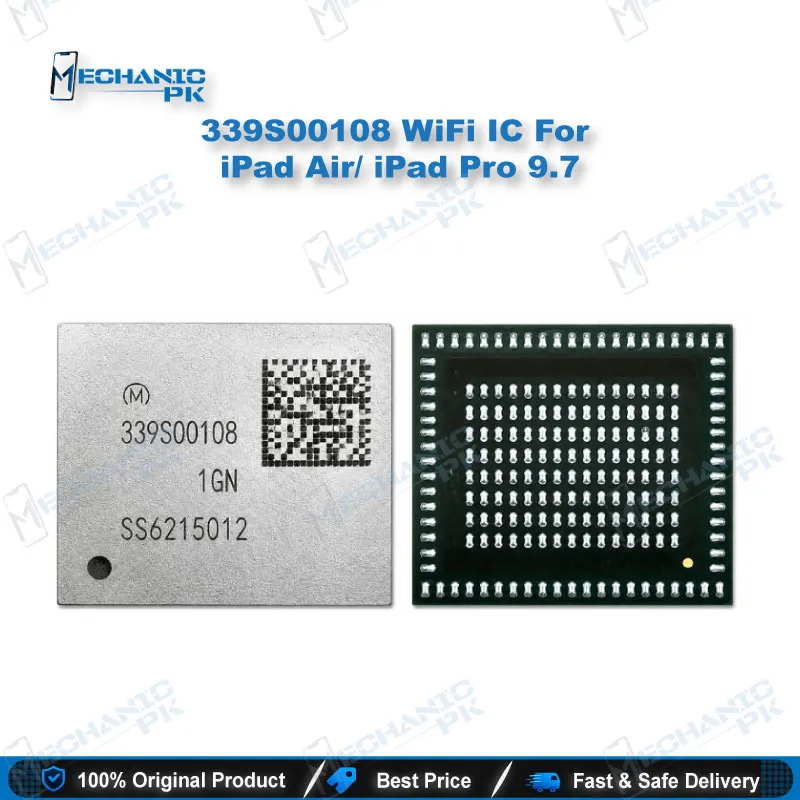
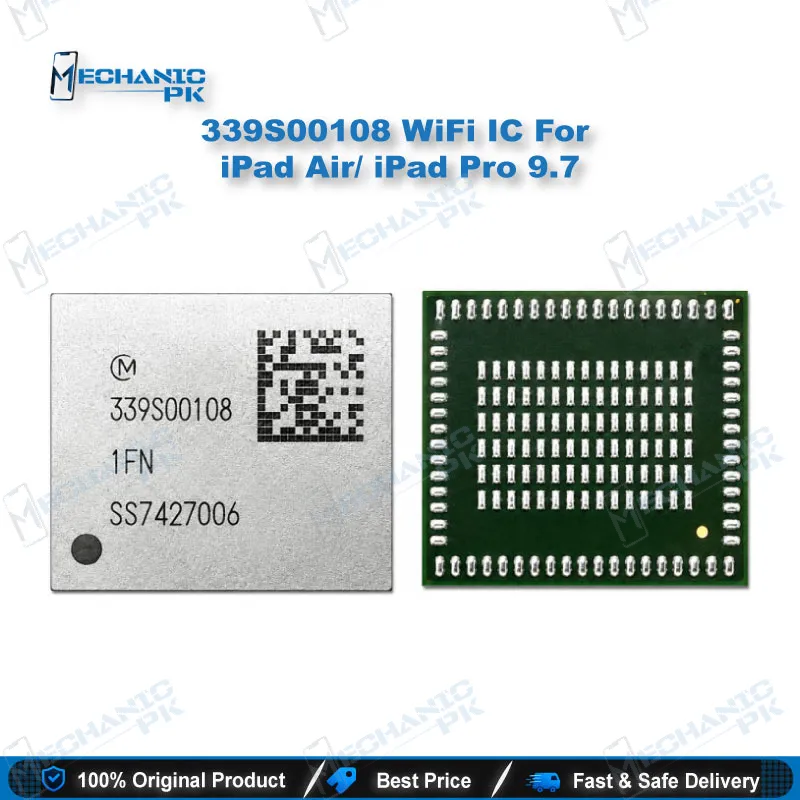
339S00108 WiFi IC For iPad Air iPad Pro 9.7 Replacement
₨ 1,600
339S00108 WiFi IC for iPad Pro 9.7 Wireless Repair
The 339S00108 WiFi IC For iPad Air iPad Pro 9.7 is the Apple-numbered wireless module that handles Wi-Fi and Bluetooth on the iPad Pro 9.7-inch (2016) logic board. When the tablet boots, charges and displays normally but the Wi-Fi toggle stays grey or Bluetooth never pairs, this module is a common fault point. Board-level technicians use this 339S00108 WiFi IC to restore wireless function through hot air rework instead of replacing the full logic board. Match the part number printed on the original module before installation, since sister part numbers exist on the same iPad family.
339S00108 WiFi IC For iPad Air iPad Pro 9.7: Precision Wireless Module for Board-Level Repair
The 339S00108 WiFi IC For iPad Air iPad Pro 9.7 is a surface-mount wireless module that controls Wi-Fi and Bluetooth on the iPad Pro 9.7-inch (2016) logic board. A failed module produces a very specific symptom set: the iPad boots, the screen and touch respond, charging works, yet wireless connectivity disappears completely. For technicians who work at board level, the 339S00108 WiFi IC restores that function without a board swap. Supplier listings link this part number to the iPad Pro 9.7 Wi-Fi + Cellular board (A1674), so your first step on any job is to read the marking on the original module and confirm an exact match.
Where the 339S00108 Sits in the iPad Wireless Circuit
The module draws its supply rails from the board’s power management circuitry, exchanges data with the application processor, and feeds the antenna lines that run to the antenna flex. A fault at any point along that chain can look exactly like a dead module. Before you commit to an IC change, measure the supply rails with a multimeter, check the antenna connectors and cable, and inspect the module area under a microscope for corrosion or cracked joints. Once the rails and signal paths check out and the fault persists, module replacement becomes the correct call rather than a guess.
Common Faults This Replacement Resolves
Technicians reach for this part when the Wi-Fi switch in Settings stays grey and refuses to turn on. A blank Wi-Fi Address or Bluetooth address under Settings > General > About points in the same direction. Bluetooth that searches endlessly without finding accessories often shares the root cause, since one module handles both radios. Drop-damaged units frequently show intermittent wireless that cuts out when you flex the chassis, a classic sign of cracked solder joints under the module. Liquid-damaged boards show corrosion around the module pads, and after cleaning, a replacement module often becomes necessary.
Removal and Installation Workflow
Mount the logic board securely in a PCB holder and remove the shielding over the module area. Apply quality flux, preheat the board evenly, and lift the old module with a hot air station set to a controlled temperature and airflow that protects nearby components. Clean the pads flat with a soldering station and desoldering wick, then inspect every pad under a microscope for lifted or torn traces. If the new module needs fresh solder balls, a reballing kit with the correct stencil gives you even ball height. Align the module precisely, reflow it, allow natural cooling, and then refit the shielding. Power the board and confirm that Wi-Fi scans networks and Bluetooth discovers devices before final assembly.
Part Number Matching: 339S00108 and 339S00109
Supplier listings show both 339S00108 and 339S00109 against the iPad Pro 9.7 family. Treat them as distinct part numbers. The safe professional practice is simple: read the marking on the module you remove and install the identical number. This approach avoids a wasted rework cycle and protects the board from repeated heat exposure.
Why Source This Module From Mechanicpk
Mechanicpk supplies ICs under their exact part numbers so that you can match the original marking with confidence. A clean wireless module job depends on the right bench equipment as much as the right part. Pair this IC with a reliable hot air station and soldering station for rework, a microscope for alignment and pad inspection, a reballing kit for fresh solder balls, a PCB holder for stable mounting, and a multimeter for rail diagnosis before you commit to the replacement. For service centers handling iPad logic board work across Pakistan, a proper 339S00108 WiFi IC in stock turns a no-Wi-Fi complaint from a board replacement quote into a profitable same-day repair.
| Weight | 0.1 kg |
|---|
Key Features
- Exact 339S00108 part number for a direct match with the original module
- Single module handles both Wi-Fi and Bluetooth functions
- Restores wireless connectivity without logic board replacement
- Surface-mount design suited to standard hot air rework
- Works with stencil reballing for even solder ball height
- Suits both fresh-module and donor-board repair jobs
- Supports a diagnosis-first workflow once rails and antenna lines check out
- Stocked under its exact marking for part-number-accurate ordering
Specifications
| Brand | Apple (OEM part numbering) |
|---|---|
| Model | 339S00108 |
| Category | Mobile Phone ICs / WiFi ICs |
| Compatibility | iPad Pro 9.7-inch (2016) logic boards carrying the 339S00108 marking |
| Technology | Wi-Fi and Bluetooth wireless module, surface-mount |
Common Repair Uses
- Restoring a greyed-out Wi-Fi toggle
- Fixing a blank Wi-Fi Address or Bluetooth address in Settings
- Repairing Bluetooth that searches endlessly without pairing
- Correcting intermittent wireless caused by cracked solder joints after a drop
- Replacing a corroded module after liquid damage cleaning
- Replacing a module damaged during failed reflow or nearby rework
- Wireless module transplant during donor board repair
- Reballing and reinstalling a module during board-level diagnosis
Compatible Devices
- iPad Pro 9.7-inch (2016) logic boards
- iPad Pro 9.7 Wi-Fi + Cellular board, A1674 (per supplier listings)
- iPad Air logic boards where the original module reads 339S00108 (confirm the marking before installation)
- Any Apple board where the removed module carries the exact 339S00108 part number
FAQ
What is the product name?
What is the brand of this product?
What is the model of this product?
What is this product used for?
Which devices are compatible with this product?
Who should use this product?
Can I use 339S00109 instead of 339S00108 on an iPad Pro 9.7?
Does replacing the 339S00108 fix a greyed-out Wi-Fi toggle on iPad Pro 9.7?
Related products