
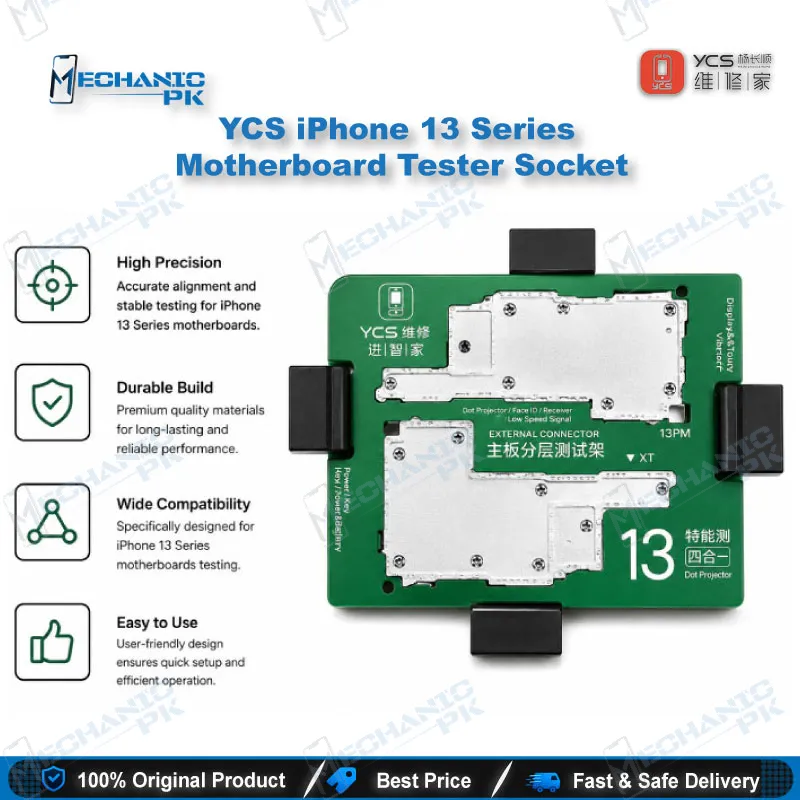
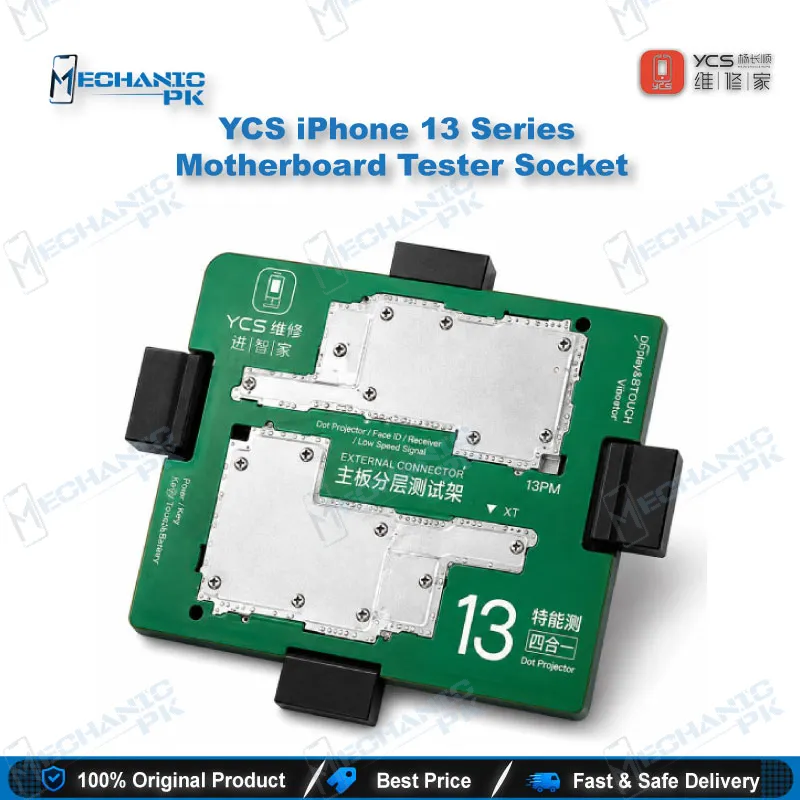

YCS iPhone 13 Series Motherboard Tester Socket
₨ 35,000
Solderless iPhone 13 Board Testing
The YCS iSocket 4 in 1 holds the upper and lower layers of iPhone 13, 13 mini, 13 Pro and 13 Pro Max logic boards in a test position without solder. You can power the board, check display output, verify touch response and run baseband checks before final reassembly. Beryllium copper spring probes keep contact stable across repeated test cycles. For workshops that handle layered iPhone 13 boards, the socket cuts down on repeated desoldering and limits thermal stress on the board during diagnosis.
Out of stock
iPhone 13 Motherboard Tester Socket for Layered Board Testing
The YCS 4-in-1 iPhone 13 motherboard tester socket gives you a solderless way to test a layered logic board before final reassembly. The iPhone 13 board is built from two stacked layers joined by solder connections, so a fault in one layer usually means separating both halves and soldering them back together after every test. This socket holds the layers in a test position instead. You get power, display, touch and baseband checks on the bench while the board stays intact.
Where the Socket Fits in Your Repair Workflow
Use the socket after you identify a board-level fault and before you commit to the final repair. Separate the layers, then inspect the connectors for oxidation, debris and lifted pads. Seat the lower board into the socket, then align the upper board so the probes meet the test pads. Once the snap-on frame holds the board flat, power the device and observe the display output. Check touch response, then run baseband checks to isolate signal faults. If the board passes, reassemble it and solder once. If it fails, you have narrowed the fault to one layer without repeating the full desoldering cycle, which saves time on every board you test.
Spring Probe Design and Holding Stability
The contact points rely on imported beryllium copper spring probes. This alloy combines high conductivity with strong resistance to overload, so readings stay consistent across repeated tests. Consistent probe pressure matters on a board this dense, because a weak contact can imitate a real fault and send you chasing a false diagnosis. The snap-on design keeps the motherboard flat during testing, so each probe meets its pad at the same angle every session. Clean the probe tips with isopropyl alcohol and a soft brush, then inspect them under a microscope before each test session. Stable contact is the first step toward trustworthy readings, and it depends on regular upkeep of the probes.
Compatibility Scope and Bench Pairing
The socket covers four models: iPhone 13, iPhone 13 mini, iPhone 13 Pro and iPhone 13 Pro Max. Confirm the model before you seat the board, because pin layout varies across the iPhone range. For a complete bench setup, pair the socket with a regulated DC power supply for controlled power injection, a multimeter for rail and continuity checks, and a microscope to verify pad alignment. This setup suits repair shops, service centers and technical training institutes that need repeatable board-level diagnostics on the iPhone 13 series. It does not cover other iPhone generations, so check the model list before you order for a mixed fleet.
| Weight | 0.4 kg |
|---|
Key Features
- 4-in-1 design covering iPhone 13, 13 mini, 13 Pro and 13 Pro Max
- Beryllium copper spring probes for stable, repeatable contact
- Snap-on holding design keeps the board flat during testing
- Solderless testing of power, display, touch and baseband functions
- Supports layered board diagnosis without repeated desoldering
Specifications
| Brand | YCS |
|---|---|
| Model | iSocket 4 in 1 (iPhone 13 Series) |
| Category | Motherboard Middle-Layer Test Fixture |
| Compatibility | iPhone 13, iPhone 13 mini, iPhone 13 Pro, iPhone 13 Pro Max |
| Supported Devices | iPhone 13, iPhone 13 mini, iPhone 13 Pro, iPhone 13 Pro Max |
| Technology | Snap-on holding design with spring probe contacts |
| Material | Beryllium copper spring probes |
Common Repair Uses
- Verified middle-layer board testing workflows
- Testing a layered iPhone 13 logic board after board-level repair, before final reassembly
- Isolating power, display and touch faults without repeated desoldering
- Baseband and signal diagnostics on iPhone 13 series boards
- Checking a board after drop or liquid damage to locate the faulty layer
Compatible Devices
- Verified at iPhone 13 series model level (4 models)
- iPhone 13
- iPhone 13 mini
- iPhone 13 Pro
- iPhone 13 Pro Max
FAQ
What is the product name?
What is the brand of this product?
What is the model of this product?
What is this product used for?
Which devices are compatible with this product?
Who should use this product?
Does this socket require soldering during testing?
Can this socket test baseband functions on the iPhone 13?
Related products