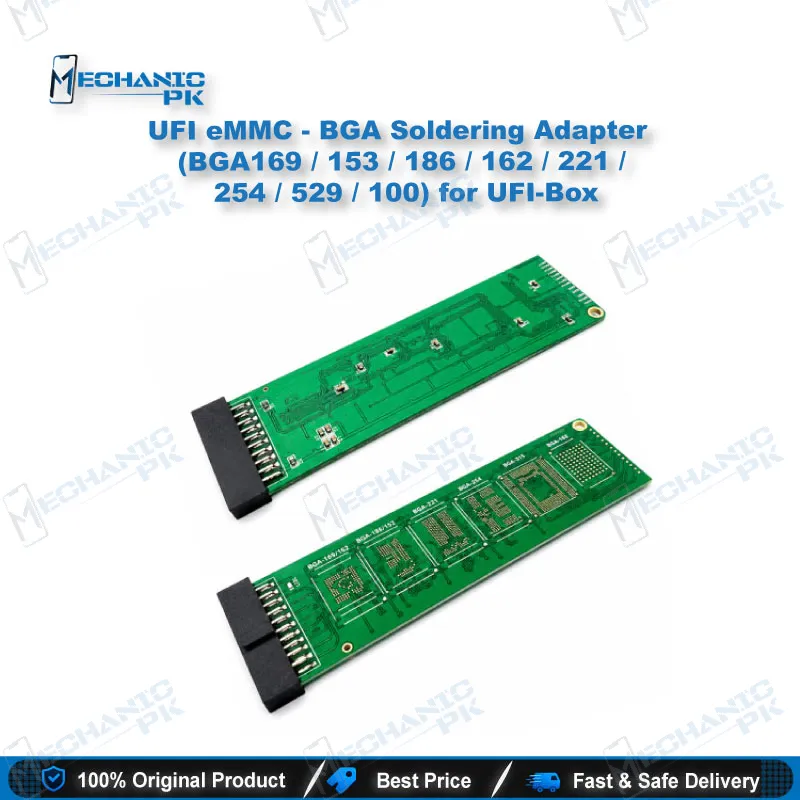
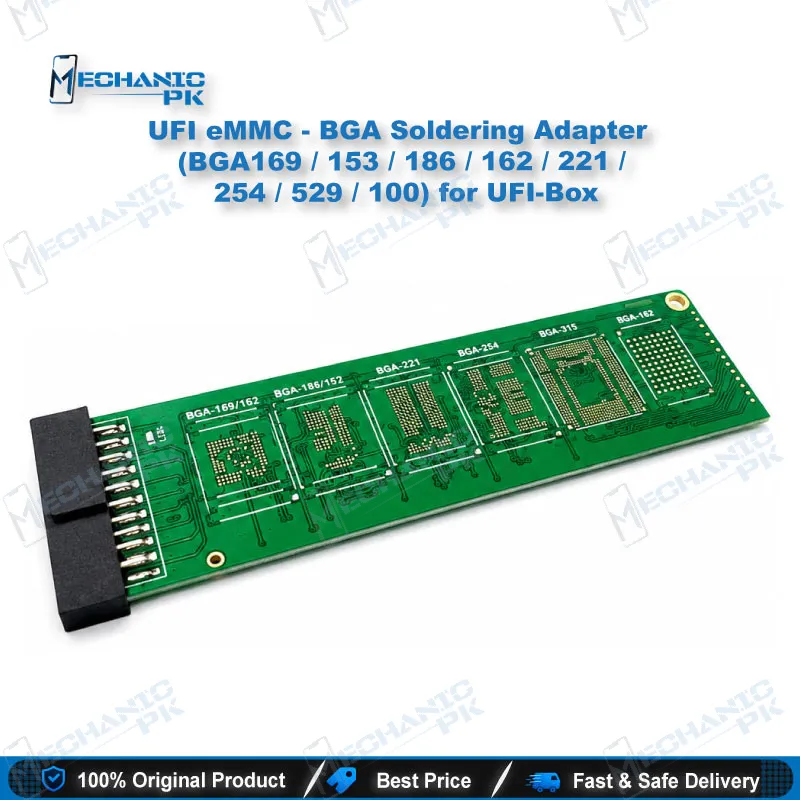
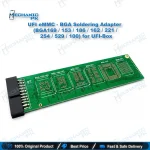
UFI eMMC BGA Soldering Adapter (8 Footprints) for UFI-Box
₨ 999
eMMC BGA Soldering Adapter for UFI-Box: Eight Footprints on One Board Set
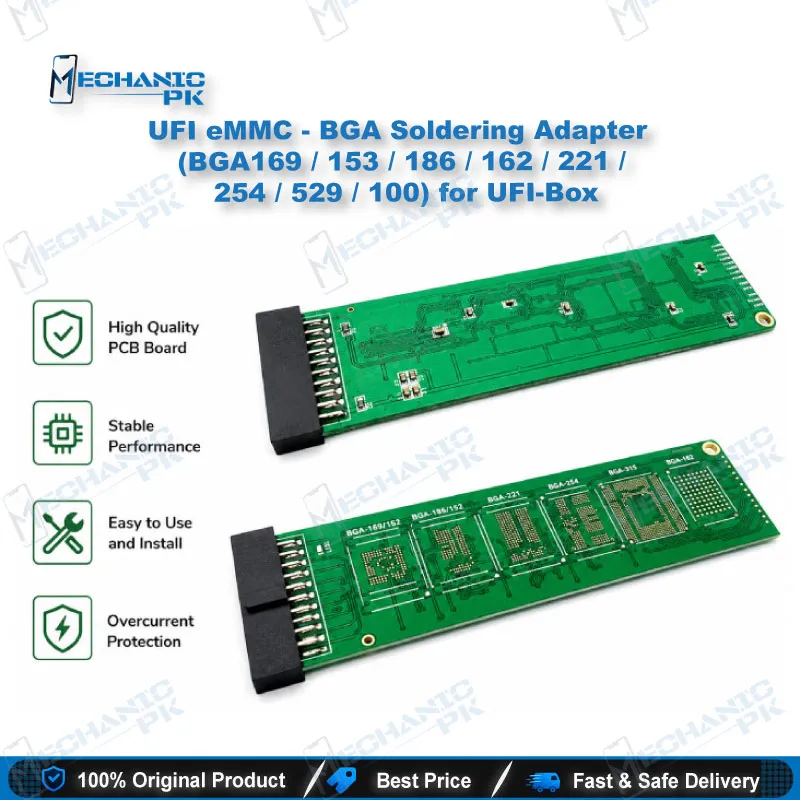
This eMMC BGA soldering adapter for UFI-Box covers the BGA169, BGA153, BGA186, BGA162, BGA221, BGA254, BGA529, and BGA100 footprints. You solder the eMMC chip to the adapter and connect it to your UFI-Box for chip-level reading, writing, and recovery. It gives you a direct memory-level route when ISP pads are damaged, hidden, or unreliable on the board. Mechanicpk supplies this adapter for technicians who handle dead phones, boot loops, and dead-after-flash faults on a regular basis. One adapter covers the common eMMC package sizes, so your bench handles most chip-off jobs without hunting for separate boards.
In stock
eMMC BGA Soldering Adapter for UFI-Box: Chip-Level Access Across Eight BGA Footprints
The eMMC BGA soldering adapter for UFI-Box connects a removed eMMC chip to your UFI-Box programmer through a soldered contact. This is the right route when the chip has to leave the board. Typical cases are a dead phone with damaged ISP test points, a corrupted boot partition that USB tools cannot reach, or a data recovery job on a board that no longer powers up. The adapter covers eight package footprints: BGA169, BGA153, BGA186, BGA162, BGA221, BGA254, BGA529, and BGA100. That range spans most eMMC packages that reach a Pakistani repair bench.
Where the Adapter Sits in Your UFI-Box Workflow
The UFI-Box software controls the hardware interface and runs the read, write, and recovery operations. This adapter supplies the physical link between the memory chip and that hardware. You lift the eMMC with a hot air station or rework station, clean the pads and balls, and seat the chip on the matching footprint. You then connect the adapter to the UFI-Box and select the eMMC profile in the software. The adapter carries the signal path and the box does the programming. Selecting the correct footprint before you solder is the step that decides whether the whole job succeeds.
Package Coverage and Footprint Selection
Each footprint name describes the ball count of the eMMC package. A BGA153 chip needs the BGA153 position, a BGA169 chip needs the BGA169 position, and so on through the set. The package size alone does not identify the chip, so read the marking on the eMMC and confirm its package type before you commit solder. The BGA254 footprint is common on newer boards, and the BGA529 footprint serves larger packages. The BGA100 and BGA162 positions cover older and mid-range designs. Mixing up two footprints with similar ball counts is a frequent bench mistake, so check the chip first and the adapter second.
Soldering and Rework Practice for Reliable Contact
Clean contact decides the quality of every read. Reball the chip if the original balls look flattened or uneven, and flux the pads lightly before you place the chip. Apply controlled heat and avoid prolonged exposure, because eMMC packages tolerate heat poorly and repeated cycles damage the die. Let the adapter cool fully before you connect it to the UFI-Box. A cold or bridged joint produces read errors that look like a dead chip, so inspect the joints under a microscope before you blame the memory.
Repair Scenarios Where This Adapter Pays Off
You reach for this adapter when the board gives you no other path to the memory. A boot loop caused by corrupted partitions, a hang on logo after a failed update, and a device dead after flash all become recoverable once you read or rewrite the chip directly. Data recovery from a board with a dead power section also fits this workflow, because you extract the chip and read it on the bench. Technicians who already run ISP workflows keep this adapter as the fallback for jobs where ISP pads are lifted or the pinout cannot be traced. That fallback role makes it a practical addition for any shop that takes hardware fault jobs.
| Weight | 0.9 kg |
|---|
Key Features
- Eight BGA footprints in one set: BGA169, 153, 186, 162, 221, 254, 529, and 100
- Built for UFI-Box eMMC workflows
- Soldered chip contact for direct memory-level access
- Works when ISP pads are damaged or untraceable
- Supports read, write, and recovery operations through the UFI-Box software
- Covers the common eMMC package sizes seen in mobile repair
- Suits hot air and rework station chip-off procedures
- Keeps one adapter set on the bench for multiple package types
Specifications
| Brand | UFI |
|---|---|
| Model | eMMC BGA Soldering Adapter |
| Category | eMMC BGA Adapters |
| Compatibility | UFI-Box |
| Supported Package Footprints | BGA169, BGA153, BGA186, BGA162, BGA221, BGA254, BGA529, BGA100 |
| Technology | eMMC |
Common Repair Uses
- Chip-off eMMC workflows on the bench with UFI-Box
- Recovering a dead phone through direct eMMC access
- Fixing a boot loop caused by corrupted partitions
- Repairing a hang on logo after a failed update
- Restoring a device that died after flash
- Reading user data from a board that no longer powers up
- Writing firmware to a replacement eMMC before fitting it to the board
- Working around lifted or damaged ISP pads
- Backing up eMMC contents before a risky repair
Compatible Devices
- eMMC memory chips in the following BGA package footprints, read and programmed through UFI-Box (the adapter is chip-package specific, not phone-model specific)
- eMMC chips in BGA169 package
- eMMC chips in BGA153 package
- eMMC chips in BGA186 package
- eMMC chips in BGA162 package
- eMMC chips in BGA221 package
- eMMC chips in BGA254 package
- eMMC chips in BGA529 package
- eMMC chips in BGA100 package
FAQ
What is the product name?
What is the brand of this product?
What is the model of this product?
What is this product used for?
Which devices are compatible with this product?
Who should use this product?
Which BGA footprints does this UFI-Box eMMC adapter cover?
Can I use this adapter for a dead phone with damaged ISP pads?
Related products