
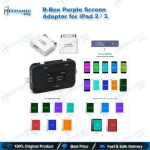
iPad 2 3 Purple Screen Adapter for B-BOX Pro DFU Tool
₨ 2,800
Purple Mode Adapter for iPad 2 and iPad 3
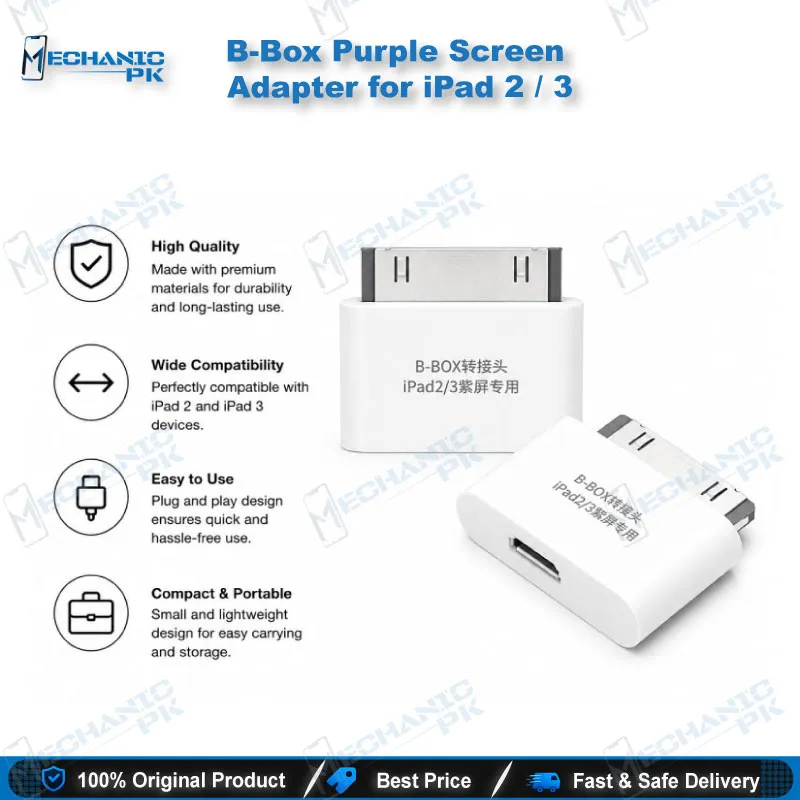
This adapter connects iPad 2 and iPad 3 (3rd generation) to the JC B-BOX Pro DFU tool. It gives your bench a dedicated interface for purple mode work on these two models. The adapter ships as the iPad-specific part of the B-BOX Pro package, so you do not need to source a separate connector for them. Pakistani repair shops that still service older iPad units will find it a focused, single-purpose accessory for that workflow.
In stock
iPad 2 3 Purple Screen Adapter for Older iPad Repair Workflows
The iPad 2 3 purple screen adapter is the hardware link between iPad 2 and iPad 3 (3rd generation) and the JC B-BOX Pro DFU tool. Technicians use it when a purple screen fault on these tablets calls for DFU-level handling on the B-BOX Pro platform. The adapter is sold as the iPad-specific part of the package, so the connection is matched to these two models from the start. If your workshop already runs B-BOX Pro for other iOS devices, this accessory extends the same platform to the older iPad generation.
Where the Adapter Fits in the Repair Workflow
A purple screen is the visible symptom that brings an iPad 2 or iPad 3 to the bench. Start by confirming the model and the fault before you connect anything. Decide whether the unit needs DFU-level handling or a separate display check. The adapter belongs to the second stage, where the device connects to the B-BOX Pro for purple mode work and NAND syscfg data reading and writing. Keep display and board tests separate from this stage so results stay clear. Technicians who already work with ISP Pinout Tools or eMMC Programmers will recognize the logic of this sequence.
Compatibility Scope
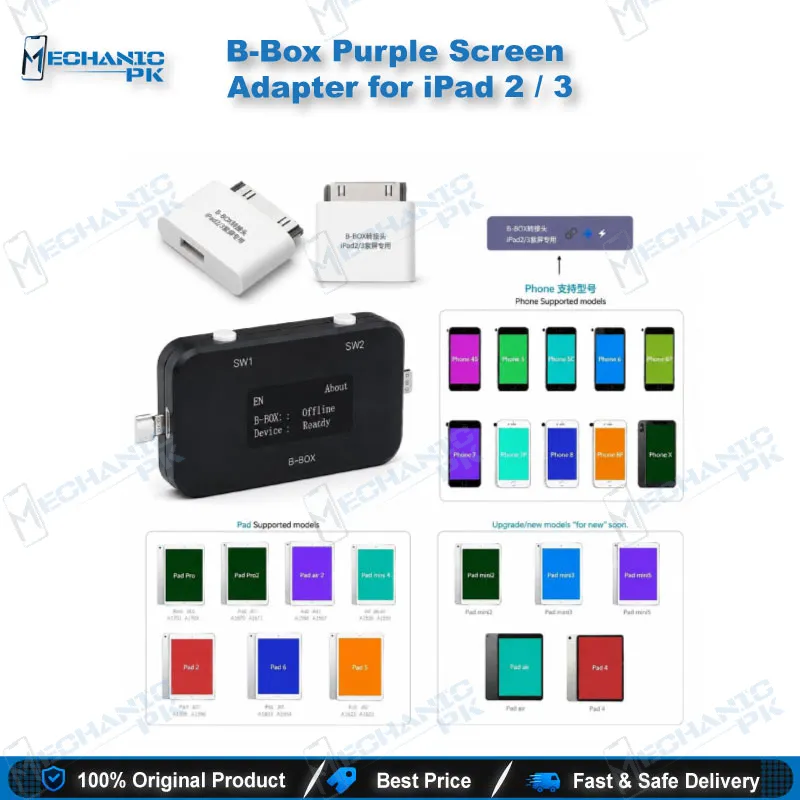
This adapter covers iPad 2 and iPad 3 (3rd generation) only. The two models share a product family name but are different hardware generations, so confirm the exact model before you connect. The B-BOX Pro supports additional iPad and iPhone models through free software upgrades. Model support depends on the tool version, so check your firmware before you assume a device is covered. Do not treat one adapter as a fit for every tablet in the B-BOX family. Matching the adapter to the verified model keeps the workflow clean and the records accurate.
Working With the B-BOX Pro DFU Tool
The adapter depends on the JC B-BOX Pro DFU tool as its control unit. Connect the box to your PC and confirm it is recognized before you start a session. The B-BOX Pro uses a USB 3.0 interface, and a stable connection on that port helps each session run without interruption. Keep the tool software current, since supported models expand through updates. The platform handles purple mode, syscfg reading and writing, and WiFi unlock for the models on its list, which makes it one platform for several iOS families. Run one device at a time and record each syscfg value before you write any change.
Common Repair Scenarios
Three situations bring most iPad 2 and iPad 3 units through this workflow. A purple screen that appears after a board-level job needs a DFU session before any display replacement. A unit with suspected syscfg corruption needs read and write access through the B-BOX Pro rather than a manual approach. A unit that needs data verification before return to the customer benefits from a documented session. Log each case with the model, the symptom, the preceding step, and the outcome. Over time, that record shows which faults return and which ones your bench resolves on the first session.
Practical Notes for Your Repair Bench
Store the adapter with the B-BOX Pro, because the two are sold together as one working set. Handle the connector pins carefully, since a bent pin costs more time than the adapter itself. Use a stable power supply during each session so the connection does not drop mid-write. Check the iPad’s power rails with a Multimeters reading before you connect, which helps you separate board faults from software faults. Shops that handle a steady flow of older iPads will save setup time with a dedicated adapter instead of repeated cable swaps. Pair the setup with Test Boxes or Microscopes if the unit also needs component-level inspection.
| Weight | 0.1 kg |
|---|
Key Features
- Designed for iPad 2 and iPad 3 (3rd generation)
- Works with the JC B-BOX Pro DFU tool as its connection adapter
- Supports the purple mode workflow on the B-BOX Pro platform
- Enables NAND syscfg data reading and writing with the B-BOX Pro
- Sold as the iPad 2 and iPad 3 add-on to the B-BOX Pro DFU package
- Uses the B-BOX Pro’s USB 3.0 interface
- Platform receives free software upgrades for additional models
- Single-purpose accessory for older iPad repair workflows
Specifications
| Brand | JCID |
|---|---|
| Category | Tools & Accessories |
| Compatibility | JC B-BOX Pro DFU tool |
| Supported Devices | iPad 2, iPad 3 (3rd generation) |
Common Repair Uses
- Purple mode entry for iPad 2 and iPad 3
- NAND syscfg data reading on iPad 2 and iPad 3
- NAND syscfg data writing on iPad 2 and iPad 3
- Purple screen fault workflow before display or board work
Compatible Devices
- iPad 2
- iPad 3 (3rd generation)
- JC B-BOX Pro DFU tool (required host)
FAQ
What is the product name?
What is the brand of this product?
What is the model of this product?
What is this product used for?
Which devices are compatible with this product?
Who should use this product?
Does this adapter work without the B-BOX Pro DFU tool?
Which iPad models does this adapter support?
Related products