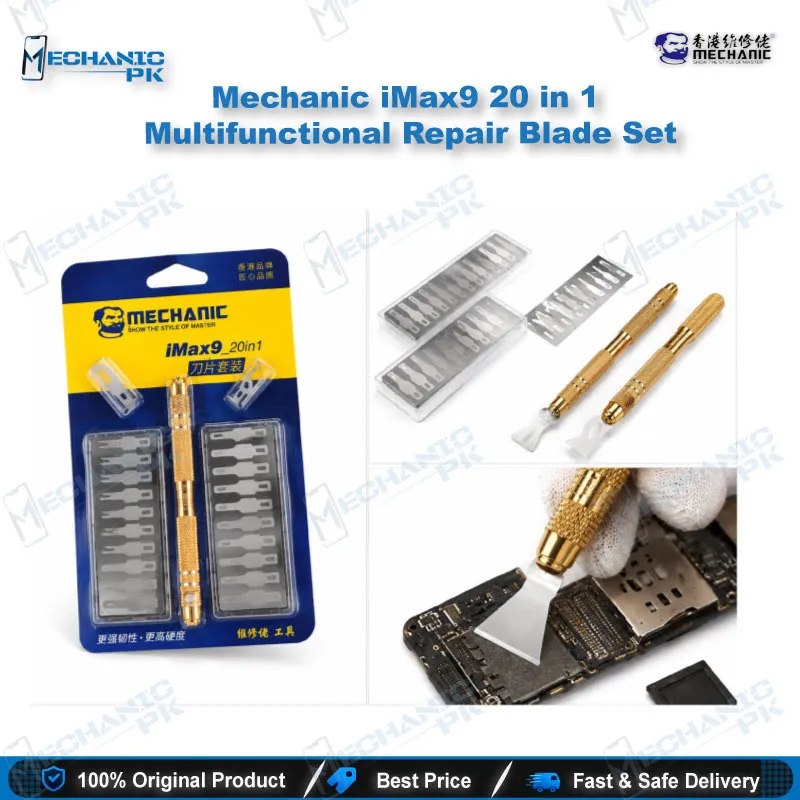
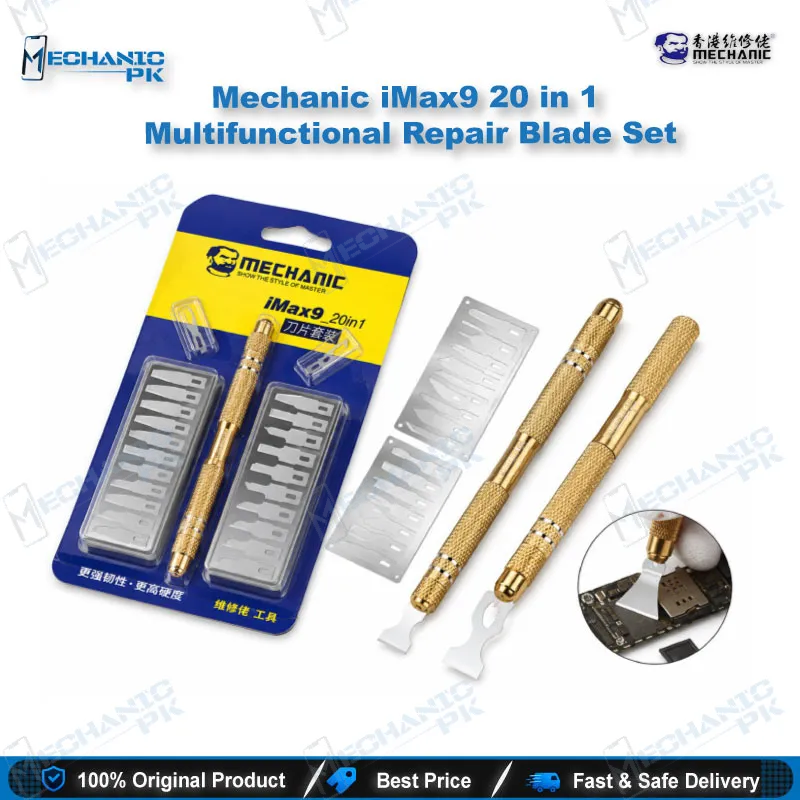
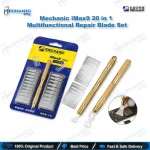
Mechanic iMax9 20 in 1 Repair Blade Set
₨ 1,900
iMax9 20 in 1 Blade Set for CPU and IC Work
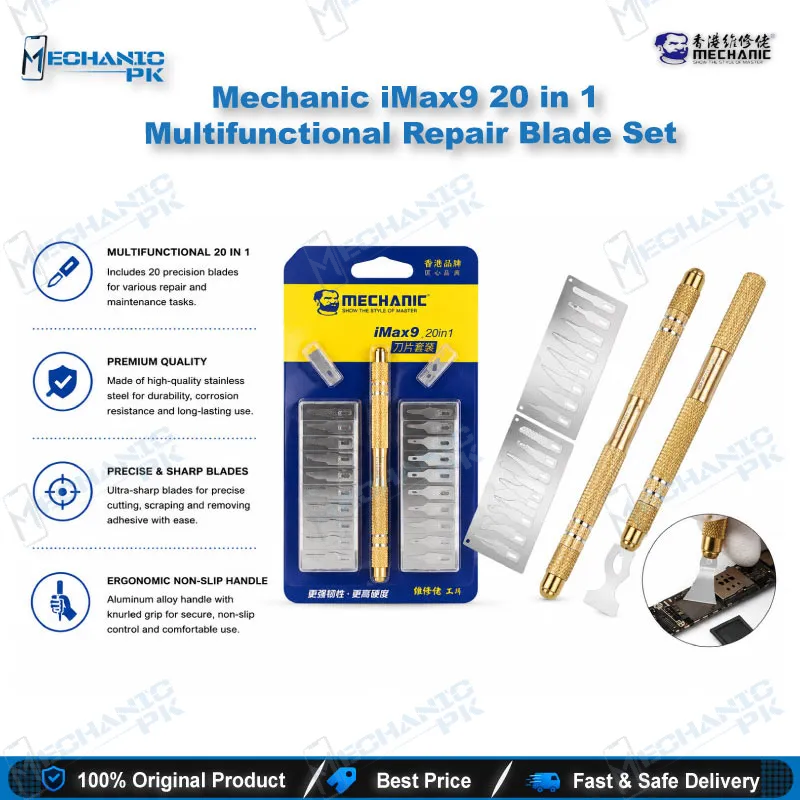
The Mechanic iMax9 20 in 1 blade set gives your bench twenty hardened stainless steel blades and one non-slip handle in a single kit. You get a blade profile for chip separation, glue removal, scraping and general motherboard rework, so you stop hunting for the right edge mid-job. Swap blades on the same handle and work through CPU, IC and board-level tasks without changing your grip. The kit suits technicians who handle dead phone boards, glued ICs and stubborn residue every day. Mechanic positions the iMax9 as a CPU and IC opening set for chip separation, rework, soldering and motherboard repair. Pair it with your hot air station, microscope and PCB holder for a complete board-repair setup.
In stock
Mechanic iMax9 20 in 1 Blade Set for Board-Level Repair
The iMax9 20 in 1 blade set targets the part of board repair that heat and flux alone cannot finish: separating glued chips and clearing hardened residue. Mechanic builds the kit around a single handle and twenty interchangeable hardened stainless steel blades, so one tool covers the full range of CPU and IC opening tasks on your bench. If you run a repair shop or service center and handle dead phone boards daily, this set replaces a loose collection of scalpels and scrapers with one organized kit.
How the 20-Blade Layout Works at the Bench
Twenty blades give you real choice of edge shape and width. You pick a fine edge for tight gaps beside a chip, and a broader edge for scraping residue off a flat board surface. The non-slip handle keeps the blade steady when you apply controlled pressure near a CPU or IC, which matters on crowded boards where a slip damages neighboring components. Because every blade fits the same handle, you keep your hand position consistent across the whole job. That consistency speeds up IC change karna work and reduces fatigue during long rework sessions.
Chip Separation and Glue Removal Workflow
Many boards reach your bench with glue or epoxy around the CPU, eMMC or power IC. Technicians usually soften that glue with a hot air station, then use a thin blade to separate the chip edge and clear the residue before removal. The iMax9 blades cover that sequence from the first edge-clearing pass to the final board clean-up. Hardened stainless steel holds its edge through repeated scraping, so you spend less time replacing worn tools. After you clear the glue, you move on to desoldering, cleaning pads and reballing with your soldering station and reballing kit.
Where It Fits in Your Rework Process
Treat the iMax9 as a preparation and clean-up tool in the rework chain. You use it before the chip comes off to expose edges, and after removal to scrape old solder paste and adhesive from the pad area. That makes it relevant to hardware fault diagnosis on dead phones, charging issue repairs that need a power IC change, and boot loop or hang on logo cases where a memory or CPU reflow comes next. Keep a microscope on the bench while you work so you see exactly where the blade edge sits relative to nearby components, and clamp the board in a PCB holder so both hands stay free.
Handling and Safety Notes
Sharp metal blades cut boards as easily as they cut glue, so you control depth and angle with light, deliberate strokes. Keep blades away from lithium batteries; use a plastic pry tool for battery removal and save the iMax9 for board-level and chip-area work. Store the blades back in the kit after each job to protect the edges and keep your bench tidy.
Why Technicians Source It From Mechanicpk
Mechanicpk supplies the iMax9 alongside the rest of the Mechanic range, including soldering consumables, tweezers and screwdriver sets, so you build a consistent toolkit from one source. If you buy for a shop with several technicians, the 20-in-1 format lets each person work from a complete set instead of sharing a few blades.
| Weight | 0.1 kg |
|---|
Key Features
- 20 interchangeable hardened stainless steel blades
- Non-slip handle for steady control
- Designed for CPU and IC opening
- Handles chip separation and glue removal
- Supports rework and soldering preparation
- One handle covers multiple blade profiles
- Suits motherboard-level repair on phones and other electronics
- Compact kit for organized bench storage
Specifications
| Brand | MECHANIC |
|---|---|
| Model | iMax9 |
| Category | CPU / IC Opening Blade Set |
| Compatibility | Universal – not device-specific |
| Material | Hardened Stainless Steel |
| Set Contents | 20 Blades + 1 Handle |
Common Repair Uses
- Chip separation, glue removal, rework, soldering preparation and motherboard repair
- CPU separation on glued boards
- IC edge clearing before hot air removal
- Epoxy and adhesive scraping around chips
- Old solder paste cleanup on pads
- Board cleaning before reballing
- Residue removal after chip removal
- Motherboard repair on dead phones
- General rework and soldering preparation
Compatible Devices
- Universal board-level tool – not tied to specific phone models or chipset families
- Mobile phone motherboards
- Mobile phone CPU chips
- Mobile phone IC chips (power, charging, audio)
- eMMC and memory chip areas on mobile boards
- Tablet motherboards
- Laptop and computer PCBs
- Glued or underfilled chip edges
- General electronics circuit boards
FAQ
What is the product name?
What is the brand of this product?
What is the model of this product?
What is this product used for?
Which devices are compatible with this product?
Who should use this product?
What comes in the Mechanic iMax9 20 in 1 set?
Do I need a hot air station to use the iMax9 on glued CPU or IC chips?
Related products