
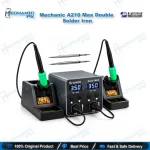
Mechanic A210 Max Double Solder Iron – 100W C210 Station
₨ 16,500
Mechanic A210 Max Double Solder Iron Station
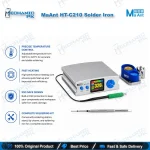
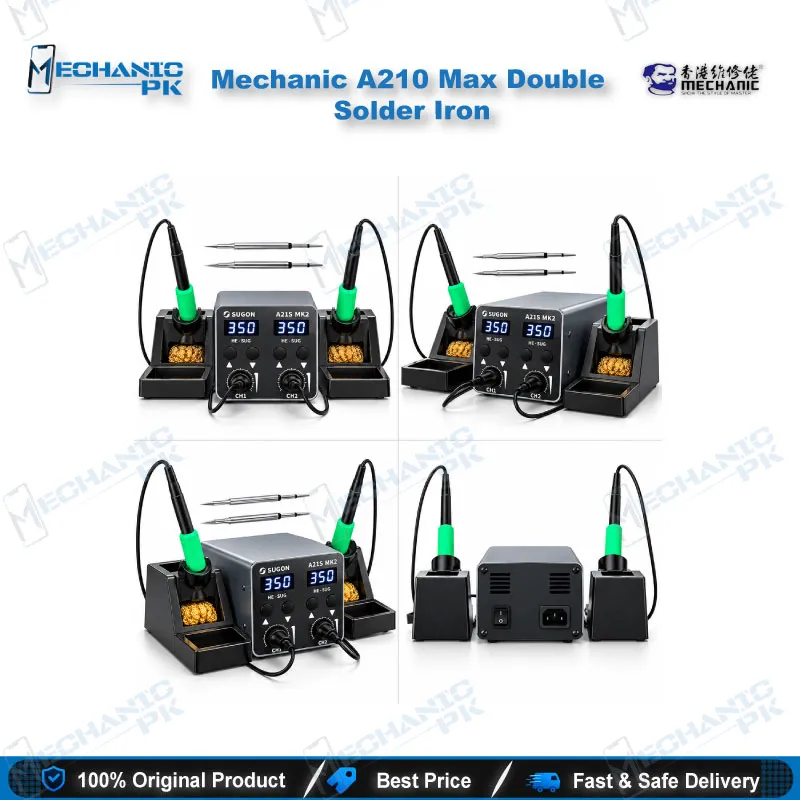
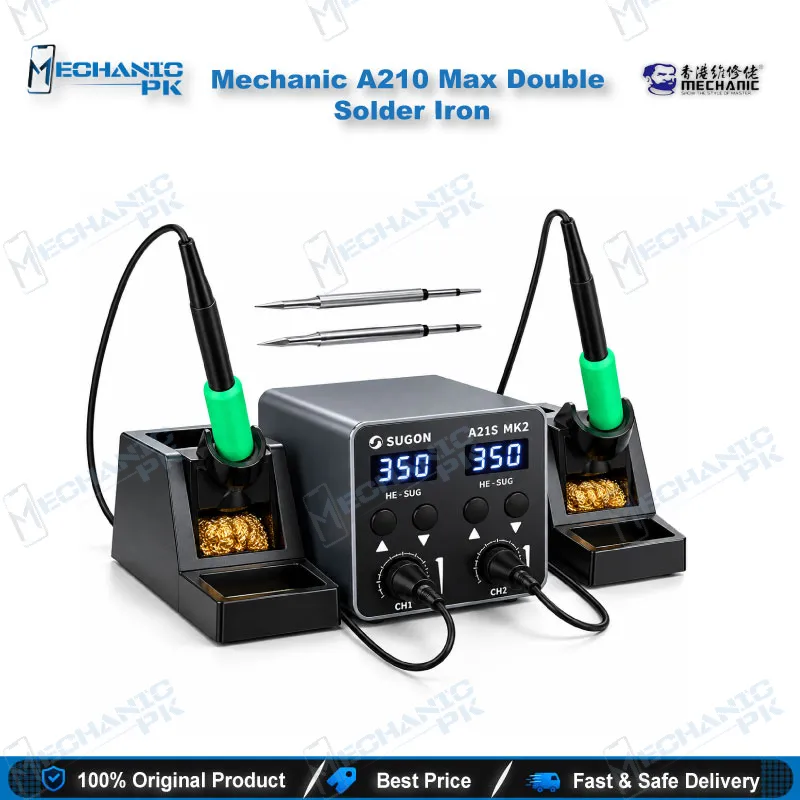
The Mechanic A210 Max Double Solder Iron gives your mobile repair bench two T210 handles on one 100W constant-temperature base. Universal C210 series tips, separate LED screens, and a 180–450°C range cover charging port repair, FPC connector work, jumper wires, and SMD component changes on phone boards. Five memory presets (P1–P5) let you switch temperature with one keypress, and the AC 110–240V input runs on Pakistani 220V mains. At 85 × 85 × 110 mm and 610 g, the host fits beside a microscope or PCB holder. Order the A210 Max from Mechanicpk for dependable soldering at your repair bench.
Out of stock
Mechanic A210 Max Double Solder Iron: Dual-Handle C210 Soldering Station
The Mechanic A210 Max double solder iron puts two T210 handles and a 100W constant-temperature controller on one compact base, and it targets technicians who solder on mobile phone boards every day. The station accepts universal C210 series tips, shows each handle on its own LED screen, and covers 180–450°C. That range handles the routine jobs that fill a Pakistani repair counter: charging port replacement, flex connector repair, jumper wires on dead phone boards, and small SMD component changes. Buyers who compare stations by capability instead of brand badge will find the specification set practical: a universal tip family, 110–240V input, and a 610 g body that fits in a corner of the bench. Service centers and repair shops that handle phones from Samsung, Oppo, Vivo, Infinix, Tecno and Apple all use the same soldering fundamentals, so a universal station like this one covers every brand that comes through the door.
Two Handles, One Base, One Tip Family
Each handle takes C210 series tips, the cartridge-style heating core that many technicians already stock in knife, fine-point and hoof shapes. You keep a fine tip on one handle for flex pads and connector pins and a wider tip on the other for ground planes and shield cans, so you stop pulling and swapping tips in the middle of a repair. Every swap you skip saves a cooldown wait and a reheat. The base reports both handles on separate LED screens, so you read each set point directly instead of guessing. The 1.1 m handle wire gives you enough reach to work a board clamped in a PCB holder without dragging the base across your repair bench.
Temperature Control and Five Memory Presets
The controller covers 180–450°C and stores five working modes, P1 through P5. A short press on the up or down key cycles through them, and a second short press moves to the next mode. Set a lower preset for heat-sensitive connectors and plastic housings, and keep a higher preset for large ground pads and shield frames. You switch between them in one keypress instead of retyping a number every time the job changes. Supplier data lists a heat-up time of about two seconds, and the heating core includes surrounding protection built into the C210 design. On a busy bench that fast recovery matters most when you chain several joints in a row. That mix of presets also helps when you move from a thin phone board to a thick laptop-style ground plane, because you change the target temperature with one key instead of waiting while you reconfigure the station. When you tin a tip, wipe it on brass wool or a damp sponge between joints and coat it with fresh solder before you park it, because a clean tinned tip transfers heat faster and lasts longer than an oxidized one.
Repair Workflow Fit on the Mobile Board
The A210 Max sits in the hardware fault stage of the repair process, after diagnosis with a multimeter and before final testing. You use it for charging issue repairs that need a new charging port or a rebuilt pad, for display problem fixes that involve FPC connector pins, and for jumper lagana on a dead phone where a broken track cuts power to a section of the board. The fine-pitch tips also suit SOP, QFP and PLCC pins, and you can clean up solder bridges that a hot air pass leaves behind. For IC change karna on BGA packages such as CPU and eMMC, you still start with a hot air station, then return to the iron for pad cleaning and tinning before reballing. You can also tin a worn pad before you seat a replacement component, lift a damaged flex tail without scorching the board, and repair a lifted ground pad that causes network issue complaints after a drop. Each of these jobs rewards a stable, repeatable temperature, and the digital display lets you confirm that temperature before the tip touches the board.
Voltage, Build and Bench Footprint
The station accepts AC 110–240V, so it runs on the 220V mains in Pakistani workshops and on 110V supply when you move it to other markets. The housing uses aluminum alloy, which sheds heat better than a plastic shell and holds up to daily handling. The host measures 85 × 85 × 110 mm and weighs 610 g with the power cord, so you can mount it beside a microscope without losing room for your board holder, flux, and tweezers. The compact footprint matters for service centers that run several benches in a small space, because each technician gets two working handles without a second power brick. That saves outlet space on a crowded bench and cuts the cable clutter that snags tweezers and board holders during fine soldering work. Keep the base on a flat, heat-tolerant surface away from the edge of the bench, and place each handle back in its holder between joints so the tip stays clear of boards, cables, and plastic parts. Good habits like these protect both your tips and your customers’ phones, and they keep the station performing the same way month after month in a busy Karachi, Lahore, or Islamabad workshop.
Building the Bench Around the A210 Max
A soldering station does one job in a longer chain, and the A210 Max works best when the rest of the chain matches it. Pair it with a microscope for fine-pitch work, a PCB holder to keep the board steady, and a multimeter for continuity checks after every joint. Add a hot air station for IC removal, a reballing kit for BGA work, and a test box to confirm the repaired board powers on. If you outgrow a 100W dual soldering station, browse the Soldering Stations category for higher-power models, and check tip family compatibility before you buy so your existing C210 tips keep working. Repair shop owners and training institutes also gain from the digital readout and repeatable presets, because every technician and student starts a job from the same temperature instead of a different dial position, and spare C210 tips stay a standard, easy-to-restock consumable on the shelf.
| Weight | 2.5 kg |
|---|
Key Features
- Double T210 handle design on one 100W base
- Universal C210 series tip compatibility
- Separate LED digital screens for each handle
- 180–450°C constant-temperature range
- Five memory presets (P1–P5) with one-key switching
- Supplier-listed heat-up of about two seconds
- AC 110–240V wide-voltage input
- Aluminum alloy housing, 1.1 m handle wire, 610 g compact host
Specifications
| Brand | Mechanic |
|---|---|
| Model | A210 Max |
| Category | Dual Soldering Station |
| Compatibility | C210 series soldering tips, T210 handle |
| Supported Devices | Universal — not device-specific |
| Technology | Constant-temperature control, LED digital display, 180–450°C range |
| Material | Aluminum alloy |
| Input Voltage | AC 110–240V |
| Power Rating | 100W |
| Dimensions | Host 85 × 85 × 110 mm |
| Weight | 610 g net (including power cord) |
Common Repair Uses
- Board-level soldering and pad work on mobile phone PCBs
- Charging port replacement and pad rebuild
- FPC connector pin soldering for display problems
- Jumper wire repair on broken tracks (dead phone boards)
- SMD capacitor and resistor changes
- Solder bridge correction on IC pins
- Pad cleaning and tinning before reballing
- Lifted pad and ground pad repair
- Shield can and ground plane soldering
Compatible Devices
- Universal soldering station, so compatibility follows the board and component type, not a specific phone model
- Mobile phone motherboards of any brand (Samsung, Oppo, Vivo, Infinix, Tecno, iPhone series)
- C210 series soldering tips
- T210 soldering handles
- SMD components on mobile PCBs
- BGA and CPU chip pad work
- SOP, QFP, PLCC and SOJ package pins
- FPC connectors and charging ports
- Shield cans and ground planes
FAQ
What is the product name?
What is the brand of this product?
What is the model of this product?
What is this product used for?
Which devices are compatible with this product?
Who should use this product?
Which soldering tips does the Mechanic A210 Max use?
What temperature range and input voltage does the Mechanic A210 Max support?
Related products