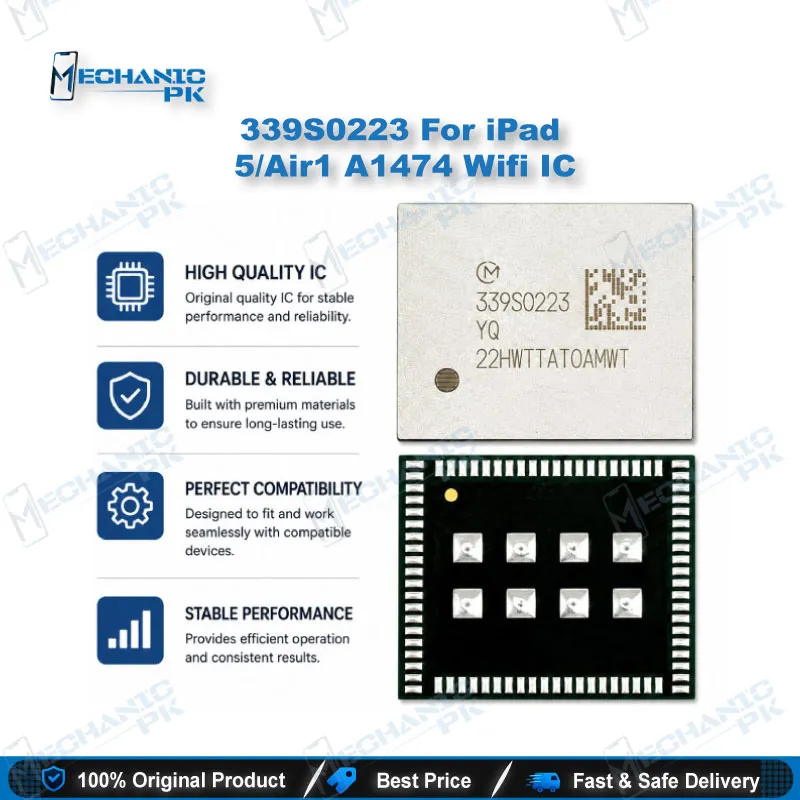
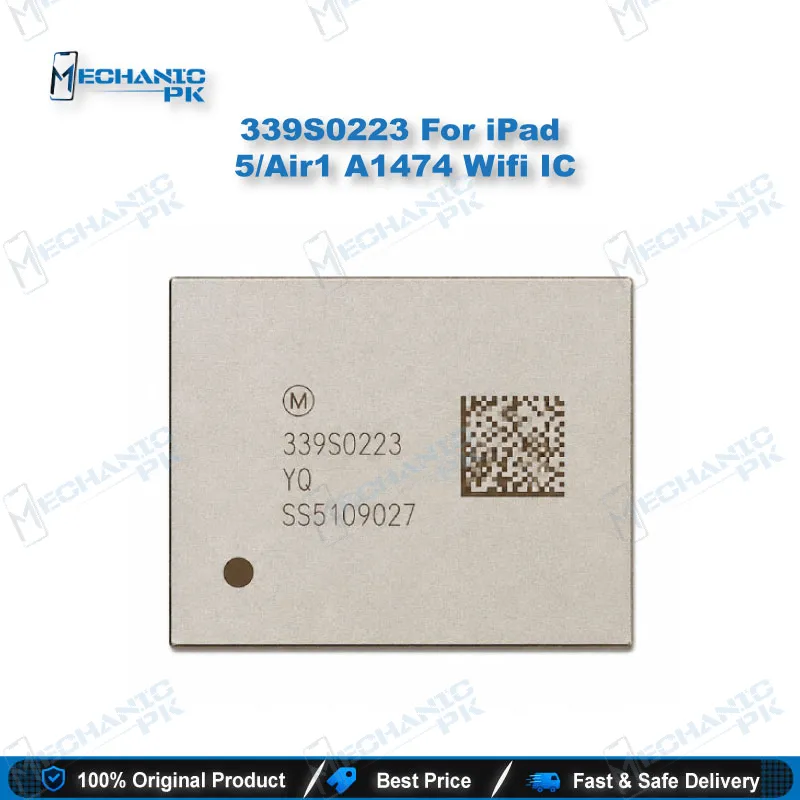
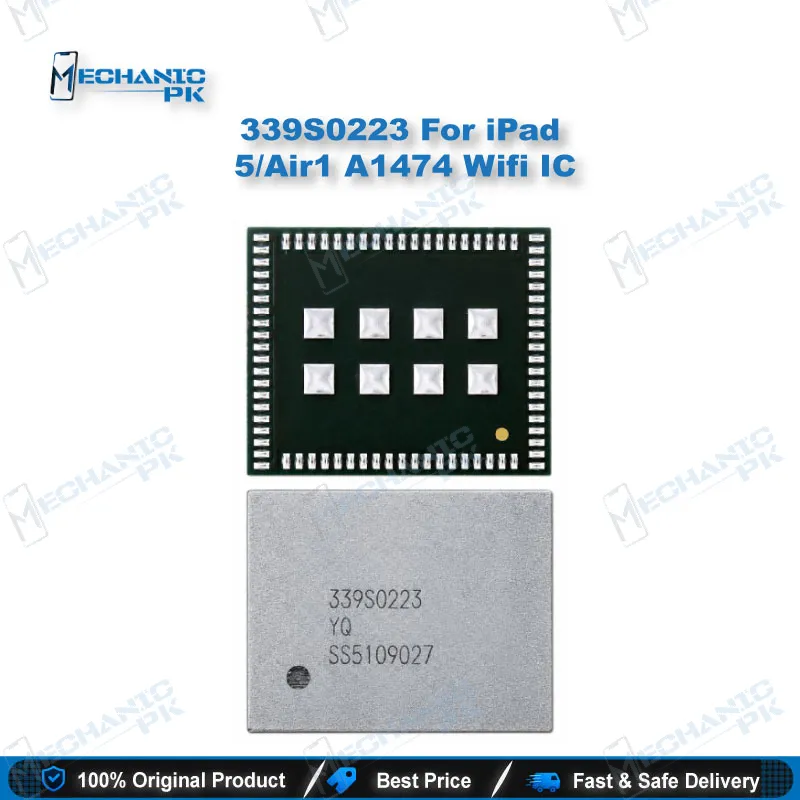
339S0223 For iPad 5/Air1 A1474 Wifi IC – U5800 WiFi Module
₨ 1,600
339S0223 iPad Air WiFi IC for U5800 Board Repair
The 339S0223 For iPad 5/Air1 A1474 Wifi IC is the wireless module that sits at position U5800 on iPad Air 1 logic boards, covering the A1474, A1475, and A1476 models along with iPad Mini 2 boards. This high-temperature grade WiFi and Bluetooth IC suits board-level technicians who need to fix WiFi greyed out, a WiFi toggle stuck off, or no networks found after a confirmed module failure. The high-temp grade withstands proper hot air rework, so you get a reliable installation on drop-damaged or reflow-failed boards. Repair shops and service centers across Pakistan can stock it for recurring iPad wireless faults.
339S0223 For iPad 5/Air1 A1474 Wifi IC: Technical Overview
The 339S0223 For iPad 5/Air1 A1474 Wifi IC is the Apple-numbered wireless module that occupies board position U5800 on iPad Air 1 logic boards. As a 339S0223 iPad Air WiFi IC, it runs the WiFi and Bluetooth radio functions for the A1474 WiFi model and its A1475 and A1476 cellular variants, and the same part number also serves iPad Mini 2 boards. Mechanicpk supplies this IC in the high-temperature grade that board-level technicians specify for rework, so the module survives the heat cycle of a correct hot air installation without degrading.
Where the U5800 Module Sits in the Wireless Circuit
On the iPad Air 1 board, the WiFi module draws its supply rails from the power management section, takes its reference clock from the crystal circuit, and connects to the antenna lines that run out to the antenna flex. A break anywhere in that chain produces the same symptoms in iOS: WiFi greyed out in Settings, a toggle that refuses to switch on, or a blank WiFi address under About. Drops and chassis flex commonly crack the solder joints under this module, which makes it one of the most frequent hardware faults on these tablets. The IC itself becomes the prime suspect only after you confirm that supply rails and clock reach the U5800 pads.
Diagnosing Before You Commit to an IC Change
A clean diagnosis protects both the part and the board. Measure the module’s supply lines with a multimeter in diode mode, compare readings against a known-good board, and inspect the U5800 area under a stereo microscope for corrosion, missing passives, or a lifted shield. If the rails read correctly and the fault persists after a controlled reflow, an IC change becomes the right decision. Liquid-damaged boards need extra care, because corrosion often attacks the small components around U5800 before it reaches the module. Clean and repair that surrounding circuit first, or a new IC will show the same network issue.
Installation Workflow for the 339S0223 iPad Air WiFi IC
Replacement follows a standard BGA rework sequence. Secure the logic board in a PCB holder, remove the shield, and preheat the board to reduce thermal stress on neighboring components. Lift the old module with a hot air station, then clean the pads with flux and solder wick until every pad sits flat and bright. Align the new IC by its orientation marking, reflow it into place, and let the board cool naturally before testing. The high-temperature grade gives you more tolerance during this process than low-grade alternatives. Technicians who rebuild many boards keep a reballing kit with the matching stencil on the bench, so they can rework a module after a failed attempt instead of discarding it.
Compatibility Scope and Part Matching
This part number covers iPad Air 1 in all three variants (A1474, A1475, A1476) and the iPad Mini 2. In this listing, “iPad 5” refers to the iPad Air 1 (A1474) generation, the label the parts trade commonly uses for it. For any other board, read the number printed on the original module and match it against 339S0223 before you order. That single check prevents the most common ordering mistake in iPad wireless repair.
Building a Complete iPad Board Repair Bench
A WiFi module replacement depends on the tools around it. A stable soldering station handles shield work and pad cleanup, a hot air station with precise airflow control lifts and seats the module, and a microscope lets you verify every joint. Shops that move from basic screen and charging work toward board-level iPad repair usually add these in stages, starting with a reliable hot air station and a microscope, then expanding into reballing kits and dedicated PCB holders. With the U5800 WiFi chip in stock alongside that equipment, your bench handles iPad Air 1 and Mini 2 wireless faults the same day instead of sending customers away.
Who Stocks This Part
Mobile repair technicians, service centers, and training institutes in Lahore, Karachi, Islamabad, and across Pakistan regularly see iPad Air 1 units with dead WiFi, often after a drop or after another shop’s failed reflow. Keeping the 339S0223 iPad Air WiFi IC on hand turns those jobs into routine board work and gives your customers a permanent fix rather than a temporary reflow.
| Weight | 0.1 kg |
|---|
Key Features
- Correct Apple part number 339S0223 for the U5800 WiFi module position
- Covers all three iPad Air 1 variants: A1474, A1475, and A1476
- Also fits iPad Mini 2 logic boards with the same module
- Handles both WiFi and Bluetooth functions in one IC
- High-temperature grade suited to hot air rework and reballing
- Resolves WiFi greyed out and toggle-stuck faults caused by module failure
- Gives a permanent fix where repeated reflow only provides a temporary result
- Fits a standard BGA rework workflow with hot air station, flux, and microscope
Specifications
| Brand | Apple (OEM part number) |
|---|---|
| Model | 339S0223 |
| Category | iPad WiFi / Bluetooth Module IC |
| Compatibility | iPad Air 1 (A1474, A1475, A1476), iPad Mini 2, board position U5800 |
| Supported Devices | iPad Air 1, iPad 5 (A1474 generation), iPad Mini 2 |
| Technology | WiFi + Bluetooth module IC, high-temperature grade |
Common Repair Uses
- WiFi greyed out in Settings
- WiFi toggle stuck off or refusing to turn on
- No WiFi networks found despite a healthy antenna
- Blank WiFi address under Settings > General > About
- Bluetooth not working alongside a WiFi fault
- Cracked module solder joints after a drop or chassis bend
- Module replacement after a failed reflow attempt
- WiFi section repair on liquid-damaged boards after cleaning the surrounding circuit
Compatible Devices
- Verified at device and model-number level for the iPad Air 1 / iPad Mini 2 board family
- iPad Air 1 A1474 (WiFi model)
- iPad Air 1 A1475 (WiFi + Cellular)
- iPad Air 1 A1476 (WiFi + Cellular, China)
- iPad 5 (A1474 / iPad Air 1 generation, as labeled in the parts trade)
- iPad Mini 2 logic boards
- Any iPad Air 1 or Mini 2 board using the U5800 WiFi module position
FAQ
What is the product name?
What is the brand of this product?
What is the model of this product?
What is this product used for?
Which devices are compatible with this product?
Who should use this product?
Where is the 339S0223 WiFi IC located on the iPad Air 1 board?
Will replacing the 339S0223 fix WiFi greyed out on iPad Air 1?
Related products