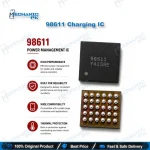
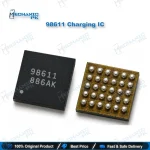
98611 Charging IC – 30-Pin USB Charger Chip for Samsung
₨ 200
98611 Charging IC for Samsung Board-Level Charging Repair
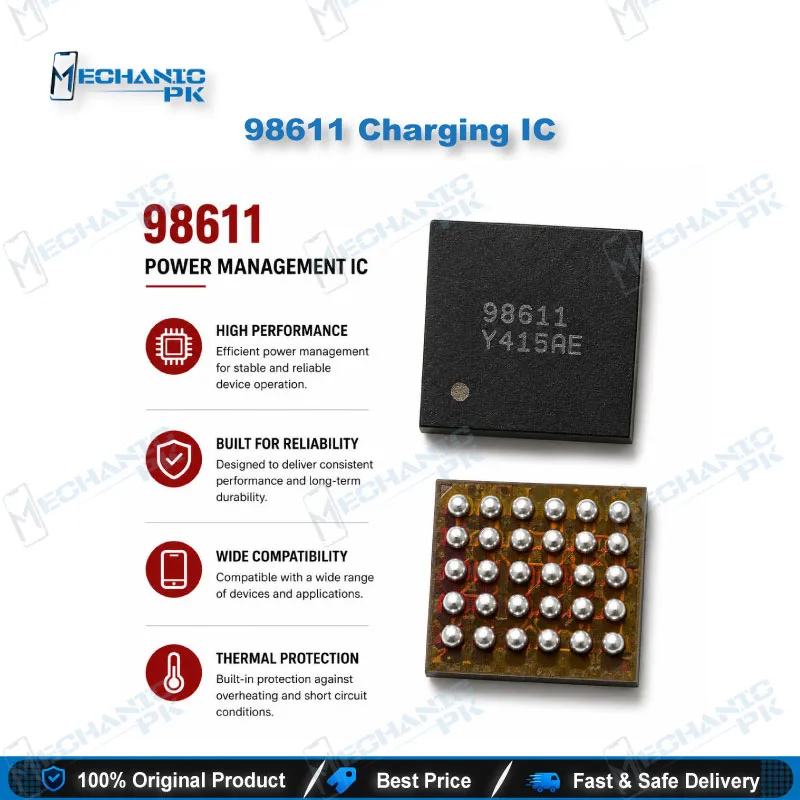
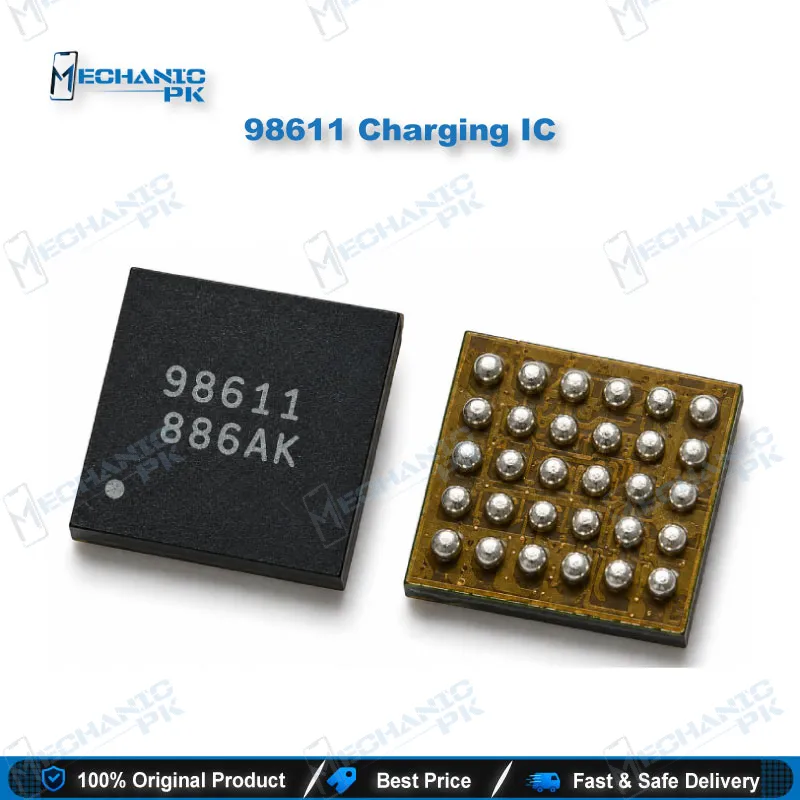
The 98611 Charging IC is a 30-pin USB charging chip for Samsung SM-G7200, G7508Q, J7008 and J5 Prime motherboards. It manages the incoming USB supply on these boards, so a damaged unit leads to no charging, fake charging, or a short on the VBUS line. Technicians use this IC for component-level repair instead of a full motherboard swap. You get a direct replacement for the original chip marking, ready for hot air rework on a properly prepared board. Mechanicpk supplies it for repair shops and service centers that diagnose charging faults down to the IC, confirm the failure, and replace only the part that actually failed.
98611 Charging IC: Precise Charging-Path Repair for Samsung Boards
The 98611 Charging IC is a 30-pin USB charging chip that controls the charge path on Samsung SM-G7200, G7508Q, J7008 and J5 Prime motherboards. When this IC fails, the phone stops accepting charge from the USB port, shows the charging icon while the battery percentage stays flat, or pulls heavy current on your DC power supply the moment you apply power to VBUS. Mechanicpk supplies the 98611 as a board-level replacement for technicians who repair to component level instead of replacing the entire motherboard.
Where the Chip Sits in the Charging Circuit
Every charge cycle on these boards passes through the charging IC before power reaches the battery. The 98611 receives the USB input and manages how that power moves toward the battery and the wider power circuit. That position puts it directly in the line of fire. Damaged cables, unstable chargers, and liquid residue inside the charging port all send abnormal voltage to this chip first, which explains why it ranks near the top of the suspect list for charging faults on these models.
Fault Symptoms That Point to the 98611
A failed charging IC shows up in a few recognizable ways. The phone may not respond to the charger at all, even with a known-good cable and adapter. Some boards show fake charging, where the icon appears but the battery level never climbs. Others heat up around the charging section within seconds of plugging in. In severe cases, you get a dead phone that draws a short-circuit reading the moment you connect the USB supply. Each of these symptoms justifies testing this IC, though none of them confirms it on its own.
Diagnosing a Faulty Samsung G7200 Charging IC
Confirm the fault before you lift any component. Start by ruling out the charging port, the sub-board flex, and the battery connector, because these fail more often than the IC itself. Next, use your multimeter in diode mode across the VBUS line and compare the reading against a healthy board. A near-zero reading points to a short. Feed limited current from a DC power supply and locate the hot component with a thermal camera or a rosin and alcohol test. If the heat sits on the 98611, you have your culprit. A stereo microscope helps you spot corrosion, cracked packages, or burnt marks around the chip.
Replacement Workflow on the Repair Bench
Secure the motherboard in a PCB holder and protect nearby plastic parts with heat-resistant tape. Apply quality flux, then lift the damaged IC with a hot air station at controlled temperature and airflow so you do not disturb neighboring components. Clean the pads with a soldering station and desoldering wick, then inspect every pad under the microscope for lifts or bridges. Align the new 30 pin USB charging chip to the pin-one marker, reflow it evenly, and let the board cool naturally. Test current draw on the power supply before you reconnect the battery, then verify real charging with a USB ammeter.
Matching the 98611 Charging IC to the Right Board
Verified compatibility covers the Samsung SM-G7200, SM-G7508Q, SM-J7008 and Galaxy J5 Prime. Always read the marking on the original chip before ordering, since Samsung uses different charging ICs across production regions and board revisions. When in doubt, check the schematic or board view for your exact model number.
Building a Complete Charging-Repair Setup
Reliable IC replacement depends on the tools around it. A stable hot air station and temperature-controlled soldering station handle removal and pad preparation. A microscope makes fine-pitch alignment accurate, and a digital multimeter covers every diagnostic step. PCB holders keep the board steady during rework, while reballing kits support related IC work on the same board. After hardware repair, test boxes help you separate a remaining hardware fault from a software issue such as hang on logo or boot loop. Technicians who grow their bench can browse Mechanicpk categories for hot air stations, soldering stations, microscopes, multimeters, PCB holders, reballing kits and test boxes to build a complete board repair setup.
| Weight | 0.1 kg |
|---|
Key Features
- Direct replacement for the 98611 charging IC on supported Samsung boards
- 30-pin package that matches the original chip footprint
- Restores the USB charging path on SM-G7200, G7508Q, J7008 and J5 Prime
- Enables component-level repair instead of a full motherboard swap
- Suits hot air rework with standard flux and pad preparation
- Targets common faults: no charging, fake charging, and VBUS short
- Fits repair shops and service centers that work at board level
- Pairs with microscopes, multimeters and PCB holders in a complete bench workflow
Specifications
| Model | 98611 |
|---|---|
| Category | Mobile Phone ICs > Charging ICs |
| Compatibility | Samsung SM-G7200, SM-G7508Q, SM-J7008, Galaxy J5 Prime motherboards |
| Supported Devices | Samsung G7200, G7508Q, J7008, J5 Prime |
| Technology | USB charging IC, 30-pin package |
Common Repair Uses
- Board-level charging fault repair
- Replacing a charging IC that shorts the VBUS line
- Fixing fake charging where the battery percentage does not increase
- Restoring charging after liquid damage near the charging section
- Repairing boards damaged by faulty chargers or cables
- Resolving heating near the charging area while plugged in
- Recovering a dead phone that draws short current on the USB supply
- Component-level repair instead of a full motherboard replacement
- Replacing a cracked or overheated IC after a failed earlier rework
Compatible Devices
- Verified Samsung model-level compatibility
- Samsung SM-G7200
- Samsung SM-G7508Q
- Samsung SM-J7008
- Samsung Galaxy J5 Prime
- Boards where the original charging IC carries the 98611 marking
- Samsung motherboards using the 98611 in the USB charging path (confirm via schematic or board view)
FAQ
What is the product name?
What is the brand of this product?
What is the model of this product?
What is this product used for?
Which devices are compatible with this product?
Who should use this product?
How do I check if the 98611 charging IC is short on a Samsung G7200?
Will replacing the 98611 fix a Samsung J5 Prime that is not charging?
Related products