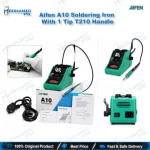
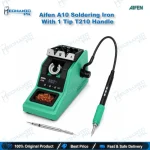
Aifen A10 Soldering Station with T210 Handle & 1 Tip
₨ 13,500
Aifen A10 T210 Soldering Station Set
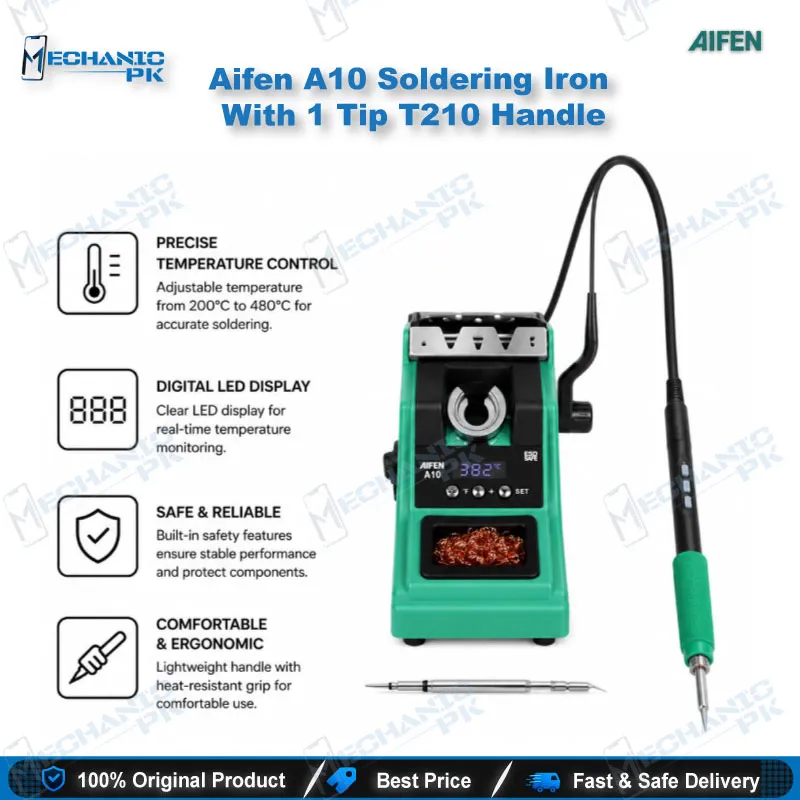
The Aifen A10 soldering station gives your repair bench 75W of chip-controlled heating in a compact 225 x 155 x 55 mm base. This set ships with a T210 handle, one T210-IS tip, and a power cable, so you start board-level work straight from the box. The station accepts C210, C245, and C115 cartridge tips on matching handles, which lets you move into heavier or finer work without replacing the base unit. Temperature compensation holds the tip at your set value between 100°C and 450°C while you work on charging ports, flex pads, and small SMD components across phone and tablet boards.
In stock
Aifen A10 Soldering Station Built Around the T210 Handle
The Aifen A10 soldering station gives mobile repair benches a chip-controlled heating platform built around the T210 handle format. This set pairs the A10 base unit with one T210 handle, one T210-IS tip, and a power cable, so you start micro-soldering without sourcing extra parts. The A10 delivers up to 75W, covers 100°C to 450°C, and runs from AC 100-240V at 50/60Hz. Every figure in this listing comes from supplier documentation, so you buy against real numbers instead of marketing claims. If your shop handles charging issue boards, boot loop issue boards, and dead phone cases every day, this station fits that workflow.
Chip-Controlled Heating and Temperature Compensation
Traditional irons regulate heat by switching AC voltage. The A10 takes a different route: a chip program controls the temperature, which gives fast and accurate heating. The temperature compensation function adjusts the output while you solder, so the tip holds the value you set instead of dropping the moment it touches a large copper pour or ground plane. You notice this most on mixed boards, where one pad pulls heat away quickly and the next pad barely does. Stable tip temperature protects pads on thin flex connectors, reduces lifted tracks, and gives you repeatable results across a batch of boards with hardware fault symptoms. The 100°C to 450°C range (212°F to 842°F) covers low-heat flex work and the higher setpoints that lead-free solder joints call for.
T210 Soldering Handle and C210 Tip Support
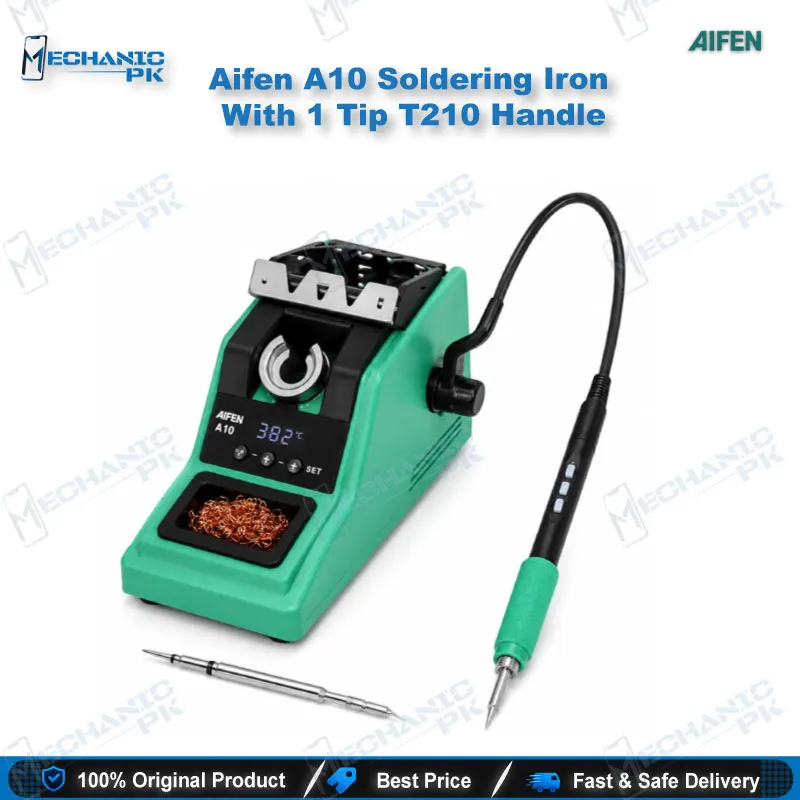
The T210 soldering handle in this set connects to the A10 and takes C210 series cartridge tips. A T210-IS tip comes in the box, so you start work immediately, and you add other C210 tip shapes as your jobs demand. The handle uses a wire-controlled push-button design: you change the temperature with the buttons on the handle instead of reaching back to the station. That keeps your hands near the board and your eyes on the microscope. The A10 platform also accepts T245 and T115 handles with C245 and C115 tips. You buy those handles separately, since this set ships with the T210 only. Starting with the T210 set gives you the fine-work configuration first, and you widen the bench later without replacing the station.
Where the A10 Fits in Your Mobile Repair Workflow
In board-level repair, the soldering iron handles the jobs hot air cannot do cleanly: removing old solder from pads, tinning, fitting jumper wires, and re-seating small connectors. Jumper lagana on a damaged charging line, rebuilding a lifted pad after an IC change karna job, and refreshing flex connector solder points all belong here. Set the board in a PCB holder under a microscope, work with the Aifen A10 soldering station, and confirm continuity with a multimeter before you close the device. For dead after flash cases where diagnostics trace the fault to a hardware path, the iron restores broken continuity once you locate the break. ISP pinout work also benefits: a fine tip on the T210 handle gives you the control you need to attach thin wires to test points. Reballing kits and hot air stations cover the BGA side of the job, and the A10 handles pad preparation and cleanup around those footprints.
Power, Size, and Bench Footprint
The A10 measures 225 x 155 x 55 mm and weighs 1.5 kg, so it fits on a crowded bench next to a hot air station and a DC power supply. The universal AC 100-240V input at 50Hz or 60Hz tolerates different mains standards, and the package includes the power cable. A 75W maximum output gives the handle enough headroom to recover heat when you move from a small signal pad to a larger ground connection. Shops that run several technicians benefit from the compact footprint, because each bench can carry its own station without crowding out microscopes, test boxes, and tool trays.
Upgrade Path and Related Bench Tools
Begin with this T210 set, then add a T245 or T115 handle with the matching C245 or C115 tips when your repair mix changes. The base unit stays the same, so you spend on handles and tips rather than a second station. Around the A10, build the rest of your bench from related Mechanicpk categories: hot air stations for component and BGA removal, reballing kits for chip rework, PCB holders for stable board positioning, microscopes for pad-level inspection, multimeters for continuity checks, and ISP pinout tools and test boxes for the software side of dead phone recovery. That combination turns one soldering station into a complete hardware-and-software repair line.
| Weight | 1.0 kg |
|---|
Key Features
- Chip-program temperature control for fast, accurate heating
- Automatic tip temperature compensation during soldering
- 75W maximum output
- Temperature range of 100°C-450°C (212°F-842°F)
- Wire-controlled push-button T210 handle with temperature adjustment on the handle
- Accepts C210, C245, and C115 cartridge tips on matching handles
- Universal AC 100-240V, 50/60Hz input
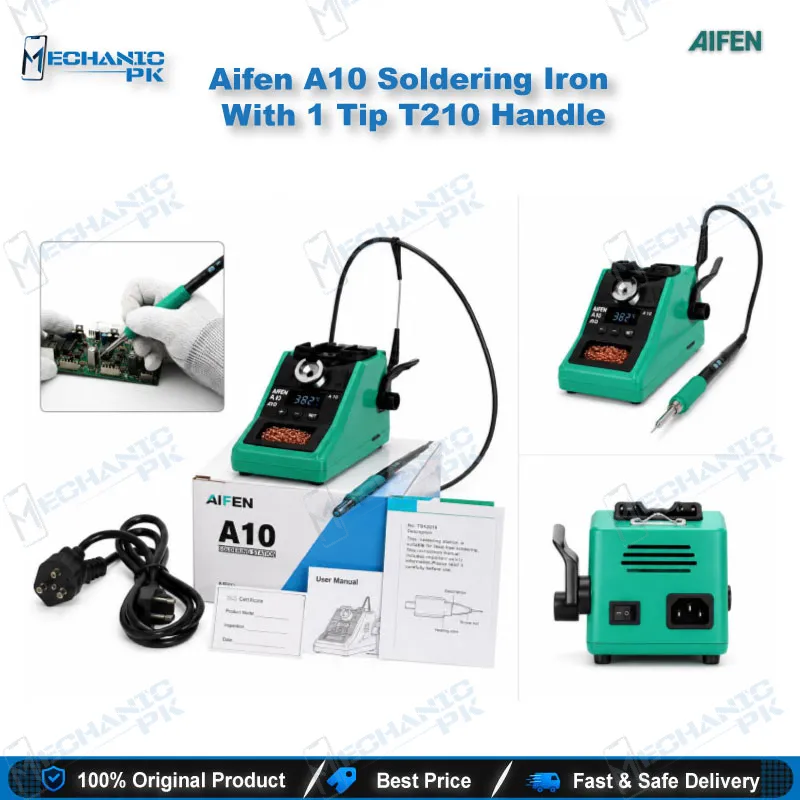
- Package includes the soldering station, T210 handle, T210-IS tip, and power cable
Specifications
| Brand | Aifen |
|---|---|
| Model | A10 |
| Category | Soldering Station |
| Compatibility | T210, T245, and T115 handles; C210, C245, and C115 cartridge tips (this set includes the T210 handle with one T210-IS tip) |
| Technology | Chip-program temperature control with tip temperature compensation; 100°C-450°C (212°F-842°F) |
| Input Voltage | AC 100-240V, 50/60Hz |
| Power Rating | 75W (Max) |
| Dimensions | 225 x 155 x 55 mm |
| Weight | 1.5 kg |
Common Repair Uses
- Fine soldering at board level, from pad cleanup to jumper wire fitting
- Charging port and connector re-soldering
- Jumper wire fitting on broken tracks
- Lifted pad rebuilding after IC change
- Pad cleaning and tinning before component fitting
- Small SMD component replacement
- Flex connector solder point repair
- ISP and test point fine wire attachment
- Solder cleanup around CPU and BGA footprints before or after rework
Compatible Devices
- Universal soldering platform, not device-specific; suits board-level work on any phone or tablet mainboard with SMD pads and flex connectors
- Android smartphone mainboards
- iPhone logic boards
- Tablet motherboards
- Charging port and charging flex pads
- Battery connector pads
- Camera and sensor flex solder points
- Side-key and button flex pads
- Small SMD components on general electronics boards
FAQ
What is the product name?
What is the brand of this product?
What is the model of this product?
What is this product used for?
Which devices are compatible with this product?
Who should use this product?
Which handles and tips work with the Aifen A10 soldering station?
How do I change the temperature on the T210 handle?
Related products