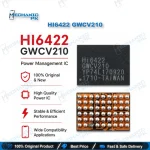
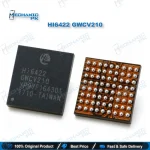
HI6422 GWCV210 Power IC – Huawei Mate 9, P10 BGA PMIC
₨ 350
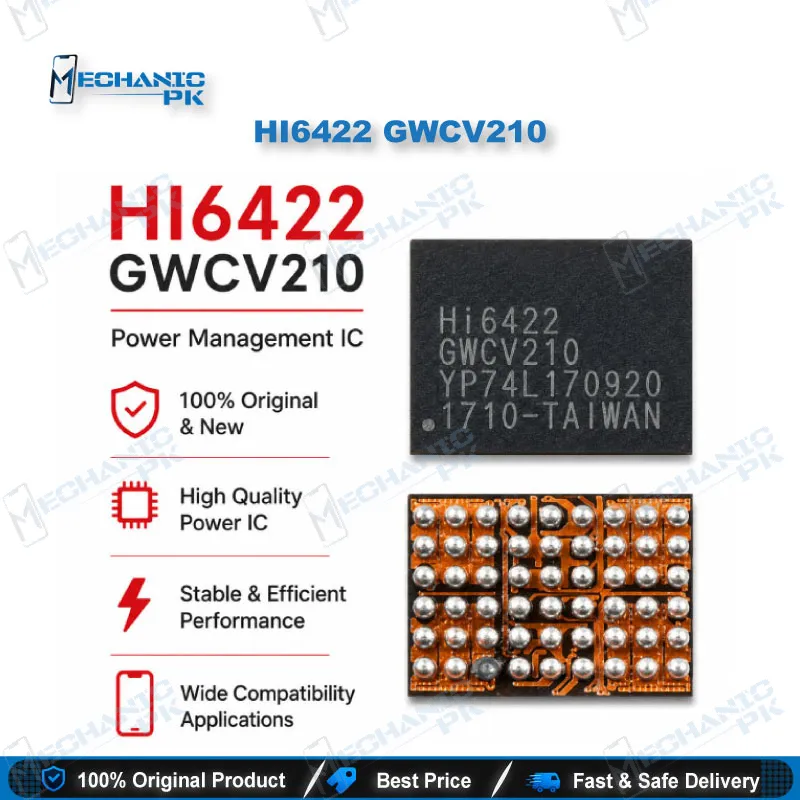
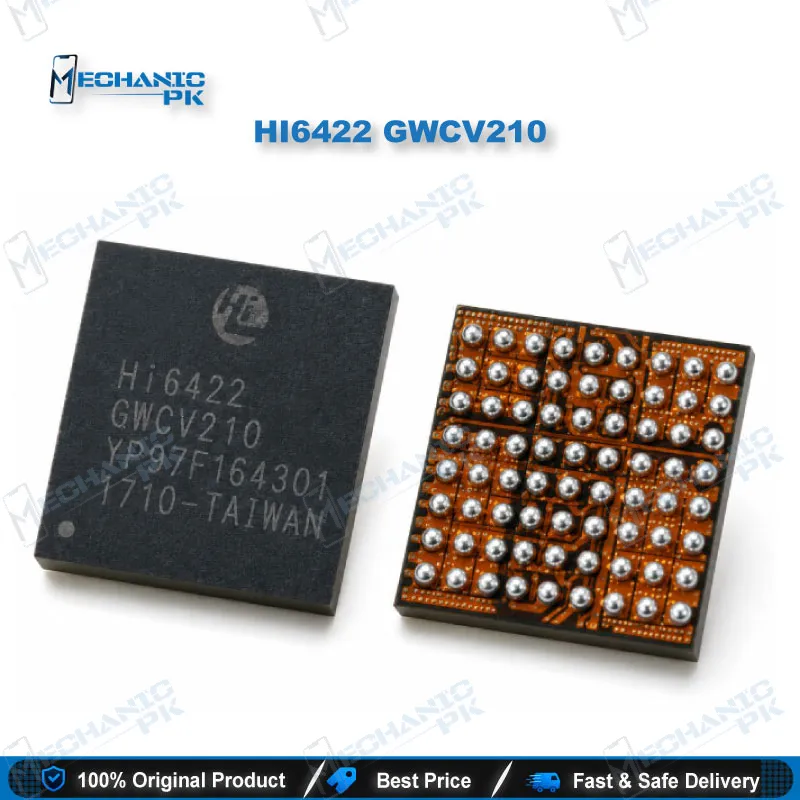
HI6422 GWCV210 Power IC for Huawei Boards
The HI6422 GWCV210 is a HiSilicon BGA power management IC that repair-parts distributors list for Huawei Mate 8, Mate 9, P9, and P10 logic boards. Board technicians fit this HI6422 GWCV210 power IC when diagnosis traces a dead phone, a shorted supply line, or abnormal current draw back to the power section. The chip carries the exact GWCV210 marking, so you match the original part without guessing between the V211, V212, V213, and V310 versions. It suits hot air removal, stencil reballing, and microscope-aligned reflow on any professional repair bench in Pakistan, and pairs naturally with the rest of your BGA rework tools.
HI6422 GWCV210 Power IC for Huawei Kirin Logic Boards
The HI6422 GWCV210 is a HiSilicon power management IC in a BGA package that repair-parts distributors list for Huawei Mate 8, Mate 9, P9, and P10 logic boards. Mechanicpk supplies this HI6422 GWCV210 power IC to technicians who handle board-level faults on Kirin-platform Huawei phones. When this chip fails, the phone typically shows no power response, a short on the supply line, or charging and boot faults that no firmware flash can fix. Fitting a new chip with the exact version marking returns the power section of the board to working order, provided the rest of the circuit checks out.
Where the Hi6422 PMIC Sits in the Power Section
A modern Huawei board does not run from a single regulator. The Hi6422 PMIC belongs to HiSilicon’s Hi-series power family and works within the board’s power section to deliver regulated supply rails. A damaged HI6422 can take down rails that the processor, memory, or peripherals need before the phone can even start. Technicians usually meet this chip after a liquid-damage job, a faulty charger event, or a board that draws abnormal current the moment you connect the DC power supply. Knowing its role helps you separate a true hardware fault from a dead phone caused by corrupted firmware.
Diagnosing Before You Replace
Never pull a BGA chip on suspicion alone. Start with a DC power supply reading: a board that pulls current without pressing the power key, or one that shows a hard short on the battery line, points toward the power section. Use a multimeter in diode mode to compare readings on the rails around the IC against a known-good board. Rosin smoke, freeze spray, or a thermal camera then shows which component heats first under injected voltage. If the HI6422 heats up while surrounding capacitors stay cool, you have a strong case for replacement. Check the charging IC and battery connector path as well, since a charging issue can share symptoms with a PMIC fault.
Replacement Workflow on the Repair Bench
Fix the board in a PCB holder and shield nearby plastic connectors and the processor area with heat-resistant tape. Remove any underfill around the chip carefully, then lift the old IC with a hot air station on controlled airflow so you keep neighboring components in place. Clean the pads with flux and desoldering wick on a soldering station until every pad sits flat and bright. Reball the new HI6422 GWCV210 with a matching BGA stencil from your reballing kit, align it under a microscope, and reflow with fresh flux. Let the board cool naturally before the first power test.
Version Marking Matters
The HI6422 family ships in several markings, including GWCV100, GWCV210, GWCV211, GWCV212, GWCV213, and GWCV310, and distributors stock them as separate parts. Whether you need a Huawei Mate 9 power IC or a replacement for a P10 board, read the marking on the original chip before you order and match it exactly. Fitting a different version without confirmation from the board schematic or a known-good donor board turns a clean repair into guesswork. Ordering the exact HI6422 GWCV210 marking keeps the job predictable and protects your turnaround time.
After the Chip Swap: Testing and Software
Power the board from a DC supply first and watch the current curve through a normal boot sequence. Confirm stable charging current with a USB ammeter before you close the phone. If the board powers up but hangs on logo or enters a boot loop, the hardware repair may be complete while the firmware still needs attention. At that point, your ISP pinout tools, eMMC programmers, UFS adapters, and test boxes take over the software side of the job.
Why Source It from Mechanicpk
Mechanicpk stocks mobile power ICs alongside the hot air stations, soldering stations, microscopes, and reballing kits that a BGA job demands, so you source the chip and bench tools in a single order. Each IC listing names the exact version marking, which spares you from receiving a near-match part. Repair shops and service centers across Pakistan that take on Huawei board-level work keep a few HI6422 GWCV210 units in stock for fast turnaround on power-section repairs.
| Weight | 0.1 kg |
|---|
Key Features
- Exact HI6422 GWCV210 marking, so you match the original chip without version guesswork
- HiSilicon Hi-series power management IC for Huawei Kirin-platform logic boards
- BGA package suited to standard hot air removal, stencil reballing, and reflow
- Distributor-listed fitment for Huawei Mate 8, Mate 9, P9, and P10 boards
- Targets hardware-level power faults that firmware flashing cannot repair
- Stocked separately from the GWCV211, GWCV212, GWCV213, and GWCV310 versions
- Fits a complete BGA workflow with hot air stations, reballing kits, and microscopes
- Practical stock item for repair shops and service centers handling Huawei board work
Specifications
| Brand | HiSilicon (Huawei) |
|---|---|
| Model | HI6422 GWCV210 |
| Category | Mobile Phone Power Management IC (PMIC) |
| Compatibility | Huawei Kirin-platform logic boards carrying the HI6422 GWCV210 marking |
| Supported Devices | Huawei Mate 8, Mate 9, P9, P10 |
| Technology | BGA (Ball Grid Array) package |
Common Repair Uses
- Board-level power-section repair on Huawei logic boards
- Dead phone with no power response traced to the PMIC
- Short on the battery or main supply line isolated to the HI6422
- Abnormal current draw on the DC power supply at connection
- Charging issue confirmed as a power-section fault after clearing the charging IC
- Boot failure or random restarts caused by unstable supply rails
- Liquid-damaged boards with a corroded or failed power IC
- Overheating PMIC detected through rosin, freeze spray, or a thermal camera
- BGA removal, pad cleaning, reballing, and reflow during IC replacement
Compatible Devices
- Distributor-listed Huawei models; fitment depends on the original chip carrying the GWCV210 marking
- Huawei Mate 8
- Huawei Mate 9
- Huawei P9
- Huawei P10
- HiSilicon Kirin-platform Huawei logic boards fitted with the HI6422 GWCV210 version
- Any board where the removed original chip reads HI6422 GWCV210 (verify marking before fitting)
FAQ
What is the product name?
What is the brand of this product?
What is the model of this product?
What is this product used for?
Which devices are compatible with this product?
Who should use this product?
Can I fit HI6422 GWCV211 or GWCV213 in place of GWCV210?
How do I confirm the HI6422 GWCV210 is faulty before replacing it?
Related products