

QianLi iPhone X Middle Layer Test Fixture Pakistan
₨ 2,600
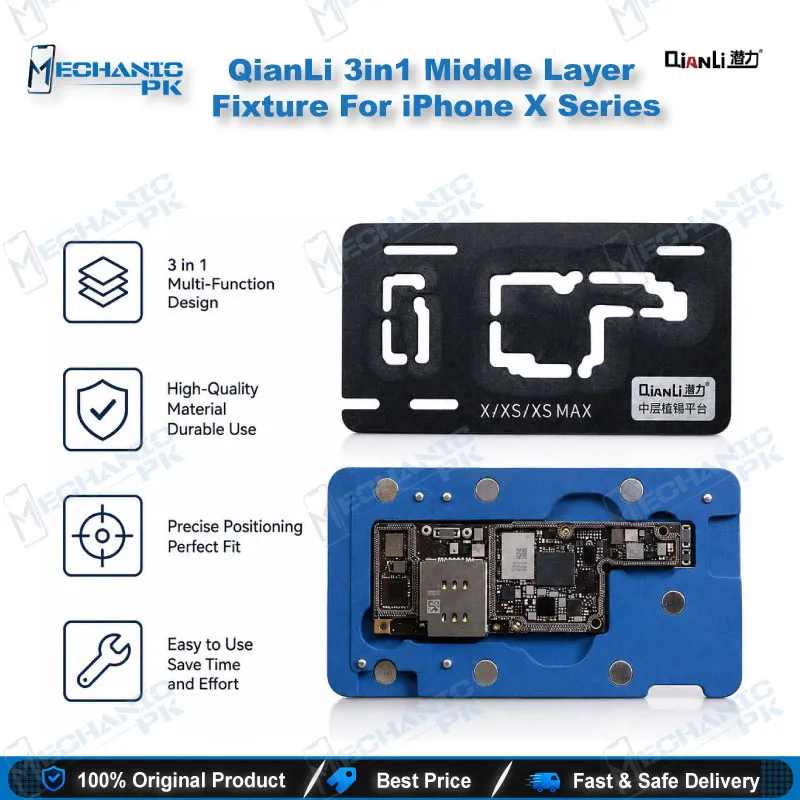
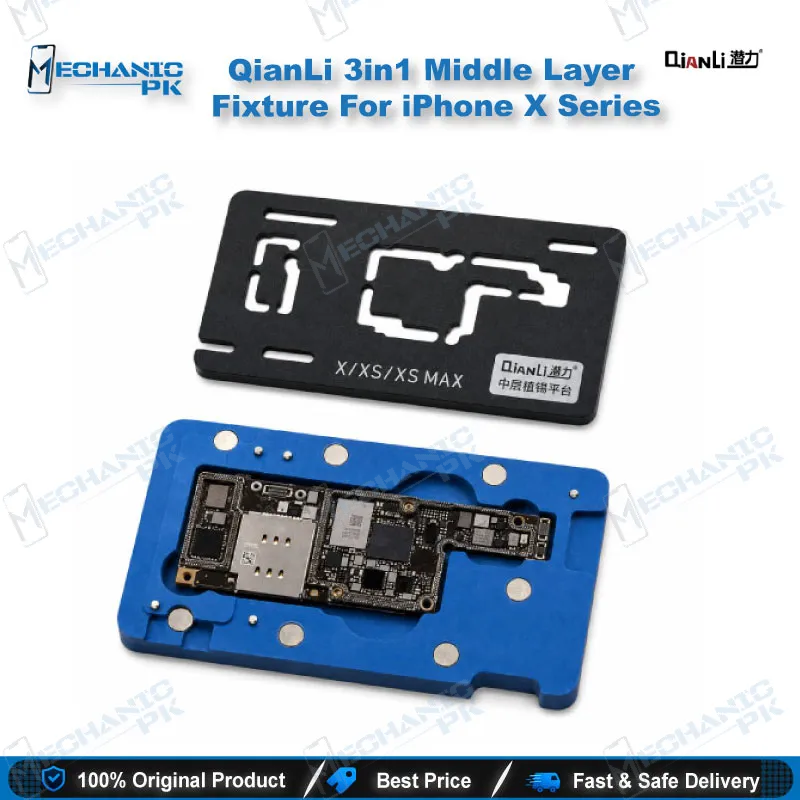
QianLi iPhone X Middle Layer Test Fixture for Layered Testing
This QianLi iPhone X middle layer test fixture holds the lower main board, pinboard, and upper board in one stack during diagnosis. You test with both logic board layers connected, so you avoid repeated disassembly and reduce the risk of damage from extra lifting. The frame accepts the screen line, power cord, and battery connections, which lets you check boot response on a dead phone or a boot loop issue. Its compact design suits board-level technicians who test at the bench and carry their tools between jobs.
In stock
iPhone X Middle Layer Test Fixture for Board-Level Diagnosis
An iPhone X middle layer test fixture solves a problem every board-level technician meets on this model. The upper and lower logic board layers stay connected, so each test normally means taking them apart and putting them back together. This QianLi layered test frame holds the lower main board, pinboard, and upper board as one stack. You can test the device while the layers stay in position, which cuts down on repeated disassembly.
Many dead phone cases and boot loop issues on the iPhone X start with a board that needs testing before any part gets replaced. This frame helps you reach that answer faster, before you commit the rework station to the board.
Setting Up the Layered Stack on Your Bench
Set the lower main board into the base of the frame. Place the pinboard on top of it, which keeps the connection points aligned between the two layers. Lower the upper board into the stack, then close the test rack over the assembly so the layers stay in position during testing. Gather the power on and off cable, the power line, the LCD test cable, a screen, and the main board before you start. Having every cable ready at the beginning means you work through the stack without lifting the boards again.
Keep the frame on a stable surface with clear access to both the screen line and the power connections. Check that the upper board sits flat before you close the rack, because a tilted layer can break contact at the connectors. Label the cables as you connect them when you work on several boards in one session. This habit saves time when you move between boards with similar connectors.
Testing Boot, Power, and Battery Behavior
Connect the screen line first, then add the power cord or battery to your test setup. Watch the device for boot response to confirm whether the test succeeds. The first connection method checks boot, power, and battery behavior with the layers held together. A second method uses an end plug on the base of the frame, which the manufacturer describes as a brush function. Keep the test order consistent so each result points to one cause.
Record the result of each connection before you move to the next one. A device that fails on the power cord but responds to the battery test can point you toward the power path. Note any change in response after you reseat a connection. Bench notes like these help you hand a clear diagnosis to the next technician.
Protecting the Board and Carrying the Frame
Every extra disassembly cycle on a two-layer iPhone X board adds risk. Repeated lifting can produce chip virtual welding and tin damage at the CPU, which turns a simple fault into a larger repair. Test in the stack first, and open the board only when the diagnosis calls for it. The frame stays small enough to carry between benches or to a client’s shop, so you bring the same test setup wherever the work happens.
Carry the frame in a case so the pins and the base stay clean between jobs. Store the cables with the frame so every test starts from the same setup. A consistent setup makes your results easier to compare across boards.
| Weight | 0.19 kg |
|---|
Key Features
- Holds the lower main board, pinboard, and upper board together for testing
- Keeps both logic board layers connected, so you avoid repeated disassembly
- Aligns the two layers through the pinboard placement
- Test rack covers the stack and holds it in position during testing
- Supports screen line, power cord, and battery connections for boot testing
- Compact frame that is easy to carry between benches
Specifications
| Brand | Qianli |
|---|---|
| Category | Tools |
| Compatibility | iPhone X |
| Supported Devices | iPhone X |
| Technology | Layered motherboard test frame with pinboard and test rack |
Common Repair Uses
- Testing an iPhone X logic board before deciding on a board-level repair
- Checking boot response with the upper and lower layers held together
- Verifying power and battery behavior with the screen line connected
- Diagnosing a dead phone or boot loop issue on an iPhone X before soldering
- Testing the board after reassembly without repeating the full disassembly
Compatible Devices
- iPhone X logic board with upper and lower layers
- Lower main board with pinboard and top board stack
- Screen line, power cord, and battery connections during testing
FAQ
What is the product name?
What is the brand of this product?
What is this product used for?
Which devices are compatible with this product?
Who should use this product?
Does this fixture keep both logic board layers connected during testing?
Can I check boot, power, and battery behavior on this fixture?
Related products