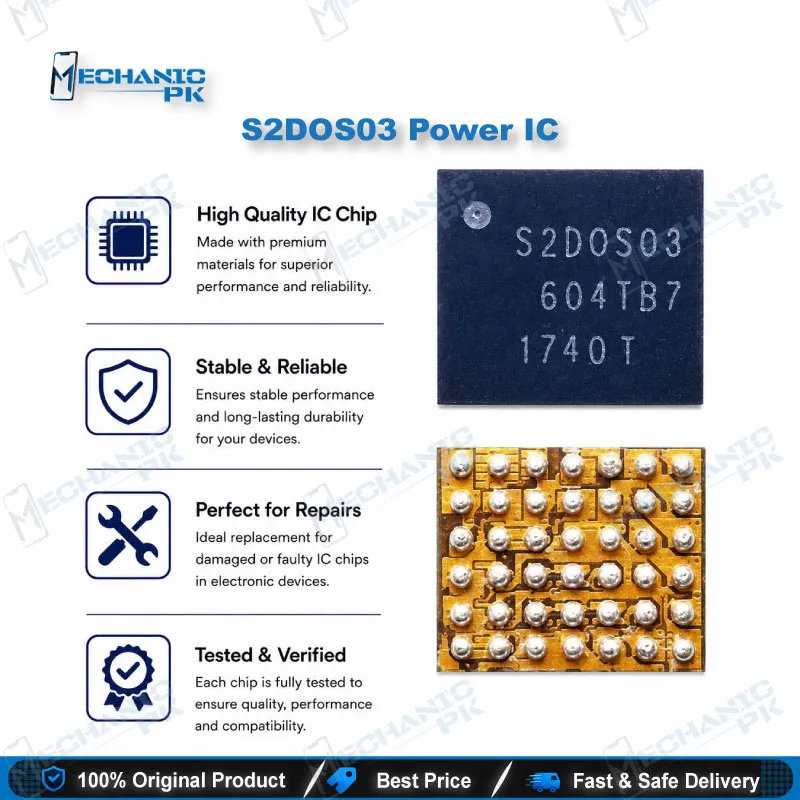
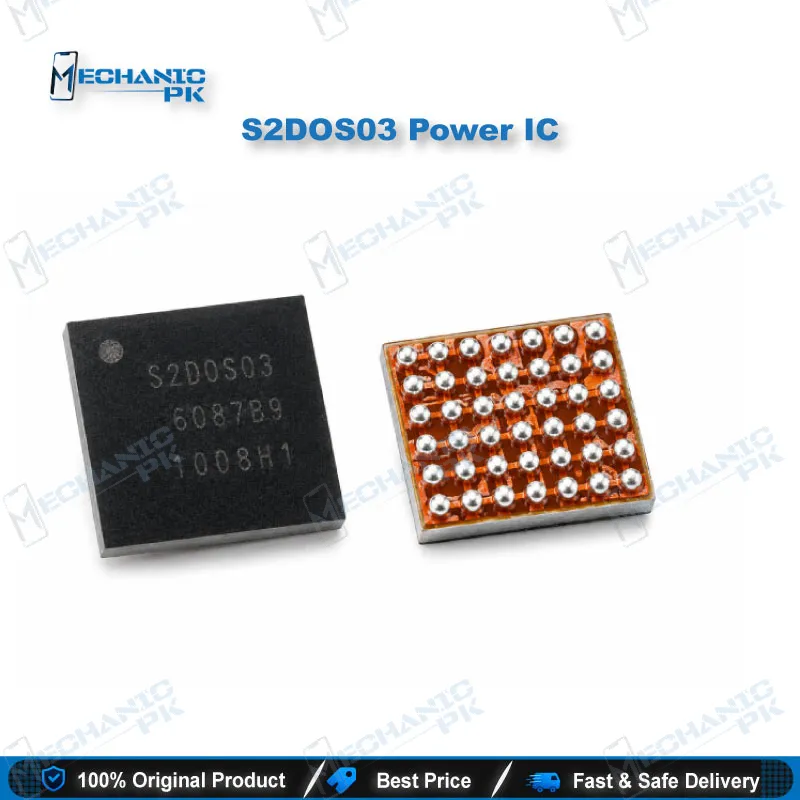
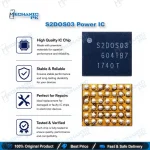
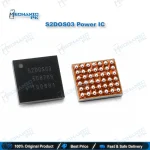
S2DOS03 Power IC – Samsung S7/S8 Display DC-DC Converter
₨ 300
S2DOS03 Power IC for Samsung AMOLED Display Circuits
The S2DOS03 Power IC is a Samsung DC-DC converter that powers the AMOLED display section on Galaxy S7, S7 Edge, and S8 motherboards. When this chip fails, the phone usually boots, rings, and connects to a PC, but the screen stays black even after you fit a known-good panel. Replacing the S2DOS03 restores the display supply rails without a full board swap. The chip comes in a BGA package, so you need a hot air station, quality flux, and a reballing stencil for a clean install. Some parts catalogs print the marking as S2D0S03 with a zero, so match the top marking on your board before ordering.
S2DOS03 Power IC: Samsung Display DC-DC Converter for Galaxy Board Repair
The S2DOS03 Power IC is the display power converter Samsung designed into the Galaxy S7, S7 Edge, and S8 motherboards. It has one job: take the phone’s main supply voltage and convert it into the rails the AMOLED panel needs to produce an image. When it stops working, the rest of the handset keeps running. It charges, rings, picks up network, and shows up on a PC, but the screen stays completely black. For repair centers that handle Samsung flagships at board level, this chip belongs in the parts drawer alongside PMICs and charging ICs.
Where the S2DOS03 Sits in the Display Power Path
Many supplier listings call this part a “backlight IC,” but that label does not fit an AMOLED phone. AMOLED pixels emit their own light, so the panel has no backlight to drive. What it does need is a set of dedicated supply rails, and the S2DOS03 generates them on the main board before they pass through the display FPC connector to the panel. That placement matters for diagnosis. A cracked screen and a failed S2DOS03 can look identical to a customer, but only one of them survives a test with a known-good display. If you fit a working panel and still get no picture, the fault sits on the board side of the connector, and this converter becomes your prime suspect.
Diagnosing a Faulty S2DOS03 Before Replacement
Start by confirming the phone is alive. Check for vibration, an incoming-call ring, or USB detection on your PC. Next, test with a known-good screen. If the display stays black, take your multimeter, measure the display supply lines at the FPC connector, and compare the readings against a working board of the same model. A missing rail points to the converter or its surrounding passives. A rail shorted to ground often means the IC itself has failed internally. Inspect the area under a microscope for corrosion, because liquid damage near the display connector frequently takes this chip out. Keep the fault boundary clear: a phone stuck in a boot loop or hanging on the logo still shows an image, so its display power circuit works. Those are software or storage faults where your ISP tools and eMMC programmers do the work, not a job for the S2DOS03.
Replacement Workflow on the Repair Bench
Mount the board firmly in a PCB holder and shield nearby plastic connectors with heat-resistant tape. Apply flux and lift the old chip with your hot air station, keeping the nozzle moving so you do not overheat neighbouring components. Clean the pads flat with desoldering wick and a fine tip on your soldering station, then remove the flux residue. Because the S2DOS03 uses a BGA package, reball the new chip with a matching stencil from your reballing kit unless it arrives pre-balled. Align the part by its pin-1 marker under the microscope, reflow, let the board cool naturally, and confirm the display rails with your multimeter before you reassemble. A test box or bench power supply lets you watch current draw during the first power-on, which catches a short before it damages anything else.
Compatibility and Ordering Notes
Supplier documentation consistently matches the S2DOS03 Power IC to the Galaxy S7 (SM-G930), Galaxy S7 Edge (SM-G935), and Galaxy S8 (SM-G950 series). Some suppliers also list the Galaxy S8 Plus and Galaxy Note 8, so check the marking on your board or the model’s schematic before you commit to a repair on those units. You will also see the chip printed as S2D0S03, with a zero in place of the letter O, across parts catalogs. Both spellings refer to the same Samsung part.
Why Component-Level Replacement Makes Sense
A display power fault does not justify a motherboard swap. The board still holds the customer’s data, the CPU and storage remain healthy, and the fix comes down to one small IC and a clean rework job. For a professional workshop, stocking the S2DOS03 turns a “no display, board dead” quote into a fast, profitable repair that keeps the original board and its data intact.
| Weight | 0.1 kg |
|---|
Key Features
- Samsung display DC-DC converter that generates the AMOLED panel's supply rails
- Direct replacement for chips marked S2DOS03 or S2D0S03
- BGA package suited to standard hot air rework and stencil reballing
- Matches Galaxy S7, S7 Edge, and S8 motherboards
- Restores the display without replacing the full motherboard or losing customer data
- Clear fault signature that you can isolate with a multimeter and a known-good screen
- Works with your existing flux, stencil, and hot air workflow
- Compact single-chip part for component-level parts stocking
Specifications
| Brand | Samsung |
|---|---|
| Model | S2DOS03 (also marked S2D0S03 in parts catalogs) |
| Category | Display Power IC (DC-DC Converter) |
| Compatibility | Samsung Galaxy S7, S7 Edge, and S8 motherboards |
| Supported Devices | Galaxy S7 (SM-G930), Galaxy S7 Edge (SM-G935), Galaxy S8 (SM-G950 series) |
| Technology | DC-DC converter for AMOLED display power, BGA package |
Common Repair Uses
- No display or black screen while the phone rings, vibrates, and connects to a PC
- Screen stays black even after fitting a known-good display
- Replacing a shorted display power IC after liquid damage near the display connector
- Restoring missing display supply rails measured at the FPC connector
- Repairing display power circuit damage after a faulty screen replacement
- Fixing cracked BGA solder joints under the IC after drop impact
- Reballing and reflowing a suspected dry-joint S2DOS03
- Board-level training on Samsung AMOLED display power circuits
Compatible Devices
- Samsung Galaxy S7 (SM-G930 series)
- Samsung Galaxy S7 Edge (SM-G935 series)
- Samsung Galaxy S8 (SM-G950F, G950U, G950W, G9500, G950N, and other SM-G950 variants)
- Samsung Galaxy S8 Plus (SM-G955), listed by some suppliers; confirm the board marking first
- Samsung Galaxy Note 8 (SM-N950), listed by some suppliers; confirm the board marking first
FAQ
What is the product name?
What is the brand of this product?
What is the model of this product?
What is this product used for?
Which devices are compatible with this product?
Who should use this product?
Is the S2DOS03 a backlight IC or a display power IC?
How do I confirm the S2DOS03 is faulty on a Galaxy S7 with no display?
Related products