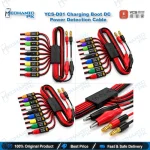
YCS-D01 Charging Boot DC Power Detection Cable
₨ 2,200
iPhone Battery-Free Boot and Current Detection
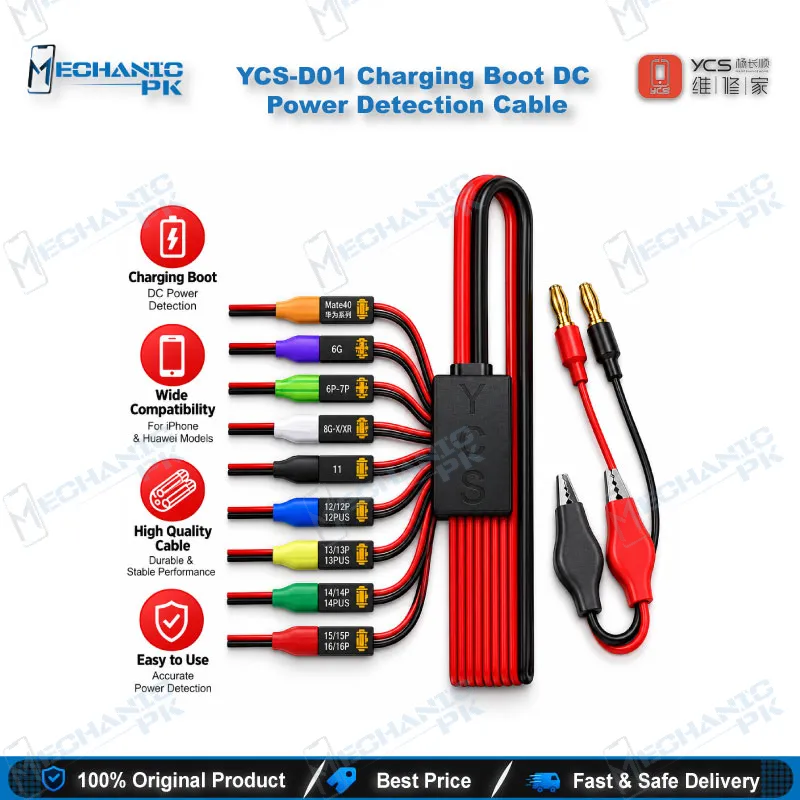
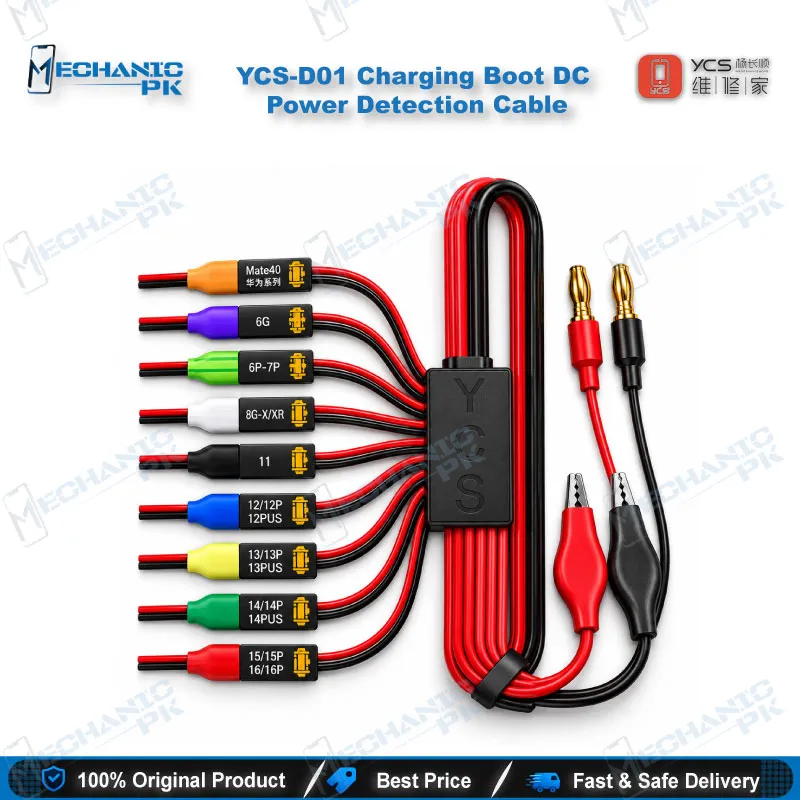
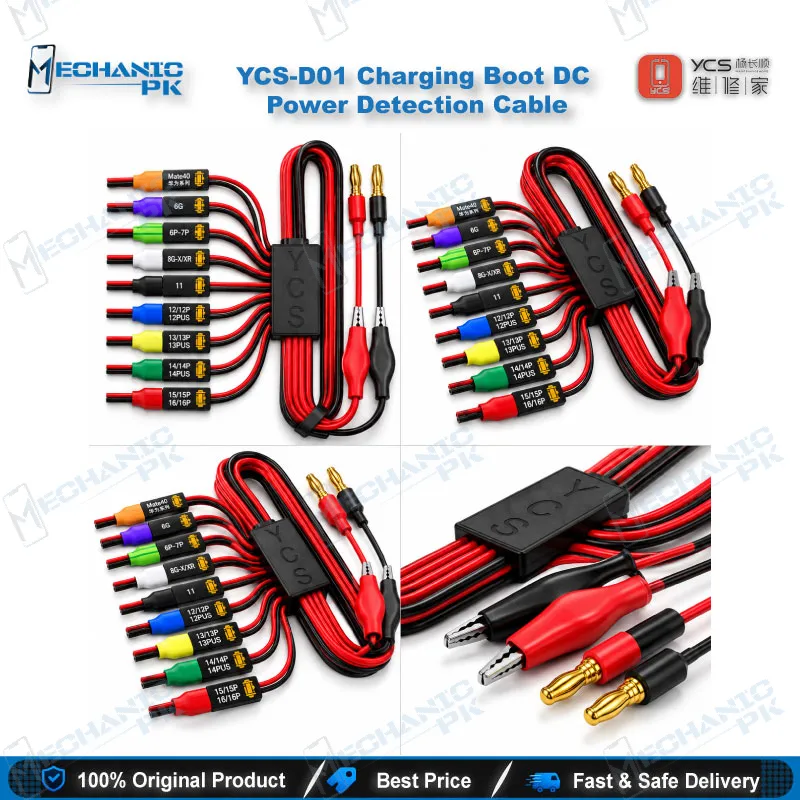
The YCS-D01 Charging Boot DC Power Detection Cable powers an iPhone motherboard straight from your DC supply, so you boot the board without a battery and read its current draw. It covers iPhone 6 through iPhone 16 Pro Max, plus the Huawei Mate 40. A flexible anti-bending wire, an injection-molded banana head, and a firm battery socket buckle keep the connection steady while you test. Use it on a dead phone, a charging issue, or a boot loop issue to separate a shorted rail from a software fault before you start rework. Mechanicpk supplies it to technicians and repair shops across Pakistan.
In stock
YCS-D01 Boot Cable for iPhone Repair: Power Control at the Bench
The YCS-D01 Charging Boot DC Power Detection Cable replaces the battery on your iPhone motherboard with a controlled supply from your DC power unit. This YCS-D01 boot cable for iPhone repair gives you a clean way to power a board on the bench, watch the current draw, and decide whether the fault sits in the power path or somewhere else. YCS designs it for iPhone 6 through iPhone 16 Pro Max boards and for the Huawei Mate 40. You connect the cable to the supply, seat the battery connector, and read the ammeter before you commit to any heat or any IC replacement.
How the Cable Fits Your Power-On Diagnosis
A dead phone gives you very little to work with until you give it power. With the YCS-D01, you feed the board through its battery connector at the voltage you set on the supply, so the phone boots without a working battery attached. Current draw tells you the story. A board that pulls heavy current the moment you apply power points to a short on a main power rail. A board that pulls nothing sends you toward the battery connector, the charging path, or the power management circuit. A phone that settles at a steady low draw and stalls on the logo gives you a third clue, since a boot loop issue or a hang on logo often points to software or storage rather than a shorted component. Watching the ammeter during the first seconds also shows you whether the board draws a rising current as it starts or jumps straight to a fixed value, which helps you separate a healthy start from a stuck one. You get a repeatable starting point for every iPhone that lands on your bench, which cuts the guesswork before you pick up the hot air station.
Build Details That Matter During Repeated Use
The cable uses a flexible, anti-bending wire that resists wear and keeps its shape after repeated handling. An injection-molded banana head terminates the supply end, so it plugs straight into a DC power supply with banana sockets. At the board end, a firm battery socket buckle seats into the iPhone battery connector, and a precise card slot holds contact steady while you probe. Steady contact matters when you chase an intermittent fault, because a loose connector gives you false readings on the ammeter and sends you after problems that do not exist. Since you plug and unplug the battery connector dozens of times a week, a cable built around a firm buckle also saves the connector pins on the board from damage. The extended soft cable gives you room to move the board under the microscope without pulling the connector loose.
Where It Sits in Your Repair Workflow
Use the cable at the start of the repair and again at the end. At the start, it powers the board for the first current reading before you touch anything. After a charging issue repair or a charging IC replacement, it confirms the board draws the expected current and reaches the logo before you rebuild the phone. When a phone goes dead after flash, the cable shows you whether the board still draws power before you move to a programmer or a test box. Pair it with a multimeter for rail checks, a microscope for board inspection, a soldering station and a hot air station for rework, and a PCB holder that keeps the board steady while you work. Repair shops and service centers in Pakistan that handle iPhone boards every day benefit most, since one cable serves almost every model from the iPhone 6 to the iPhone 16 series. Check your exact model against the compatibility list before you order. YCS lists a separate D02 cable for Android boards, so Android-focused benches should confirm which cable fits their phones.
| Weight | 0.25 kg |
|---|
Key Features
- Boots iPhone motherboards from a DC power supply without a battery attached
- Supports current draw readings for short circuit and power fault diagnosis
- Covers iPhone 6 through iPhone 16 Pro Max and the Huawei Mate 40
- Flexible, anti-bending, wear-resistant wire that resists deformation
- Injection-molded banana head for a direct fit into DC power supply sockets
- Firm battery socket buckle that seats securely in the battery connector
- Precise card slot that holds contact steady during probing
- Extended soft cable that gives you room to move the board under the microscope
Specifications
| Brand Entity | YCS |
|---|---|
| Product Entity | YCS-D01 Charging Boot DC Power Detection Cable |
| Technology Entity | DC power supply boot cable, battery-less boot, current draw detection |
| Compatible Device Entities | Apple iPhone 6 to iPhone 16 Pro Max, Huawei Mate 40 |
| Repair Process Entity | Motherboard power-on testing, short circuit diagnosis, charging IC and power rail troubleshooting |
| Industry Entity | Mobile phone repair, iPhone board-level repair |
Common Repair Uses
- Real bench scenarios where a battery-free boot cable with current readout is used
- Booting a dead phone motherboard without a battery attached
- Reading current draw to spot a short on a main power rail
- Diagnosing a charging issue when the board does not respond
- Checking a boot loop issue or a hang on logo under a stable supply
- Testing a board after a charging IC or power IC replacement
- Confirming power-on behavior on a board that went dead after flash
- Powering the board during disassembly and board-level testing
- Final power-on check before reassembling the phone
Compatible Devices
- Verified support for iPhone models from the iPhone 6 to the iPhone 16 Pro Max and the Huawei Mate 40
- iPhone 6, 7, 7 Plus, 8, 8 Plus
- iPhone X, XR, XS, XS Max
- iPhone 11, 11 Pro, 11 Pro Max
- iPhone 12 mini, 12, 12 Pro, 12 Pro Max
- iPhone 13 mini, 13, 13 Pro, 13 Pro Max
- iPhone 14, 14 Plus, 14 Pro, 14 Pro Max
- iPhone 15, 15 Plus, 15 Pro, 15 Pro Max, and iPhone 16, 16 Plus, 16 Pro, 16 Pro Max
- Huawei Mate 40
FAQ
What is the product name?
What is the brand of this product?
What is the model of this product?
What is this product used for?
Which devices are compatible with this product?
Who should use this product?
Can the YCS-D01 boot an iPhone board without a battery?
Does the YCS-D01 work with Android phones?
Related products