









































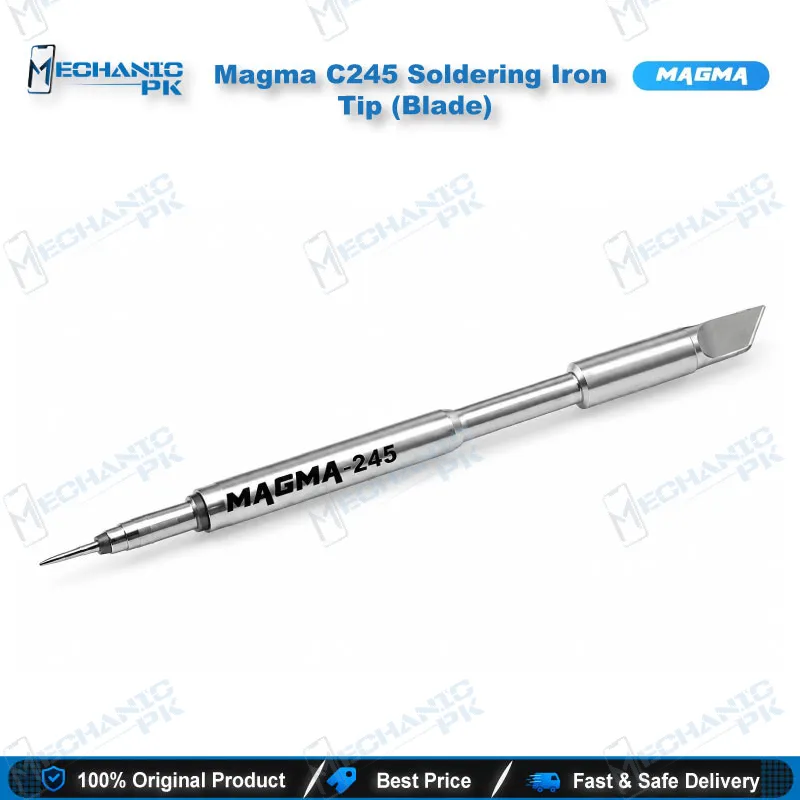
Magma C245 Blade Soldering Tip for Mobile Repair
₨ 1,200
Magma C245 Blade Tip for SMD and Pad Work
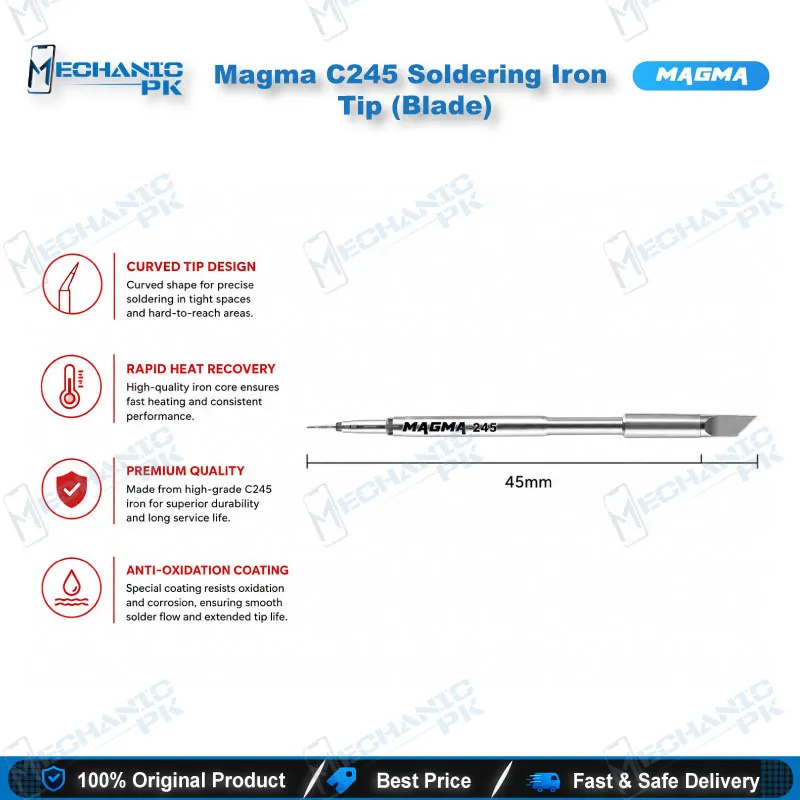
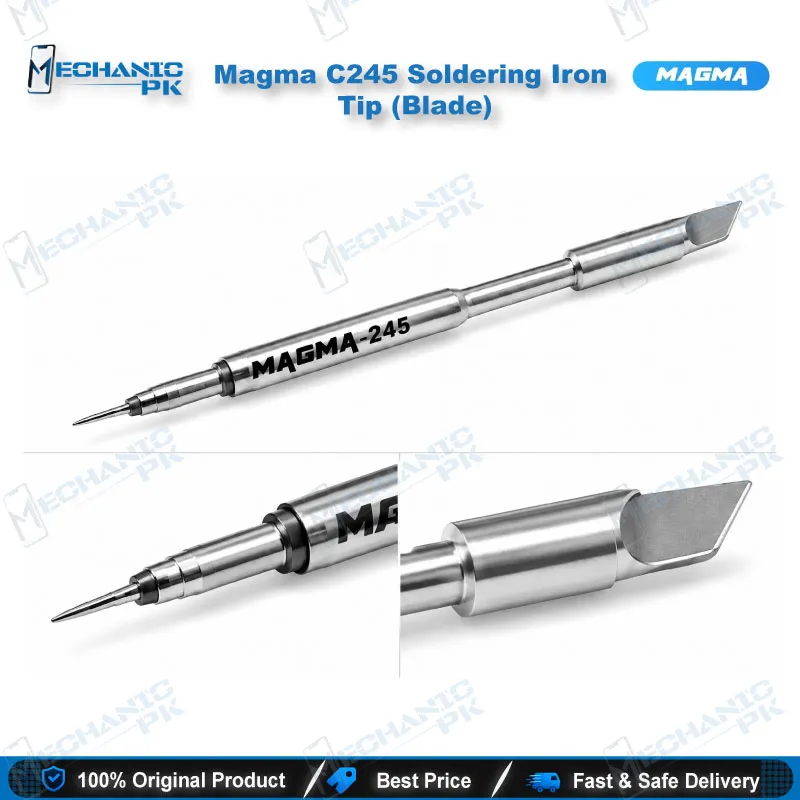
The Magma C245 blade soldering tip gives your C245-standard iron a wide, flat working edge for fast, even heat transfer. The knife-type profile heats larger pads quickly, spreads solder across multi-pin SMD parts, and supports drag soldering on board-level repairs. You fit it to any iron or station that supports the C245 system and keep a dependable blade profile ready for charging port pads, shield can lugs, and connector rows on your repair bench. Mechanicpk supplies the tip to Pakistani technicians, workshops, and service centers that run C245 handles every day.
Out of stock
Magma C245 Blade Soldering Tip for Precision Board Work
The Magma C245 blade soldering tip suits technicians who need controlled heat across a wider area than a conical or pencil point delivers. Magma shapes this tip in the knife-type profile for C245-standard irons and stations. The flat blade edge touches more of the pad at once, so the pad reaches working temperature faster and you spend less time holding the iron on the board. If you handle SMD parts, connector rows, and larger copper areas on mobile PCBs, this tip covers those jobs without a tip change.
Blade Geometry and Heat Transfer
A blade tip works on contact surface. The flat edge lays against a pad or a row of pins and carries heat into the joint in one pass, while a fine point concentrates heat in a single spot and cools quickly on larger copper. That difference matters on boards with wide pads, shield can lugs, and battery connector terminals, where a small tip struggles to keep the joint molten.
You also get better solder control. Pull the blade along a pin row with flux applied and the edge distributes solder along the line, which makes drag soldering on integrated circuits and connectors faster and cleaner. Magma designs the C245-K knife tip for this kind of SMD and service work, and the tip fits any handle or station built on the C245 standard.
Where It Fits in the Repair Workflow
You reach for this tip during board-level repair after the diagnosis finishes. A typical hardware fault job starts with a multimeter check, moves to hot air removal of the faulty part, and ends with pad cleanup and resoldering. The blade tip handles the cleanup and resoldering stages. It tins damaged pads, reflows joints, and spreads fresh solder over larger areas.
On charging issue repairs, you use it to resolder charging port pads and flex connector lugs once you clear old solder. On a dead phone with a damaged connector or lifted pad, it restores the joint with steady heat. During IC change karna jobs, the blade drags solder across pin rows after you place the new part, then clears bridges between pins. Pair it with a microscope to inspect joints, a PCB holder to keep the board steady, and a reballing kit when the job moves from pins to BGA work.
The tip serves general electronics service as well, so a workshop that repairs phones, tablets, and small consumer boards uses one blade profile across all of them.
Tip Care and Bench Setup
Treat a blade tip like any soldering tip and it lasts longer. Tin the working edge with fresh solder after each job so oxidation never builds on the surface. Wipe the tip on brass wool or a damp sponge rather than scraping it, and add flux before each pass so solder wets the pad cleanly. Switch the iron to standby between jobs instead of leaving a dry tip at full temperature.
Check that the tip seats fully in your C245 handle before you power the iron. A properly seated tip transfers heat consistently and holds its working temperature across a long repair session. Keep a few profiles in your rack, with this blade tip next to a fine conical and a chisel, so you match the tip to the pad instead of forcing one shape through every job.
If your bench already runs a C245 handle or station, this tip adds a dependable blade profile without new equipment. Combine it with a hot air station for component removal and a quality soldering station for stable temperature, and you cover the full removal, cleanup, and resolder sequence on mobile boards.
| Weight | 0.5 kg |
|---|
Key Features
- Knife-type blade profile with a large contact surface
- Fast pad heating for larger solder joints
- Efficient solder distribution for drag soldering
- Fits irons and stations built on the C245 standard
- Supports precise SMD component soldering
- Reduces time spent holding the iron on a joint
- Works across mobile, tablet, and consumer electronics service
- Adds a dependable blade shape to your C245 tip rack
Specifications
| Brand | Magma |
|---|---|
| Category | Soldering Iron Tips |
| Compatibility | Irons and stations supporting the C245 system |
| Technology | C245 series cartridge tip |
| Tip Type | Blade (knife type) |
Common Repair Uses
- Board-level soldering, SMD work, and pad service on mobile and consumer electronics
- Soldering SMD components
- Drag soldering of integrated circuits
- Spreading solder on larger pads
- Charging port pad repair
- Battery and flex connector soldering
- Pad cleanup after IC removal
- Tinning damaged or lifted pads
- General motherboard service
Compatible Devices
- Universal — fits irons and stations built on the C245 standard; the tip is not phone-model specific
- C245-standard soldering irons
- C245-standard soldering handles
- Soldering stations that support C245 tips
- Android phone motherboards (Samsung, Oppo, Vivo, Infinix, Tecno)
- iPhone logic boards
- Tablet and laptop service boards
- Consumer electronics PCBs
- SMD components and connector rows
FAQ
What is the product name?
What is the brand of this product?
What is this product used for?
Which devices are compatible with this product?
Who should use this product?
What type of tip is the Magma C245 blade tip?
Which soldering irons accept the Magma C245 blade tip?
When should I choose a blade tip over a conical tip for mobile board repair?
Related products







