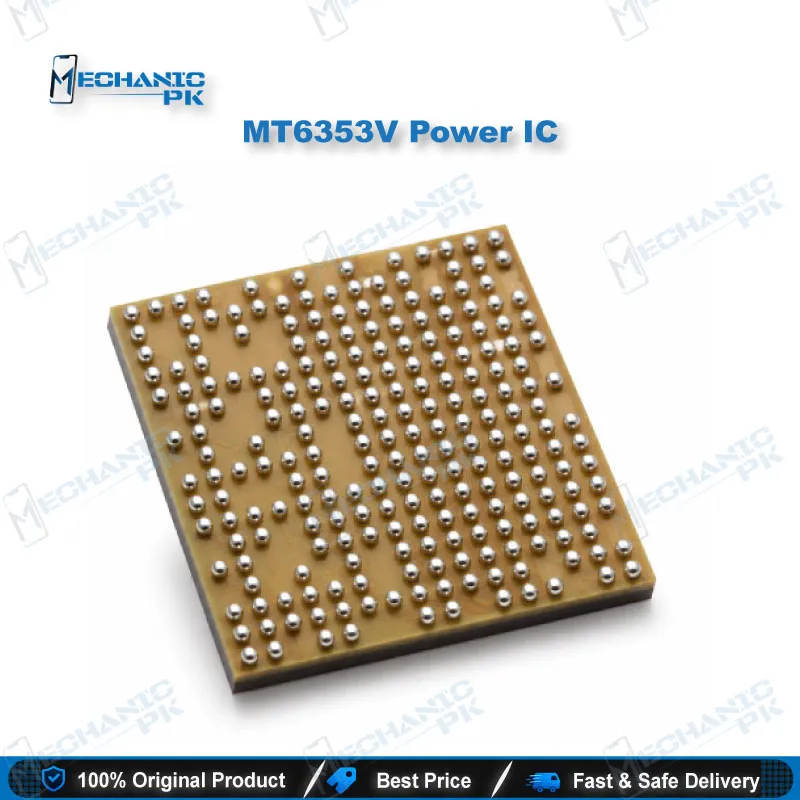
MT6353V Power IC – MediaTek MT6353V PMIC BGA Chip
₨ 450
MT6353V Power IC – MediaTek PMIC for Smartphone Board Repair
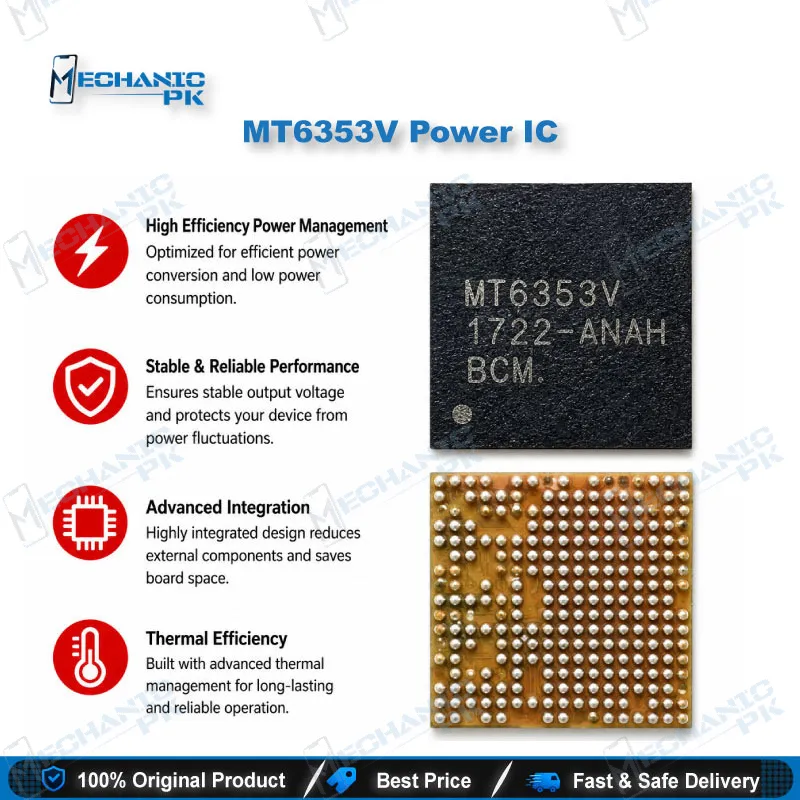
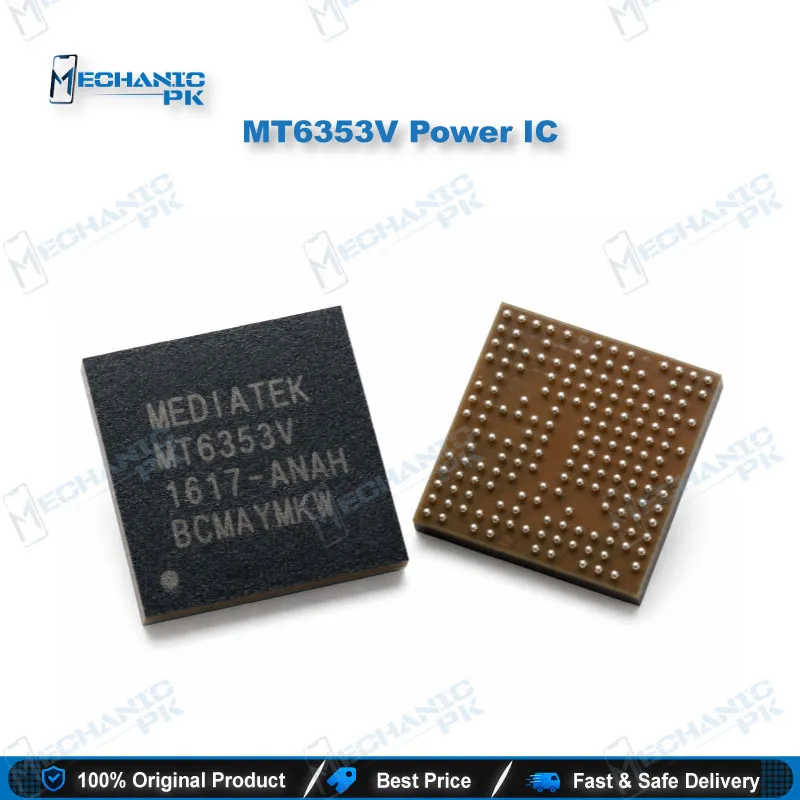
The MT6353V Power IC is a MediaTek power management IC in a BGA package. It generates and controls the supply rails that a smartphone mainboard needs to start up and run. Technicians replace it when a board shows a dead phone condition, a short on the main supply line, or heat around the power section, after diagnosis rules out the surrounding components. Distributors list the MT6353V for Meizu M2 Mini and Meizu M6 mainboards. Pair it with a hot air station, quality flux, and a reballing kit for clean BGA rework on your repair bench.
MT6353V Power IC: MediaTek PMIC for Board-Level Power Section Repair
The MT6353V Power IC is a MediaTek power management IC, the MediaTek MT6353V PMIC, in a BGA package for smartphone mainboards. As the PMIC, it generates and controls the regulated supply rails that the processor, memory, and peripheral circuits need to start up and run. Distributors list the MT6353V for Meizu M2 Mini and Meizu M6 boards. Technicians source it when power-section diagnosis points to a failed PMIC rather than a software problem. Mechanicpk supplies this chip to repair labs that work at component level and need the exact part number on the bench.
What the MediaTek MT6353V PMIC Does on the Board
A smartphone does not run directly from battery voltage. The PMIC takes the battery input and produces the separate regulated rails that each block of the board expects. It also coordinates power-on sequencing, so the processor receives its rails in the correct order when you press the power key. When the MT6353V fails, the board loses that sequence. The result usually shows up as a dead phone, a short on the main supply line, or a unit that heats around the PMIC area as soon as you connect the battery.
Diagnosing PMIC Failure Before You Replace It
Replacing a BGA power IC takes time, so confirm the fault first. Connect the board to a DC power supply and watch the current draw when you trigger power-on. A board that pulls high current instantly or shows a direct short on VBAT often points to the PMIC or a capacitor around it. Use a multimeter in diode mode to compare the output rails against a known-good board, and use a thermal camera or rosin smoke to find the hot component. Rule out shorted capacitors near the chip first, because removing one capacitor takes far less effort than a full IC change. If the rails stay missing after the line clears, the MT6353V becomes the logical next step.
Replacement Workflow for the MT6353V Power IC
The MT6353V sits on the board as a BGA package, so the job follows a standard rework sequence. Fix the board in a PCB holder, shield nearby plastic connectors and camera modules with heat-resistant tape, and apply quality flux around the chip. Use a hot air station with controlled airflow to lift the old IC without disturbing the small components around it. Clean the pads with a soldering station and desoldering wick, then inspect them under a microscope for lifted or torn pads. If you plan to reuse a chip or the balls look uneven, reball it with a matching stencil from a reballing kit before placement. Align the new IC by its pin-1 marker, reflow it evenly, and let the board cool before you power it up.
Post-Repair Testing
After installation, return the board to the DC power supply before you fit the battery. A normal current curve during power-on shows that the PMIC brings up its rails in sequence. Check charging behavior, confirm the phone passes the logo screen, and run the device for a while to watch for heat around the power section. If the phone still shows a hang on logo or boot loop issue, the fault may sit in the eMMC or the software rather than the PMIC. Your next step then moves to an eMMC programmer or a test box.
Who Should Stock This Chip
Repair shops that handle MediaTek-based phones, service centers running board-level repair, and technical training institutes that teach PMIC replacement all benefit from keeping the MediaTek MT6353V PMIC in stock. A matching part on hand turns a multi-day wait into a same-day hardware fault repair. Always compare the marking on the original chip with MT6353V before you order, since MediaTek uses several PMIC part numbers across its platforms and they do not interchange.
Why Order from Mechanicpk
Mechanicpk focuses on tools and components for professional technicians across Pakistan. Alongside this PMIC, you can source the hot air stations, soldering stations, microscopes, reballing kits, multimeters, and PCB holders that complete a reliable power-section repair setup.
| Weight | 0.1 kg |
|---|
Key Features
- Genuine MediaTek part number MT6353V for exact PMIC replacement
- Power management IC that generates and controls the board's regulated supply rails
- Handles power-on sequencing for the processor and connected circuits
- BGA package suited to standard hot air rework and reballing
- Distributor-listed fit for Meizu M2 Mini and Meizu M6 mainboards
- Restores power to boards with a confirmed PMIC hardware fault
- Works with standard bench tools: hot air station, flux, stencil, microscope
- Suited to repair shops, service centers, and training institutes
Specifications
| Brand | MediaTek |
|---|---|
| Model | MT6353V |
| Category | Power Management IC (PMIC) |
| Compatibility | Meizu M2 Mini, Meizu M6 |
| Technology | BGA package power management IC |
Common Repair Uses
- Dead phone repair when diagnosis points to a failed PMIC
- Clearing a shorted main supply line after capacitors check clean
- Restoring missing supply rails on the mainboard
- Fixing boards that heat around the power section on battery connection
- PMIC replacement after liquid damage or corrosion around the chip
- Power-on sequence faults where the board draws current but does not start
- BGA rework and reballing practice in training institutes
- Board swap and donor-part repairs in service centers
Compatible Devices
- Verified at device level for Meizu M2 Mini and Meizu M6; other boards only where the original PMIC carries the MT6353V marking
- Meizu M2 Mini mainboard
- Meizu M6 mainboard
- MediaTek-based boards with an original MT6353V marking at the PMIC position
- Replacement only for a chip marked MT6353V, not for other MediaTek PMIC numbers
- Donor-board and reclaimed-board PMIC swaps between matching MT6353V boards
- Training boards for PMIC removal and placement practice
- Board-level service on Meizu units in repair shop inventory
- Spare-part stock for service centers that repair Meizu phones
FAQ
What is the product name?
What is the brand of this product?
What is the model of this product?
What is this product used for?
Which devices are compatible with this product?
Who should use this product?
How do I confirm a dead phone needs an MT6353V replacement?
Do I need to reball the MT6353V before installing it?
Related products