
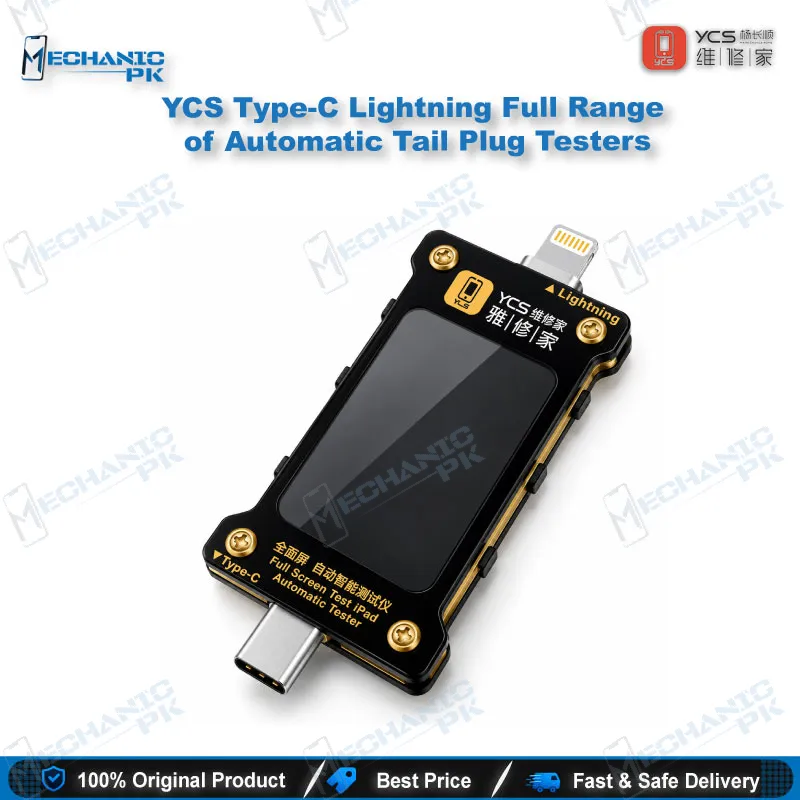
YCS Type-C Lightning Full Range of Automatic Tail Plug Testers
₨ 3,800
Type-C Lightning Tail Plug Tester for Charging Faults
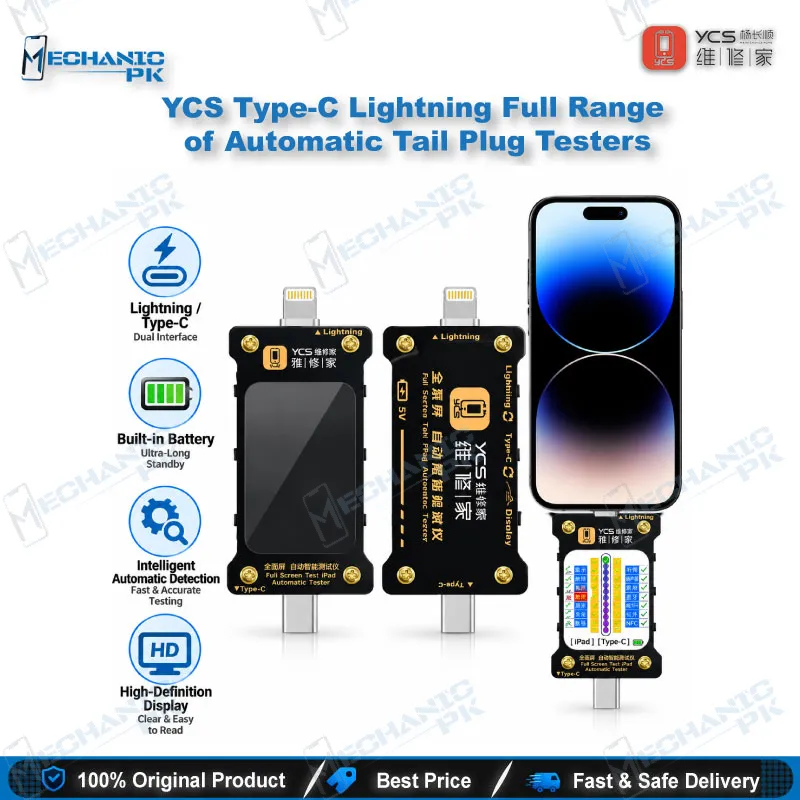
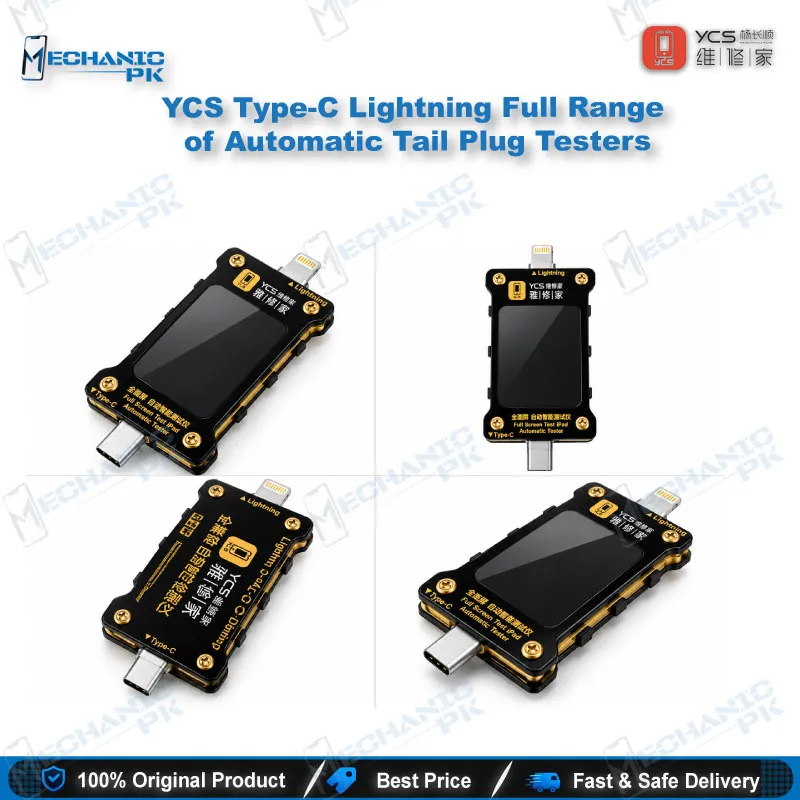
The YCS Type-C Lightning Full Range of Automatic Tail Plug Testers gives your bench a dedicated Type-C Lightning tail plug tester for fast charging-port diagnosis. Plug in a Lightning or Type-C device, and the built-in battery powers an automatic scan that reads the tail plug cable and charging ground circuit on a high-definition display. The tester locks onto the charging fault point, lets you re-check with one press of the switch, and goes to sleep after two minutes of idle time. It covers iPhone, iPad, Android phones, tablets, and laptops with Type-C ports, so one unit handles most charging-fault jobs.
In stock
Type-C Lightning Tail Plug Tester Built for Charging Fault Diagnosis
The YCS Type-C Lightning Full Range of Automatic Tail Plug Testers works as a Type-C Lightning tail plug tester that checks a device’s charging path before you open the board. Pakistani repair shops see charging issues every day: a phone that charges slowly, a dead phone that shows no response on the cable, or a port that works only at one angle. This YCS unit gives you a first answer on whether the fault sits in the tail plug cable, the charging ground circuit, or deeper on the motherboard.
How the Automatic Scan Works
A built-in battery powers the tester, so you skip the external supply and the extra cables on your bench. You connect the device through the Lightning or Type-C interface, and the intelligent detection starts on its own. The tester reads the resistance and voltage to ground of the tail plug cable and the tail plug charging circuit, then shows the values on a high-definition display so you read the full result at a glance.
When the scan finds a charging fault, the tester locks onto that fault point. You press the switch to re-inspect, which repeats the test in one step and removes guesswork between readings. If you leave the unit idle, it enters automatic sleep after two minutes and protects the battery between jobs.
Where It Fits in Your Charging Repair Workflow
Start with this tester at intake. A quick scan separates a faulty tail plug flex from a charging fault on the board, so you decide the repair path before you pick up a tool. If the tail plug cable reads normal and the fault remains, move to board-level work: confirm continuity with your multimeter, inspect the charging port area under a microscope, and hold the board steady on a PCB holder.
When the diagnosis points to a charging IC or a lifted pad, a hot air station and soldering station take over, and a reballing kit covers BGA rework. After the repair, plug the device into the tester again and confirm the fault no longer appears. If the job also involves software checks, a test box completes the verification. The tester sits at the start and the end of the same repair, which makes it a daily-use tool rather than a one-off accessory.
Why Technicians Choose a Full Range Tester
The full range design covers both connector families you handle in a repair shop. Lightning testing supports iPhone and iPad charging ports, while the Type-C interface supports phones, tablets, and laptops from different brands. Instead of keeping separate adapters for each connector, you keep one compact unit within reach.
The spec-driven value comes from what the tester measures and how it presents the result. It reads the tail plug cable and charging ground circuit directly, locks the fault point, and gives you a repeatable re-test on a single switch press. Service centers that process many charging-fault devices a day benefit most, because every technician follows the same quick check and compares readings against the same reference.
Repair shop owners also gain a clean way to document what they found. You tell the customer whether the tail plug cable or the board caused the charging issue, and the on-screen readings back up that diagnosis. That clarity reduces repeat visits and helps you quote the right repair the first time.
| Weight | 0.25 kg |
|---|
Key Features
- Lightning and Type-C interfaces in one tester
- Intelligent automatic detection starts the scan without manual setup
- Reads resistance and voltage to ground of the tail plug cable and charging circuit
- Locks the charging fault point automatically
- Switch press repeats the inspection in one step
- High-definition display shows the full set of values
- Built-in battery with long standby time
- Automatic sleep after two minutes of idle time
Specifications
| Brand Entity | YCS |
|---|---|
| Product Entity | YCS Type-C Lightning Full Range of Automatic Tail Plug Testers |
| Technology Entity | Automatic tail plug scan detection, resistance and voltage-to-ground testing, Lightning and Type-C interfaces |
| Compatible Device Entities | iPhone, iPad, Android phones, tablets, laptops with Type-C ports |
| Repair Process Entity | Charging port diagnosis, tail plug cable testing, charging circuit fault location |
| Industry Entity | Mobile phone repair, PCB repair, GSM repair workshops in Pakistan |
Common Repair Uses
- Charging-fault diagnosis on Lightning and Type-C devices
- Diagnosing charging issues at repair intake
- Testing the tail plug cable for faults
- Reading resistance and voltage to ground on the charging circuit
- Separating a tail plug fault from a motherboard hardware fault
- Locating the charging fault point before IC change or pad repair
- Verifying a replacement tail plug before reassembly
- Re-checking the device after rework to confirm the fix
- Standardizing charging checks across a service center
Compatible Devices
- Lightning and Type-C interface devices, covering iPhone, iPad, Android phones, tablets, and laptops
- iPhone models with a Lightning charging port
- iPad models with a Lightning charging port
- Android phones with a Type-C charging port (all brands)
- Tablets with a Type-C charging port
- Laptops with a Type-C charging port
- Lightning tail plug cable assemblies
- Type-C tail plug cable assemblies
- Tail plug charging circuits on Lightning and Type-C boards
FAQ
What is the product name?
What is the brand of this product?
What does the package include?
What is this product used for?
Which devices are compatible with this product?
Who should use this product?
Does the YCS tail plug tester need an external power supply?
What does this tester measure on a Lightning or Type-C port?
Related products