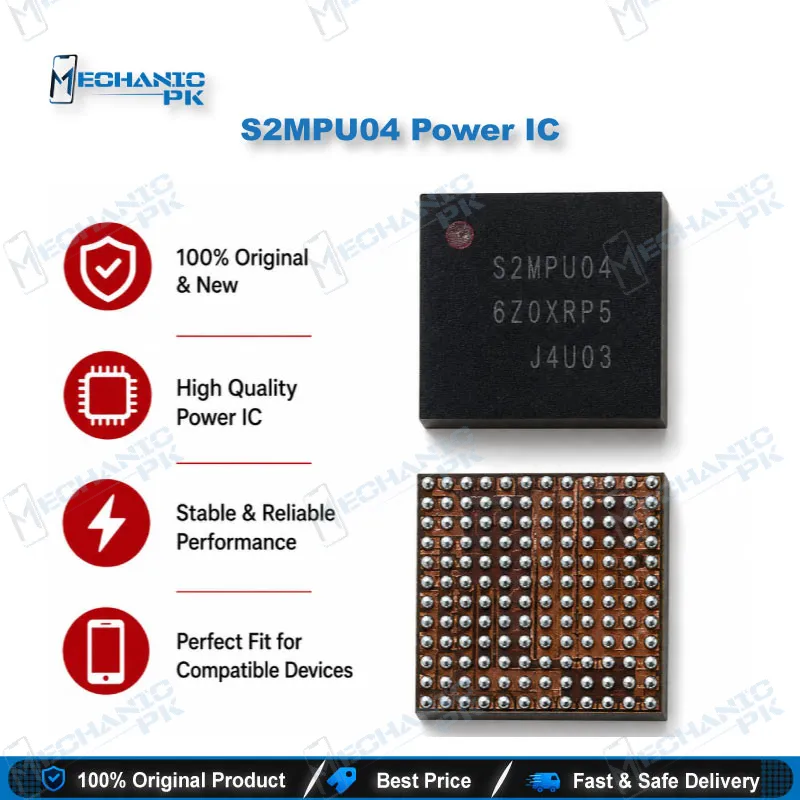
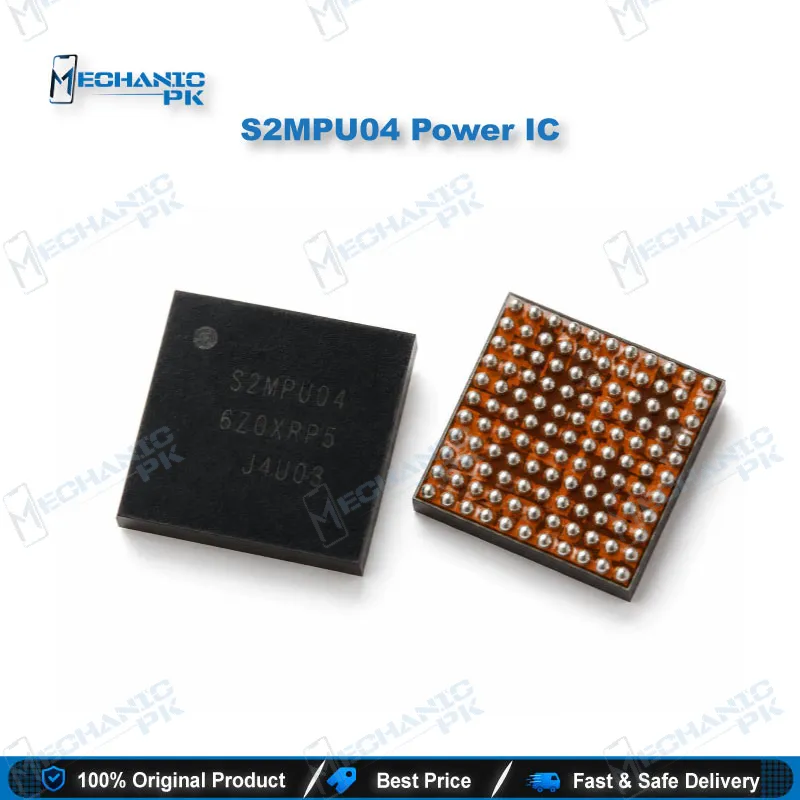
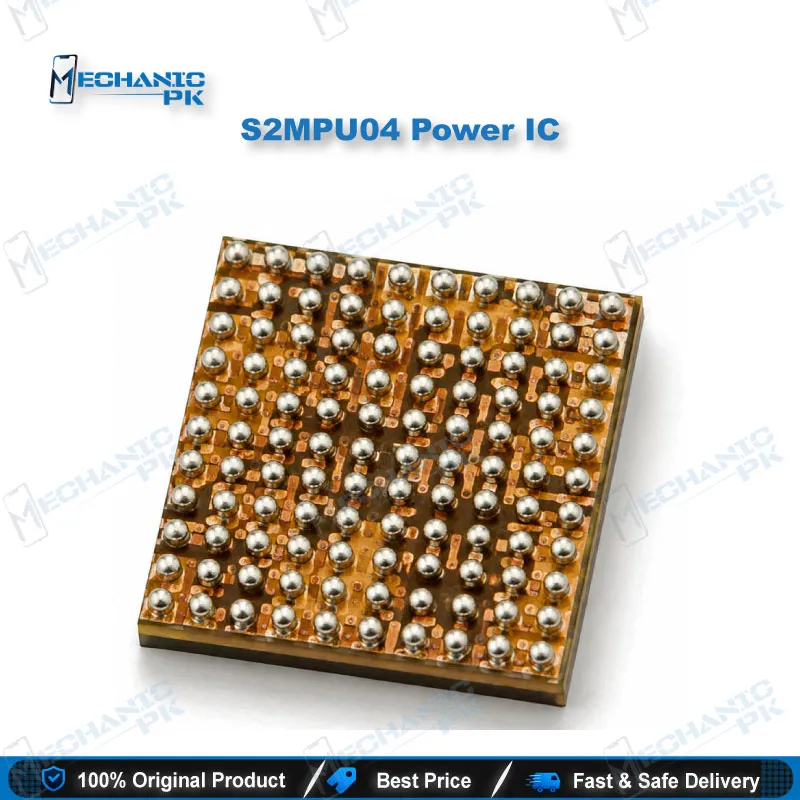
S2MPU04 Power IC for Samsung Galaxy J7 J700 & A7100 PMIC
₨ 350
Samsung S2MPU04 Power Management IC for Board-Level Repair
The S2MPU04 Power IC is a Samsung power management IC listed for Galaxy J700 series and SM-A7100 motherboards, including the S2MPU04/A variant. It controls the regulated rails that feed the processor, memory, and peripherals, so a failed unit usually leaves the phone completely dead. Replace it to restore power on boards that show no current draw, a shorted battery line, or no charging response. Match the marking on the original chip before ordering, then fit it with a hot air station and verify the rails on a DC power supply. Mechanicpk supplies this S2MPU04 power IC for technicians and service centers working at component level.
S2MPU04 Power IC: Samsung PMIC for Galaxy J700 and A7100 Board Repair
The S2MPU04 Power IC is a power management IC from Samsung’s S2M PMIC family, and distributors list the S2MPU04/A variant for the Galaxy J700 series and the SM-A7100. When the original PMIC fails, the board loses the regulated rails that the processor, memory, and peripherals depend on, and the phone stops responding to the power key. This S2MPU04 power IC gives you the exact part number you need to restore those rails at component level instead of writing off the whole motherboard.
What the S2MPU04 Does on a Samsung Board
Samsung’s S2M-series PMICs take the main battery input and convert it into multiple regulated outputs through buck converters and LDO regulators. Each rail feeds a specific block of the board, so a single PMIC fault can take down the CPU core supply, memory supply, and I/O voltages together. That central role explains why a damaged PMIC so often produces a completely dead phone rather than a partial fault.
Fault Symptoms That Point to the S2MPU04
A failed PMIC usually shows up as a dead phone with no response to charging or the power button. On a DC power supply, you may see a short on the battery line, zero current draw, or a current spike that drops back immediately. Liquid damage, a wrong charger, or a short in a connected circuit can stress the PMIC and push it into these patterns. Hang on logo and random restarts can also trace back to unstable rails, though you should rule out software and memory faults before you commit to an IC change.
Matching the Right Part Before You Order
Samsung uses closely related part numbers across its PMIC range, and suppliers list S2MPU03, S2MPU04, and S2MPU04/A as separate options. Read the marking on the original chip under your microscope and compare it with the part you plan to fit. Do not swap a neighbouring part number on assumption, because pinouts and rail configurations differ between models. A correct match at this stage saves you a second rework cycle and protects the surrounding pads.
Replacement Workflow on the Repair Bench
Lock the board in a PCB holder and shield nearby plastic connectors and components with heat-resistant tape. Apply quality flux around the PMIC and lift it with a hot air station using a controlled, even heat profile. Clean the pads with solder wick and a soldering station, then inspect every pad under magnification for lifted or torn points. Prepare the new chip, check its ball or pad condition, align it carefully, and reflow it into place. After cooling, clean off flux residue and confirm current draw on a DC power supply before you connect a battery.
Testing After the IC Change
Measure the main rails with a multimeter to confirm the S2MPU04 now delivers stable outputs. A normal power-on current curve, a working charging response, and a clean boot tell you the replacement succeeded. If the board still shows a short, the fault sits elsewhere on the line, and you can continue diagnosis with thermal checks or rosin on the suspect area.
Tools That Complete the Job
A PMIC replacement depends on precise heat control and clear visibility. Pair this IC with a reliable hot air station, a temperature-controlled soldering station, a stereo microscope, and a sturdy PCB holder. Reballing kits and stencils help when you need to reball a chip or rework neighbouring BGA components. A multimeter and a DC power supply or test box handle the verification stage, so your bench covers the full repair from diagnosis to final test.
Who Should Stock the S2MPU04 Power IC
Service centers and board-level repair shops that handle Samsung J-series and A-series units benefit from keeping this PMIC in stock. Older Samsung models still arrive at Pakistani repair counters in large numbers, and a stocked S2MPU04 lets you close dead-phone jobs the same day rather than waiting on a part. Order it alongside your rework consumables so the next power fault on a Galaxy J700 or A7100 board turns into a quick, profitable repair.
| Weight | 0.1 kg |
|---|
Key Features
- Carries the S2MPU04 part designation, so you can match it directly against the marking on the original chip
- Covers the S2MPU04/A variant that distributors list for Galaxy J700 and SM-A7100 boards
- Belongs to Samsung's S2M PMIC family, which generates the buck and LDO rails a Samsung board needs to power on
- Restores core power rails when a failed PMIC leaves the board completely dead
- Lets you repair at component level instead of replacing the full motherboard
- Fits a standard hot air rework workflow with flux, wick, and microscope inspection
- Supports fast verification on a DC power supply and multimeter after the IC change
- Suits service centers that handle a steady volume of older Samsung J-series and A-series units
Specifications
| Brand | Samsung |
|---|---|
| Model | S2MPU04 (S2MPU04/A variant) |
| Category | Mobile Phone ICs > Power Management IC (PMIC) |
| Compatibility | Samsung Galaxy J700 series, Samsung SM-A7100 |
| Supported Devices | Samsung Galaxy J7 (J700), Samsung SM-A7100 |
| Technology | Samsung S2M-series power management IC |
Common Repair Uses
- Dead phone repair where the fault traces to the PMIC
- Shorted battery line diagnosis and PMIC replacement
- No current draw or no power-on faults on a DC power supply
- No charging response caused by a failed power management stage
- Liquid-damaged board recovery after corrosion around the PMIC
- Hang on logo or random restart faults linked to unstable rails
- Board-level IC change using hot air rework
- Post-repair rail verification with a multimeter and DC power supply
Compatible Devices
- Verified scope — Samsung boards that use the S2MPU04 / S2MPU04A PMIC
- Samsung Galaxy J7 J700 series motherboards
- Samsung SM-A7100 motherboards
- Samsung boards whose original PMIC carries the S2MPU04 marking
- Samsung boards whose original PMIC carries the S2MPU04A / S2MPU04/A marking
- Any Samsung Android board confirmed to use the S2MPU04 by on-chip marking
FAQ
What is the product name?
What is the brand of this product?
What is the model of this product?
What is this product used for?
Which devices are compatible with this product?
Who should use this product?
Can I use an S2MPU03 in place of the S2MPU04 power IC?
How do I confirm a dead Samsung J700 needs an S2MPU04 replacement?
Related products