
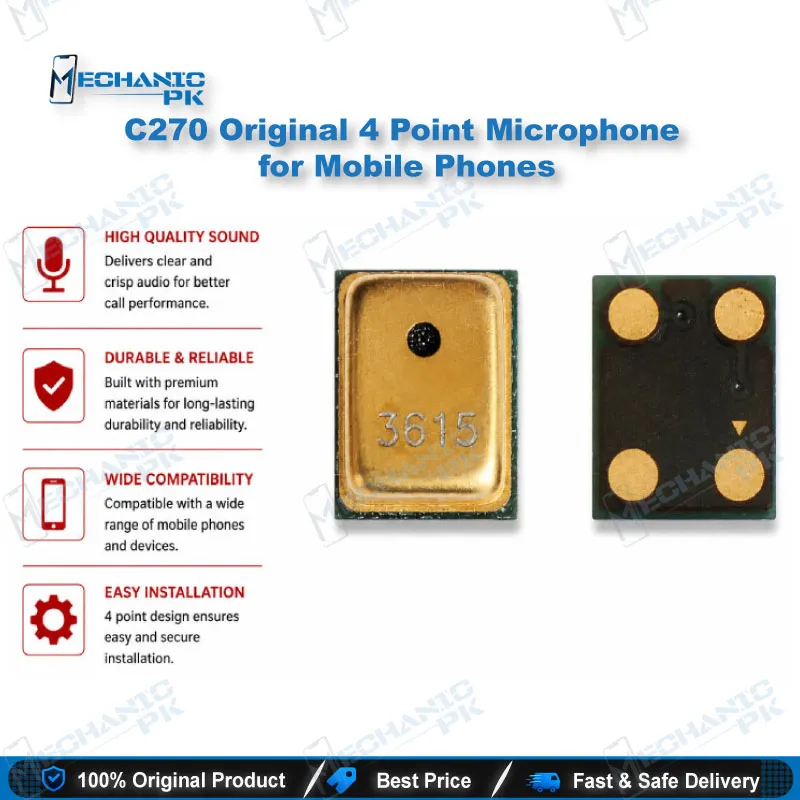
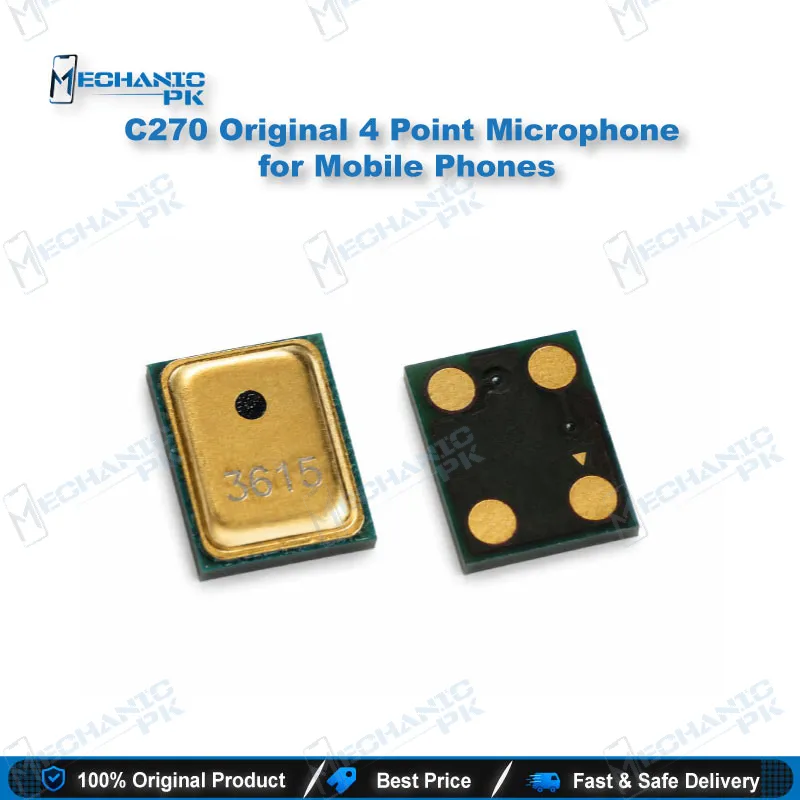
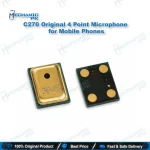
C270 Original 4 Point Microphone for Mobile Phones
₨ 45
The C270 original 4 point microphone replaces the voice pickup on a C270 handset when callers cannot hear the user. It targets the exact fault behind no voice, weak voice, and crackling during calls, so you fix the microphone instead of testing the whole board. Technicians in Pakistan stock it for fast counter repairs on keypad flip phones. Pair it with a soldering station or hot air station, a multimeter for continuity checks, and a microscope for pad inspection. Mechanicpk supplies this part with the rest of your mobile repair bench, so one order covers the part and the tools to fit it.
The C270 original 4 point microphone replaces the voice pickup on a C270 handset when the original mic stops working. A dead mic produces the complaint every bench knows: the caller hears nothing, or only faint crackle, while the earpiece and speaker work normally. This part targets that hardware fault, so you swap one component instead of chasing the whole board.
You see this fault daily in Pakistani repair shops. A customer says people cannot hear them, voice cuts out mid-call, or recordings play back silent. You check the earpiece, then the speaker, then the microphone path. When your multimeter shows an open or unstable reading across the mic, a direct replacement saves hours of hardware fault diagnosis.
C270 original 4 point microphone details at a glance: the listing covers a four point microphone for the C270 handset, which matches the Samsung SGH-C270 GSM flip phone. Compare the contact layout against your board before you pick up the iron, and confirm the pad arrangement matches.
Start the repair by opening the handset and locating the microphone on the board. Lift the old mic with a soldering station or a hot air station set to a controlled temperature, and keep the heat low enough to protect the surrounding pads. Clear old solder with flux and braid, then inspect the pads under a microscope for lifted tracks or corrosion. Fit the new microphone in the same orientation as the old one, solder each contact cleanly, and hold the board in a PCB holder so your hands stay steady.
Test before you close the phone. Place a call, speak at normal volume, and ask the other party to confirm clear pickup. Record a short voice clip and play it back to check for noise. This two-step check catches cold joints and reversed fitting early, before the customer sees the handset again.
Not every no-voice complaint comes from the microphone. Moisture damage, broken tracks, a failed audio path, or a software problem produce the same symptom. Check continuity with your multimeter first. If the board looks clean and the mic fails, replace it. If tracks look damaged, repair them first and then fit the part. Skipping this check sends you into IC change karna on the audio section when the fault sits in a four-dollar component.
Small parts punish careless handling. Overheated pads lift, excess flux leaves residue that adds noise, and a shifted microphone leaves a gap that weakens pickup. Work with a fine tip, use short heat cycles, and clean the area with isopropyl alcohol after soldering. Store spare microphones in a dry parts tray, away from dust and moisture, so the part arrives at your bench in the condition you bought it.
Repair shops that handle older Samsung keypad phones keep spare microphones on hand because the job is quick and the customer waits at the counter. A stocked mic lets you finish the repair in one visit instead of sending the handset away. You also protect your margin, since a simple mic swap takes far less bench time than a full audio section rework.
Original-grade quality matters on a part this small. A weak microphone gives low pickup and background noise, and the customer returns with the same complaint. Buying from Mechanicpk gives you a part supplied for professional repair use, alongside soldering stations, hot air stations, multimeters, microscopes, PCB holders, and reballing kits, so you can build the whole bench from one supplier.
In the wider mobile repair workflow, this part belongs to the diagnostics and rework stages: test the audio path, remove the faulty component, clean the pads, fit the replacement, and retest. Keep it in your audio repair stock next to earpieces, speakers, and ringers, and you cover the most common voice faults on C270 handsets without waiting on a supplier.
| Weight | 0.1 kg |
|---|
Key Features
- Original 4 point microphone built for the C270 handset
- Direct replacement for the faulty voice pickup
- Restores caller audio without changing other audio parts
- Suits hot air or soldering iron installation
- Quick counter repair that keeps the customer in your shop
- Fits a spare parts tray for fast repeat jobs
- Works alongside earpiece, speaker, and ringer stock
- Backed by a full range of Mechanicpk repair tools
Specifications
| Model | C270 |
|---|---|
| Category | Mobile Phone Microphone / Replacement Part |
| Compatibility | C270 handset (Samsung SGH-C270) |
| Technology | 4 point microphone |
Common Repair Uses
- Voice pickup repair on the C270 handset
- Fixing no voice during calls
- Fixing weak voice or low pickup
- Fixing crackling or noisy voice on calls
- Replacing a mic that fails a multimeter continuity test
- Replacing a mic after a drop or moisture exposure
- Restoring voice recording playback
Compatible Devices
- Verified scope limited to the C270 handset model
- C270 (Samsung SGH-C270 GSM flip phone)
FAQ
What is the product name?
What is the brand of this product?
What is the model of this product?
What is this product used for?
Which devices are compatible with this product?
Who should use this product?
How do I check whether the C270 microphone is dead before replacing it?
Can I replace the C270 microphone without a hot air station?
Related products