
















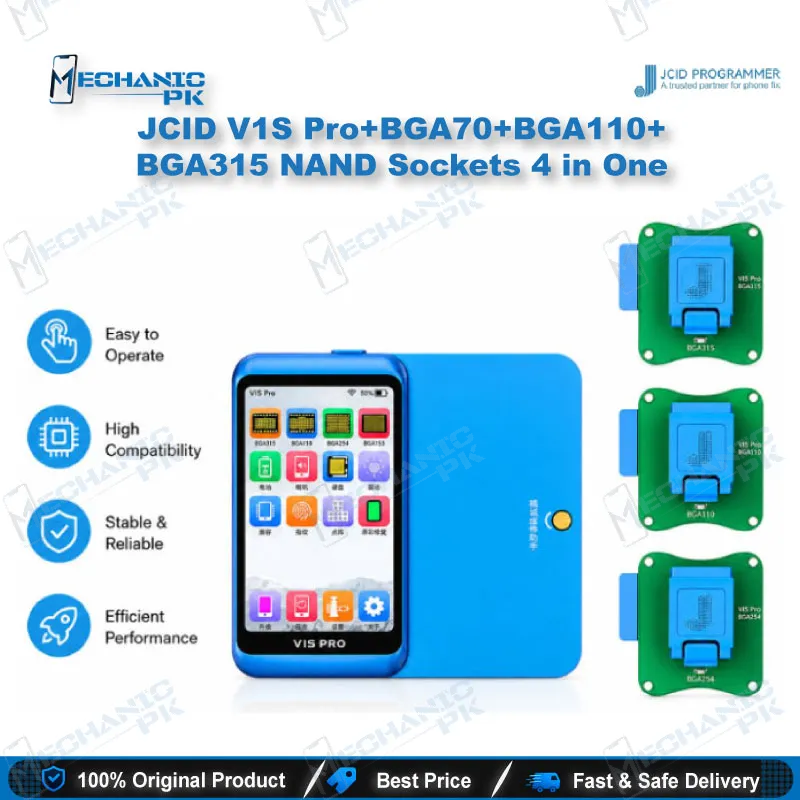
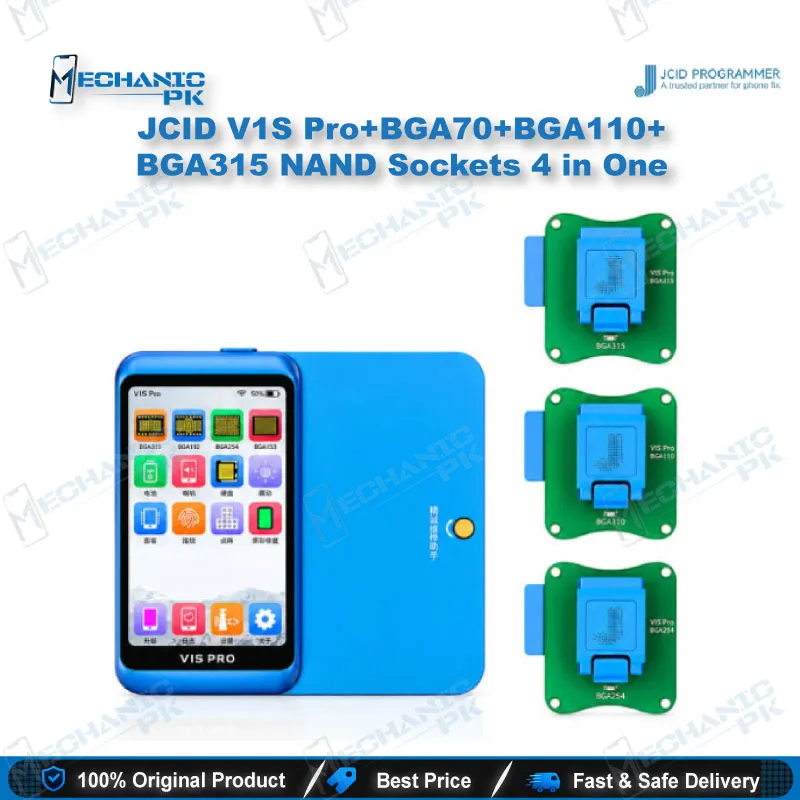
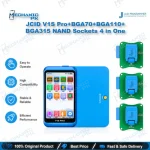
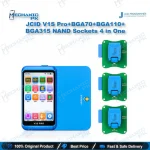
JCID V1S Pro+BGA70+BGA110+BGA315 NAND Sockets 4 in One
₨ 1
JCID V1S Pro NAND programmer kit for BGA70, BGA110 and BGA315
JCID V1S Pro+BGA70+BGA110+BGA315 NAND Sockets 4 in One gives you a complete JCID V1S Pro NAND programmer setup in one kit. The bundle pairs the main unit with three NAND modules: BGA70 for iPhone 6s to 7 Plus, BGA110 for iPhone 8 to 13 Pro Max, and BGA315 for the iPhone 14 series. For BGA110 and BGA315 work, the vendor describes switching by replacing the NAND flash holder, so one machine covers the main iPhone NAND generations. Use it for NAND read, write and format jobs on your repair bench.
Out of stock
JCID V1S Pro+BGA70+BGA110+BGA315 NAND Sockets 4 in One brings the JCID V1S Pro NAND programmer and three NAND modules into one kit, so you can read, write and format iPhone NAND storage without buying a separate fixture for each package. The JCID V1S Pro NAND programmer serves as the flagship unit in the JCID line, and it covers the chip packages used across iPhone 6s through the 14 Pro Max. Your workflow starts with identifying the NAND package on the board, then selecting the matching module, and finishing with the read, write or format routine in the software. The BGA70 module handles iPhone 6s through 7 Plus NAND, the BGA110 module handles iPhone 8 through 13 Pro Max, and the BGA315 module handles the iPhone 14 series. For the BGA110 and BGA315 packages, the vendor describes switching by replacing the NAND flash holder, which keeps both packages on one platform and cuts the time you lose when a job changes between iPhone generations. The most common case for this kit is a dead phone or boot loop that returns with suspect storage, because a verified NAND read gives you a clean copy of the data before you decide on the next repair step. Reading first also shows whether the storage itself has failed or whether the fault sits elsewhere on the board, which keeps you from reballing a chip that never had a storage fault. The write and format functions serve the stages that follow, once you have confirmed the board and the chip are sound and you need to restore or reset the storage. On a busy bench, this kit sits alongside a microscope, a hot air station, a soldering station and a reballing stencil, and it connects to the wider flow of PCB repair, IC-level diagnosis and programming. The storage stage of the repair process covers diagnosis, data backup, NAND replacement, reprogramming and final testing, and this kit supports the backup and reprogramming steps directly. Technicians who handle board-level iPhone work will use it for storage recovery, data restore and programming tasks that a standard software tool cannot reach. Keep the main unit’s software and firmware current before a job, because the vendor lists minimum versions for some modules, and the 11 series non-removal module specifically requires firmware V1.31 or later. Some newer functions depend on software releases the vendor rolls out over time, so check the feature list against your current build before you plan a job around it. According to the vendor, the V1S Pro also works with most modules from the JC Pro1000S line and with boards from the V1S and V1SE range, which lets an existing JCID setup grow instead of being replaced outright. For iPhone 11 series units that need data read without removing the chip, the vendor offers a separate non-removal module, which is not part of this kit and requires its own purchase. Choose this kit when your repair volume includes iPhone NAND work across several generations and you want one programmer for the storage stage rather than a row of single-package tools. Get the best results when the board is clean, the NAND package sits flat in its holder, and the chip gets a full inspection under magnification before you apply power. Treat the NAND read as the checkpoint that confirms your diagnosis, and log each dump so you can compare it against the next job on the same model. This approach keeps your bench efficient, protects customer data where it can be recovered, and gives Pakistani repair shops a documented path for NAND work on current iPhone models.
| Weight | 1.49 kg |
|---|
Key Features
- Four-piece kit: JCID V1S Pro main unit with BGA70, BGA110 and BGA315 NAND modules
- BGA70 module covers iPhone 6s to 7 Plus NAND packages
- BGA110 module covers iPhone 8 to 13 Pro Max NAND packages
- BGA315 module covers iPhone 14 series NAND packages
- NAND read, write and format functions on the V1S Pro platform
- BGA110 and BGA315 switch by replacing the NAND flash holder
- Vendor notes state that most JC Pro1000S modules and V1S/V1SE boards also work with the V1S Pro
- Separate non-removal module available for iPhone 11 series, sold individually
Specifications
| Brand Entity | JCID |
|---|---|
| Product Entity | JCID V1S Pro NAND programmer kit |
| Technology Entity | NAND flash read, write and format |
| Chipset Entity | Not applicable to this kit |
| Compatible Device Entities | iPhone 6s to 14 Pro Max NAND packages (BGA70, BGA110, BGA315) |
| Repair Process Entity | NAND data recovery, storage reprogramming, board-level iPhone repair |
| Industry Entity | Mobile repair tools, iPhone repair programmers, BGA NAND tools |
Common Repair Uses
- Reading iPhone NAND data before board-level repair
- Writing and restoring NAND storage after chip replacement
- Formatting NAND storage during software-side recovery
- Switching between BGA110 and BGA315 packages on one platform
- Backing up NAND data during storage-related diagnosis
- Supporting programming steps in iPhone storage repair workflows
Compatible Devices
- iPhone 6s and iPhone 7 series (BGA70 module)
- iPhone 8 through iPhone 13 Pro Max (BGA110 module)
- iPhone 14 series (BGA315 module)
- Compatibility is by NAND package, so match the module to the chip on the board
FAQ
What is the product name?
What is the brand of this product?
What is the model of this product?
What is this product used for?
Which devices are compatible with this product?
Who should use this product?
Which module do I need for iPhone 7 NAND?
Can one V1S Pro switch between the BGA110 and BGA315 modules?
Related products