
















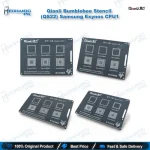
Qianli QS22 Exynos Stencil – Bumblebee CPU1 Reballing
₨ 600
Qianli QS22 Exynos CPU Stencil
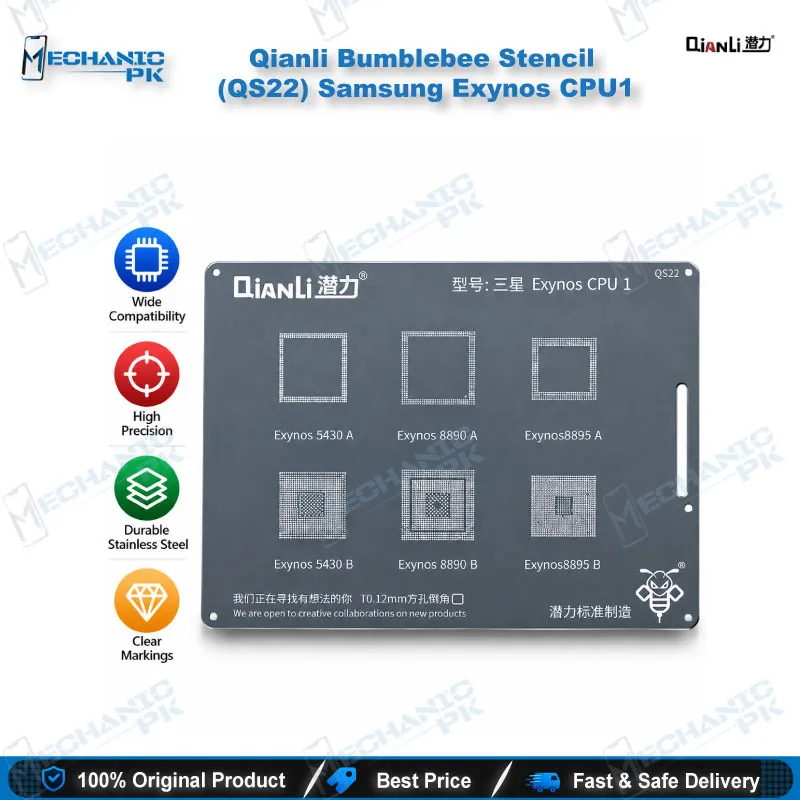
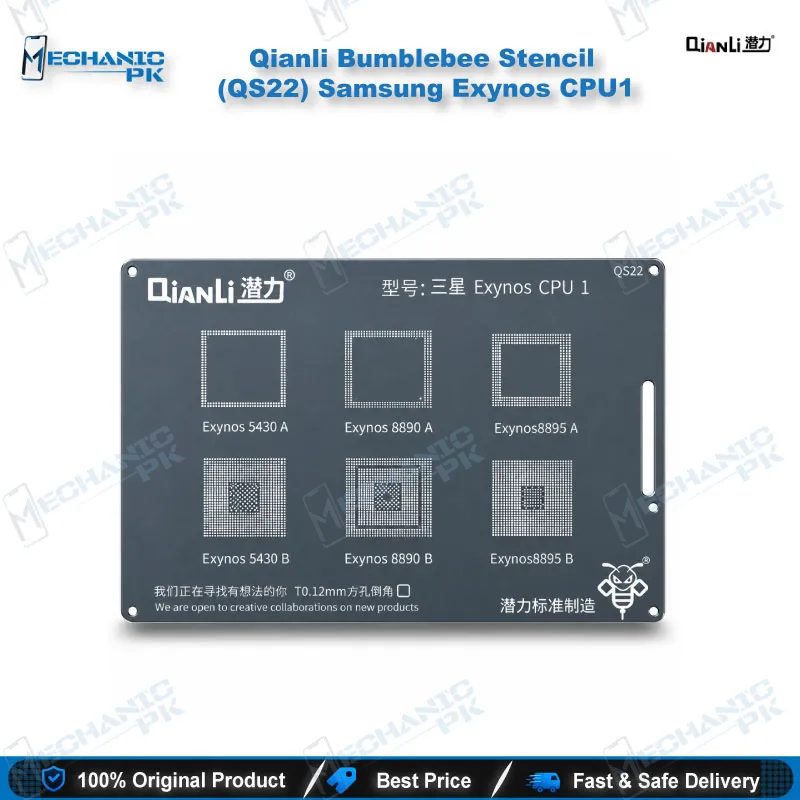
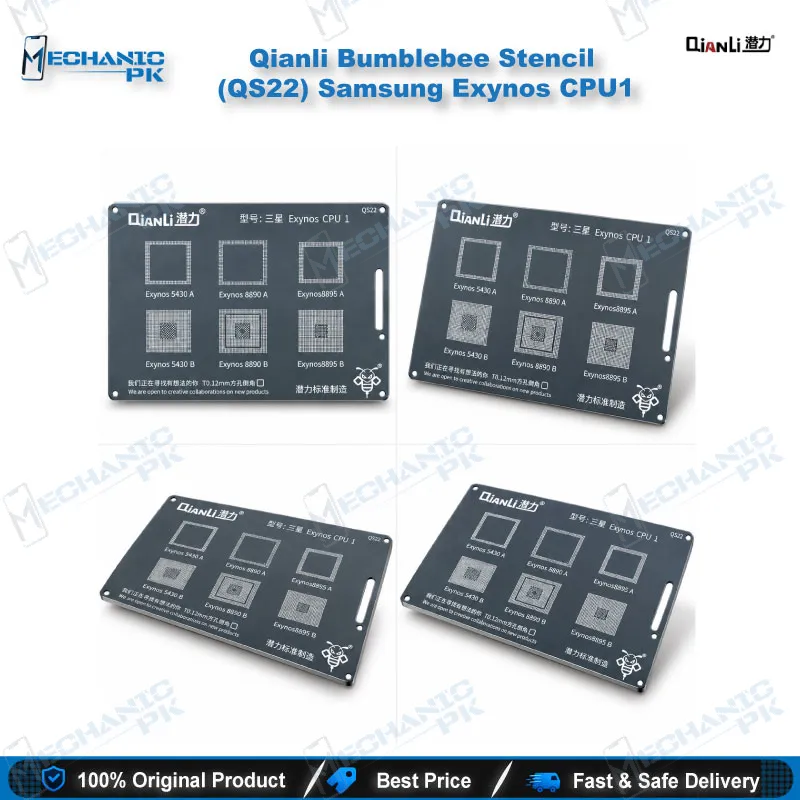
The Qianli QS22 Exynos stencil from the Bumblebee series gives you a dedicated square-hole BGA template for reballing Samsung Exynos CPUs. It covers six chip variants: Exynos 5430 A and B, 8890 A and B, and 8895 A and B. You match the marking on your board, set the stencil over the cleaned CPU, and rebuild the ball pattern before you reflow the chip. Mechanicpk supplies the QS22 to Pakistani repair shops, service centers and GSM hardware technicians who handle Samsung boards and want a chipset-matched stencil in place of a universal template.
In stock
Qianli QS22 Exynos Stencil for Samsung CPU Reballing
The Qianli QS22 Exynos stencil gives your bench a dedicated template for reballing Samsung Exynos 5430, 8890 and 8895 processors, in both A and B variants. You lift the CPU, clean the pads, and the QS22 sets the ball pattern before you reflow the chip back onto the board. Mechanicpk stocks it for Pakistani repair shops that work on Samsung flagship boards and want a chipset-matched stencil instead of a universal template. QianLi labels this model Exynos CPU1 inside the Bumblebee range, so you can find it quickly when you sort a stencil drawer by chipset.
What the QS22 Covers
The supported list stays tight: Exynos 5430 A, 5430 B, 8890 A, 8890 B, 8895 A and 8895 B. Check the chip marking on your board against that list before you start. The Exynos 8890 sits in the Exynos versions of the Galaxy S7 family, and the Exynos 8895 sits in the Exynos versions of the Galaxy S8 family. Samsung also sold Snapdragon versions of those model names, so read the CPU marking on the board itself rather than trusting the phone model. A Snapdragon board will not match this stencil.
Exynos 8890 and 8895 Stencil Coverage
If you search for an Exynos 8895 reballing stencil or an Exynos 8890 BGA stencil, the QS22 answers both needs with one part number. That keeps your inventory simple. One stencil handles the A and B variants of three chipsets, so you stock fewer SKUs for the same Samsung workload. Shops that see repeat Samsung dead phone jobs benefit most, because the stencil pays for itself across a handful of reballing sessions.
Square-Hole Bumblebee Design
The Bumblebee line uses square holes with rounded corners. QianLi describes the stencil as sturdy, precise and durable, built with a new treatment and new materials to make it easier to use. You place the stencil over the cleaned CPU, align the openings to the pads, and work your solder paste or balls through the apertures. Test the fit on a scrap board first and check the apertures against your preferred solder ball or paste size before you commit a live CPU. A clean stencil gives you an even deposit, so soak it in flux remover and wipe it after each job.
Where It Fits in Your Repair Workflow
An Exynos CPU job follows a fixed order. You diagnose first with a multimeter and a microscope, then confirm that the fault points to the CPU solder joints. Cases that arrive as dead phone, hang on logo, or boot loop issue after a drop or heat damage often send you here once the software side checks out. You preheat the board on a hot air station, lift the CPU, and clean the pads with your soldering station and flux. A PCB holder keeps the board steady while you apply the stencil. After the ball pattern sets, you reflow the CPU back and test the board. The QS22 handles the reballing step in that chain, and it works best next to a good reballing kit and a clear microscope view.
Choosing a Chipset-Specific Stencil
A chipset-specific stencil removes guesswork. You confirm the CPU, pick the matching part, and move on to the reflow. For shops that grow from basic phone repair into board-level Samsung work, the QS22 makes a low-cost entry point into CPU reballing. When your workload grows, you can step up to stronger hot air stations, better soldering stations and higher-magnification microscopes. Mechanicpk lists those tools in the same catalog, so you build one complete BGA workflow from one supplier. Order the QS22 when your board carries an Exynos 5430, 8890 or 8895 chip and you want repeatable reballing results on your bench.
| Weight | 0.5 kg |
|---|
Key Features
- Chipset-matched stencil for Samsung Exynos CPU1 group
- Covers Exynos 5430, 8890 and 8895 in both A and B variants
- Square holes with rounded corners (Bumblebee design)
- Sturdy and precise build described by QianLi
- New treatment and new materials for easier use
- One stencil covers six chip variants
- Suits repair shops, service centers and training institutes
- Fits a workflow with hot air station, soldering station and microscope
Specifications
| Brand | Qianli (QianLi ToolPlus) |
|---|---|
| Model | QS22 (Bumblebee Stencil, Samsung Exynos CPU1) |
| Category | BGA Reballing Stencil |
| Compatibility | Samsung Exynos 5430 A/B, Exynos 8890 A/B, Exynos 8895 A/B |
| Supported Devices | Samsung boards carrying Exynos 5430, 8890 or 8895 CPUs |
| Technology | Square-hole, round-corner BGA stencil (Bumblebee series) |
Common Repair Uses
- BGA reballing of Samsung Exynos CPUs on the repair bench
- Reballing an Exynos CPU after removal from the board
- Restoring the ball pattern on a lifted CPU
- Repairing weak CPU solder joints after drops or heat damage
- Dead phone cases traced to CPU solder faults
- Hang on logo and boot loop issue cases traced to CPU solder faults
- Preparing a CPU for reattach with a hot air station
- Hardware fault repair on Samsung Exynos boards
- Board-level training for technicians learning CPU reballing
Compatible Devices
- Samsung boards with the following Exynos CPUs (chipset-family scope)
- Samsung Exynos 5430 A
- Samsung Exynos 5430 B
- Samsung Exynos 8890 A
- Samsung Exynos 8890 B
- Samsung Exynos 8895 A
- Samsung Exynos 8895 B
- Galaxy S7 / S7 edge (Exynos 8890 versions only)
- Galaxy S8 / S8+ (Exynos 8895 versions only)
FAQ
What is the product name?
What is the brand of this product?
What is the model of this product?
What is this product used for?
Which devices are compatible with this product?
Who should use this product?
Which Exynos CPUs does the Qianli QS22 stencil support?
Does the QS22 stencil fit Snapdragon versions of the Galaxy S7 and S8?
Related products