Mechanic OT-SK T12 Soldering Iron Tip for Mobile Repair
₨ 1
T12 Soldering Iron Tip OT-SK for Mobile Repair Benches
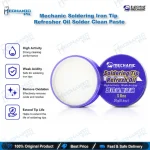
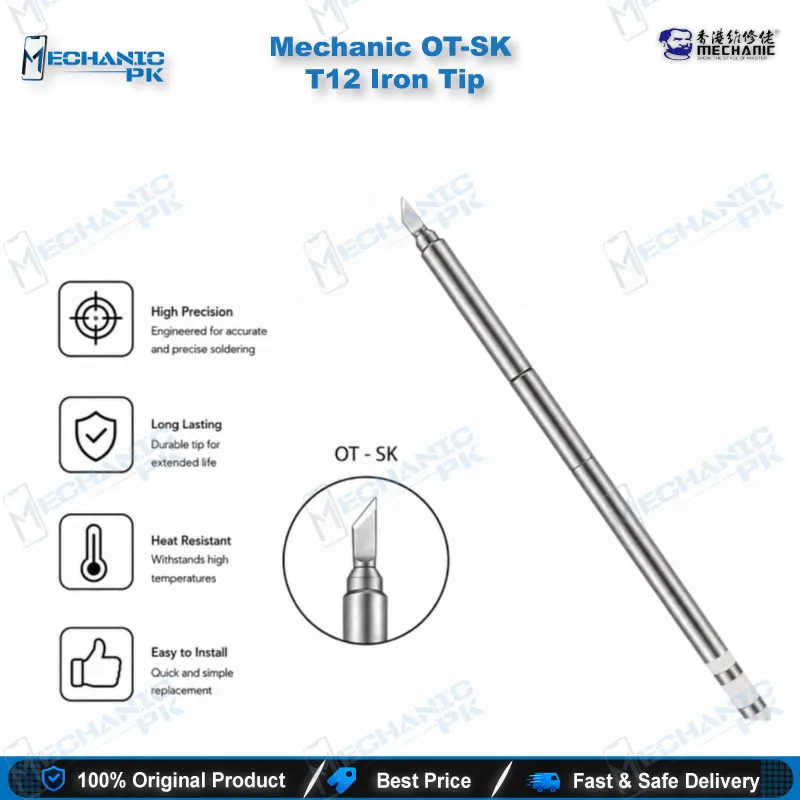
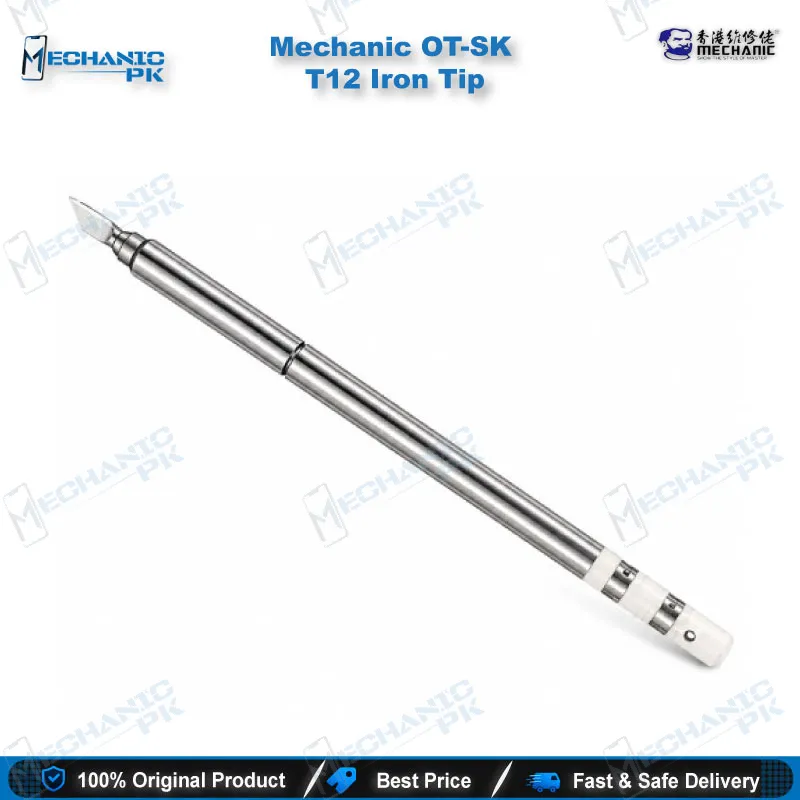
The Mechanic OT-SK is a T12 soldering iron tip built around an oxygen-free copper core and multi-layer plating. It fits T12 and 950 series rework stations, so you can use it on the bench you already run. The listing states the tip heats up in about five seconds and completes a solder cycle in roughly six. You get dependable heat transfer for motherboard CPU and BGA chip work, where a stable tip matters most. The plated surface resists oxidation and blackening, which keeps tinning clean between jobs. Net weight is 1.9 g, so the tip stays light during long rework sessions.
Out of stock
T12 Soldering Iron Tip for Mobile Repair and BGA Work
A T12 soldering iron tip performs only as well as its core and its plating, and the Mechanic OT-SK is built with both in mind. You use this tip on T12 and 950 series rework stations, so it fits the setups most mobile repair benches already run. The tip carries an oxygen-free copper base that moves heat from the heater toward the working surface. Multi-layer electroplating then guards that surface against corrosion and oxidation. For a technician who works on motherboard CPU and BGA chips, these details translate into quicker joints, steadier tinning, and fewer tip changes during a long shift. Technicians who switch between stations daily will appreciate a tip that behaves predictably from one bench to the next. Each tip in your kit should earn its place on the bench, and this one earns its place through predictable heat and steady plating. The sections below cover heating behavior, station compatibility, and the care habits that keep this tip performing.
Fast Heating and Thermal Transfer on the Bench
The OT-SK heats up in about five seconds, according to the manufacturer’s listing. That speed matters when you switch between joints on a live motherboard and want the iron ready without waiting on a slow warm-up. Mechanic also states that the tip completes a soldering cycle in roughly six seconds, which shortens each pad session during CPU and BGA work. Whether you are doing a quick IC change karna job or a careful jumper lagana repair, you spend less time waiting and more time on the joint. The listing describes a 75W heater as Swiss imported with a plug-and-play design. Heat alone does not finish the joint, though. Keep the tip wet with a little solder, apply light pressure, and let the copper carry the heat into the pad. When you hold the tip steady and clean, you transfer heat evenly and reduce the risk of lifting traces. Consistent heat also helps you avoid overheating small pads near the connector. A fast tip rewards a disciplined hand, and your daily workflow benefits when the OT-SK supplies the thermal response to back that discipline on every repair.
Compatibility With T12 and 950 Stations
The OT-SK fits T12 and 950 series soldering rework stations. Compatibility follows the station family, so this tip does not carry a phone-model fit. Confirm your handle and station type before you order, because the tip has to match the heating design your iron uses. Check your station’s model label and tip-socket style before placing the order to avoid a mismatch at the bench. Many technicians run one station for general soldering and a second for BGA rework, and the OT-SK suits either bench as long as the station belongs to a supported family. The product series includes three tip shapes, so check the shape code on the package before you buy. Choose the shape that matches your joint geometry, since reach and contact area change how quickly heat enters a pad. Keeping a labeled tip organizer on the bench saves time when the rush hits. Plan your tip kit before a busy week, and stock the shapes your daily work demands. Your bench runs smoother when each station carries the tip that suits its job.
Plating, Core Material, and Tip Care
The tip uses an oxygen-free copper core, which transfers heat efficiently from the heater to the working end. Multi-layer electroplating covers the surface with vacuum gold, rust-resistant nickel, high-temperature chrome, and iron alloy layers. Each layer targets a different failure mode, so the tip resists corrosion and oxidation over repeated heating cycles. You protect that plating with simple habits. Tin the tip at the end of each session and wipe it on a clean sponge rather than scraping it on pads. Avoid leaving the iron at full temperature with bare metal exposed, and return it to its stand whenever you step away. Those routines slow the blackening that dulls heat transfer. Keep a tip cleaner handy so you can re-tin the tip as soon as it starts to dull. Treat the tip as a consumable with a service life you control. A clean tip solders faster, so your repair bench gains speed and your tip budget lasts longer.
| Weight | 0.1 kg |
|---|
Key Features
- Heats up in about 5 seconds
- Completes soldering in about 6 seconds
- Oxygen-free copper base for thermal conductivity
- Multi-layer electroplating: vacuum gold, nickel, chrome, iron alloy
- 75W heater, described as Swiss imported
- Compatible with T12 and 950 series rework stations
- Plug-and-play tip design
- Maintenance through tinning and cleaning resists oxidation and blackening
Specifications
| Brand | Mechanic |
|---|---|
| Model | OT-SK |
| Category | Soldering Iron Tips |
| Compatibility | T12 and 950 series soldering rework stations |
| Supported Devices | Mobile phone motherboard repair (CPU and BGA chips) |
| Technology | Oxygen-free copper core with multi-layer electroplating |
| Material | Oxygen-free copper with vacuum gold, nickel, chrome, and iron alloy plating |
| Power Rating | 75W heater |
| Dimensions | 150 x 6 mm |
| Weight | 1.9 g net (11.8 g gross) |
Common Repair Uses
- Mobile phone motherboard CPU repair
- BGA chip soldering on motherboards
- Fine joint soldering on phone PCBs
- Quick joint work where fast heat-up saves bench time
- Tinning and routine tip maintenance on rework benches
Compatible Devices
- T12 and 950 series rework stations (station-level scope, not device-specific)
- T12 series soldering stations
- 950 series soldering rework stations
- Station-level fit only, not tied to a specific phone model
FAQ
What is the product name?
What is the brand of this product?
What is the model of this product?
What is this product used for?
Which devices are compatible with this product?
Who should use this product?
Does the OT-SK work with 950 series stations?
How long does the OT-SK take to heat up?
Related products