







































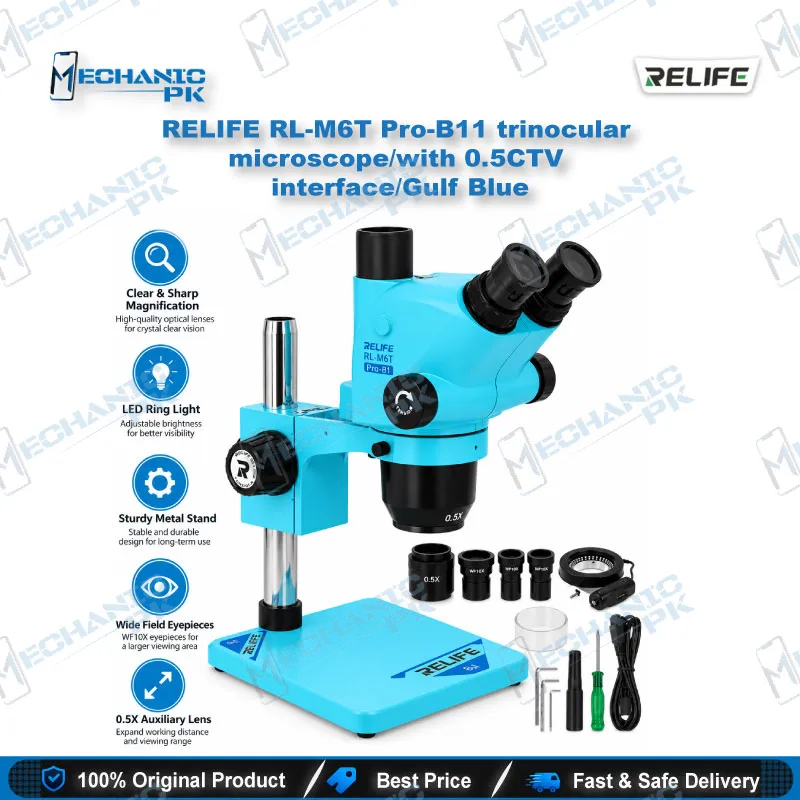

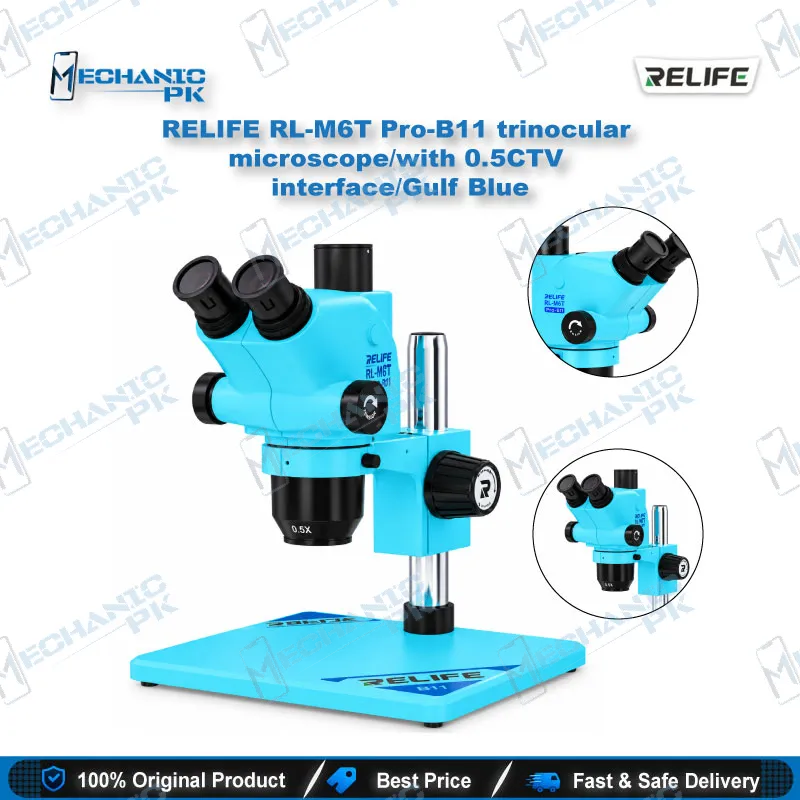



RELIFE RL-M6T Pro-B11 trinocular microscope with 0.5CTV interface Gulf Blue
₨ 80,000
The Relife RL-M6T Pro-B11 is a 6.5X–65X continuous zoom trinocular stereo microscope that gives Pakistani repair technicians a clear, wide view of the board. WF10X/25 wide-angle eyepieces and a 0.5X CTV adapter give you a sharp image with no halo, and the trinocular port lets you add an HDMI camera for a live monitor view. The 45° tilted head reduces neck strain on long jobs, and the large aluminum alloy B11 base keeps the stand steady while you work. Use it for BGA, CPU, and IC inspection, micro-soldering, and reballing on mobile phone motherboards. Gulf Blue finish.
In stock
Relife RL-M6T Pro-B11 Trinocular Microscope with 0.5X CTV Interface (Gulf Blue) – 6.5X-65X Continuous Zoom
Every micro-soldering job on a mobile phone board starts with what you can see. If you cannot read the pads under a CPU or spot a lifted track beside a charging IC, no hot air station or soldering iron can save the repair. The Relife RL-M6T Pro-B11 in Gulf Blue is a 6.5X-65X trinocular microscope that puts continuous zoom in front of you, and it gives Pakistani repair shops a stable, comfortable inspection setup. If you are comparing the Relife RL-M6T Pro-B11 price in Pakistan against basic binocular scopes, this page shows what the trinocular port, the 0.5X CTV interface, and the large B11 base add to your repair bench.
Optics That Show You the Real Fault
The zoom knob changes magnification smoothly from 6.5X to 65X, so you never jump between fixed steps. Start low to scan a dead phone for burnt components, liquid damage, or a hardware fault area, then zoom in to read IC pads before you commit to IC change karna. Keep a low zoom while you desolder to watch the flux and solder move, and switch to 65X only for final pad checks. The WF10X/25 high eye point wide-angle eyepieces give you a large field of view. The anti-reflection coating on the optical lenses raises light transmittance, so you get a brighter, clearer image at high magnification. The 100 mm working distance leaves room for tweezers, an iron tip, and a hot air nozzle under the lens.
Trinocular Port and 0.5X CTV Interface for Camera Work
The third viewing port turns the scope into a camera station. The 0.5X CTV adapter widens the field the camera sees and keeps the image sharp and uniform, without dark corners or halo effects. Add an HDMI microscope camera and a monitor, and you watch the board on a large screen while your hands work under the lens. That setup helps you train a junior technician, record a before-and-after of a repaired board, or show a customer the fault on screen. You do not need the camera on day one, because the trinocular head lets you add one when your workshop grows.
Comfort and Stability for Long Shifts
A busy bench means hours of BGA inspection and micro-soldering. The 45° tilted head reduces neck fatigue, and the viewing angle rotates a full 360°, so you find the position that suits your seat and bench layout. A knob raises and lowers the head with stepless movement, so you set focus height exactly instead of locking into fixed positions. The large aluminum alloy B11 base measures 260 mm x 320 mm, and it gives the stand a stable footprint with space for a PCB holder, a board, and your tools.
Relife RL-M6T Pro-B11 Price in Pakistan: What Your Money Buys
Compare the whole package when you check the Relife RL-M6T Pro-B11 price in Pakistan, not only the magnification range. You get a trinocular head with continuous zoom, wide-angle eyepieces, a CTV interface for camera output, and a sturdy aluminum alloy base. Many shops start with a binocular scope and hit its limit the day they want a monitor view. The trinocular design removes that limit from day one.
Trinocular Microscope for Mobile Repair: Where It Fits in Your Workflow
Diagnostics: after your multimeter shows a short, put the board under the scope and look for a cracked capacitor, a burnt IC, or corroded pads. Soldering and rework: watch the solder flow as you work with a soldering station or a hot air station, then check every joint for bridges. Reballing: inspect the pads on a CPU or IC after you clean them, and confirm each ball sits square before you reflow. CPU repair: after you lift a chip, use high zoom to check the pads for lifted copper and leftover solder before you place the new part. Testing: after reflow, confirm the joint shape under the scope before you power on the board and run your test box. Charging issue, display problem, and network issue boards all need this close inspection, because the failed part is often a tiny capacitor or a single lifted pad.
Memory and flashing cases need the scope too. Software marna or box chalana fixes many boot loop issue and hang on logo phones, but a dead after flash phone that keeps failing can point to a hardware fault. Then you turn to eMMC repair: ISP Pinout Tools and an eMMC programmer handle the data side, UFS Adapters cover UFS chips, and the 65X zoom lets you find fine ISP test points and place each jumper lagana wire without touching a neighbouring pad.
Build a Complete Bench Around It
Pair the microscope with a soldering station and a hot air station for rework, a reballing kit with stencils for BGA chips, and a PCB holder that keeps boards steady under the lens. Add a multimeter and test boxes for diagnostics, and place a ring light around the lens to brighten dark corners of the board. If you need a simpler scope for a second bench, browse the Microscopes category to compare other models.
Set Up the Microscope on Your Bench
Place the base on a flat, firm bench next to your soldering station, so you move between the scope and the iron without reaching. Set the zoom to 6.5X, put the board in a PCB holder, and turn the height knob until the board surface comes into focus. Zoom in step by step and refocus at each stage. Adjust the eyepieces to your eyes, tilt the head to a comfortable angle, and use the 100 mm working distance to move tweezers and an iron tip freely. Wipe the lenses with a soft lens cloth and skip harsh solvents that can damage coatings.
Who Should Buy the RL-M6T Pro-B11
Repair shop owners, GSM hardware technicians, service centers, and training institutes get the most from this scope. Relife also positions it for jewelry identification, production line inspection, course teaching, and experimental research, so it works outside mobile repair if your workshop takes on other precision work. Check the current Relife RL-M6T Pro-B11 price in Pakistan on this page, then order from Mechanicpk and start your next micro-soldering job with a clear view of the board.
| Weight | 6.2 kg |
|---|
1 review for RELIFE RL-M6T Pro-B11 trinocular microscope with 0.5CTV interface Gulf Blue
Clear filtersKey Features
- 6.5X–65X continuous zoom knob for smooth magnification changes
- WF10X/25 high eye point wide-angle eyepieces with a large field of view
- Anti-reflection coated optical lenses for a brighter, clearer image
- Trinocular head with 0.5X CTV adapter for HDMI camera output, without halo effects or dark corners
- Ergonomic 45° tilted head to reduce neck fatigue
- Full 360° viewing angle rotation
- Stepless knob height adjustment for exact focus
- Large aluminum alloy B11 base (260 mm x 320 mm x 17 mm) with a 100 mm working distance
Specifications
| Brand | RELIFE |
|---|---|
| Model | RL-M6T Pro-B11 |
| Category | Trinocular Stereo Microscope |
| Compatibility | 0.5X CTV trinocular interface for HDMI camera attachment |
| Supported Devices | Universal inspection microscope for mobile phone motherboards, CPU and BGA chips (not device-specific) |
| Technology | 6.5X–65X continuous zoom trinocular stereo optics, WF10X/25 high eye point wide-angle eyepieces, 0.5X CTV adapter, anti-reflection coated lenses, 45° tilted head, 100 mm working distance |
| Material | Aluminum alloy base and frame |
| Dimensions | Base size 260 mm x 320 mm x 17 mm |
Common Repair Uses
- Magnified inspection and micro-soldering on mobile phone motherboards, including CPU and BGA chip soldering repair.
- Mobile phone motherboard CPU and BGA chip soldering repair
- IC change karna: pad and pin inspection before and after removal
- Reballing: checking cleaned pads and ball alignment
- Charging issue: inspecting the charging IC, connector, and tracks
- Finding burnt, cracked, or missing components after a short on the board
- Checking liquid damage and corrosion on dead phone boards
- Locating ISP and eMMC test points for jumper lagana on dead after flash cases
- Live HDMI camera view for technician training and course teaching
Compatible Devices
- Universal inspection microscope, not device-specific. Any phone or tablet board that fits under the lens works with it.
- Android smartphone motherboards (Samsung, Oppo, Vivo, Infinix, Tecno, Xiaomi)
- iPhone logic boards
- CPU and BGA chip packages on phone motherboards
- eMMC and UFS memory chips and their ISP test points
- Power management ICs and charging ICs
- Tablet and iPad logic boards
- Smartwatch and other small-form-factor PCBs
- HDMI microscope cameras through the 0.5X CTV trinocular interface
FAQ
What is the product name?
What is the brand of this product?
What is the model of this product?
What is this product used for?
Which devices are compatible with this product?
Who should use this product?
What magnification does the RELIFE RL-M6T Pro-B11 give, and can I connect a camera to it?
Can I use the RL-M6T Pro-B11 for BGA reballing and ISP work on dead phones?
Related products

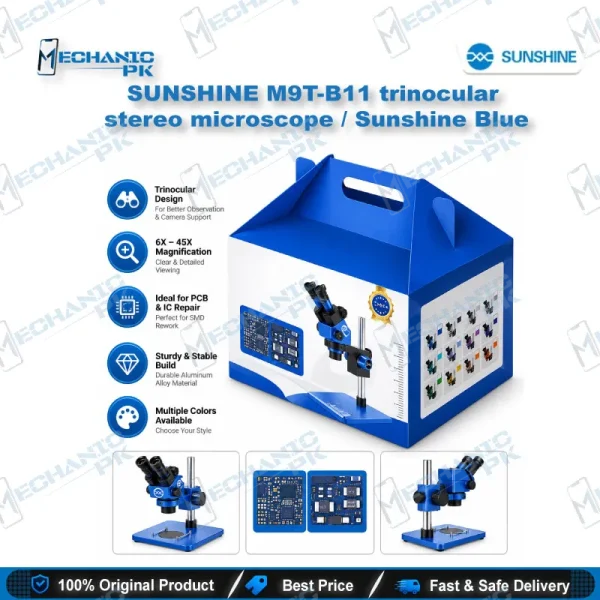
Sunshine M9T-B11 Trinocular Microscope – 6-45X Stereo Zoom with 0.5CTV Interface (Sunshine Blue)
In stock
YCS-6575X Ultra HD Trinocular Microscope 6.5X-75X
In stock
Mr. Mackay –
Or else, an alternative route: set checkpoints, networks, processes, junctions between content and layout. Depending on the state of affairs it may be fine to concentrate either on design or content, reversing gears when needed.