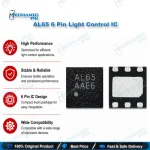
AL65 6 Pin Light Control IC – Backlight Driver for Oppo
₨ 350
AL65 6 Pin Light Control IC: LED Backlight Boost Driver
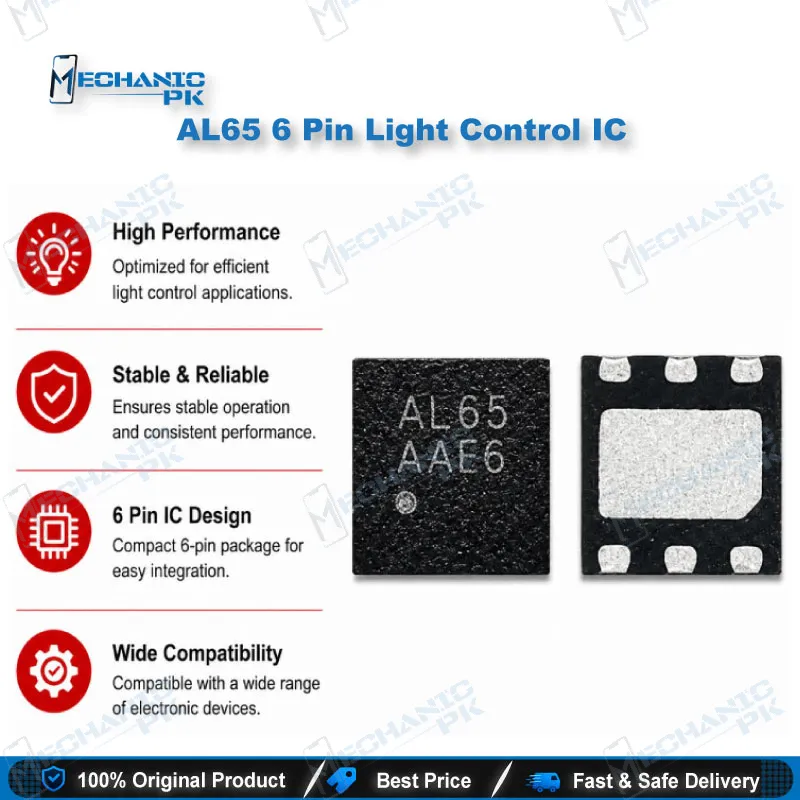
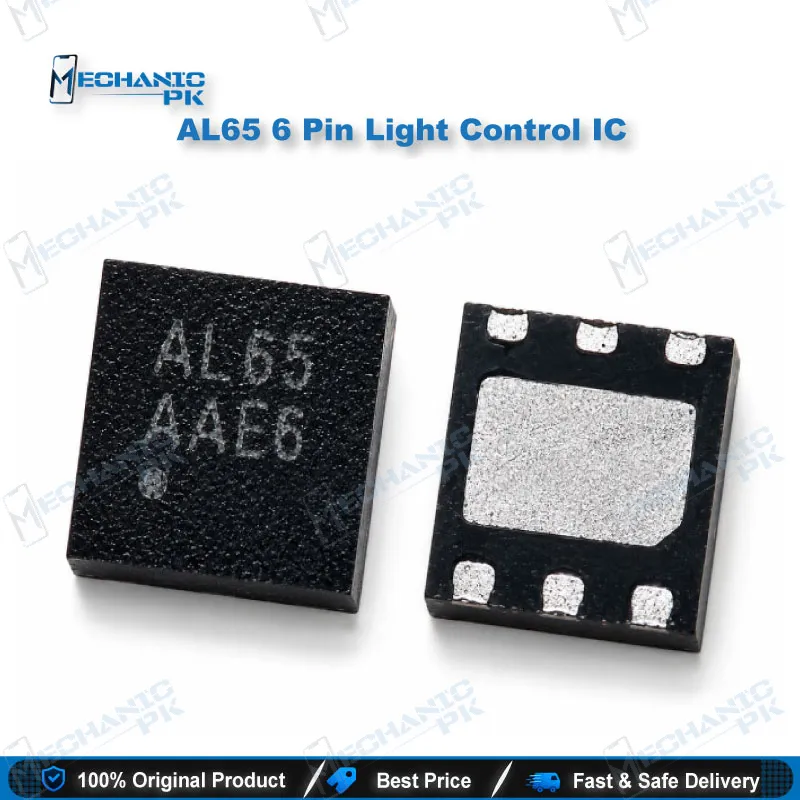
The AL65 6 Pin Light Control IC is a 6-pin SMD LED backlight driver found on Oppo A5s, A3s, A71 and Vivo Y93 class boards. It boosts battery voltage for the LCD’s series LED string and regulates current so brightness stays stable. When it fails, the phone boots and responds to touch, but the screen stays dark. This AL65 backlight driver IC is built for board-level technicians who repair no-backlight, dim or flickering display faults instead of replacing the whole screen. Supplier cross-reference lists match it with the AL61, AL62, 3726, 3756 and BZR markings, which share the same universal footprint.
AL65 Backlight Driver IC for LCD Light Repair on Oppo and Vivo Boards
The AL65 6 Pin Light Control IC is a surface-mount LED backlight driver that sits between the battery rail and the LCD backlight LED string on many budget Android boards. As an AL65 backlight driver IC, it boosts battery voltage high enough to light series-connected backlight LEDs, and it holds the current steady so brightness stays even. When this chip fails, the phone boots, touch responds and the image is still there, but the screen stays black. Mechanicpk supplies it for technicians who diagnose at component level rather than swapping full display assemblies.
How the AL65 Fits Into the Display Circuit
On Oppo A5s, A3s and Vivo Y93 class boards, the backlight stage uses a standard boost-converter layout. The AL65 switches an inductor, a diode rectifies the output, and a capacitor smooths the LED+ rail that feeds the display connector. A feedback resistor sends LED current information back to the IC, which adjusts its switching to keep the current constant. The CPU sends the enable and brightness signal, and the AL65 handles the power stage. The output rail runs far above battery voltage, so any short on the LED line or inside the panel puts direct stress on this chip. That is why it ranks among the most frequently replaced parts in display problem repairs.
Diagnosing a Failed Light IC Before Replacement
Confirm the fault before you lift anything. Shine a torch at an angle across the screen. If you can see a faint image or icons, the panel works and the backlight path has failed. Fit a known-good display to rule out the LCD’s own LED string. Then move to the board with a multimeter in diode mode. Check the LED+ line to ground for a short, test the boost diode, and inspect the inductor for cracks or burn marks. Measure the switching pin during power-on. If it shows no activity while the enable signal is valid, the IC itself has failed. This sequence covers the most common Oppo A5s light IC job, and skipping it usually means a second burnt chip within minutes.
Replacement Procedure on the Repair Bench
Lock the board in a PCB holder and work under a stereo microscope, because the package and its surrounding passives are tiny. Apply flux, then lift the old chip with a hot air station at controlled airflow so the neighbouring capacitors stay in place. Clean the pads with desoldering wick and your soldering station, tin them lightly, align pin 1 with the board marking and reflow the new AL65 backlight driver IC. Before powering up, recheck LED+ to ground with your multimeter. A clean diode reading at this point protects the new chip and saves you a repeat job.
Cross-Reference Markings for This 6 Pin Backlight IC
Supplier cross-reference lists group the AL65 with other universal 6-pin backlight ICs marked AL61, AL62, 3726, 3756 and BZR. These markings share the same footprint on many budget boards, which gives you options when one part runs out of stock. Treat any cross-reference as a starting point. Compare the original chip’s marking and orientation, and check the board schematic if you have it, before you substitute. Known fitments include Oppo A5s, A3s, A5, A71, A11X and A92S, Vivo Y93, and several entry-level Huawei display circuits.
Separating Backlight Faults From Software Faults
A black screen does not always mean a hardware fault. If the phone hangs on logo, has a boot loop issue, or stays completely dead after flash, the backlight circuit is not the cause and an IC change will not help. Those cases call for software-side equipment such as ISP pinout tools, eMMC programmers, UFS adapters or a test box. When the phone vibrates, rings and accepts touch but shows no light, the AL65 circuit becomes the prime suspect.
Building a Complete Backlight Repair Setup
Backlight repair rarely needs exotic equipment, but the basics have to work together. You need a hot air station for removal, a soldering station for pad preparation, a microscope for alignment, a multimeter for short tracing and a stable PCB holder. A reballing kit becomes useful when the same board also needs BGA work on the CPU or memory. Workshops that keep a few AL65 chips on the shelf can turn a no-backlight complaint into a short bench job instead of quoting a full screen replacement.
| Weight | 0.1 kg |
|---|
Key Features
- 6-pin SMD package that drops straight onto the original board footprint
- Boost-converter LED driver that raises battery voltage to drive series backlight LEDs
- Constant-current regulation for even, flicker-free LCD brightness
- Fits Oppo A5s, A3s, A5, A71, A11X, A92S and Vivo Y93 backlight circuits
- Cross-references with AL61, AL62, 3726, 3756 and BZR universal 6-pin markings
- Restores the backlight on phones that boot with an image visible only under a torch
- Low-cost component-level fix compared with replacing the full display
- Suited to hot air and soldering station rework under a microscope
Specifications
| Brand | Generic (unbranded) |
|---|---|
| Model | AL65 |
| Category | Mobile Phone ICs › Light / Backlight ICs |
| Compatibility | Universal 6-pin backlight IC footprint (cross-references AL61, AL62, 3726, 3756, BZR) |
| Supported Devices | Oppo A5s, A3s, A5, A71, A11X, A92S; Vivo Y93; selected entry-level Huawei models |
| Technology | Boost-converter LED backlight driver, constant-current regulation, 6-pin SMD package |
Common Repair Uses
- Board-level LCD backlight circuit repair
- No backlight, with the image visible under a torch
- Dim or uneven screen brightness
- Flickering backlight caused by an unstable boost stage
- Backlight failure after a display replacement with a shorted LED line
- Burnt light IC replacement after a short on the LED+ rail
- Backlight circuit rework after liquid damage
- Component-level display repair as an alternative to full screen replacement
- Restocking workshop spares for recurring Oppo and Vivo light IC jobs
Compatible Devices
- Budget Android boards that use the universal 6-pin backlight driver footprint
- Oppo A5s
- Oppo A3s
- Oppo A5
- Oppo A71
- Oppo A11X
- Oppo A92S
- Vivo Y93
- Entry-level Huawei display circuits using the same 6-pin backlight footprint
FAQ
What is the product name?
What is the brand of this product?
What is the model of this product?
What is this product used for?
Which devices are compatible with this product?
Who should use this product?
Can I replace the AL65 light IC with AL62 or 3756?
Why does a new AL65 backlight IC burn again after replacement?
Related products