Amaoe IPWF1 Stencil – iPhone & iPad WiFi IC Reballing
₨ 599
Amaoe IPWF1 Stencil for WiFi IC Reballing
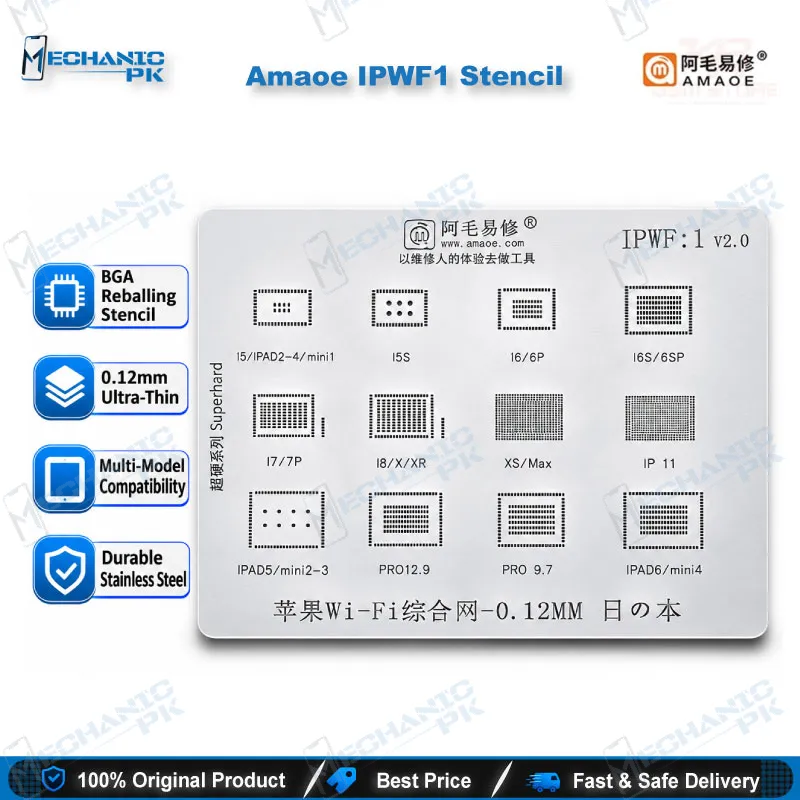
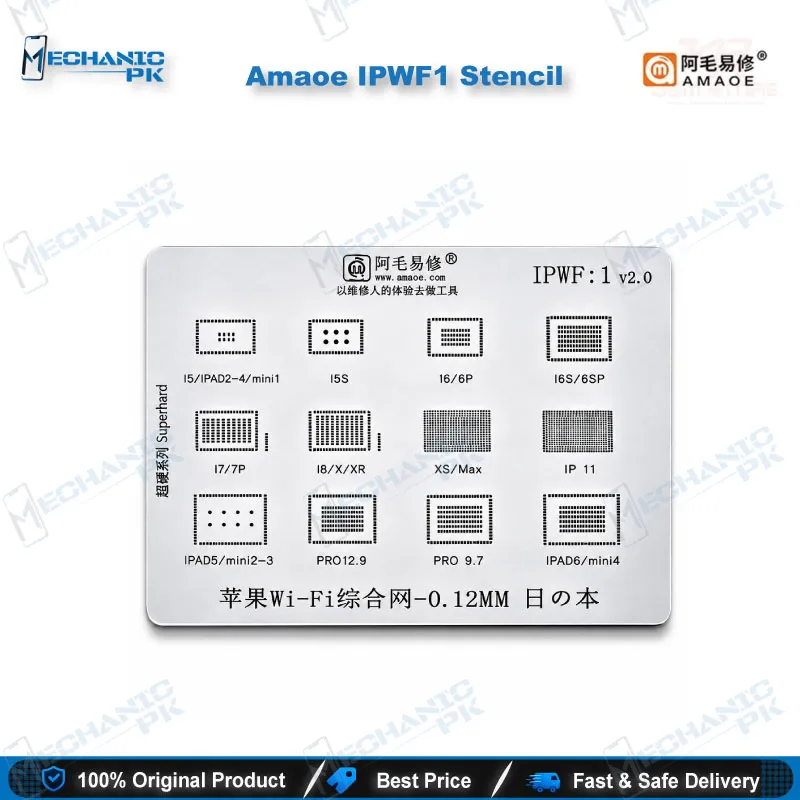
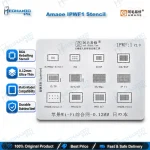
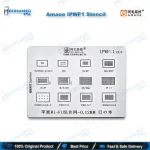
The Amaoe IPWF1 Stencil gives you a 0.12 mm Japanese steel reballing template for the WiFi IC on iPhone 5S, 6, 6S, 7, 7 Plus, 8 and X, plus a range of iPad models including iPad mini and iPad Pro 9.7 and 12.9. Place it over the cleaned pads, print your paste or set your balls, and you restore a consistent BGA pattern before you reflow the chip back onto the logic board. Mechanicpk supplies it to Pakistani repair shops that handle iPhone and iPad network issues at board level and want a reusable, ultra-thin stencil on the bench.
In stock
Amaoe IPWF1 Stencil: iPhone and iPad WiFi IC Reballing Template
The Amaoe IPWF1 stencil handles one job on Apple logic boards: reballing the WiFi IC. When a WiFi chip lifts, loses joints or comes off during board-level rework, the pads and the chip both need a fresh, evenly spaced ball pattern before you reflow. This iPhone WiFi IC reballing stencil gives you that pattern through a reusable steel template, so you stop eyeballing balls and start printing a consistent array. Mechanicpk stocks it for technicians and repair shops across Pakistan who run iPhone and iPad network repairs at component level.
Verified Build and Model Coverage
Amaoe cuts the IPWF1 from imported Japanese steel sheet at 0.12 mm thickness. That thin profile sits flat against the pad surface, which matters when you work with fine-pitch BGA pads on a compact Apple board. The steel mesh is reusable, so one stencil covers many reballing jobs over a busy month. The supplier lists coverage for iPhone 5S, 6, 6S, 7, 7 Plus, 8 and X, plus iPad 2, 3, 4, 5 and 6, iPad mini 1 to 4, and iPad Pro 9.7 and 12.9. The thickness also sets how much paste or how large a ball each aperture accepts, so you get repeatable joints from board to board instead of a different result every time. The package contains one stencil. The supplier names no individual WiFi IC part numbers, so check your board against the model list before you order.
Where It Fits in Your Board-Level Workflow
You reach for this stencil after the WiFi IC leaves the board. Clean the pads with flux and desoldering wick, inspect them under your microscope, then lock the board in a PCB holder so nothing shifts. Lay the stencil over the pads, align the apertures, and apply solder paste or set your balls through the openings. Reflow with your hot air station at a controlled temperature, lift the stencil once the metal cools, and check the result for bridges or missing balls. You run the same sequence on a removed chip when you plan to reuse it. Work slowly during alignment, because a stencil that sits even slightly off the pads gives you bridged balls and a second teardown.
Technicians use this step on a WiFi greyed out complaint, on a hardware fault after a drop, and on a network issue where the IC joints fail but the chip itself still works. A stencil does not replace good basics, so keep a soldering station, a multimeter for continuity checks and a reballing kit with quality flux and balls next to it. Clean the stencil with isopropyl alcohol after each job so dried paste never narrows the apertures on your next board.
Choosing the Right Stencil for Your Bench
Apple boards from the iPhone 5S era through the iPhone X, along with the iPad range, share a common repair pattern: a small WiFi IC, tight pads and little room for error. A dedicated WiFi stencil keeps ball size and spacing uniform on the supported models, and that uniformity decides whether the chip seats cleanly on the second reflow. If your bench also handles newer iPhones, add model-specific Amaoe stencils for the CPU and middle layer. If you also service Android boards, build out the ISP pinout tools, eMMC programmers and UFS adapters side of your setup so one board never sends you shopping for a missing tool.
You can check the current Amaoe IPWF1 stencil price in Pakistan on this product page. Stock a spare if you reball WiFi ICs daily, since a stencil that sees heavy paste printing wears faster than one that sits in a drawer. Keep it flat in a protective sleeve between jobs, and you keep the apertures sharp and the 0.12 mm sheet free of bends.
| Weight | 0.11 kg |
|---|
Key Features
- 0.12 mm ultra-thin steel sheet that sits flat on fine-pitch pads
- Imported Japanese steel mesh construction
- Reusable across many reballing jobs
- Built for the WiFi IC on supported iPhone and iPad boards
- Covers iPhone 5S through iPhone X
- Covers iPad, iPad mini and iPad Pro 9.7 and 12.9 models
- Works with solder paste or ball placement
- Single-stencil pack for straightforward bench use
Specifications
| Brand | Amaoe |
|---|---|
| Model | IPWF1 |
| Category | BGA Reballing Stencil |
| Compatibility | iPhone 5S, 6, 6S, 7, 7 Plus, 8, X; iPad 2 to 6; iPad mini 1 to 4; iPad Pro 9.7 and 12.9 |
| Supported Devices | iPhone and iPad WiFi IC |
| Technology | BGA reballing |
| Material | Imported Japanese steel sheet, 0.12 mm thickness |
Common Repair Uses
- WiFi IC reballing and rework on Apple logic boards
- Reballing a removed WiFi IC before reuse
- Reballing the board pads before fitting a replacement WiFi IC
- Restoring lifted or damaged WiFi IC solder joints
- Fixing a WiFi greyed out fault caused by joint failure
- Repairing a network issue after a drop or board flex
- Re-tinning cleaned pads with a uniform paste pattern
- Reflow rework with a hot air station on iPhone boards
- Reflow rework on iPad logic boards
Compatible Devices
- Apple iPhone and iPad models with a WiFi IC, scoped to the supplier-listed models
- iPhone 5S
- iPhone 6 and iPhone 6S
- iPhone 7 and iPhone 7 Plus
- iPhone 8
- iPhone X
- iPad 2, iPad 3, iPad 4, iPad 5 and iPad 6
- iPad mini 1, 2, 3 and 4
- iPad Pro 9.7 and iPad Pro 12.9
FAQ
What is the product name?
What is the brand of this product?
What is the model of this product?
What is this product used for?
Which devices are compatible with this product?
Who should use this product?
What thickness and material is the Amaoe IPWF1 stencil?
Does the Amaoe IPWF1 stencil cover iPhone 8 Plus or iPhone XR WiFi ICs?
Related products