
















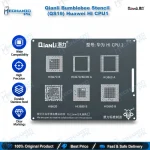
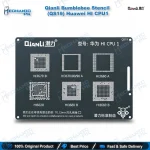
Qianli Bumblebee Stencil (QS19) Huawei HI CPU1
₨ 600
Qianli QS19 Stencil for Huawei HI CPU1 Chips
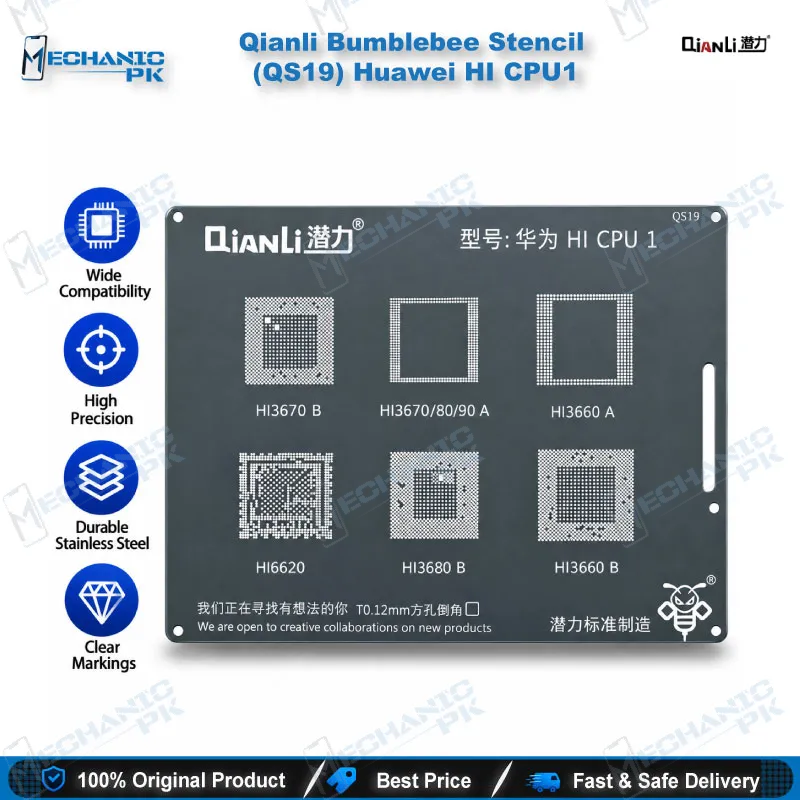
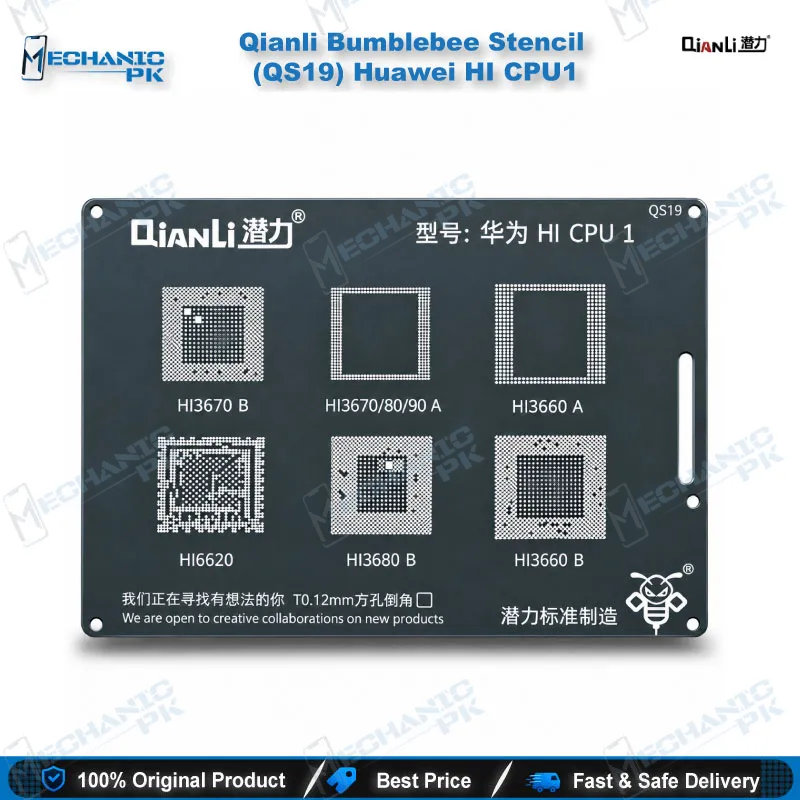
The Qianli Bumblebee Stencil (QS19) Huawei HI CPU1 gives your bench a dedicated reballing template for HiSilicon processors, including HI3660A, HI3660B, HI3670B, HI3680B and HI6620. Square holes with rounded corners hold solder balls in position, so each reballed CPU leaves your hot air station with evenly aligned joints. The stencil uses high-temperature resistant steel and targets technicians who rework Huawei and Honor boards with boot loop, hang on logo or dead phone faults. Order this Huawei HI CPU1 reballing stencil from Mechanicpk and keep a matched template ready for every Kirin job.
In stock
Huawei HI CPU1 Reballing Stencil: Built Around HiSilicon Chip Footprints
The Huawei HI CPU1 reballing stencil from Qianli’s Bumblebee range, sold as the Qianli Bumblebee Stencil (QS19) Huawei HI CPU1, covers a defined group of HiSilicon processors instead of a single chip. Qianli numbers its Huawei stencils in sets, and QS19 carries the first set: HI3660A, HI3660B, HI3670B, HI3680B and HI6620. After you lift one of these processors for reballing, the stencil decides whether the new ball grid lands in the right place, so matching the stencil to the chip marking matters more than any other step on the job.
Stencil Layout and Material
The QS19 uses square holes with rounded corners, a hole style that releases solder balls cleanly and keeps placement consistent across the whole grid. Qianli makes the plate from high-temperature resistant steel, so it tolerates the heat of a hot air station during reballing. A flat, rigid template matters because a bent plate shifts balls and leaves bridged or missing joints. The package contains one stencil. You supply the rest of the setup: a reballing kit with solder balls or paste, flux, and a PCB holder that keeps the chip steady while you work.
Where QS19 Fits in a Huawei CPU Repair Workflow
Start with the diagnosis, not the stencil. A Huawei or Honor board that arrives as a dead phone, a boot loop issue or a hang on logo fault can point to software, storage or the CPU itself. Check the supply rails and look for shorts with a multimeter, then inspect the board under a microscope for lifted pads, cracked joints or liquid residue. Rule out storage and software next: ISP pinout tools, eMMC programmers and a test box help you separate a dead after flash case from a true CPU solder fault.
Once the board work points to the processor, the CPU reballing process runs in a fixed order. Preheat the board, lift the chip with your hot air station, and clean the pads on both the board and the processor with a soldering station, flux and wick. Fix the chip in place, lay the QS19 over the pads, fill the holes with solder balls, and reflow until the balls seat cleanly. Lift the stencil, check the ball grid under the microscope, then reflow the chip back onto the board. This is the hardware fault route that saves a Huawei board when the joints, not the silicon, caused the failure.
Picking the Right Stencil in the Qianli Huawei Range
Qianli splits its Huawei HI stencils by chip group, so the wrong choice wastes a job. QS19 serves the HI CPU1 group listed above. QS20 serves HI CPU2, and QS21 serves HI CPU 3, which covers HI3650A, HI3650B, HI6250, HI6260A, HI6260B and HI6260 V101. If your chip reads HI3650 or HI6250, reach for the QS21 instead. Read the marking under magnification before you order, because a close footprint still fails when the ball pitch or layout differs.
Repair shops that handle Huawei and Honor boards in volume usually keep several stencils from this range on the bench, since each processor group needs its own template. QS19 suits Kirin 960, Kirin 970 and Kirin 980 class boards, which power P10, P20, P30 and Mate 9, Mate 10 and Mate 20 series phones. Pair it with a hot air station, a fine-tip soldering station and a good microscope, and the Huawei HI CPU1 reballing stencil becomes a repeatable part of your workshop process instead of a trial-and-error step.
Keep the stencil flat in a stencil holder or a labelled pouch between jobs, and wipe off flux residue after every use. A clean plate gives you clean holes, and clean holes give you balls that seat on the first pass. Service centers and training institutes also use the QS19 to teach students how a CPU reball differs from an IC change, because the stencil makes the ball placement step visible and easy to check.
| Weight | 0.1 kg |
|---|
Key Features
- Square holes with rounded corners for clean solder ball release
- High-temperature resistant steel plate
- Dedicated to the Qianli HI CPU1 chip group
- Covers HI3660A, HI3660B, HI3670B, HI3680B and HI6620
- Part of the numbered Qianli Bumblebee Huawei stencil range
- Suits Kirin 960, 970 and 980 class boards
- Works with standard reballing kits, solder balls and paste
- Ships as a single stencil per pack
Specifications
| Brand | Qianli |
|---|---|
| Model | QS19 (Bumblebee Stencil, HI CPU1) |
| Category | BGA Reballing Stencil |
| Compatibility | Huawei HiSilicon HI CPU1 group (HI3660A, HI3660B, HI3670B, HI3680B, HI6620) |
| Supported Devices | Huawei and Honor phones built on the HiSilicon chips listed above |
| Technology | BGA reballing, square holes with rounded corners |
| Material | High-temperature resistant steel |
Common Repair Uses
- Reballing HiSilicon CPUs on Huawei and Honor boards after board-level diagnosis points to the processor.
- Reballing a Huawei CPU after hot air removal
- Re-tinning the pads of a replacement or donor processor
- Repairing cracked or lifted CPU joints behind a boot loop issue
- Repairing CPU joint faults that cause hang on logo
- Recovering a dead phone after drop or liquid damage that broke CPU solder balls
- Re-seating a processor during a board refurbishment
- Preparing a CPU for transfer to a replacement board
- Training technicians in BGA reballing on Kirin-class boards
Compatible Devices
- Chip-family scope, covering Huawei and Honor models built on HI3660, HI3670, HI3680 and HI6620 processors. Confirm the chip marking on your board before ordering.
- Huawei P10 and P10 Plus (Kirin 960, HI3660)
- Huawei Mate 9 and Mate 9 Pro (Kirin 960, HI3660)
- Honor 9, Honor V9 and Huawei nova 2S (Kirin 960, HI3660)
- Huawei P20 and P20 Pro (Kirin 970, HI3670)
- Huawei Mate 10, Mate 10 Pro and Mate 10 RS (Kirin 970, HI3670)
- Honor 10 and Honor V10 (Kirin 970, HI3670)
- Huawei P30, P30 Pro and Mate 20 series (Kirin 980, HI3680)
- Huawei P7 series (Kirin 910T, HI6620)
FAQ
What is the product name?
What is the brand of this product?
What is the model of this product?
What is this product used for?
Which devices are compatible with this product?
Who should use this product?
Can I use the QS19 stencil on a HI3650 or HI6250 CPU?
What hole style does the QS19 stencil use for reballing?
Related products