
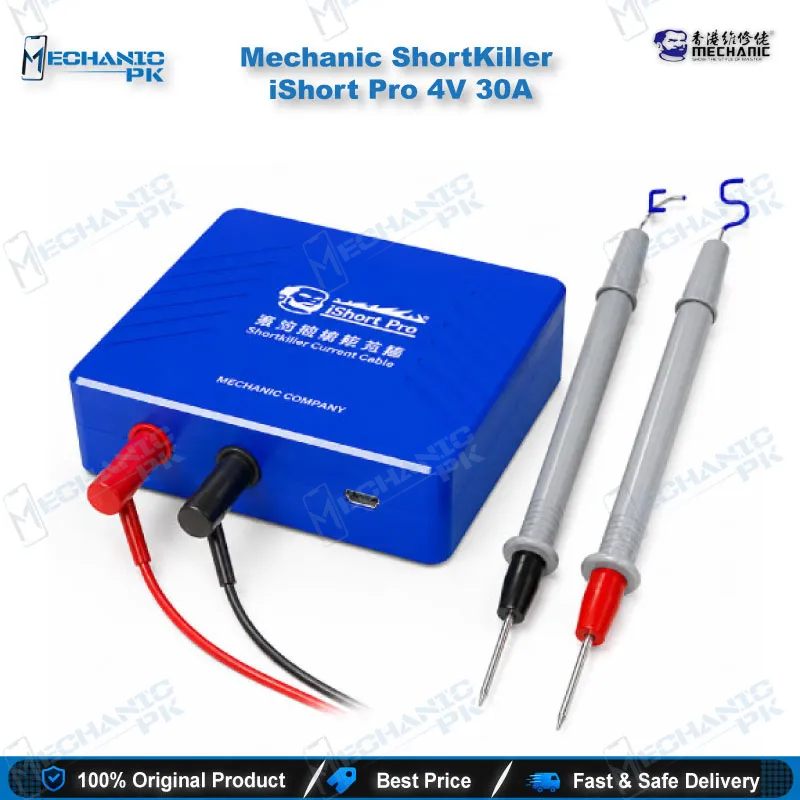
Mechanic iShort Pro 30A Short Killer Circuit Detector
₨ 1
Mechanic iShort Pro 30A Short Killer for Motherboard Fault Detection
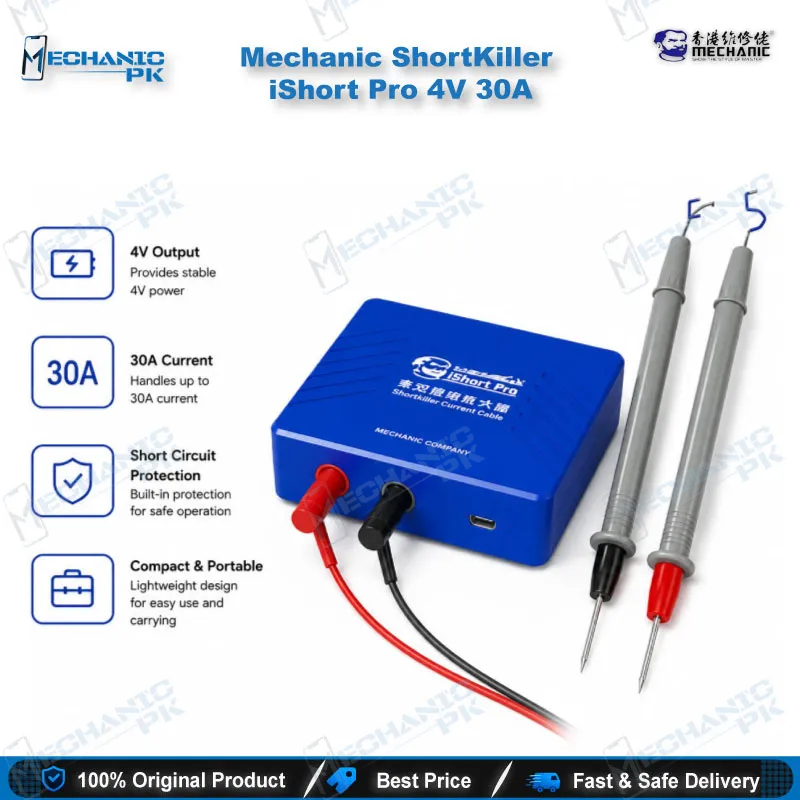
The iShort Pro is a battery powered short circuit detector that delivers up to 30A at 4V, built for locating shorted components on phone and laptop mainboards. It applies high current to the board so the shorted point heats up and becomes easier to trace. Mechanic lists fault locking within one second, a 168-hour standby time, and a 100W maximum rating. The compact 95 x 77 x 25 mm housing fits beside a multimeter and a hot air station, and it charges through a micro USB port. Use it to speed up dead board diagnosis before you commit to rework.
Out of stock
Mechanic iShort Pro 4V 30A Short Killer for Faster Motherboard Diagnosis
The iShort Pro short killer is a battery powered short circuit detector for technicians who need to find a fault quickly on a dead board. When a mainboard draws excess current, one shorted capacitor, resistor, or IC pin can stop the entire device from powering up. This tool applies controlled current to the board, so the shorted point heats up and becomes easier to trace. Mechanic rates the unit at a 30A maximum output, which gives you enough current to clear stubborn micro shorts. Your repair bench gets a dedicated diagnostic step before any desoldering starts.
Where the iShort Pro Fits in Your Repair Workflow
Short circuit detection sits at the very start of a board-level repair. Before you test individual ICs or replace a charging section, you need to know which part of the board draws excess current. The iShort Pro handles that first step. You connect it to the board’s power path, apply controlled output, and watch where the fault appears. Once you identify the shorted point, you move to the next stage, whether that means removing a faulty capacitor, replacing a power IC, or checking the charging circuit with a multimeter. Pair this tool with a good microscope and a soldering station, and your bench covers the full chain from diagnosis to repair. Technicians who skip this stage often lose hours chasing a dead board that needed only one shorted component removed.
Output Power and Fault Locking Performance
Mechanic rates the iShort Pro at a 30A maximum output, with an output voltage of 4V and a 100W maximum power rating. That current level matters on boards where a shorted path hides behind a low-resistance trace. Higher output pushes more energy into the fault, which helps the shorted point heat up quickly enough for you to see or measure it. The manufacturer also states that the tool locks a short circuit within one second. Real results depend on board layout and how the fault presents, so treat that one-second figure as the manufacturer’s rating. Watch the board closely during each test. Stop the moment you locate the heat point, and avoid holding the output on for long periods, since sustained high current can damage good components around the fault.
Battery Life, Charging, and Bench Handling
The iShort Pro runs on its internal battery, so you can use it at your bench without a wall adapter during a session. Mechanic lists a standby time of 168 hours, which means you can leave it idle through a busy week and still find it ready for the next dead board. Charging uses a micro USB port. Keep the charging cable with the tool, and charge it from a stable adapter rather than a weak USB source. At 95 x 77 x 25 mm, the housing takes little space on a crowded workstation. Store it away from metal tools and flux puddles so the connections stay clean. Check the probe leads before each session, because damaged leads cause unreliable contact and misleading readings.
Safe Use Habits on Live Boards
Current injection demands discipline. Disconnect the battery and remove any external power before you attach leads to a mainboard. Inspect the board for visible burn marks, lifted pads, and liquid damage, since those signs often point to the fault location before you apply any output. Set your test point and keep your hands clear of the probe tip during each run. Ventilate the bench, because heating a shorted part can release flux smoke. Never leave the unit running unattended on a board. Power down the tool after each cycle, let the board cool, and then continue. This routine protects both you and the board from avoidable damage.
Getting More From Short Detection on Phones and Laptops
Phone and laptop boards behave differently under test, so adjust your approach to each device class. On a phone, shorts often sit near the power IC, charging port, or audio section, so start your probing in those zones. Laptop boards carry more distributed power rails, which can hide a short behind several parallel components. Work from the input connector inward and isolate each rail before you move on. Cross-check suspicious parts with a multimeter in diode mode, and use your microscope to confirm burn marks. Mechanic describes the iShort Pro for use across various mobile phones and computers, so it fits both phone and laptop workloads. Keep a notebook of fault locations by model, because your own repair history becomes your fastest reference over time. Technicians who log each case build a diagnostic library that shortens future repairs.
| Weight | 0.9 kg |
|---|
Key Features
- 30A maximum output current for stubborn short circuits
- 4V output voltage with a 100W maximum rating
- Fault locking within one second, according to the manufacturer
- Short-circuit disassembly support for faster component removal
- Quick removal of capacitors and resistors during rework
- 168-hour standby time for ready use at the bench
- Battery powered operation with micro USB charging
- Compact 95 x 77 x 25 mm housing with CE, EN 61010-1, and RoHS certification
Specifications
| Brand | Mechanic |
|---|---|
| Model | iShort Pro |
| Category | Short Circuit Detector |
| Compatibility | Universal, not device-specific |
| Supported Devices | Mobile phone and computer mainboards and PCBs |
| Technology | High-current short circuit detection |
| Output Voltage | 4V (max) |
| Output Current | 30A (max) |
| Power Rating | 100W (max) |
| Power Source | Battery powered |
| Standby Time | 168 hours |
| Charging Port | Micro USB |
| Dimensions | 95 x 77 x 25 mm |
| Certifications | CE, EN 61010-1, RoHS |
Common Repair Uses
- Locating a shorted capacitor after a dead phone power-on
- Finding a short on a charging circuit that causes a charging issue
- Diagnosing a laptop that will not power on due to a board short
- Clearing a micro short before replacing a power IC
- Removing shorted capacitors and resistors during rework
- Tracing a hardware fault across mainboard power rails
- Burning out a stubborn micro short on a PCB
- Confirming burn points before soldering replacement parts
Compatible Devices
- Mobile phone mainboards, universal across brands
- Smartphone power IC and charging sections
- Smartphone boards with shorts near the charging port
- Laptop motherboards
- Desktop computer PCBs
- General PCB boards with short circuit faults
- Multi-layer mainboards with dense component groups
- Dead boards that need fault location before rework
FAQ
What is the product name?
What is the brand of this product?
What is the model of this product?
What is this product used for?
Which devices are compatible with this product?
Who should use this product?
What output current does the iShort Pro deliver?
How fast does the iShort Pro lock a short circuit?
Related products