
JCID XR-12PM Wide Angle Camera Repair Adaptor
₨ 4,800
JCID XR-12PM Wide Angle Camera Repair Adaptor for iPhone Rear Camera Repair
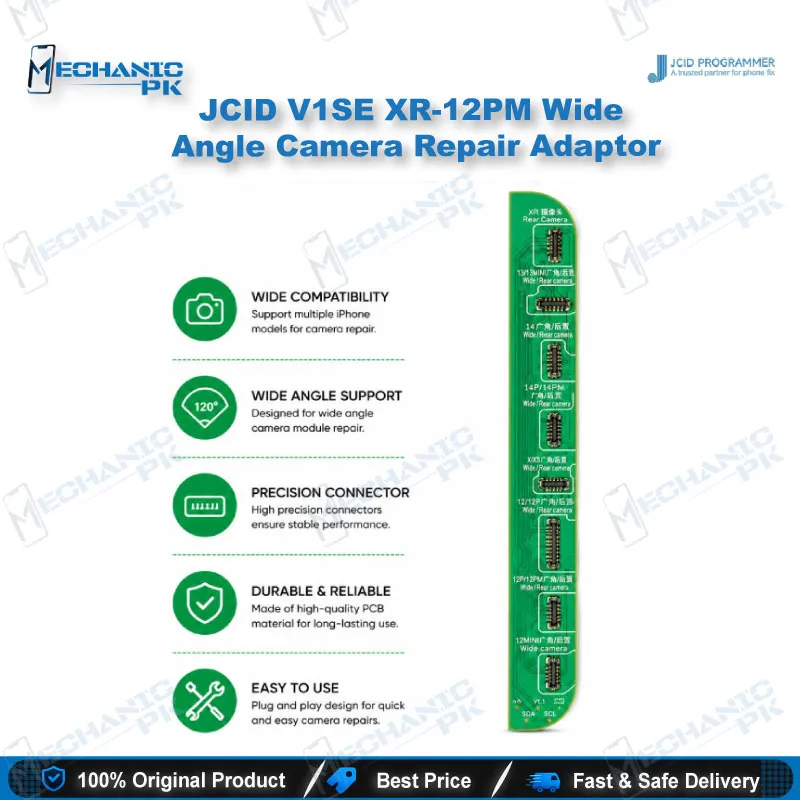
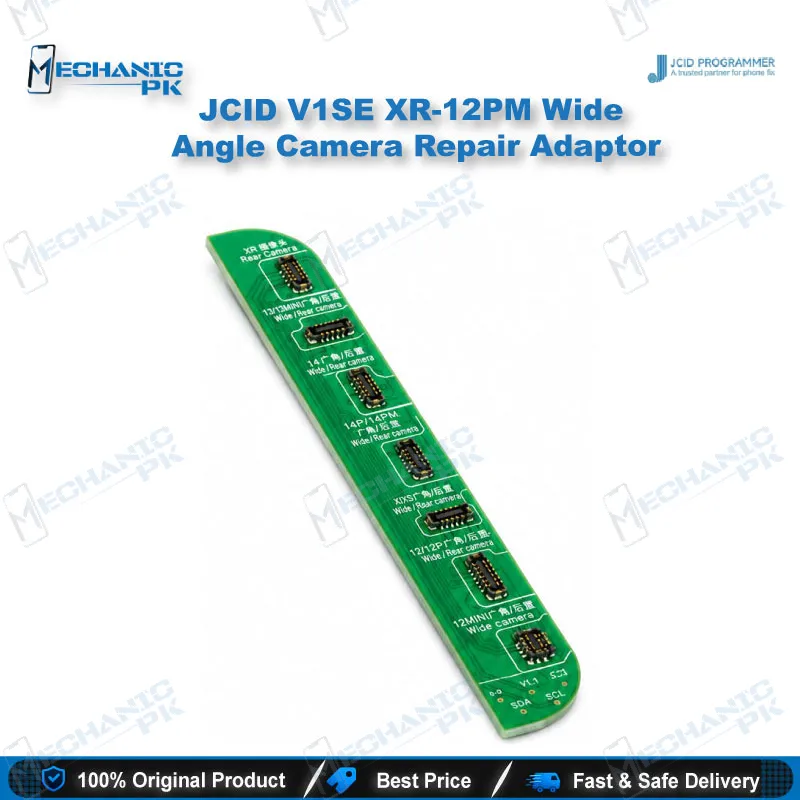
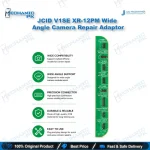
The JCID XR-12PM wide angle camera adaptor is built for rear camera repair on iPhone XR through 12 mini. It solves unmatched camera code and pop-up window problems that appear after you replace the wide angle module, and it works whether the original camera is good or not. It matches the V1S Pro and V1SE programmers, so your existing bench setup handles the job. Pair it with the JCID rear camera repair FPC for a clean path from data readout to a matched camera. Each bag contains one adaptor, and bundles arrive in packs of ten for steady workshop stock.
In stock
JCID XR-12PM Wide Angle Camera Repair Adaptor for iPhone Rear Camera Work
The JCID XR-12PM wide angle camera adaptor gives your bench a direct route into rear camera data for iPhone XR through 12 Pro Max, plus the 12 mini. A camera swap often leaves the handset stuck on an unmatched camera code or throws a pop-up warning, even when the replacement module works correctly. This adaptor connects into your JCID programmer and handles the data side of that repair. Technicians who work on wide angle camera faults will recognise the problem at once, and this tool solves it at the programming stage rather than through guesswork.
Where It Sits in the Rear Camera Repair Workflow
The repair starts with removing the faulty module and fitting the replacement. Once the new part sits in place, the phone compares the camera it finds against stored data, and a mismatch triggers the code error or pop-up. You use the adaptor with a V1S Pro or V1SE programmer and a JCID rear camera repair FPC to read and write the factory camera data. JCID describes three routes. If the original camera still reads its data, you write it straight into the camera FPC. If the original camera is damaged, you unbind through a code scan and record using cloud burning. If you have no original camera, you unbind the hard drive or jailbreak first, then record through cloud burning. Each route aims at the same result: a matched camera and a clean boot.
Compatibility and Programmer Pairing
The adaptor covers iPhone XR, X, XS, XS Max, the 11 series, and the 12 series including the 12 mini. It matches the V1S Pro and V1SE programmers. The manufacturer page marks the plain V1S as unmatched, so confirm your programmer model before you place a stock order. Check the label on your programmer, because the wrong model wastes both time and the adaptor itself. The adaptor also works alongside the matching rear camera repair flex cable, which you purchase as a separate part. Keep both components in your kit so you can start the data step as soon as the new camera goes in.
Packaging, Stock Handling and Workshop Use
Each bag holds one adaptor, and a bundle contains ten bags. That quantity suits a shop that replaces rear cameras regularly and wants a consistent supply on the shelf. Bag dimensions measure 11.5 by 1.5 by 0.4 centimetres. The adaptor body is green, which helps you spot it quickly among other programmer accessories. Keep it clean and dry between jobs, and seat the connector gently when you fit it into the programmer. Store the adaptor apart from the flex cables so that no connector pins get bent in a crowded drawer.
| Weight | 0.9 kg |
|---|
Key Features
- Solves unmatched rear camera code after a wide angle camera replacement
- Fixes pop-up window problems linked to rear camera swaps
- Covers iPhone XR, X, XS, XS Max, 11 series and 12 series including the 12 mini
- Matches the V1S Pro and V1SE programmers
- Works whether or not the original camera is still good
- Supports cloud burning when original camera data cannot be read
- Packed one adaptor per bag, with ten bags per bundle
- Green adaptor body for quick identification on the bench
Specifications
| Brand | JCID |
|---|---|
| Model | XR-12PM Rear Camera Repair Adaptor |
| Category | Programming Tools |
| Compatibility | Matches V1S Pro and V1SE programmers |
| Supported Devices | iPhone XR, X, XS, XS Max, 11, 11 Pro, 11 Pro Max, 12, 12 Pro, 12 Pro Max, 12 mini |
Common Repair Uses
- Rear camera replacement workflows on the iPhone XR to 12 mini range, where data matching is required after the module swap.
- Fixing unmatched rear camera code after a wide angle module replacement
- Clearing pop-up window warnings that appear after a rear camera swap
- Resolving i4tools bypass cases on the supported iPhone range
- Reading factory camera data from a working original module
- Writing camera data into the JCID rear camera repair FPC
- Recording camera data through cloud burning when the original camera is damaged
- Preparing camera data before fitting a replacement module on the bench
- Restoring a matched rear camera on iPhone 12 Pro Max and other supported models
Compatible Devices
- Verified against iPhone XR through 12 mini rear camera repair, used with V1S Pro and V1SE programmers.
- iPhone XR
- iPhone X
- iPhone XS
- iPhone XS Max
- iPhone 11, 11 Pro and 11 Pro Max
- iPhone 12, 12 Pro and 12 Pro Max
- iPhone 12 mini
- V1S Pro and V1SE programmers (matched pairing)
FAQ
What is the product name?
What is the brand of this product?
What is the model of this product?
What is this product used for?
Which devices are compatible with this product?
Who should use this product?
Which programmer and accessories do I need with this adaptor?
What should I do if the original rear camera data cannot be read?
Related products