
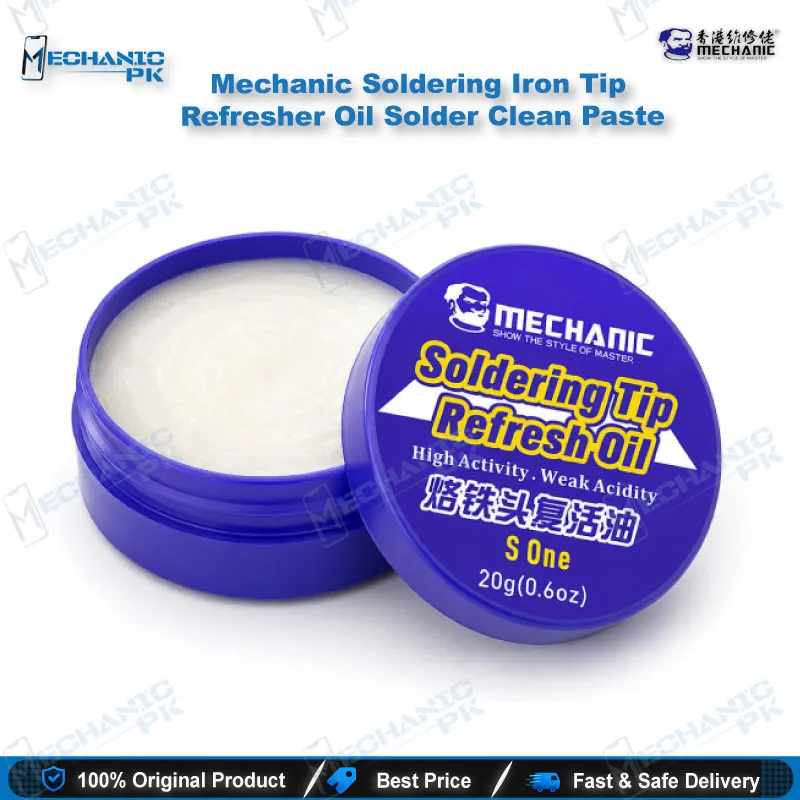
Mechanic Soldering Iron Tip Refresher Paste Pakistan
₨ 1
Restore Dark, Oxidized Soldering Tips for Mobile Repair
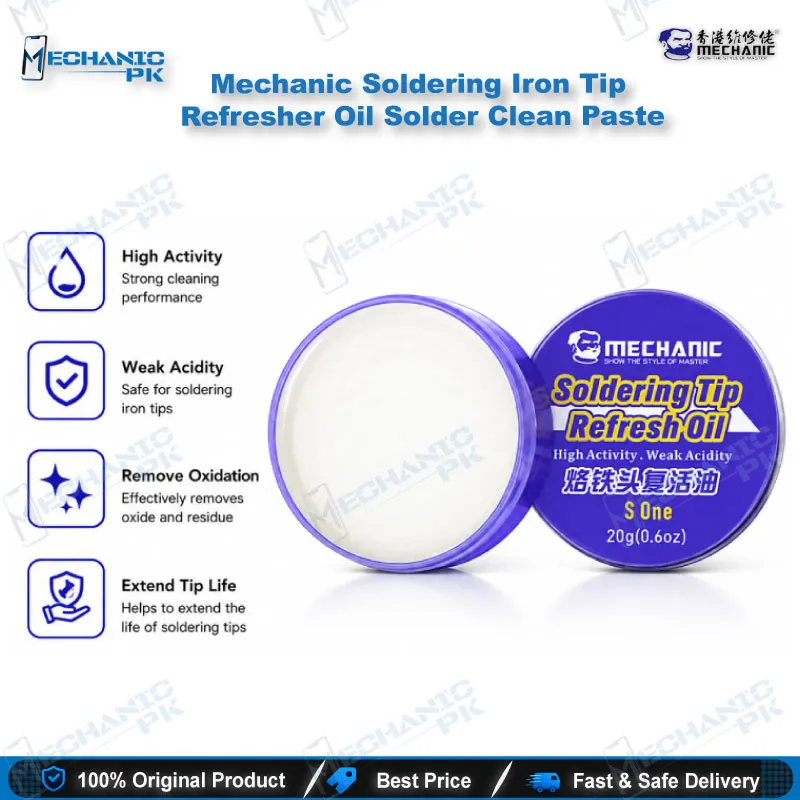
Your iron is not always the problem. When a tip turns black and stops grabbing solder, a thin oxide layer usually sits between the copper core and the plating. Mechanic soldering iron tip refresher paste removes that layer and re-tins the surface in one heat-and-wipe cycle. Dip the hot tip, wipe it clean, then apply fresh solder. You get a tip that wets properly again, so your jumper and IC work stays clean without buying a new tip every week.
Out of stock
Soldering Iron Tip Refresher Paste for Board-Level Mobile Repair
Soldering iron tip refresher paste is the fastest way to bring a dark, oxidized tip back to working condition before it ruins a board-level job. When your tip stops holding solder, the cause is almost always a surface layer, not a failed iron. Mechanic’s paste is built for exactly that situation. It cuts through the oxide, leaves a fresh tin coating behind, and gets your bench back to precise, predictable joints. For mobile technicians working on dense boards, that difference shows up quickly in cleaner pads, fewer re-flows, and less time lost to a tip that refuses to cooperate.
How the Paste Restores Solder Wetting
Solder only flows well onto a surface that is clean and freshly tinned. Over time, flux residue, heat cycles, and oxygen build up a dark oxide film on the tip. That film blocks the metallic contact solder needs, so the bead balls up instead of spreading. The refresher paste acts on that film while the tip is hot. It lifts the oxide away and leaves a thin tin layer that restores wettability. Once you re-apply solder, the tip grabs again and heat moves into the joint properly. You will notice the difference on fine conical tips first, because those tips lose wetting faster than broader chisel shapes.
Step-by-Step Use at Your Bench
Set your iron between 300°C and 360°C before you start. Do not use the paste on a cold iron, because the compounds only work once the tip is hot enough to react. Dip the tip into the paste or rub it gently across the surface, then rotate it so every side gets coverage. Wipe the tip immediately on a damp sponge or a brass wool cleaner to remove the loosened residue. Finish by touching fresh solder to the tip and wiping again. This final tin step is the part most technicians skip, and it is the step that gives you a lasting, shiny surface. Repeat the cycle only when the tip needs it, not after every joint.
Where This Paste Fits in Your Repair Workflow
This paste belongs at the start of your soldering session, before any component work begins. Clean the tip before you lift a damaged IC, before you lay a jumper, and before you start fine pad repair under a microscope. It pairs naturally with a quality soldering station, because a stable temperature makes the cleaning cycle predictable. It also works alongside hot air stations and PCB holders when you move between tip-based and airflow-based rework on the same board. Keeping a refresher within reach at the bench saves you from switching tips mid-job, which keeps your workflow steady across long repair shifts.
Safe Handling and Residue Control
Work in a ventilated area, because the paste releases smoke and vapor when it contacts a hot tip. Try not to breathe those fumes directly, and keep your face away from the tip while you dip and wipe. If the paste touches your skin, clean the area with alcohol first and then rinse thoroughly with water. Keep the paste away from children and store the container sealed. Most importantly, remove every trace of residue from the tip before you solder a PCB. Leftover paste can interfere with flux and joint quality, so wipe the tip until it runs clean and shiny. The paste is for cleaning and re-tinning only. Do not use it as a solder or as a component adhesive.
When a Tip Is Beyond Restoration
A refresher paste can rescue a tip that is merely oxidized, but it cannot rebuild a damaged surface. If the iron plating is pitted, cracked, or worn down to the copper core, the paste will not restore reliable wetting, and the tip needs replacing. Check the tip surface under a magnifier before you invest time in cleaning. If the copper shows through in several places, replace the tip rather than fighting it on the bench. Used correctly, this paste extends the life of a healthy tip and helps your joints stay consistent. Used on a worn tip, it only delays the replacement you already need.
| Weight | 0.1 kg |
|---|
Key Features
- Cleans oxidation off the tip surface in a single heat-and-wipe cycle
- Restores solder wetting so solder flows onto the tip again
- Re-tins the tip with a fresh coating ready for soldering
- Works best at a tip temperature of 300°C to 360°C
- Paste form for controlled application directly onto the tip
- Suited to fine conical tips used in mobile repair
- Quick maintenance step that fits between repair jobs
- Designed for cleaning and re-tinning, not for joining components
Specifications
| Brand | Mechanic |
|---|---|
| Category | Soldering Tip Refresher Paste |
| Compatibility | Universal, not device-specific (applies to soldering iron tips that need re-tinning) |
Common Repair Uses
- Bench maintenance and tip restoration for mobile repair and PCB work.
- Restoring a dark tip that stops holding solder before board-level work
- Re-tinning a tip after it loses wetting during IC or component rework
- Cleaning a tip between sessions to keep joint quality consistent
- Preparing a fine tip for jumper wire and pad repair under a microscope
- Recovering a soldering iron tip that has become sluggish on fine pads
- Refreshing tips at a shared service center bench to reduce tip replacement
Compatible Devices
- Universal, not device-specific. Applies to soldering iron tips used in mobile repair and electronics work.
- Chisel-shaped soldering iron tips used for general board work
- Conical and fine-point tips used for micro-soldering on mobile boards
- Soldering iron tips used for PCB repair and jumper work
- Service center and repair bench soldering irons
FAQ
What is the product name?
What is the brand of this product?
What is the model of this product?
What is this product used for?
Which devices are compatible with this product?
Who should use this product?
What temperature should the iron be at when using this paste?
Can I use this paste on a cold iron?
Related products