



















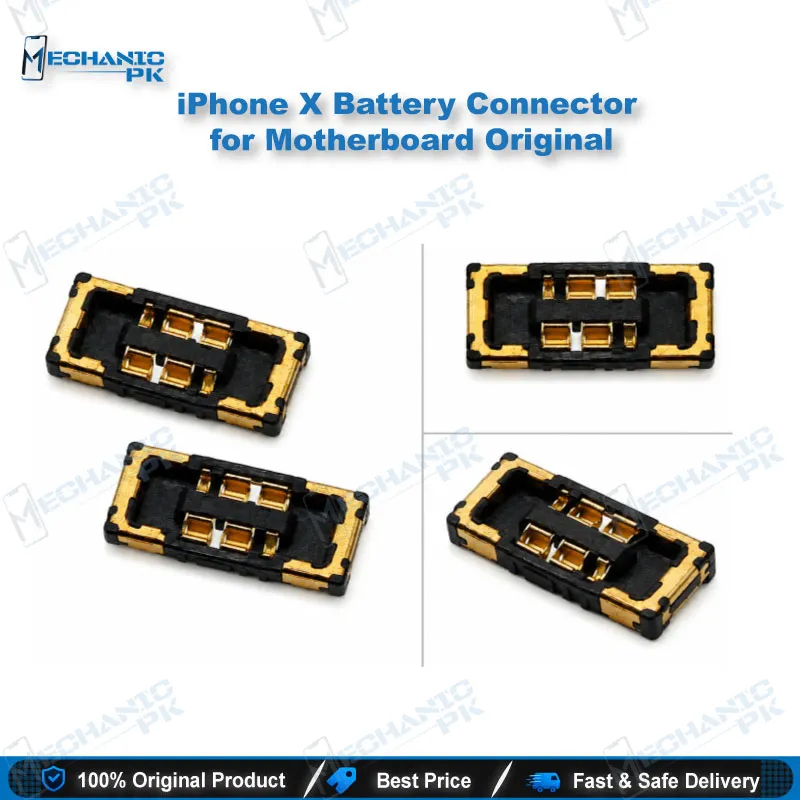
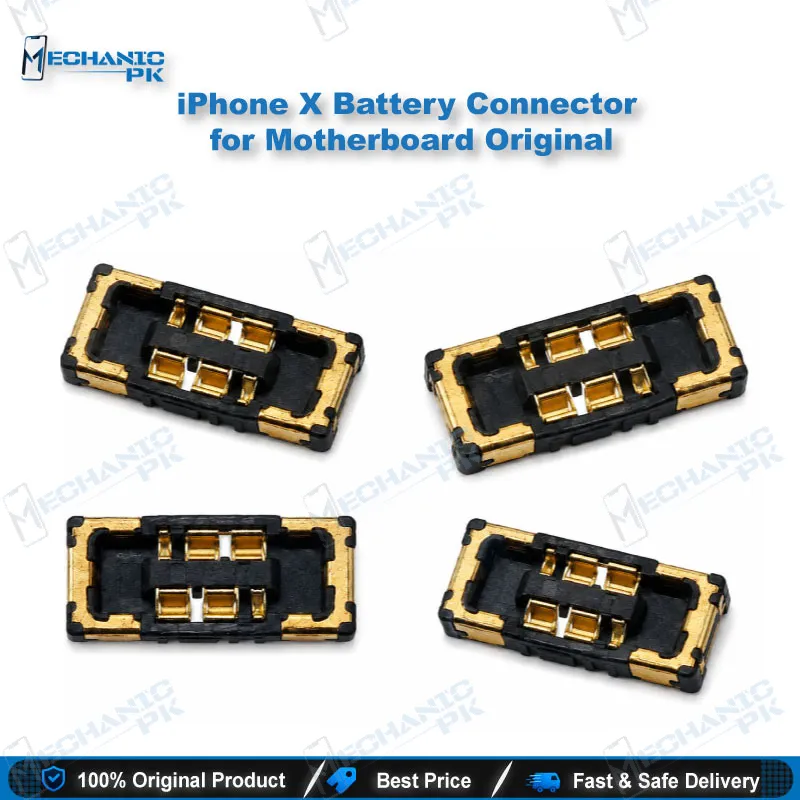

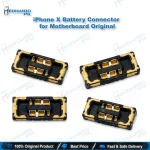
iPhone X Battery Connector for Motherboard – Original
₨ 149
iPhone X Battery Connector Replacement
The iPhone X battery connector is the board-to-board socket on the logic board that links the battery flex to the main power rail. Torn pads, bent contacts, and corroded sockets stop the phone from detecting its battery. The result is a dead phone, a charging issue, or a boot loop after a battery swap. This original replacement connector gives you a clean socket to solder back onto the iPhone X motherboard with a hot air station, soldering iron, and microscope. Mechanicpk supplies it to repair shops and service centers across Pakistan that handle iPhone X board-level work every week.
In stock
iPhone X Battery Connector for Board-Level Power Repair
The iPhone X battery connector sits at the start of the phone’s power path. Every volt the board uses passes through this socket, so a damaged connector shows up as a dead phone, a “battery not detected” symptom, or random shutdowns. If you replace batteries often, you have probably seen sockets that lift pads or crack during removal. This original part replaces that damaged socket directly on the iPhone X logic board, so you restore the power path at component level instead of replacing the whole board.
Where This Connector Fits in Your Repair Workflow
You reach for this part when a standard battery replacement does not bring the phone back. Start with a DC power supply and read the current draw. If the phone shows no current or an unstable reading, inspect the battery socket under the microscope. Bent contacts, burnt plastic, green corrosion from liquid damage, and lifted pads all mark a socket that needs replacement.
Once you confirm the fault, you lift the old connector with hot air, clean the pads with flux and solder wick, and align the new connector under magnification. A PCB holder keeps the board steady while you work. A multimeter in continuity mode confirms every pad connects before you reassemble. This sequence turns a hardware fault into a fixed board without a donor motherboard.
Handling the Part on the iPhone X Logic Board
The iPhone X uses a dense, stacked logic board, so heat control matters. Surrounding components sit close to the battery socket, and too much airflow shifts neighboring parts. Set your hot air station to a controlled temperature, shield nearby ICs with Kapton tape, and preheat the board from below when you can. Apply fresh solder paste or low-melt solder to the pads, seat the connector flat, and let it settle without pressing hard. A flat, fully seated connector gives the battery flex a firm connection and prevents intermittent power faults that return days later.
Technicians who also reball ICs and rework other sockets on the same board will find the technique familiar. The same soldering station, flux, and reballing kit setup works for this job.
Why Technicians Choose the Original Part
A battery connector looks simple, but the contact quality decides how reliably the phone powers on. Using an original connector keeps the pitch and footprint matched to the iPhone X board, so the pads line up the first time. You avoid the repeat visits that come from loose-fitting substitutes. For a repair shop in Pakistan, one clean first-time fix protects your turnaround time and your customer’s trust.
This connector suits workshops that already handle iPhone motherboard repair, including battery no-detect cases, post-liquid-damage cleanup, and torn-socket recovery after rough battery swaps. Pair it with a good microscope and a stable hot air station to get consistent results across the A1865, A1901, and A1902 board variants.
Pre-Order Checks for Your Bench
Confirm that your target board is an iPhone X logic board before you order. Inspect the old socket under magnification so you know whether the damage stops at the connector or runs into the pads and traces. If the pads lifted with the socket, plan a pad repair with jumper wire before you solder the new part. Test the board on a DC power supply after reassembly, then confirm the phone charges and holds a stable battery reading.
| Weight | 0.1 kg |
|---|
Key Features
- Original connector for the iPhone X battery socket position
- Matches the footprint of the iPhone X logic board for direct soldering
- Restores the battery-to-board power connection at component level
- Suits hot air and soldering iron rework
- Supports repair of torn, bent, or corroded battery sockets
- Saves the cost of replacing the whole motherboard
- Fits board-level workflows with microscope and PCB holder
- Serves repair shops and service centers handling iPhone X volume
Specifications
| Brand | Apple |
|---|---|
| Model | iPhone X Battery Connector |
| Category | iPhone Motherboard Connectors |
| Compatibility | Apple iPhone X logic board |
| Supported Devices | iPhone X (A1865, A1901, A1902) |
| Technology | Board-to-board (BTB) connector |
Common Repair Uses
- Replacing a torn or cracked battery connector after a rough battery swap
- Fixing “battery not detected” faults caused by bent or lifted contacts
- Restoring power on a dead phone with no current draw on the DC power supply
- Repairing corroded sockets after liquid damage
- Fixing charging issues caused by an unstable battery connection
- Stopping random shutdowns and boot loop symptoms tied to a loose battery contact
- Replacing a connector damaged during motherboard disassembly
- Rebuilding the battery power path alongside pad repair and jumper work
Compatible Devices
- Apple iPhone X motherboard (battery socket position)
- iPhone X A1865 logic board
- iPhone X A1901 logic board
- iPhone X A1902 logic board
- iPhone X motherboard, battery socket replacement position
FAQ
What is the product name?
What is the brand of this product?
What is the model of this product?
What is this product used for?
Which devices are compatible with this product?
Who should use this product?
My iPhone X shows no battery detected after a battery swap. Does this connector fix it?
What tools do I need to replace the iPhone X battery connector?
Related products