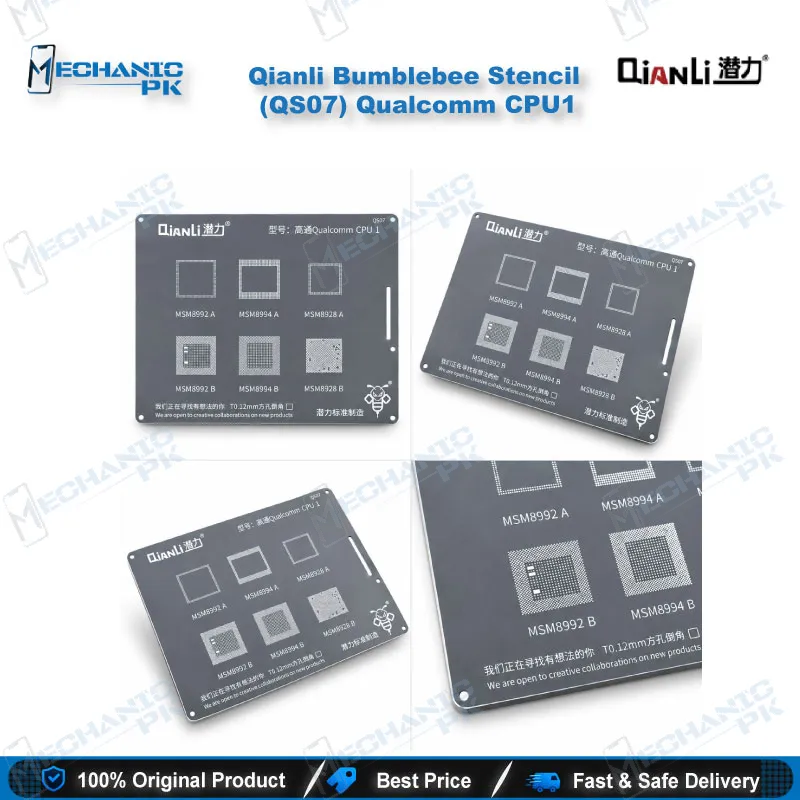
Qianli Bumblebee Stencil (QS07) Qualcomm CPU1 Reballing
₨ 600
Qualcomm CPU1 Stencil for BGA Reballing
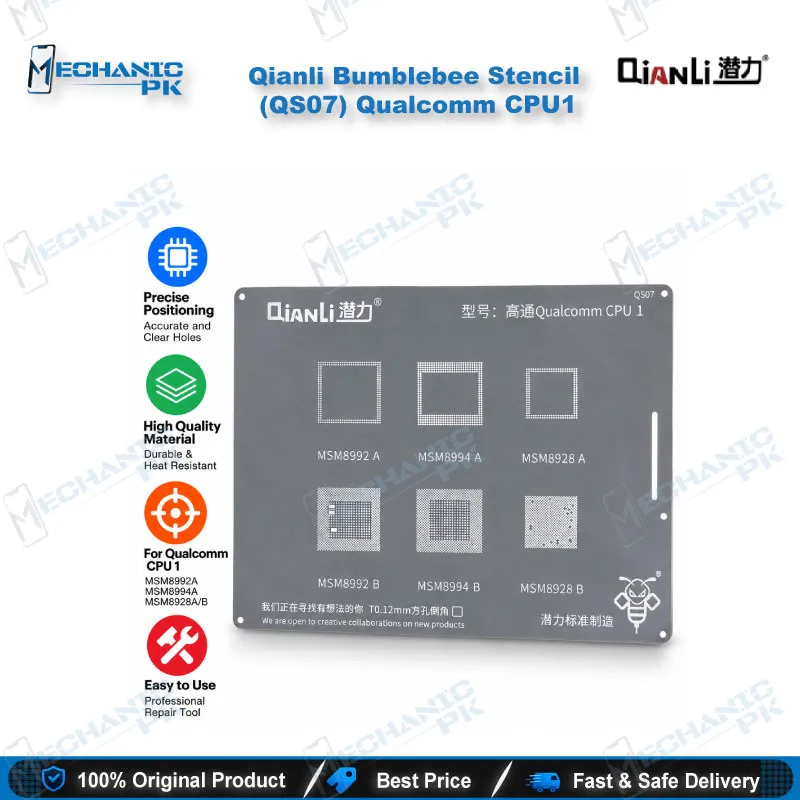
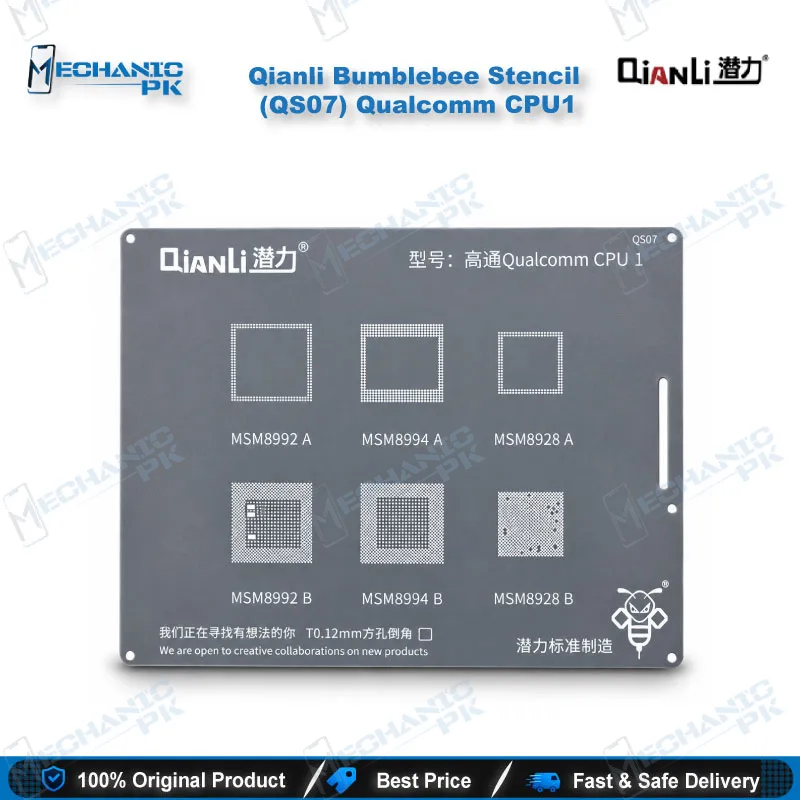
The Qianli Bumblebee Stencil (QS07) Qualcomm CPU1 gives you a pattern-specific template for reballing Qualcomm MSM8992 A/B, MSM8994 A/B and MSM8928 A/B processors. Qianli cuts the QS07 with square holes and rounded angles, and builds the Bumblebee range as a sturdy, precise stencil that keeps its accuracy through repeated jobs. Use it after you lift a damaged CPU, clean the pads and fix the board in a PCB holder, then rebuild the ball array on the original chip. Match the chip code on your board to the CPU1 pattern before you start, and you cut the risk of a wasted reflow on dead phone and hang on logo repairs.
In stock
Qualcomm CPU1 Stencil for MSM8992, MSM8994 and MSM8928 Reballing
The Qianli Bumblebee Stencil (QS07) Qualcomm CPU1 is a Qualcomm CPU1 stencil for BGA reballing on MSM8992 A/B, MSM8994 A/B and MSM8928 A/B processors. When a dead phone traces back to a lifted or damaged CPU ball array, you either reball the original chip or replace it. This stencil lets you rebuild the array on the chip you already have, so the board keeps its working silicon and your customer pays for a rework instead of a new part. Qianli makes the QS07 with square holes and rounded angles, a layout that matches the CPU1 pattern. Mechanicpk stocks it for technicians who want a precise, pattern-specific template rather than a loose universal sheet.
Technical Highlights of the QS07 Aperture Layout
Each hole in the QS07 is square with rounded angles. A square aperture holds more solder volume than a round one of the same width, and the rounded corners help paste or balls release cleanly when you lift the stencil away. Qianli builds the Bumblebee range as sturdy, precise BGA templates, so the pattern holds its accuracy across repeated reball jobs. The QS07 sits inside Qianli’s numbered Qualcomm CPU series, and each pattern in that series carries its own QS number. Read the marking on your chip before you place the stencil, because this listing covers both the A and B revisions of MSM8992, MSM8994 and MSM8928, and a wrong match costs you a ball set and a reflow cycle. Treat the stencil number as a pattern match, not a phone model match: the same CPU1 chip family appears across different brands, so the chip code on the board decides compatibility.
Where the Stencil Fits in Your Rework Workflow
You reach for this stencil after the CPU is off the board. Lift the chip with a hot air station, clean the pads with a soldering station, flux and braid under a microscope, then clamp the board in a PCB holder so it sits flat. Clean pads matter more than anything else at this stage, because leftover solder or burnt flux shifts the stencil and ruins the ball alignment. Place the QS07 over the pads, align every hole, and fill them with paste or balls from your reballing kit. Reflow, let the solder settle, lift the stencil with steady hands, inspect the new array under magnification for bridges or missing balls, and seat the chip back on the board. Before you power up, check for shorts and continuity with a multimeter. This route fits boards that hang on logo, fall into a boot loop issue, or die after flash when a software reflash does not fix the fault and the CPU joints are the prime suspect.
Why Repair Shops and Training Institutes Stock CPU1
A stencil costs little next to the board it saves, so a shop with a steady flow of Qualcomm hardware fault jobs keeps one on the bench for every chip pattern it handles. Service centers and training institutes in Pakistan use a single QS07 to teach pad cleaning, alignment and ball placement without buying a full reballing platform. Qianli lists other Qualcomm patterns as separate stencils, including QS12 and QS14, so you can extend your coverage one chip family at a time. Pair the QS07 with a test box and a stable hot air station, and you build a repeatable CPU rework routine that your whole workshop can follow. That routine also keeps your results consistent when several technicians share one bench, because everyone works from the same pattern instead of improvising with a mismatched template. Buyers comparing options should weigh pattern coverage first: one correct stencil for a chip family does more for your bench than a bulk set you cannot match to a chip code.
| Weight | 0.5 kg |
|---|
Key Features
- Dedicated Qualcomm CPU1 pattern stencil, numbered QS07 in the Qianli Bumblebee range
- Covers MSM8992 A/B, MSM8994 A/B and MSM8928 A/B processors
- Square holes with rounded angles for clean paste and ball release
- Sturdy build that holds pattern precision across repeated reball jobs
- Precision BGA stencil format for CPU-level rework
- Works with hot air station, soldering station and reballing kit workflows
- Suits boards held in a PCB holder under a microscope
- Pattern-specific design that reduces alignment guesswork on CPU1 chips
Specifications
| Brand Entity | Qianli (Bumblebee stencil range) |
|---|---|
| Product Entity | Qianli Bumblebee Stencil (QS07) Qualcomm CPU1 |
| Technology Entity | BGA reballing stencil with square holes and rounded angles |
| Compatible Device Entities | Qualcomm MSM8992 A/B, MSM8994 A/B, MSM8928 A/B |
| Repair Process Entity | CPU reballing and BGA rework |
| Industry Entity | Mobile phone repair, PCB-level hardware fault repair |
Common Repair Uses
- Real-world CPU-level reballing scenarios
- Reballing a Qualcomm CPU after lifting it from a dead phone board
- Rebuilding a cracked or lifted ball array on a CPU1 chip
- Reballing after a hardware fault that a software reflash does not fix
- Rework on boards that hang on logo or sit in a boot loop issue
- Reballing a CPU after removing it for board cleaning or inspection
- Preparing a reclaimed Qualcomm CPU1 chip for reuse on another board
- Training exercises in pad cleaning, stencil alignment and ball placement
- Repeat CPU rework jobs in service centers that handle Qualcomm boards
Compatible Devices
- Qualcomm CPU1 pattern chips (chipset-family scope, not tied to individual phone models)
- Qualcomm MSM8992 A
- Qualcomm MSM8992 B
- Qualcomm MSM8994 A
- Qualcomm MSM8994 B
- Qualcomm MSM8928 A
- Qualcomm MSM8928 B
- Any Android board that carries one of the chips above, across brands
- Not for MediaTek, Samsung Exynos or other Qualcomm patterns outside CPU1
FAQ
What is the product name?
What is the brand of this product?
What is the model of this product?
What is this product used for?
Which devices are compatible with this product?
Who should use this product?
Which Qualcomm chip codes does the QS07 CPU1 stencil support?
Can I use the QS07 stencil on MediaTek or Samsung Exynos CPUs?
Related products