
















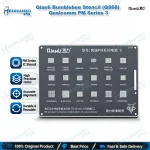
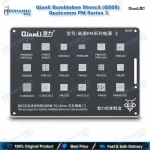
Qianli QS68 Qualcomm PM Stencil – Bumblebee PM Series 3
₨ 600
QS68 Qualcomm PM Series 3 Stencil
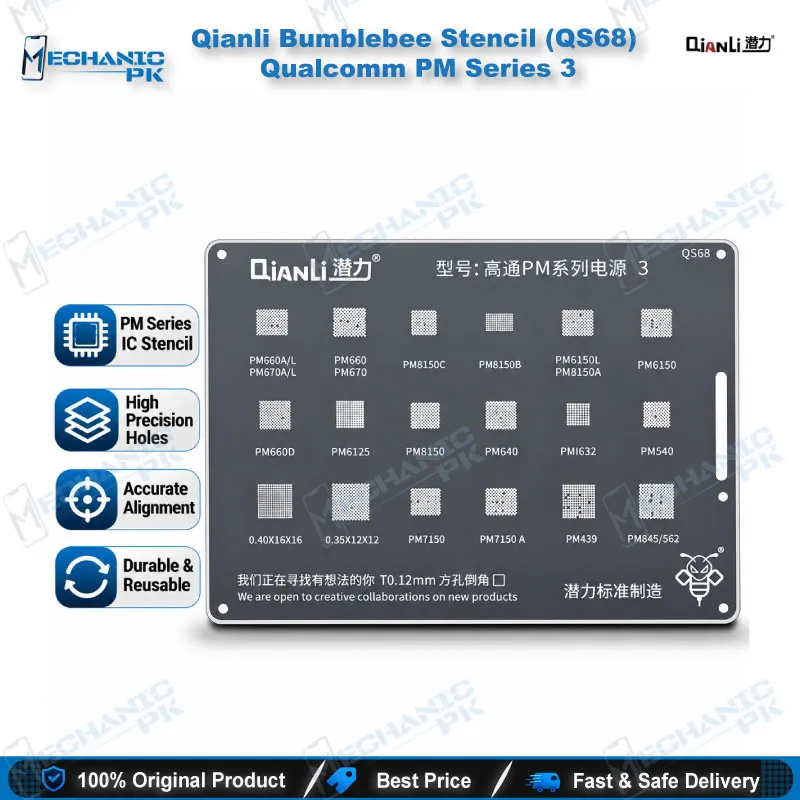
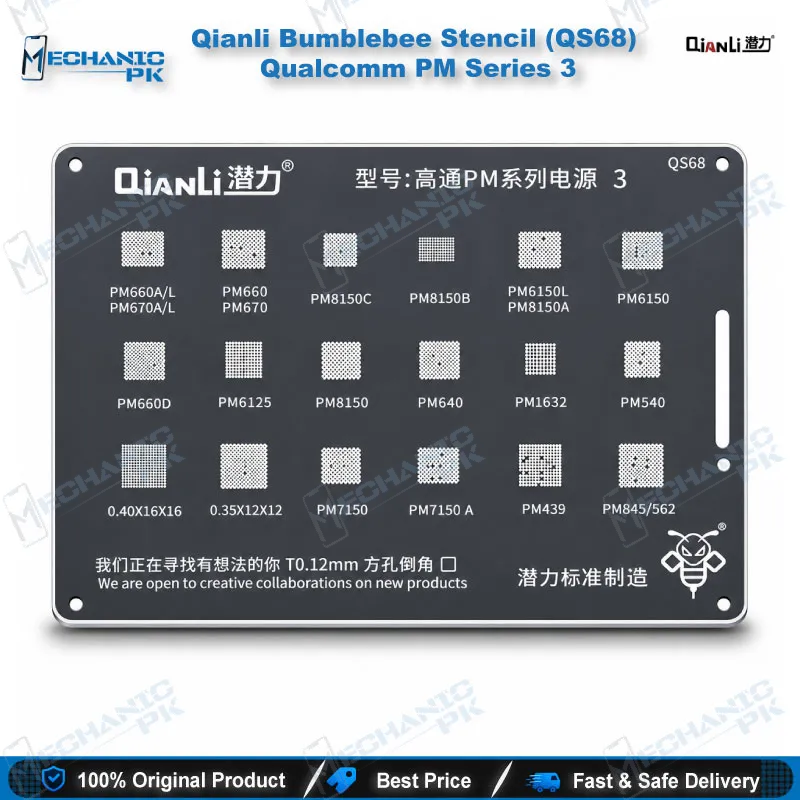
The Qianli QS68 gives you a dedicated reballing stencil for Qualcomm PM Series 3 power management ICs, covering PM660, PM670, PM640, PM439, PM540, PM6125, PM6150, PM7150, PM8150 variants, PMI632, and PM845/562. Square holes with rounded corners keep solder balls seated cleanly on the pads, so your reballed PMIC lands flat on the board. If you handle charging issue, dead phone, or no-power jobs at board level, you pair this stencil with your hot air station and solder paste or balls. Mechanicpk supplies it to technicians who want exact PMIC coverage in one thin plate.
In stock
Qianli QS68 Reballing Stencil for Qualcomm PM Series 3 PMICs
The Qianli QS68 Qualcomm PM stencil is a Bumblebee-series BGA reballing plate that Qianli designed for Qualcomm PM Series 3 power management ICs. One plate covers a long list of PMIC part numbers, from PM660 and PM670 through PM6150, PM7150, and PM8150 variants, plus PMI632, PM439, PM540, and PM845/562. You reach for it after you lift a damaged PMIC, clean the pads, and need fresh solder balls laid down evenly before the chip goes back on the board. A Pakistani repair bench that sees Qualcomm boards every week saves time with one stencil that replaces several single-chip templates, and the reballing drawer stays organized.
Supported PMIC Coverage in PM Series 3
Supplier data for QS68 lists these parts: PM660A/L, PM670A/L, PM660, PM670, PM660D, PM640, PM439, PM540, PM6125, PM6150, PM6150L, PM7150, PM7150A, PM8150, PM8150A, PM8150B, PM8150C, PMI632, and PM845/562. Read the laser marking on your chip under a microscope and confirm the part number against this list before you apply heat. Reballing only works when the stencil pattern matches the chip package, so a wrong guess wastes a PMIC and a pad set.
The “Series 3” label shows where QS68 sits in Qianli’s Qualcomm PM range. QS66 covers PM Series 1 and QS67 covers PM Series 2, so you choose the plate by PMIC family and keep all three within reach. Technicians who service many Qualcomm boards build the full set once and stop hunting for the right template mid-repair.
Shop owners who run several technicians benefit from stocking one plate per PMIC family, because every bench finds the right template without borrowing from another. Technical training institutes also use a fixed-pattern stencil like this one to teach PMIC reballing on practice boards.
Where QS68 Fits in Power-Section Repair
A dead phone with no current draw, a charging issue that survives a new port, or a board that shorts after liquid damage can point at the PMIC. Before you pull the chip, you check the main rails with a multimeter and watch the current on your DC power supply. Then you remove the PMIC with a hot air station, clean the pads with flux and braid, and reball it through QS68 so the chip sits flat when you place it back. A PCB holder keeps the board still, and your microscope shows any pad that lifted during removal.
Boot loop issue and hang on logo cases sometimes trace back to unstable power rails. When ISP pinout tools, eMMC programmers, UFS adapters, and a test box rule out storage and software, the hardware fault stage begins and this stencil comes into play. Pair it with your soldering station for pad cleanup and a reballing kit for balls, paste, and flux.
Square-Hole Design and Bench Handling
QS68 uses square holes with rounded corners, the layout Qianli applies across its Bumblebee stencil line. The shape lets solder balls or paste fill each aperture evenly and release cleanly when you lift the plate. Distributor descriptions call it sturdy, precise, and durable over time, with a newer treatment and materials that make it easier to use.
Check the board before you commit. Confirm the PMIC marking, remove flux residue, and inspect the pads for lifted or torn copper. A clean pad set gives the stencil full contact, and full contact gives you uniform balls. If a pad lifted, repair it with a jumper wire (jumper lagana) first and reball after.
Hold the stencil flat against the pads, apply paste or drop balls, and heat with controlled hot air until the balls melt and form. Lift the plate only after the board cools so the balls stay seated. Wipe the stencil with flux cleaner after each job and store it flat so the thin plate does not bend.
| Weight | 0.1 kg |
|---|
Key Features
- Dedicated reballing stencil for Qualcomm PM Series 3 PMICs
- Square holes with rounded corners for even ball and paste fill
- Covers PM660, PM670, PM640, PM439, PM540, PM6125, PM6150, PM7150, and PM8150 families
- Includes PMI632 and PM845/562 coverage
- Sturdy, precise build that lasts across repeated reballing jobs
- Newer treatment and materials for easier, more precise use
- Sits in the Qianli Bumblebee range next to QS66 (PM Series 1) and QS67 (PM Series 2)
- Fits a standard hot air station reballing workflow
Specifications
| Brand | Qianli |
|---|---|
| Model | QS68 |
| Category | BGA Reballing Stencil (Qualcomm PMIC) |
| Compatibility | Qualcomm PM Series 3 PMICs — PM660A/L, PM670A/L, PM660, PM670, PM660D, PM640, PM439, PM540, PM6125, PM6150, PM6150L, PM7150, PM7150A, PM8150, PM8150A, PM8150B, PM8150C, PMI632, PM845/562 |
| Technology | Square-hole, round-angle BGA stencil (Bumblebee series) |
Common Repair Uses
- PMIC reballing and power-section board repair on Qualcomm boards
- Reballing a PMIC after removal with a hot air station
- Power-section repair on dead phone boards after PMIC replacement
- Charging issue repair where the PMIC is the faulty part
- Reballing a reused PMIC after liquid damage cleanup
- Pad inspection and preparation before chip placement
- Hardware fault stage after ISP and software tests fail
- Repeat jobs on Qualcomm boards in busy workshops and service centers
- PMIC reballing practice in technical training
Compatible Devices
- Chip-level compatibility with Qualcomm PM Series 3 PMICs (not phone-model-specific)
- PM660A/L, PM660, PM660D
- PM670A/L, PM670
- PM640 and PM540
- PM439 and PMI632
- PM6125
- PM6150 and PM6150L
- PM7150 and PM7150A
- PM8150, PM8150A, PM8150B, PM8150C, and PM845/562
FAQ
What is the product name?
What is the brand of this product?
What is the model of this product?
What is this product used for?
Which devices are compatible with this product?
Who should use this product?
Does the QS68 stencil cover PM8150 and PMI632?
How do I choose between QS66, QS67, and QS68?
Related products