
Mechanic iTin 19 BGA Stencil (NAND/PCIE hard disk)
₨ 800
iTin 19 NAND/PCIe Reballing Stencil
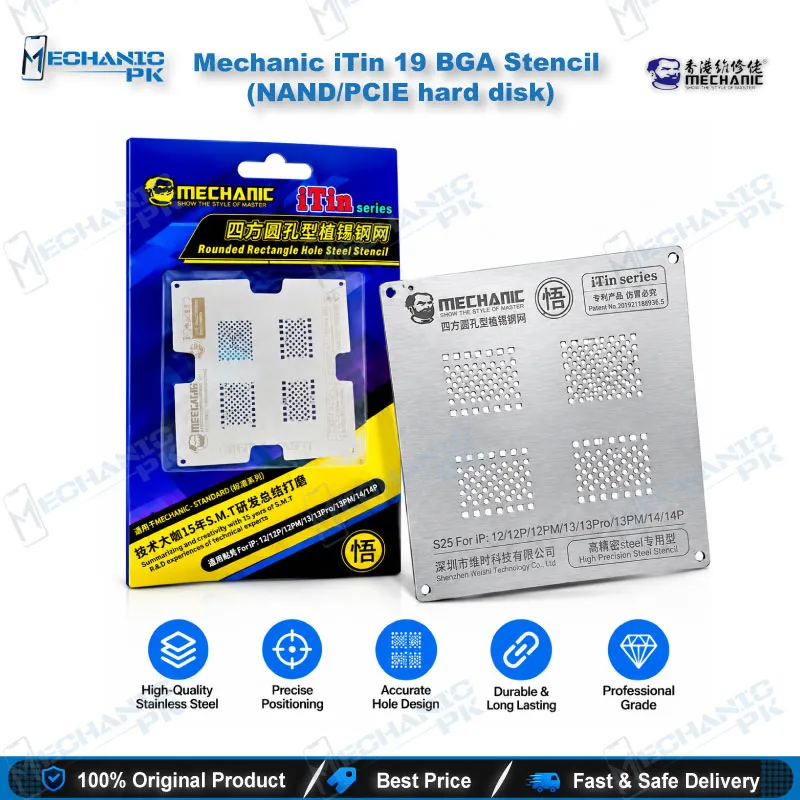
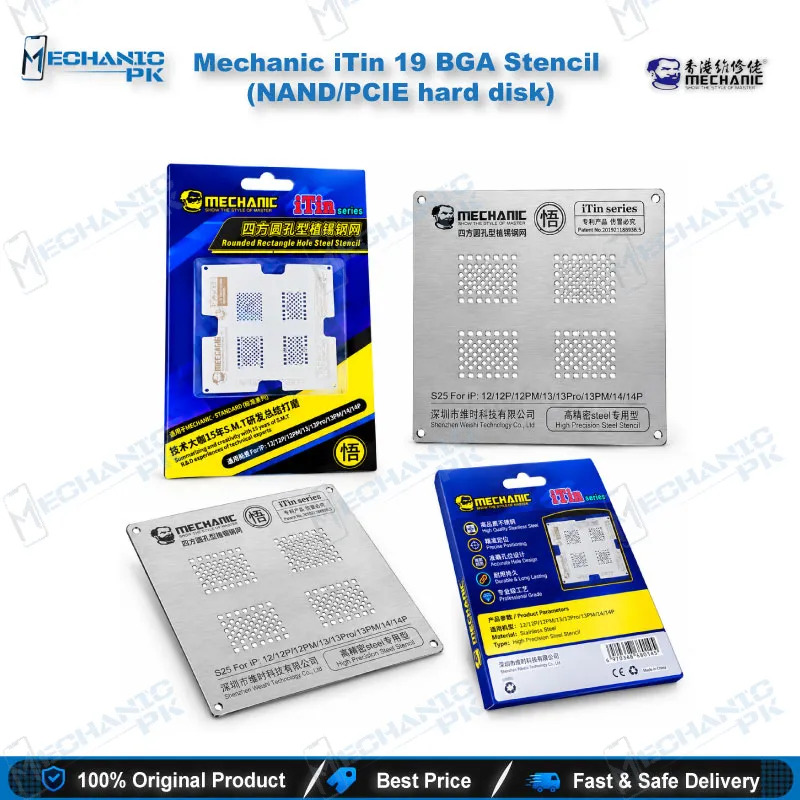
The Mechanic iTin 19 BGA Stencil (NAND/PCIE hard disk) gives you a dedicated reballing plate for the storage chip on Apple iPhone logic boards. Mechanic places it in the numbered iTin series, and model 19 carries the NAND/PCIe hard disk layout, so you skip the guesswork of a universal sheet. You align it over the cleaned chip pads, print solder paste, and reflow with your hot air station to rebuild an even ball grid. Check the stencil layout against your NAND package before you start, because coverage depends on the chip on your board. Mechanicpk supplies this Mechanic iTin 19 BGA stencil to repair shops across Pakistan.
In stock
Mechanic iTin 19 BGA Stencil for iPhone NAND and PCIe Storage Reballing
The Mechanic iTin 19 BGA Stencil (NAND/PCIE hard disk) gives your bench a dedicated reballing template for the storage chip on Apple iPhone logic boards. Mechanic positions it as model 19 in the numbered iTin series, and this plate carries the NAND/PCIe hard disk layout. A single-purpose Mechanic iTin 19 BGA stencil keeps your reballing predictable: you pick the plate that matches the storage chip footprint, align it, and print solder paste without guessing across a universal sheet. Mechanicpk supplies it to repair shops across Pakistan that run iPhone board-level work every day.
Where the iTin 19 Fits in Storage Chip Rework
Storage chip jobs follow a fixed order. You lift the NAND or PCIe hard disk chip with your hot air station, clean the pads on the board and the underside of the chip, then rebuild the solder balls before placement. The iTin 19 serves that third step. It sits between pad cleaning and reflow, and it decides where every ball lands. Your soldering station and hot air station supply the heat, your flux and solder paste supply the material, and the stencil supplies the geometry. Technicians who replace a storage chip, move one to a donor board, or reball a chip after a failed first attempt all return to this step, so a dedicated plate saves repeat work. It also serves a storage-capacity upgrade, where you reball the new chip before it goes onto the board.
Matching the Stencil to Your Board
Exact model coverage depends on the NAND package on your board. Before you spread paste, hold the stencil over the chip and compare the aperture layout against the pad pattern on the chip itself. Do not assume that an iPhone model name guarantees the fit. If the footprint matches, you proceed. If it does not, you move to the correct plate in the iTin range or to a reballing kit built for that package. Mechanicpk stocks related reballing kits, microscopes, PCB holders, and hot air stations, so you can build the full storage-rework setup from one supplier.
Bench Workflow With a Storage Chip Stencil
Start with a clean chip. Remove old solder with flux and braid, then wipe the pads until they look flat and bright under a microscope. Secure the chip in a holder so it cannot shift. Lay the iTin 19 over the pads, align every aperture with its pad, and press the stencil flat. Spread solder paste across it with a scraper in one steady pass. Apply heat from your hot air station at a gentle setting until the paste forms balls, let the chip cool, then lift the stencil away and inspect each ball under magnification. You want a full, even grid with no bridges and no missing balls. Fix any weak balls before you place the chip.
Why Technicians Choose a Dedicated Plate
Storage faults often show up as dead phone cases, boot loop issues, or a phone that hangs on logo after a restore attempt, and a bad storage chip joint can sit behind any of them. When you suspect the storage chip, you need a reballing result you can trust. A dedicated stencil removes one variable from the job. It also supports your wider diagnostics: after reballing, you can check the board with your multimeter and test box before you commit to final assembly. Pair the iTin 19 with ISP pinout tools or an eMMC programmer when your workflow reads or rewrites storage data, and step up to a magnetic reballing platform when you want faster alignment on volume jobs.
| Weight | 0.9 kg |
|---|
Key Features
- Dedicated NAND/PCIe hard disk layout in a single plate
- Model 19 of Mechanic's numbered iTin stencil series
- Built for the storage chip on Apple iPhone logic boards
- Targets the storage chip, not the CPU or other ICs
- Fits the standard BGA reballing sequence with solder paste, scraper, and hot air
- Supports NAND replacement, donor-chip transfer, and capacity upgrade reballing
- Removes the guesswork of a universal multi-footprint sheet
- Pairs with reballing kits, PCB holders, and microscopes for a complete storage-rework setup
Specifications
| Brand Entity | Mechanic |
|---|---|
| Product Entity | Mechanic iTin 19 BGA Stencil (NAND/PCIE hard disk) |
| Technology Entity | BGA reballing, NAND flash storage, PCIe storage interface |
| Compatible Device Entities | Apple iPhone logic boards with NAND/PCIe storage chips |
| Repair Process Entity | Storage chip reballing (tin planting) during NAND replacement and rework |
| Industry Entity | Mobile phone repair, iPhone board-level repair, PCB rework |
Common Repair Uses
- Storage chip reballing and related rework on iPhone logic boards.
- Reballing a NAND chip after removal from the board
- Reballing a PCIe storage chip before placement
- Replacing a faulty storage chip
- Moving a storage chip from a donor board
- Reballing the new chip for a storage-capacity upgrade
- Re-doing a weak or bridged ball grid after a failed first attempt
- Preparing a storage chip for reflow after pad cleaning
- Rework on boards with a hardware fault traced to the storage chip
Compatible Devices
- Apple iPhone logic boards with a NAND/PCIe hard disk (storage) chip. Exact coverage depends on the NAND package on your board, so verify the footprint before use.
- Apple iPhone NAND storage chips
- Apple iPhone PCIe storage chips
- Apple iPhone "hard disk" storage chip positions on the logic board
- Boards whose NAND package footprint matches the iTin 19 layout
FAQ
What is the product name?
What is the brand of this product?
What is the model of this product?
What is this product used for?
Which devices are compatible with this product?
Who should use this product?
Does the Mechanic iTin 19 stencil cover every iPhone model?
Is the iTin 19 a CPU stencil or a storage chip stencil?
Related products