
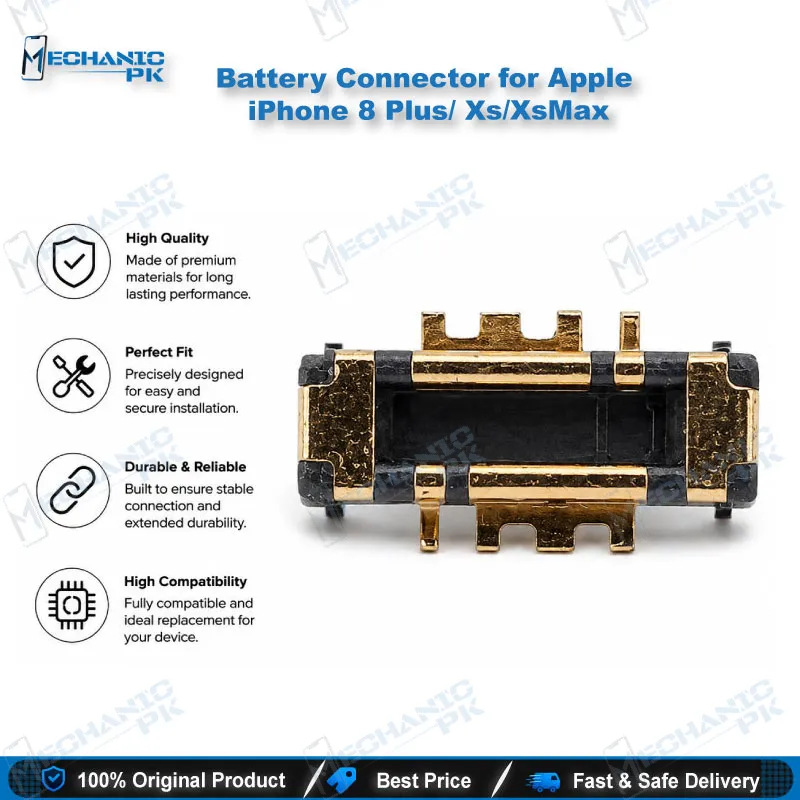
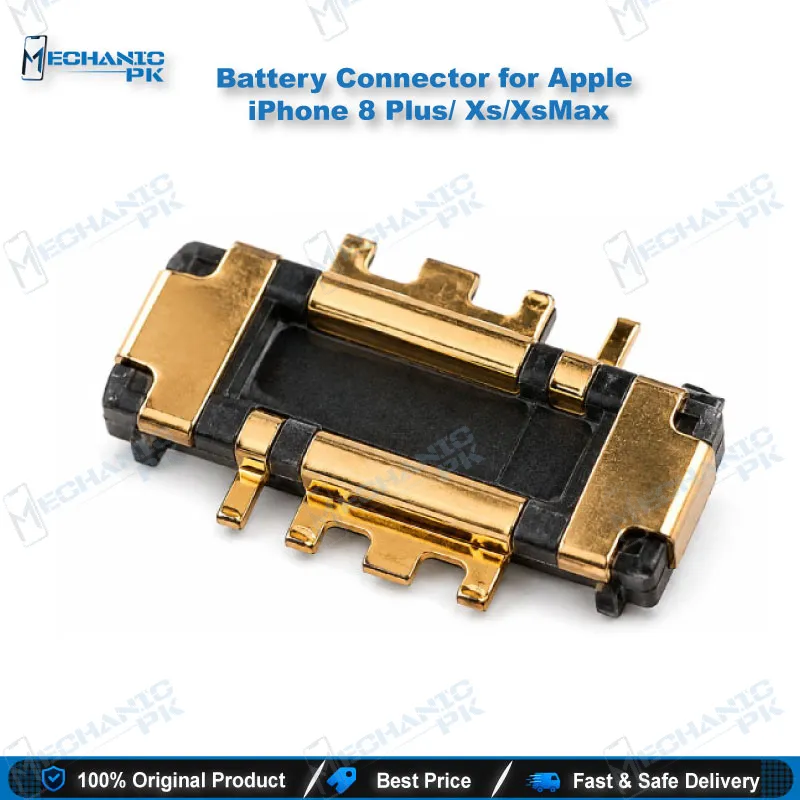
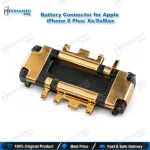
Battery Connector for iPhone 8 Plus, XS and XS Max
₨ 1
Battery Connector for iPhone 8 Plus, XS and XS Max Repairs
This replacement battery connector restores the battery socket on the logic board for iPhone 8 Plus (A1864, A1897, A1898), iPhone XS (A1920) and iPhone XS Max (A1921) repairs. Use it when a dead phone, a charging issue, or a battery that never registers points to a damaged battery socket on the board. The part suits board-level technicians who already work with flux, a spudger, and a soldering or hot air station. Confirm the model number on the back cover before you order, then test power, charging, and battery reading after installation.
Out of stock
iPhone 8 Plus Battery Connector Repair for XS and XS Max Models
A failed battery connector can look like a dead phone, a charging issue, or a handset that never registers its battery. This part gives your repair bench a direct replacement for the battery socket on the logic board of iPhone 8 Plus, iPhone XS and iPhone XS Max devices. The iPhone 8 Plus battery connector sits in the power path between the battery cable and the board, so a damaged socket interrupts power before any other component can respond. Your workflow starts with confirming the fault, moves to careful board-level work, and finishes with verified power-up testing.
Diagnosing a Faulty Battery Connector
Confirm the fault on the board before you lift any socket. Check whether the phone powers up with a known good battery, and whether the battery reads on the charging path. Measure the battery rails at the connector pads with a multimeter, then compare those readings with the adjacent power section. Corroded pads, intermittent contact, or a burnt socket usually point to a connector that needs replacement. Skip this step, and you risk lifting a healthy socket on a board that has an unrelated power fault.
Use your bench power supply with the current limit set low, so a shorted board does not heat the area around the socket. Watch the current draw during the first power-up test. A sudden rise in current points to a short that the socket change alone will not fix, so trace it before you power the board again. Record each reading, because comparing readings across repeat faults on the same board saves time.
Board-Level Removal and Installation of the Replacement Socket
Disconnect the battery before you start, because a live battery can short the board during the work. Lift the old connector with a plastic spudger, then bend the battery cable away from its socket so it cannot touch the pads. Protect the black silicone seals around nearby board connections, since they keep water and dust out of the device. Clean the pads with flux and braid, then seat the replacement socket and reflow the joints evenly. Work slowly here, because the pads on these boards lift easily under excess heat.
Once the old socket is off, clean the pads with a fine tip iron and fresh flux. Check the pads for lifting or damaged traces before you place the new part. If a trace is cut, repair the trace first, because a new socket cannot restore a broken power path.
Testing and Model Matching for XS Max Battery Connector Jobs
Match the model number printed on the back cover before you order or install. The iPhone 8 Plus models A1864, A1897 and A1898 differ from the iPhone XS A1920 and the iPhone XS Max A1921, so a mismatch wastes time and parts. After installation, inspect the joints under magnification for solder bridges between pads. Power the board with a regulated supply, confirm the battery reading, then test charging and display power-up. A clean result on all three checks confirms the repair before the board returns to the device.
Log the device model, the fault found, and the final test result on your repair sheet. A clear record helps you trace repeat faults, and it shows your team which board revisions have needed the same repair.
| Weight | 0.1 kg |
|---|
Key Features
- Replacement socket for the battery connector on the logic board
- Covers iPhone 8 Plus models A1864, A1897 and A1898
- Covers iPhone XS model A1920 and iPhone XS Max model A1921
- Built for board-level repair with flux, a spudger, and a soldering station
- Supports power path repair for dead phone and charging issue cases
- Fits into standard logic board testing and power-up checks
- Helps restore battery detection after board-level faults
- Suited to repair shops and technicians handling Pakistani market jobs
Specifications
| Model | A1864, A1897, A1898 (iPhone 8 Plus); A1920 (iPhone XS); A1921 (iPhone XS Max) |
|---|---|
| Category | Mobile Phone Repair Parts > Battery Connectors |
| Compatibility | iPhone 8 Plus, iPhone XS, iPhone XS Max |
| Supported Devices | iPhone 8 Plus (A1864, A1897, A1898), iPhone XS (A1920), iPhone XS Max (A1921) |
| Technology | Board-level battery socket connector |
Common Repair Uses
- Dead phone cases where battery power does not reach the logic board
- Charging issue repairs caused by a damaged battery socket
- Battery not detected after a board-level repair
- Replacing a burnt or lifted battery connector socket
- Restoring the battery power path after logic board pad damage
- Board-level diagnosis before any battery replacement
- Power-up testing after logic board component rework
- Repair shop service jobs on iPhone 8 Plus, XS and XS Max boards
Compatible Devices
- iPhone 8 Plus, model A1864 (GSM/CDMA)
- iPhone 8 Plus, model A1897
- iPhone 8 Plus, model A1898
- iPhone XS, model A1920
- iPhone XS Max, model A1921
- Apple A11 Bionic logic board family (iPhone 8 Plus)
- Apple A12 Bionic logic board family (iPhone XS and XS Max)
- Board-level replacement only, matched by model number, not a universal battery connector
FAQ
What is the product name?
What is the brand of this product?
What is the model of this product?
What is this product used for?
Which devices are compatible with this product?
Who should use this product?
Which iPhone models does this battery connector fit?
Does installation require soldering on the logic board?
Related products