
Mechanic T12 Simplex Solder Station 50W Digital
₨ 7,500
Mechanic T12 Simplex Digital Station
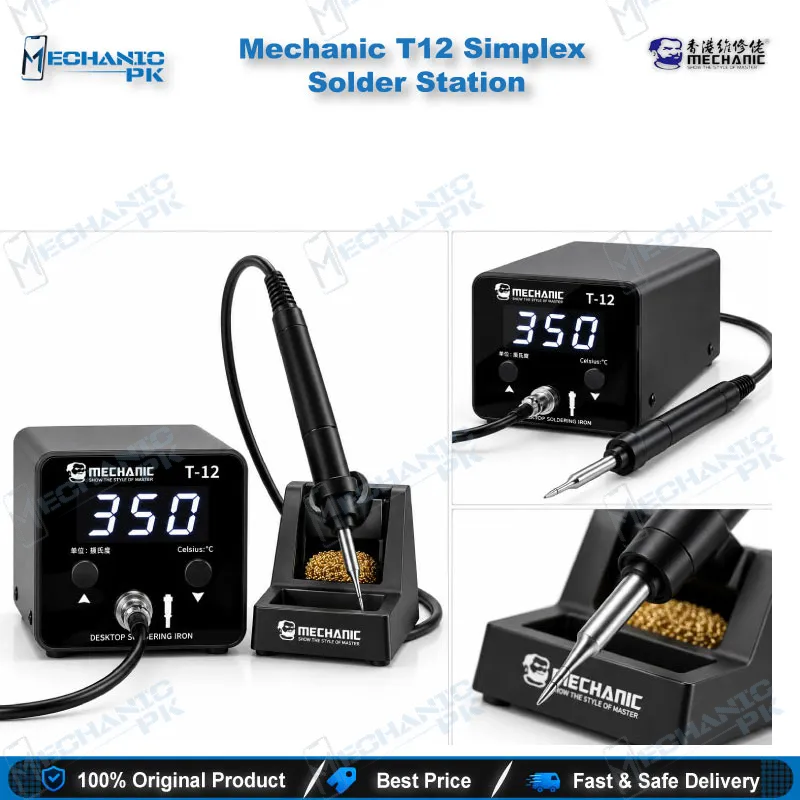
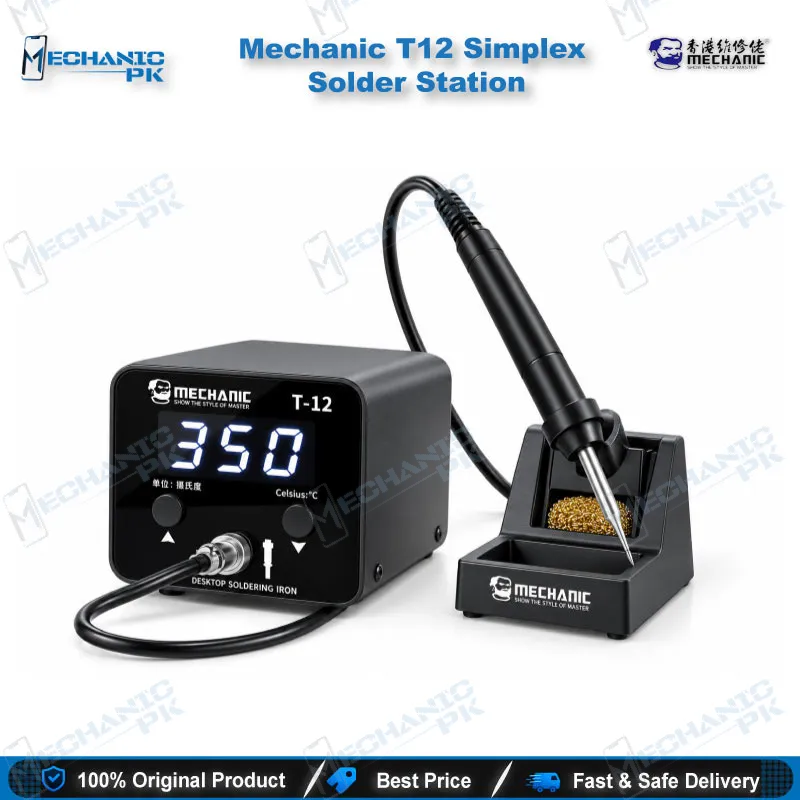
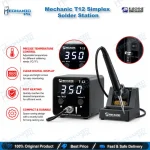
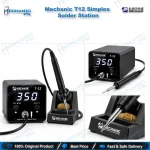
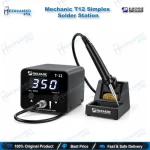
The Mechanic T12 Simplex Solder Station gives mobile repair technicians a compact 50W digital iron with constant-temperature control from 180°C to 450°C. A 2.3-inch LED display shows the live temperature, five memory presets switch with a tap, and the aluminium alloy host stands only 85 mm tall. The station accepts every T12 series tip and runs on AC 110–240V, so it plugs straight into Pakistani mains. Use it for charging port and battery connector replacement, FPC and display connector repair, jumper wiring and pad cleaning on Android and iPhone logic boards. Order the Mechanic T12 Simplex from Mechanicpk and add precise temperature control to your repair bench.
Out of stock
T12 Soldering Station for Mobile Repair: Mechanic Simplex 50W
Every board repair starts with one decision: how much heat the joint needs and how fast the iron recovers after contact. The Mechanic T12 Simplex answers that decision with a T12 soldering station for mobile repair that holds your set temperature between 180°C and 450°C. The 50W host drives a universal T12 series heating core, so you control the tip temperature from a 2.3-inch LED digital display instead of guessing from a dial. Mechanic packs the station into an aluminium alloy body only 85 mm tall, which leaves room on a crowded repair bench for your microscope, PCB holder and multimeter. Technicians who want precise single-channel iron control without paying for a full rework station get a direct fit here.
Digital Constant-Temperature Control You Can Set and Trust
The station runs digital constant-temperature control through the T12 cartridge, which places the heater and sensing element inside the tip itself. You read the live temperature on the LED display and adjust it without leaving the joint.
Five memory presets cover the temperatures you use every day. Tap the preset key to jump between stored values, then hold the key to fine-tune the number when a specific solder alloy or board demands it. Set a lower preset for fine flex connectors and a higher one for ground pads on a heavy copper plane. Switching takes a second, so you stop interrupting the repair to turn a knob.
Calibration stays in your hands too. Press the up or down key while you power the station on to enter calibration mode, and correct the reading when it drifts from your reference. A built-in fuse blows during a short circuit and protects the host from damage.
Where the Simplex Fits in Your Repair Workflow
Charging issue jobs fill a large share of bench time, and the Simplex handles them directly. You replace charging ports and battery connectors, clear and re-tin pads, and re-seat FPC and display connectors when a display problem traces back to a lifted or cold joint. Shield can and ground pad soldering also sit on its job list.
Jumper lagana is where a fine tip earns its place. When a track burns or a pad lifts on a dead phone, you bridge the gap with thin jumper wire. Run the iron at a lower preset for those thin tracks and raise it for wide pads, so you control the heat on every joint.
Know the boundary as well. IC change karna on BGA packages belongs to a hot air station, and reballing needs a reballing kit with stencils. The Simplex cleans the pads afterward, tins them flat and finishes the connector work around the IC. Pair it with a microscope for inspection, a PCB holder for stability, a multimeter for continuity checks and a test box for power-up testing, and you cover the path from diagnosis to the final joint.
Build, Sleep Mode and Bench Footprint
The host measures 85 × 85 × 110 mm and weighs 721 g net, so you move it between the bench and a service-call bag without effort. The aluminium alloy body dissipates heat to keep the electronics stable. The all-metal one-piece sleep stand measures 63 × 70 × 118 mm and holds the handle upright between joints. A 1.27 m handle cable gives you reach to work around a microscope arm.
Sleep time protects your tip. Press the up or down key after shutdown, then power on to enter the hibernation time setting, and choose how long the station waits before it lowers the temperature while the handle rests in the stand. Less time at full heat means less oxidation on the tip plating.
The station accepts AC 110–240V input, so it runs directly on Pakistani 220V mains without a converter.
Tip Compatibility and the Upgrade Path
Your package includes the soldering station, the handle, one T12 soldering tip, a soldering iron holder and a power cable. The Simplex accepts all T12 series tips, so you add tip profiles as your repair mix grows instead of replacing the station. Buy a fine tip for connectors, a wider tip for ground pads and keep the supplied tip for general work.
When your workload outgrows a single 50W channel, you step up the same ladder most shops follow: higher-wattage Soldering Stations for heavy joints, Hot Air Stations for IC removal and Reballing Kits for BGA work. The Simplex stays on the bench as the dedicated pad-and-connector iron in that setup. That role makes it a sensible first digital station for a new repair shop, a training institute bench or a technician who replaces an old analog iron.
| Weight | 2.0 kg |
|---|
Key Features
- Digital constant-temperature control from 180°C to 450°C
- 50W host with universal T12 series heating core
- 2.3-inch LED digital display with live temperature readout
- 5-speed memory presets with tap-to-switch and long-press fine adjustment
- Calibration mode through the up/down key at power-on
- Adjustable sleep time to reduce tip oxidation
- Built-in fuse for short-circuit protection
- Aluminium alloy host, 85 mm tall, with all-metal one-piece sleep stand and 1.27 m handle cable
Specifications
| Brand | Mechanic |
|---|---|
| Model | T-12 (Simplex) |
| Category | Soldering Stations |
| Compatibility | Universal T12 series soldering tips |
| Supported Devices | Universal — Android and iPhone mobile logic boards and general SMD circuit boards |
| Technology | Digital constant-temperature control with T12 heating core, 180–450°C, 2.3-inch LED display, 5-speed memory |
| Material | Aluminium alloy |
| Input Voltage | AC 110–240V |
| Power Rating | 50W |
Common Repair Uses
- Board-level soldering tasks on mobile phone PCBs
- Charging port replacement
- Battery connector replacement
- SMD component soldering
- Jumper wire repair on burnt tracks
- Pad cleaning and re-tinning
- FPC connector repair
- Display connector repair
- Shield can and ground pad soldering
Compatible Devices
- Universal — not device-specific; works at the board level on mobile and SMD circuit boards
- Universal — not device-specific
- Android mobile logic boards
- iPhone logic boards
- General SMD circuit boards
- Charging port sub-boards
- Display and FPC connector pads
- Battery connector pads
- All T12 series soldering tips
FAQ
What is the product name?
What is the brand of this product?
What is the model of this product?
What is this product used for?
Which devices are compatible with this product?
Who should use this product?
What temperature range does the Mechanic T12 Simplex solder station cover?
Does the Mechanic T12 Simplex work with other T12 tips and on 220V mains in Pakistan?
Related products