Mechanic IR14 OCA Remover – Electric OCA Glue Machine
Original price was: ₨ 3,000.₨ 2,500Current price is: ₨ 2,500.
Electric OCA Glue Removal Tool
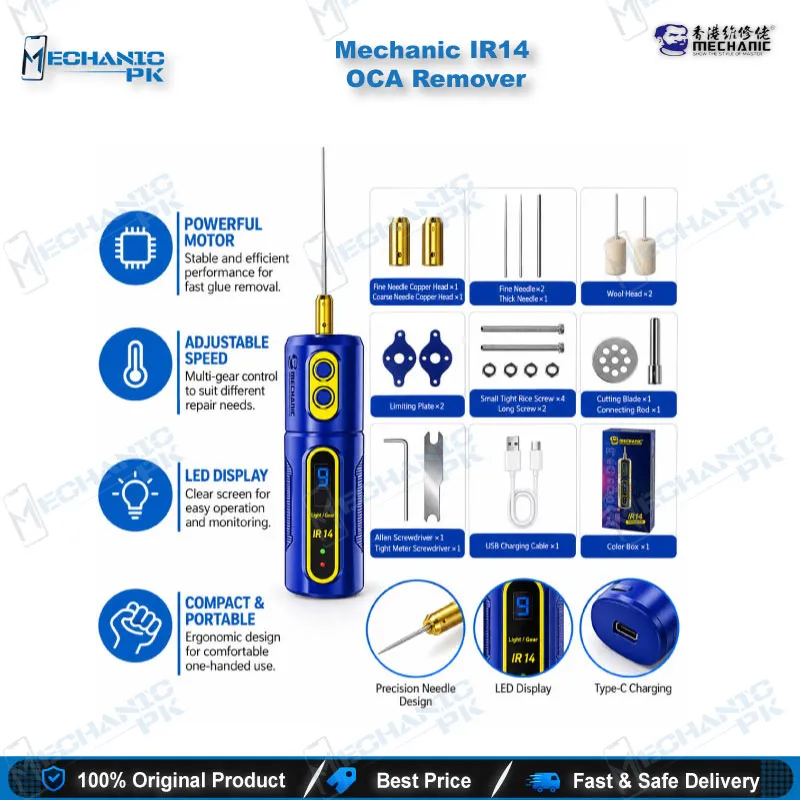
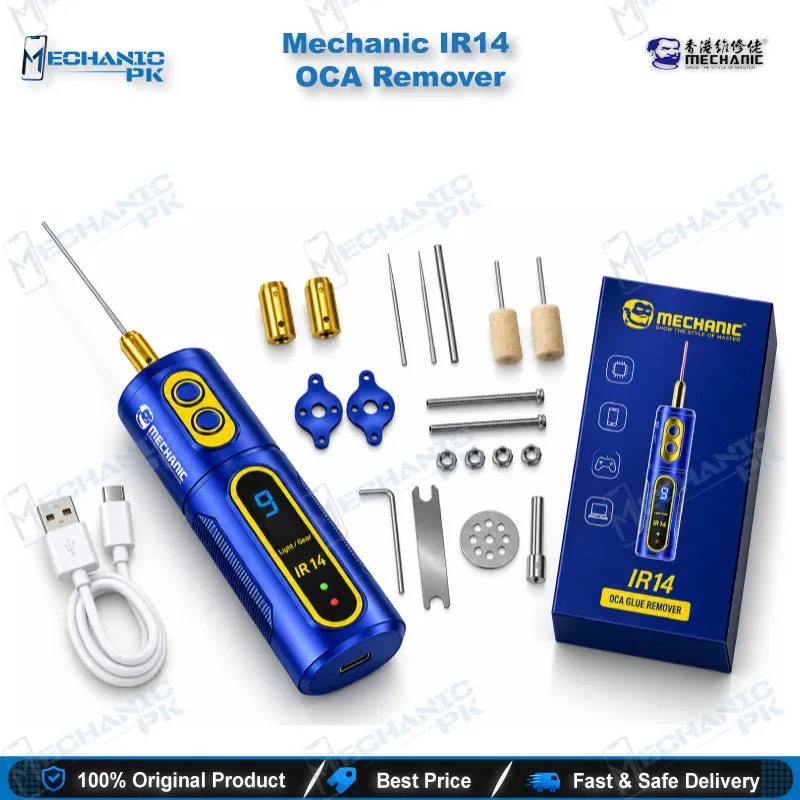
The Mechanic IR14 OCA Remover is a rechargeable electric glue removal tool for screen refurbishing benches. This Mechanic IR14 electric OCA glue remover spins a reversible motor through four speed levels and clears cured OCA residue from LCD glass and frames without chemical rubbing. A green LED dust lamp lights the working edge, so you spot leftover film before relamination. Type-C charging keeps the unit ready on your bench, and the compact PC+ABS body weighs 223 g for steady one-hand control. Repair shops and service centers across Pakistan use it to cut cleanup time on smartphone and tablet screens.
In stock
Mechanic IR14 Electric OCA Glue Remover for Professional Screen Refurbishing
Cured OCA residue decides how clean a refurbished screen looks. The Mechanic IR14 OCA Remover gives you a motorized way to strip that residue from glass, LCD panels and frames, and it replaces the slow hand-rubbing and solvent soaking that many workshops still rely on. If you run a screen separation line or a repair counter that handles cracked displays every day, this Mechanic IR14 electric OCA glue remover slots between your separation step and your relamination step. It runs on a rechargeable battery, charges through Type-C, and keeps the work area visible with a front LED and a green dust lamp. Mechanicpk supplies it to Pakistani repair shops that want repeatable glue removal without a bulky bench machine, whether the job is a single display problem or a full day of refurbishing.
Motor, Speed Control and Build
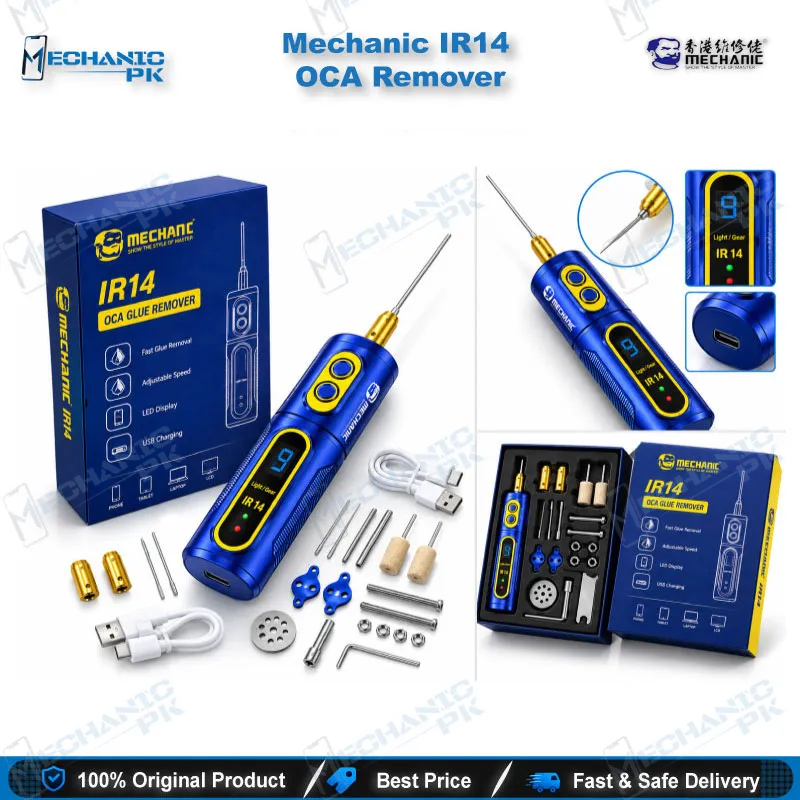
The IR14 drives its glue-removal head with an electric motor that rotates forward and in reverse. You switch direction to match how the adhesive peels, which helps when the glue lifts cleanly one way and smears the other. Four speed levels cover the range from gentle cleanup near a frame edge to faster passes across flat glass, and the rated rotation range runs from 2400 to 4000 rpm. Any key starts the tool, and the unit shuts itself off after one minute without operation, so the battery survives when you set the tool down mid-job. A digital gear display shows the speed level you picked, and a charge indicator tells you when the battery is ready. The housing uses PC+ABS in a 35 × 35 × 120 mm body that weighs 223 g, so you hold it like a pen rather than a power drill. The box includes a USB charging cable, two copper heads and a needle.
Where the IR14 Fits in the Screen Repair Workflow
A typical display job starts with heating the panel on a hot air station or a screen separator and splitting the glass from the LCD. That split leaves cured OCA on the glass and sticky residue on the frame. The IR14 handles the cleanup stage. You work the copper head or needle across the surface until the film lifts, then inspect the glass under a microscope for leftover specks. The green dust lamp makes fine particles stand out, which matters because residue you miss causes uneven bonding when you relaminate. A PCB holder or fixture keeps the screen steady while you work, and the compact size lets you reach corners and frame edges that a larger machine blocks. Technicians who handle curved-screen glue and hard glue on the same bench get one tool that covers both without switching to chemicals.
Handling Tips for Clean Results
Start at the lowest speed on a new panel and raise the level only when the glue resists. Keep the head moving in short, light passes, because pressing hard in one spot heats the surface and wastes battery. Reverse the motor when the adhesive starts to ball up, then switch back to finish the pass. Charge the unit before your shift, since a mid-job shutdown after a minute of idle time resets your rhythm. Swap the head when the working edge wears so the cut stays even. Wipe the glass and frame after each pass and check the result under light before you move on to relamination.
Choosing the IR14 and Building the Bench Around It
Mechanic sells several glue removers with similar names, so confirm the model before you order. The IR14 uses four speed levels. The IR14 ET is a separate model with six speed levels, a 3.7V/2000mAh battery rating and a 7000 rpm maximum. The IR13 and IR18 are also separate models. Pick the IR14 when you want a simple four-speed Type-C tool for everyday OCA cleanup, and move to a six-speed model when your volume demands finer control.
Around the IR14, build the rest of your bench from Hot Air Stations, Soldering Stations, Microscopes, PCB Holders, Multimeters, Test Boxes and Reballing Kits. When your work shifts from display jobs to dead phone, boot loop issue or dead after flash faults, ISP Pinout Tools, eMMC Programmers and UFS Adapters pick up where screen work ends. Together these categories cover the repair path from a cracked display to a board-level hardware fault.
| Weight | 0.223 kg |
|---|
Key Features
- Forward and reverse motor for direction control during glue removal
- 4-level speed control with a digital gear display
- Green LED dust lamp that highlights fine residue
- Front LED lighting for night or low-light work
- Type-C rechargeable design with charge indicator
- One-key start and automatic shutdown after one minute without operation
- Compact PC+ABS body at 223 g for one-hand control
- Package with USB charging cable, two copper heads and a needle
Specifications
| Brand | Mechanic |
|---|---|
| Model | IR14 |
| Category | Mobile Repair Tools – OCA Glue Remover Machines |
| Compatibility | Universal – not device-specific; works on OCA, hard glue and frame adhesive residue on smartphone and tablet LCD screens |
| Supported Devices | Smartphone and tablet LCD screens |
| Technology | Rechargeable electric motor with forward and reverse rotation, 4-level speed control (2400–4000 rpm), Type-C charging |
| Material | PC+ABS |
| Dimensions | 35 × 35 × 120 mm |
| Weight | 223 g |
Common Repair Uses
- Screen separation cleanup and refurbishing workflows
- Removing cured OCA residue from separated glass
- Cleaning frame adhesive before fitting a new display
- Clearing curved-screen glue
- Removing hard and surface adhesive
- Preparing glass for relamination
- Replacing chemical hand-rubbing on glass and LCD surfaces
- Refurbishing touch screens in bulk
- Detail cleanup in low light with the front LED
Compatible Devices
- Universal tool – not tied to specific phone models; works on the adhesive residue of the following
- Smartphone LCD screens
- Tablet LCD screens
- Glass panels after screen separation
- Phone frame and bezel adhesive
- Curved-screen OCA residue
- Hard glue and surface adhesive
- LOCA residue
- Touch screen refurbishment assemblies
FAQ
What is the product name?
What is the brand of this product?
What is the model of this product?
What is this product used for?
Which devices are compatible with this product?
Who should use this product?
How many speed levels does the Mechanic IR14 have and what is its rotation range?
Is the Mechanic IR14 the same as the IR14 ET?
Related products