
















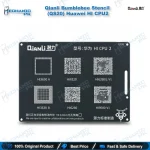
Qianli Bumblebee Stencil (QS20) Huawei HI CPU2 Reballing
₨ 799
Huawei HI CPU2 Reballing Stencil
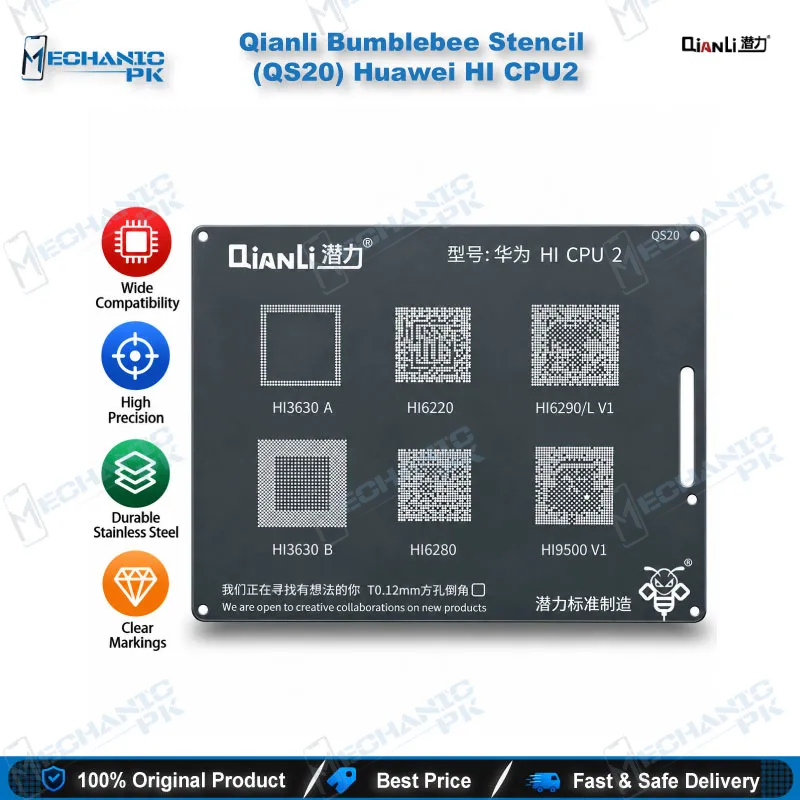
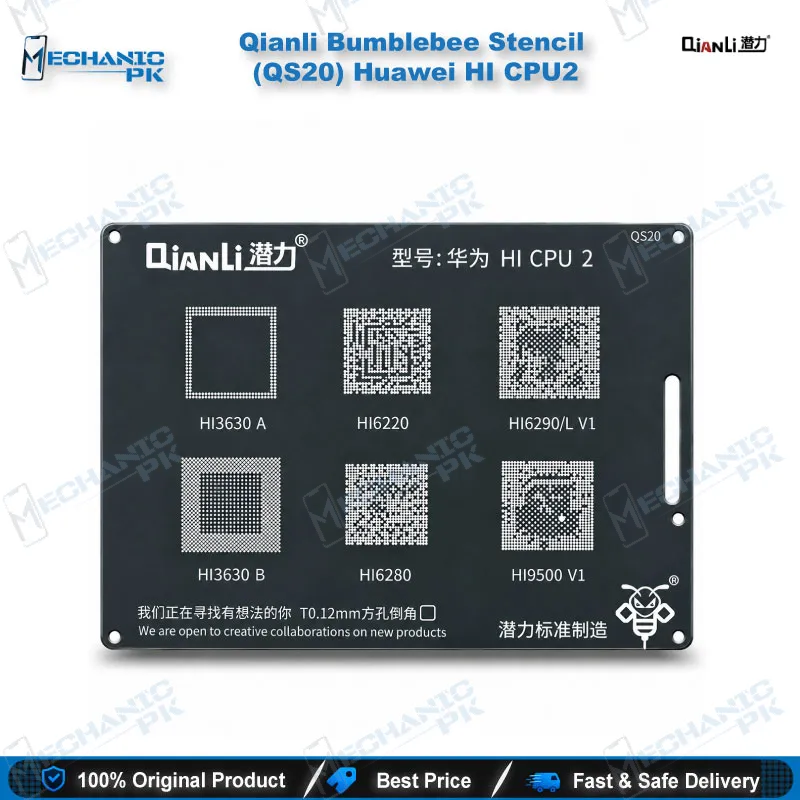
The Qianli Bumblebee Stencil (QS20) Huawei HI CPU2 gives your bench a dedicated reballing template for the HiSilicon chips that Qianli groups under its HI CPU2 pattern. Square holes with rounded angles guide solder balls onto cleaned CPU pads, so you rebuild each joint on a dead phone board without guessing the layout. The QS20 covers HI3630A, HI3630B, HI6220, HI6280, HI6290/L V1 and HI9500 V1. Pair it with a hot air station, flux and fresh solder balls, and you move from a lifted CPU to a reflow-ready chip in one controlled step.
In stock
Huawei HI CPU2 Reballing Stencil for HiSilicon CPU Rework
The Qianli Bumblebee Stencil (QS20) Huawei HI CPU2 is a Huawei HI CPU2 reballing stencil for technicians who rework HiSilicon processors at board level. Qianli numbers its Bumblebee range by chip pattern, and QS20 carries the HI CPU2 layout. When a CPU lifts after a drop, heat stress or a failed reflow, the stencil locates every fresh solder ball on its exact pad, so you stop eyeballing hundreds of points. That precision matters on a dead phone, because one misplaced ball turns a salvageable board into a second repair. Mechanicpk stocks the QS20 for Pakistani repair shops and service centers that handle Huawei boards every week.
The QS20 Chip Pattern and Hole Design
Qianli built the QS20 for the HI CPU2 group: HI3630A, HI3630B, HI6220, HI6280, HI6290/L V1 and HI9500 V1. Check the marking on your chip against that list before you commit, because Qianli splits the HiSilicon range across several stencils. HI3650, HI6250 and HI6260 chips belong to QS21 (HI CPU3), while the HI3660 and HI3670 families belong to QS19 (HI CPU1). The QS20 uses square holes with rounded angles, a hole shape that releases solder balls cleanly and keeps each ball centered on its pad. Qianli also lists the stencil with a new surface treatment and new materials, which the seller describes as sturdy and precise over repeated use. The platform dimensions and plate thickness do not appear in published specifications, so this listing leaves them out.
Where QS20 Fits in a CPU Reballing Workflow
Reballing starts after you lift the CPU with a hot air station and clean the pads with a soldering station and wick. Fix the board in a PCB holder, apply flux, and align the stencil openings over the pads under a microscope. Drop solder balls into the openings, brush off the extras, and reflow gently until the balls seat. Lift the stencil only after the board cools, then inspect every ball for gaps, bridges or missing positions. Keep the stencil clean between jobs, because old flux residue clogs the openings and ruins the next pattern. Before you mount the CPU back, check the pad continuity with a multimeter and confirm the ball pattern matches the chip. This sequence turns the QS20 into a repeatable step inside your IC and CPU repair process, and it pairs naturally with a reballing kit, a flux and solder ball set, and a flat work surface. When your queue includes other Huawei chips, add QS19 and QS21 so one bench covers all three HI CPU patterns.
Why Technicians Keep It for Hardware Fault Jobs
Most QS20 jobs start as a hardware fault with a clear symptom: a dead phone after a fall, a boot loop issue, or a hang on logo that returns after every software reflash. A stencil does not diagnose the fault, so confirm the CPU joints as the cause before you reball. Once you do, the QS20 gives you a controlled way to rebuild those joints instead of reheating the old balls and hoping they hold. A shop that keeps one stencil per chip pattern spends less time on setup and avoids improvising with the wrong template. If you compare the QS20 price in Pakistan against the cost of a ruined CPU, the stencil pays for itself on the first clean reball. Add it to your drawer next to your hot air station accessories and microscope tools, and each Huawei CPU job starts with the right template in reach. Technical trainers also use the QS20 to teach students how HiSilicon ball patterns differ from Qualcomm and MediaTek layouts, since the stencil makes the pad geometry easy to see.
| Weight | 0.1 kg |
|---|
Key Features
- Dedicated to Qianli’s Huawei HI CPU2 chip pattern (QS20)
- Square holes with rounded angles for clean solder ball release
- Covers HI3630A, HI3630B, HI6220, HI6280, HI6290/L V1 and HI9500 V1
- Part of the Qianli Bumblebee stencil range, split by HiSilicon chip pattern
- Surface treatment and materials that Qianli lists for precision and durability
- Fits a standard CPU reballing workflow with hot air, flux and solder balls
- Works with PCB holders and microscopes for accurate alignment
- Pairs with QS19 and QS21 to cover the wider Huawei HI CPU range
Specifications
| Brand | Qianli |
|---|---|
| Model | QS20 |
| Category | BGA Reballing Stencil (Bumblebee Series) |
| Compatibility | Huawei HI CPU2 pattern: HI3630A, HI3630B, HI6220, HI6280, HI6290/L V1, HI9500 V1 |
| Technology | Square-hole, round-angle BGA stencil |
Common Repair Uses
- CPU-level reballing on Huawei boards
- Reballing a HI CPU2 chip after hot air removal
- Rebuilding solder joints on a dead phone with a lifted CPU
- Re-tinning cleaned pads before a CPU reflow
- Reworking boards that show a boot loop issue from weak CPU joints
- Reworking boards that hang on logo from cracked ball joints
- Replacing a damaged CPU with a new chip on a prepared board
- Checking ball pattern alignment under a microscope before reflow
- Practice and training on HiSilicon ball layouts in repair institutes
Compatible Devices
- HiSilicon (Huawei) CPU chips in the HI CPU2 pattern, not universal across other HiSilicon CPUs
- HI3630A CPU
- HI3630B CPU
- HI6220 CPU
- HI6280 CPU
- HI6290/L V1 CPU
- HI9500 V1 CPU
- Huawei boards that carry any chip listed above
FAQ
What is the product name?
What is the brand of this product?
What is the model of this product?
What is this product used for?
Which devices are compatible with this product?
Who should use this product?
Which HiSilicon chips does the Qianli QS20 stencil cover?
Can I use the QS20 on HI3650, HI6250 or HI6260 chips?
Related products