

















Amaoe QU7 Stencil – Qualcomm CPU BGA Reballing 0.12mm
₨ 1
Qualcomm CPU Reballing Stencil
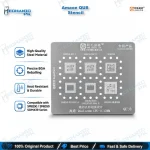
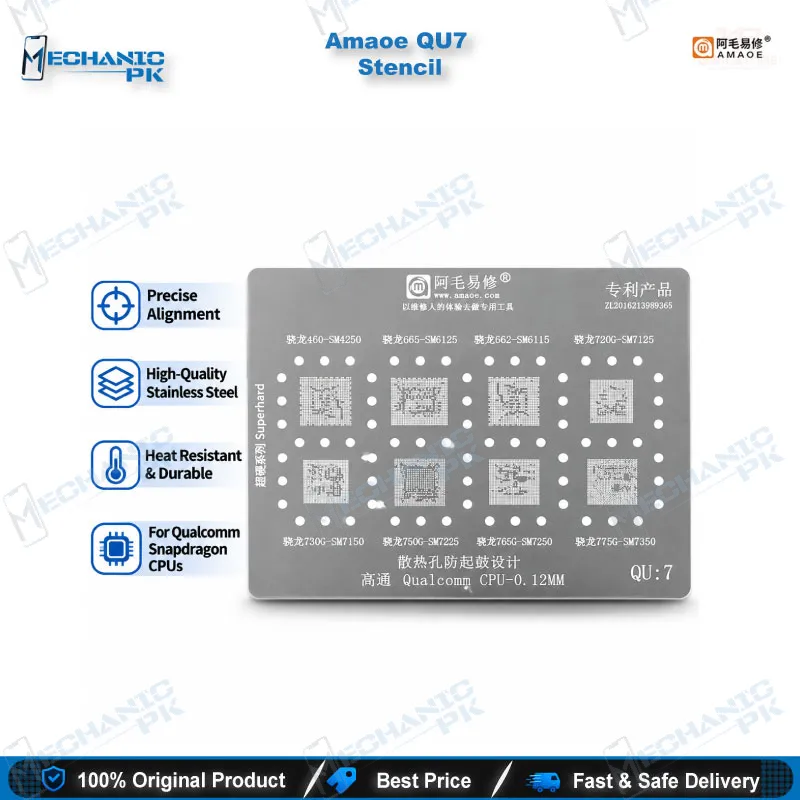
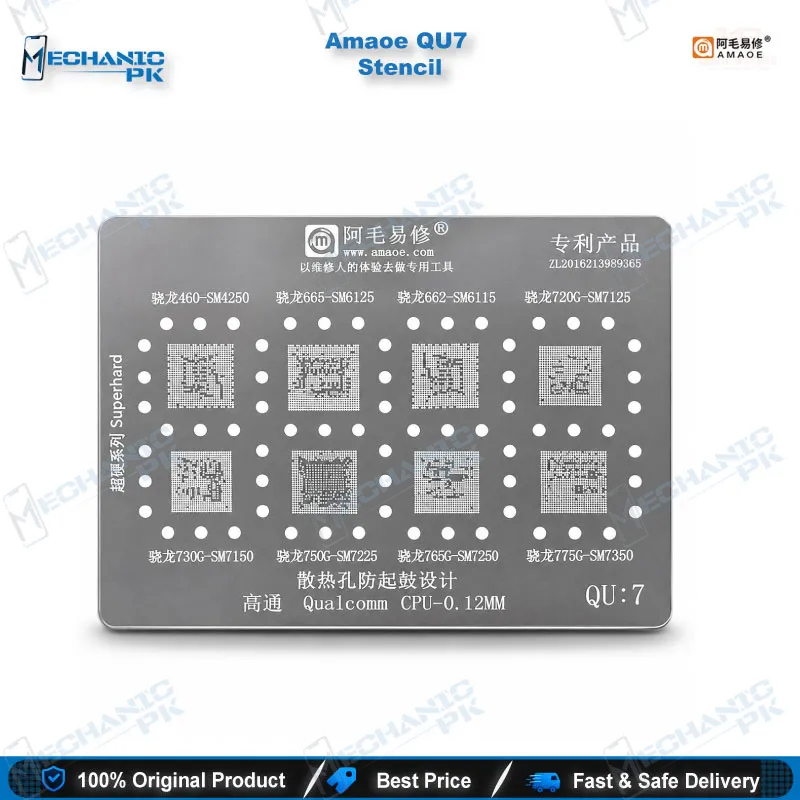
The Amaoe QU7 Stencil is a 0.12 mm stainless steel BGA reballing template built for eight Qualcomm CPU platforms: SM4250, SM6115, SM6125, SM7125, SM7150, SM7225, SM7250, and SM7350. You lay it over a cleaned CPU, press solder paste through the apertures, and reflow to rebuild an even ball array before the chip returns to the board. Mechanicpk supplies the Amaoe QU7 stencil for Qualcomm CPU work, so technicians and repair shops in Pakistan can restore lifted or damaged balls on mid-range Snapdragon boards. Pair it with a hot air station, flux, and a microscope for repeatable results.
Out of stock
Amaoe QU7 Stencil for Qualcomm CPU: Precision Reballing for Mid-Range Snapdragon Boards
The Amaoe QU7 stencil for Qualcomm CPU reballing covers eight chipset platforms with one 0.12 mm stainless steel template: SM4250, SM6115, SM6125, SM7125, SM7150, SM7225, SM7250, and SM7350. When you lift a Snapdragon CPU from a dead phone or a board with a hardware fault, the original solder balls rarely survive the removal intact. The Amaoe QU7 Stencil lets you rebuild a fresh, even ball array on the bare chip, so the CPU seats flat on the board pads and reflows cleanly. Mechanicpk supplies it as a chipset-specific template, which suits repair shops, service centers, and distributors who need the right stencil for the chip on the bench instead of a generic plate.
Technical Highlights of the QU7 Template
Stencil thickness controls how much paste each aperture deposits, and the QU7 uses a 0.12 mm sheet to set that volume for the ball array it targets. The stainless steel body stays flat against the CPU face while you draw the squeegee across, which keeps paste height consistent from the first ball position to the last. You match the template by chipset code, not by phone model: read the SM-series marking on the CPU, then confirm it appears in the QU7 list before you start. The platforms in this stencil sit in the mid-range Snapdragon tier, so one template serves several chipset generations that technicians meet regularly on Qualcomm-based boards. Because the supported codes are fixed, you avoid guesswork and avoid scrapping a CPU with the wrong template. Tin planting through a stencil also gives you tighter control than freehand balling, because every ball lands in a fixed position and shares the same paste volume. That consistency matters on dense Qualcomm packages, where one oversized ball bridges its neighbors and one missing ball leaves a dead connection.
Where It Fits in Your CPU Repair Workflow
Start every CPU reballing job with a diagnosis. Measure the main power rails with your multimeter, check the board with a test box where the platform supports it, and rule out storage faults with eMMC programmers, UFS adapters, or ISP pinout tools before you blame the CPU. A phone that hangs on logo or drops into a boot loop issue after a drop often points to storage or software, so confirm the cause first. Once the CPU is the suspect, clamp the board in a PCB holder, lift the chip with a hot air station, and clean the pads on both the board and the CPU with a soldering station and desoldering wick. Apply flux, seat the CPU in your reballing kit platform, align the QU7 apertures over the pads, and press solder paste through with a squeegee. Reflow with controlled hot air until the balls form, let the chip cool, and inspect the result under a microscope. Look for bridged balls, missing balls, and uneven height before you place the CPU back on the board.
Choosing the QU7 for Your Bench
Pick the QU7 when your job list shows these Qualcomm codes regularly. If the CPU on your bench carries a different marking, choose the stencil built for that chipset, because aperture layout changes between platforms and a mismatched template leaves you with misaligned balls. Support the stencil with a stable hot air station, fresh solder paste, and clean flux, and the template does its best work. For workshops that handle dead after flash cases and dead phone complaints every day, a dedicated stencil per chipset family shortens turnaround and protects expensive CPUs from repeat heating. Keep the stencil clean after each job so paste residue never clogs the apertures on the next chip. Buyers who stock Mechanicpk for the whole bench can add reballing kits, PCB holders, and microscopes in the same order, so the stencil arrives with the tools that complete the job. Technicians moving up from basic soldering work gain the most, since a chipset-specific stencil turns CPU reballing from a risky guess into a repeatable step in your repair process.
| Weight | 0.1 kg |
|---|
Key Features
- 0.12 mm stencil thickness for controlled paste volume
- Stainless steel construction
- One template for eight Qualcomm CPU chipset codes
- Built for BGA reballing and tin planting
- Supports SM4250, SM6115, and SM6125 platforms
- Supports SM7125, SM7150, SM7225, SM7250, and SM7350 platforms
- Chipset-code matching removes phone-model guesswork
- Fits alongside hot air station, PCB holder, and microscope workflows
Specifications
| Brand | Amaoe |
|---|---|
| Model | QU7 |
| Category | BGA Reballing Stencil for Qualcomm CPU |
| Compatibility | Qualcomm SM4250, SM6115, SM6125, SM7125, SM7150, SM7225, SM7250, SM7350 |
| Supported Devices | Mid-range Qualcomm Snapdragon CPU platforms (chipset-code based, not phone-model specific) |
| Technology | BGA reballing / tin planting through stencil apertures |
| Material | Stainless steel |
| Dimensions | Stencil thickness 0.12 mm |
Common Repair Uses
- Reballing a Qualcomm CPU after removal from a dead phone board
- Restoring lifted or damaged solder balls on a CPU
- Rebuilding the ball array after a hardware fault repair
- Reballing before reseating a CPU that caused a boot loop issue
- Reworking a CPU after a failed hot air removal
- CPU reballing during dead after flash hardware diagnosis
- Replacing old, uneven balls with a uniform paste-printed array
- Preparing a donor CPU for transfer to a repaired board
Compatible Devices
- Qualcomm CPU chipset codes (universal across phone brands that use these chips, not device-specific)
- Qualcomm SM4250
- Qualcomm SM6115
- Qualcomm SM6125
- Qualcomm SM7125
- Qualcomm SM7150
- Qualcomm SM7225
- Qualcomm SM7250
- Qualcomm SM7350
FAQ
What is the product name?
What is the brand of this product?
What is the model of this product?
What is this product used for?
Which devices are compatible with this product?
Who should use this product?
Which Qualcomm chipsets does the Amaoe QU7 stencil support?
What is the thickness of the Amaoe QU7 stencil?
Related products